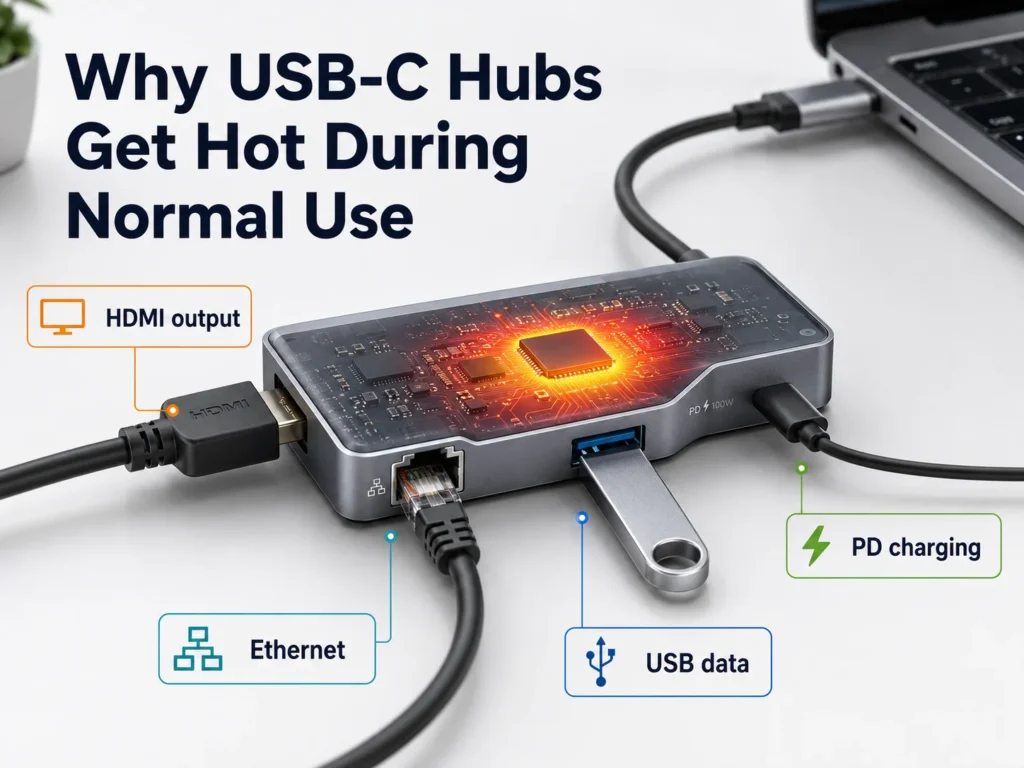
USB-C hubs get hot because several chips, power circuits, and high-speed connections are working inside a very small enclosure1. For retailers and sellers, the problem is not simply that a hub feels warm. The real risk starts when heat leads to intermittent disconnects, slow data transfer, shutdowns, returns, and negative reviews2. I will explain what normal warmth looks like and what buyers should ask suppliers before placing an order.
A USB-C hub can become warm during normal use, especially when it handles HDMI output, Ethernet, USB data, SD cards, and PD pass-through at the same time3. However, persistent excessive heat, connection drops, shutdowns, or unstable charging usually point to weak chipset efficiency, poor PCB design, insufficient heat dissipation, or compatibility issues—not merely a high wattage rating.
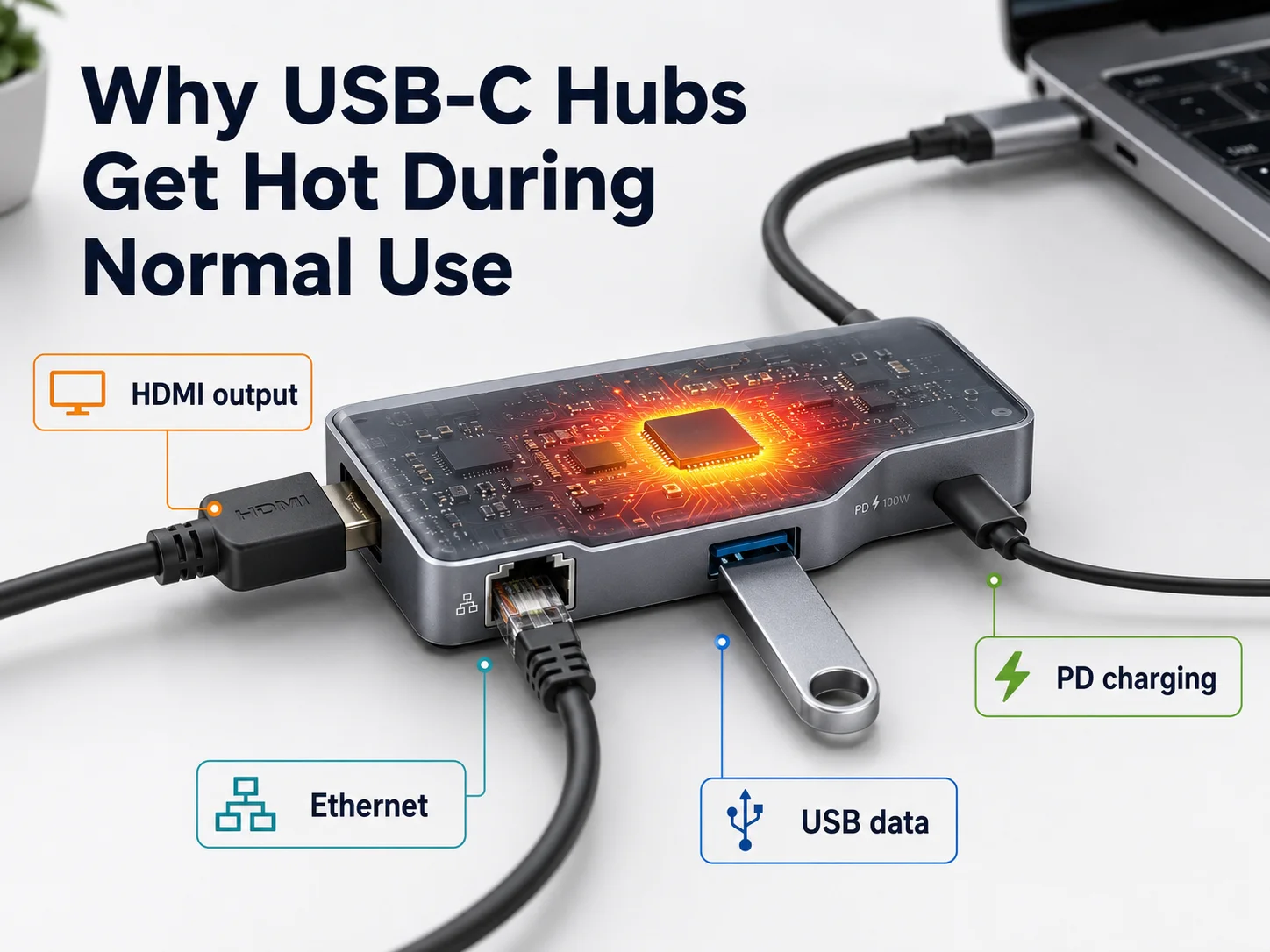
When I speak with buyers in the US and Europe, I often hear the same question: “Is 100W PD making this hub dangerous?” In my experience, that question is too narrow. A better question is: what happens inside the hub when customers use several ports for several hours? That is where chipset quality and thermal design matter.
1. Quick Answer: Is It Normal for a USB-C Hub to Get Warm?
When a customer touches a hub and notices warmth, they may assume the product is defective. That reaction is understandable because USB-C hubs are compact, and users often do not see how much work is happening inside. Still, I do not treat every warm hub as a failure.
Yes, it is normal for a USB-C hub to get warm when it is transferring data, outputting video, supplying Ethernet, reading cards, or passing charging power to a laptop. A hub becomes concerning when the heat is sustained and comes with connection failures, charging interruptions, display flicker, odor, severe discomfort when touched, or automatic shutdowns.
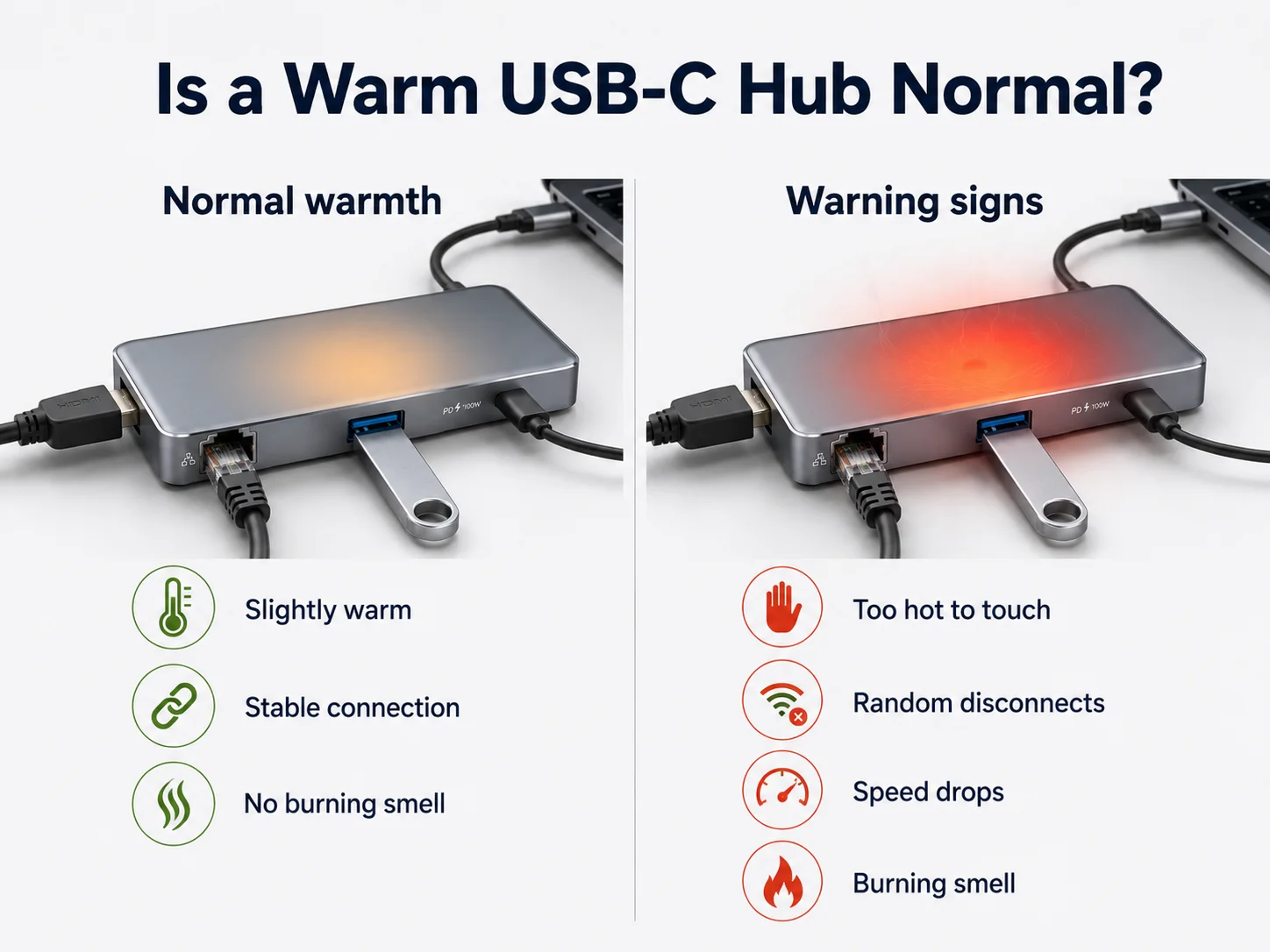
Warmth means the hub is working, not necessarily failing
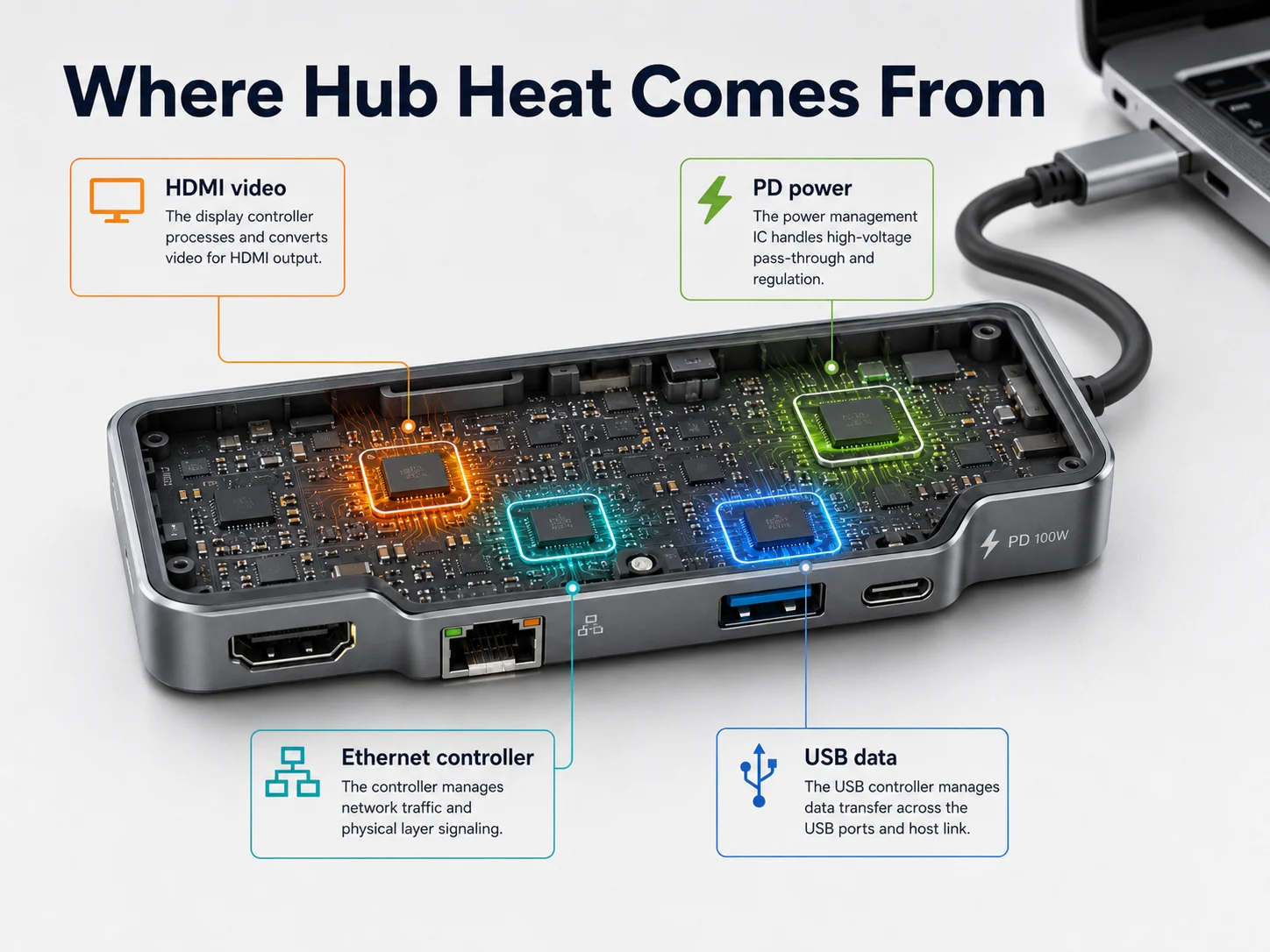
I usually explain that a USB-C hub is not just a simple cable adapter. It is a compact multi-function electronic device. Depending on the configuration, it may contain:
- A USB controller
- An HDMI or DisplayPort video-processing chip
- A USB Ethernet controller
- A power-delivery controller
- Voltage conversion circuits
- SD or microSD card-reader components
- Protection circuits for over-current, over-voltage, and short-circuit events
Each component uses energy. Some energy becomes useful output, while some becomes heat. That is a normal part of electronics.
The important point is that normal heat should remain stable under normal load4. A well-designed hub should continue to provide reliable video, data, network access, and charging without repeated interruptions.
I have seen buyers make the mistake of rejecting a product only because the metal case feels warm. Metal surfaces often feel warmer because aluminum moves internal heat outward more efficiently5. In some cases, a plastic hub may feel cooler on the outside while trapping more heat inside. The surface feeling alone does not tell the full story.
Instead, I ask practical questions:
- Does the hub remain stable after extended use?
- Does HDMI stay connected?
- Does Ethernet remain active?
- Does PD charging continue normally?
- Does the USB device disconnect or slow down?
- Does the same issue occur with different laptops and chargers?
Those questions help separate expected operating warmth from a product that may create downstream customer-service problems.
2. Why Do USB-C Hubs Generate Heat During Normal Use?
Many buyers expect a USB-C hub to act like a passive splitter. That expectation creates confusion when the unit becomes warm. In reality, modern hubs must negotiate power, process signals, and manage several interfaces simultaneously in a compact body.
USB-C hubs generate heat because their internal controllers and power circuits convert, regulate, and process electricity and high-speed signals. The more functions a hub handles at once—such as 4K video, USB drives, Ethernet, and laptop charging—the more heat its chipset and power design must manage.
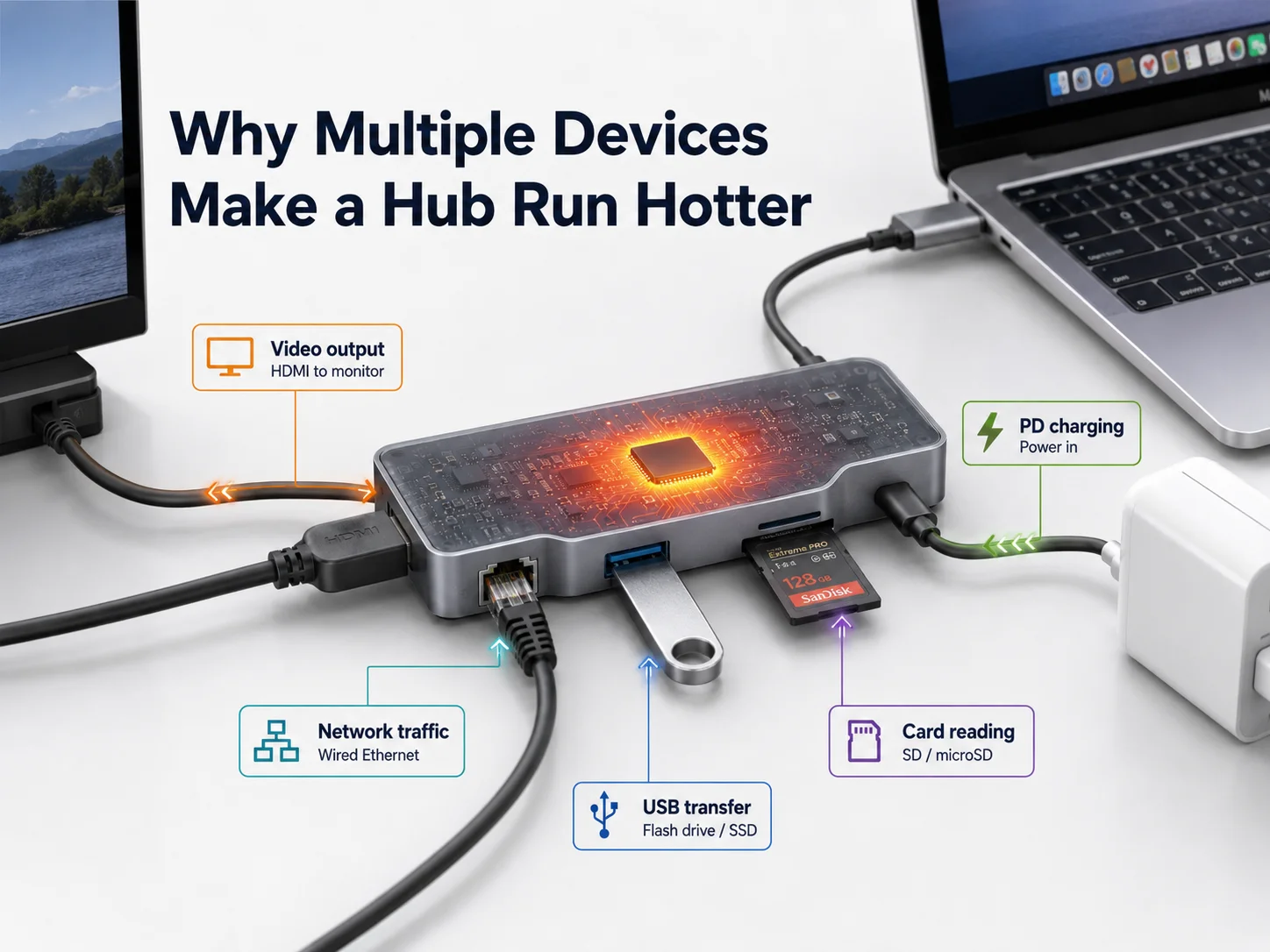
Every active function adds thermal load
In our daily sourcing and QC work, I see that hub heat is rarely caused by one single feature. It usually comes from the combined load.
For example, a laptop user may connect:
- One external monitor through HDMI
- A keyboard and mouse
- An external SSD
- Gigabit Ethernet
- A USB-C PD charger
- An SD card for file transfer
This setup puts pressure on different internal circuits at the same time. The hub must handle high-speed data traffic, display output, power negotiation, and voltage conversion in a limited physical space.
Power conversion creates unavoidable losses
A hub that supports PD pass-through does not simply “send 100W through.” It must negotiate with the charger and host device. It may also reserve some power for its own internal functions and downstream USB ports.
No conversion system is perfectly efficient. A portion of electrical energy becomes heat during voltage regulation.6 Better components and better circuit design reduce those losses. Poorer designs waste more energy as heat, especially during prolonged load.
This is why I do not advise buyers to judge a hub only by the printed PD rating. A 100W-rated hub is not automatically hotter or less safe than a 65W-rated model. In fact, a properly designed high-power hub can perform more reliably than a low-cost lower-wattage hub with weak conversion efficiency and limited protection design.
Small bodies create a difficult design challenge
A thin hub looks attractive on a retail shelf. However, smaller space means less room for:
- Heat spreading
- Component clearance
- Thermal pads
- Larger PCB areas
- Better port spacing
- Air movement around hot components
That does not mean slim hubs are poor products. It means a factory must make smarter decisions about the chipset, PCB layout, housing material, and thermal pathway. For buyers, the key is not “thin versus thick.” The key is whether the supplier can explain how the design handles a realistic full-load scenario.
3. Comparison Table: Normal USB-C Hub Warmth vs Problematic Overheating
A warm USB-C hub can worry an end user, while a genuinely overheating hub can create costly returns. The difference is not always obvious from a photo, a listing, or a quick sample check. I recommend that buyers evaluate behavior, not just surface temperature.
Normal USB-C hub warmth appears during active use and does not interrupt core functions. Problematic overheating is usually associated with instability, including display dropouts, USB disconnects, charging interruptions, network failures, throttling, or shutdowns under sustained load.
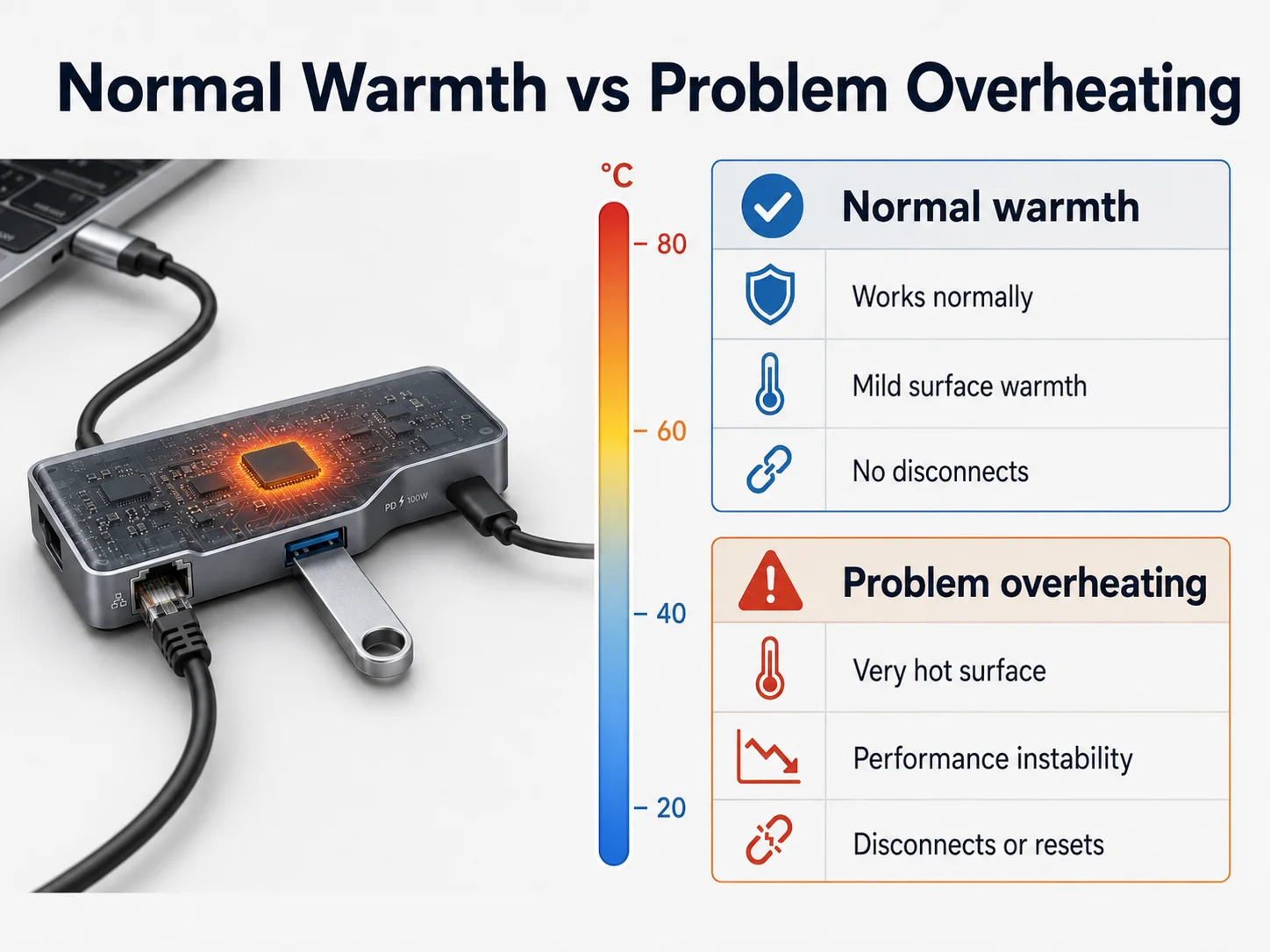
| Area to Check | Normal USB-C Hub Warmth | Problematic Overheating |
|---|---|---|
| Surface feel | Warm during active use | Uncomfortably hot or increasingly hot |
| HDMI output | Stable display | Flicker, black screen, repeated reconnection |
| USB data | Stable transfer | Drive disconnects, errors, slower performance |
| Ethernet | Stable connection | Random network loss or reconnecting |
| PD charging | Charging remains stable | Charging stops, cycles, or becomes inconsistent |
| Long use | Performance remains consistent | Failures appear after sustained load |
| Smell or visible signs | No unusual smell or deformation | Odor, discoloration, deformation, or abnormal noise |
| Customer impact | Usually no complaint after explanation | Returns, poor reviews, support cases |
Do not judge only by a short sample test
I have learned that a hub can pass a simple desk test and still create problems later. A buyer may connect a mouse and keyboard for five minutes, see that everything works, and approve the sample. That test does not represent a real customer who runs dual screens, transfers files, and charges a laptop for hours.
A useful evaluation should include both initial function and sustained behavior.
In one customer case, we received feedback about intermittent shutdowns during high-load use. The first report sounded like a simple “overheating problem.” After our internal review, we found that the issue was not just surface warmth. The product became unstable when several demanding functions operated together. That experience changed how I discuss hub specifications with buyers: I now focus more on load conditions, chipset sourcing, and thermal structure than on a wattage number alone.
What buyers should document
When a complaint occurs, I suggest collecting more than a brief video. The following details help a factory investigate faster:
- Laptop brand and model
- Operating system version
- Charger wattage and brand
- Connected monitor resolution and refresh rate
- Number of USB devices connected
- Whether Ethernet and card readers were active
- Approximate time before the issue appeared
- Whether the issue repeats with another host device
These details matter because USB-C compatibility is an ecosystem issue. The hub, host laptop, charger, cable, monitor, and connected devices all influence the final result.
4. How HDMI, Ethernet, Data Transfer, and PD Pass-Through Increase USB-C Hub Heat
A basic hub with only USB-A ports has a different thermal profile from a multiport model with HDMI, Ethernet, card readers, and 100W PD pass-through. Buyers sometimes compare them only by appearance, which can lead to an unrealistic pricing expectation.
HDMI, Ethernet, fast USB data transfer, and PD pass-through increase USB-C hub heat because each function activates separate controllers and power circuits. When these functions run together, the hub must process more data and manage more power within the same compact housing.
HDMI and video output
Video output is one of the most demanding hub functions. The hub must receive a signal from the laptop, process or convert it where needed, and send it to the display reliably. Higher resolutions, higher refresh rates, and multiple displays can increase the workload.7
A buyer should not only ask, “Does this hub support 4K?” I recommend asking:
- Under what host-device conditions does it support 4K?
- Does the supplier test with common Windows and macOS devices?
- Does the hub remain stable during extended display use?
- Can the supplier clarify single-display versus multi-display behavior?
Ethernet and data transfer
Gigabit Ethernet and fast USB storage both create steady controller activity. An external SSD can be particularly demanding during backups, video editing, or large file transfers. When Ethernet, storage, and HDMI operate together, the hub’s controller chip and PCB traces must manage several fast signals at once.
PD pass-through
PD pass-through often causes the most confusion. High wattage is not automatically the danger. The question is how efficiently the hub handles power negotiation and conversion.
A well-selected PD controller and protection design can manage higher input power safely. A weak design may struggle even at a lower stated rating. That is why I look at the quality of the power path, not just the number printed on the package.
For a retailer, the commercial lesson is simple: a feature-rich hub needs a more serious internal design. If a supplier offers HDMI, Ethernet, USB 3.x, card reading, and high-wattage PD at an unusually low price, I would ask deeper questions before treating that offer as comparable.
5. What Is Thermal Throttling and Can Heat Reduce Data Transfer Speed in USB-C Hubs?
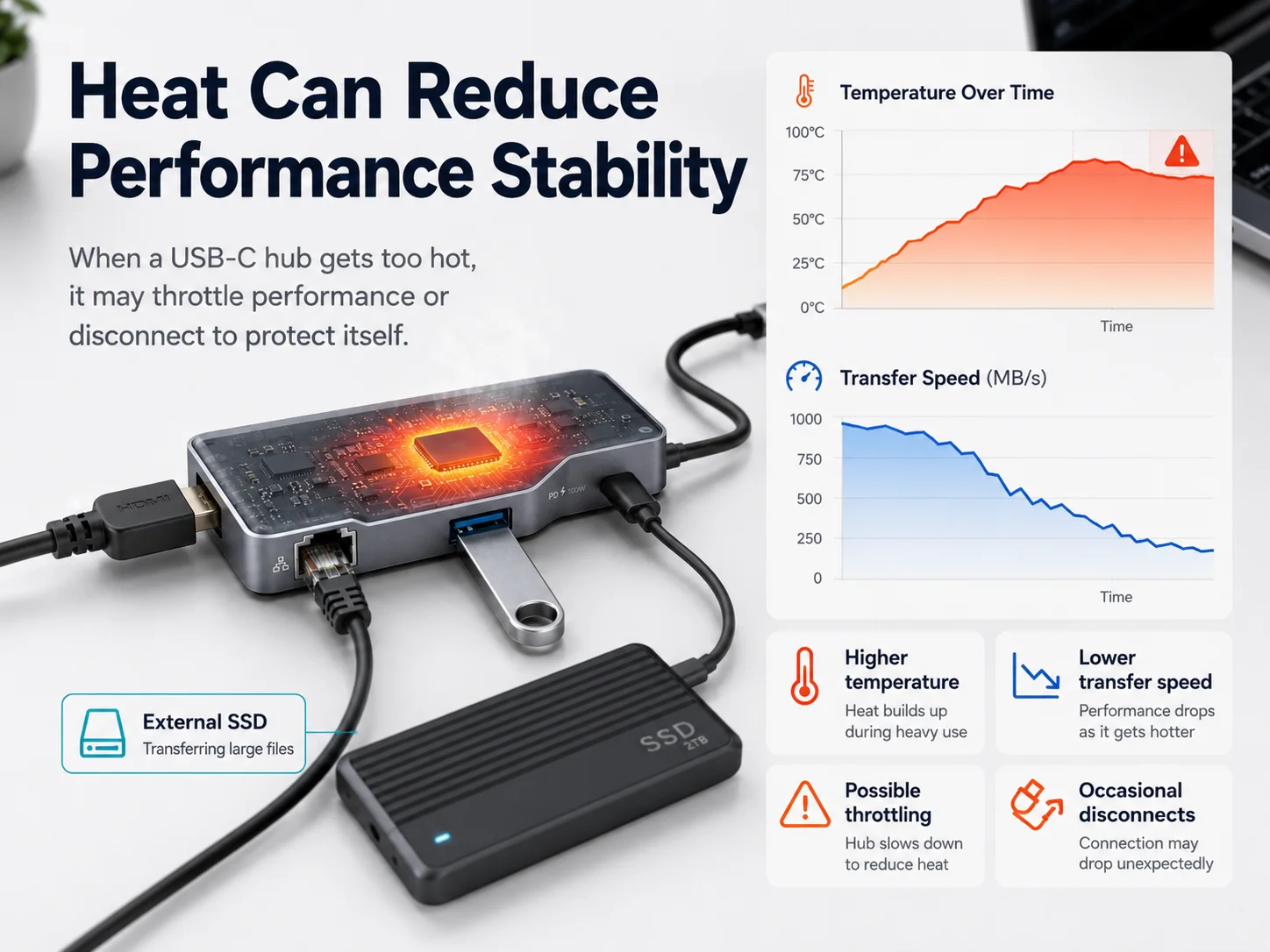
Customers may report that a hub “works at first but becomes slow later.” That complaint can be hard to diagnose because the issue may involve the laptop, drive, cable, or hub. However, sustained heat can affect performance when internal protection mechanisms reduce activity to protect components.
Thermal throttling occurs when a USB-C hub or connected device reduces performance to control heat.8 Excessive temperature can contribute to slower data transfer, unstable video, charging changes, or temporary disconnects, although the exact cause must be checked across the full setup.
Protection is better than uncontrolled failure
Thermal throttling is not always a sign that a product is unsafe. In some cases, it shows that protection mechanisms are responding before a component reaches a more serious failure condition.
Still, from a buyer’s perspective, protection that activates too easily can create a poor user experience. End customers do not usually describe it as “thermal throttling.” They say things like:
- “My hard drive keeps disconnecting.”
- “The monitor goes black after an hour.”
- “The hub stops charging my laptop.”
- “The Ethernet connection drops randomly.”
- “The transfer speed gets worse over time.”
Those are the phrases that appear in product reviews and return requests.
Why the cause needs careful investigation
I avoid blaming the hub immediately. A low-quality USB-C cable, an underpowered charger, an incompatible laptop port, or an external drive with its own heat issue can create similar symptoms.
However, a good supplier should be willing to help isolate the cause. I expect a practical investigation process to include:
- Reproducing the customer’s connection setup.
- Testing with another laptop and charger.
- Checking whether the issue occurs only under combined load.
- Comparing another hub from the same batch.
- Reviewing the internal component and assembly consistency if the issue repeats.
Buyers should focus on stable sustained performance
For e-commerce sellers, peak performance claims are less valuable than repeatable customer experience. A hub that briefly reaches a high transfer rate but becomes unstable under a normal workload can damage a listing quickly.
I recommend that buyers ask suppliers for a realistic test scenario, not just a port specification sheet. The best question is: “What happens when HDMI, Ethernet, USB storage, and PD are used together for an extended period?”
That question moves the conversation from marketing claims to actual product reliability.
6. How Chipset Selection Affects USB-C Hub Temperature and Stability
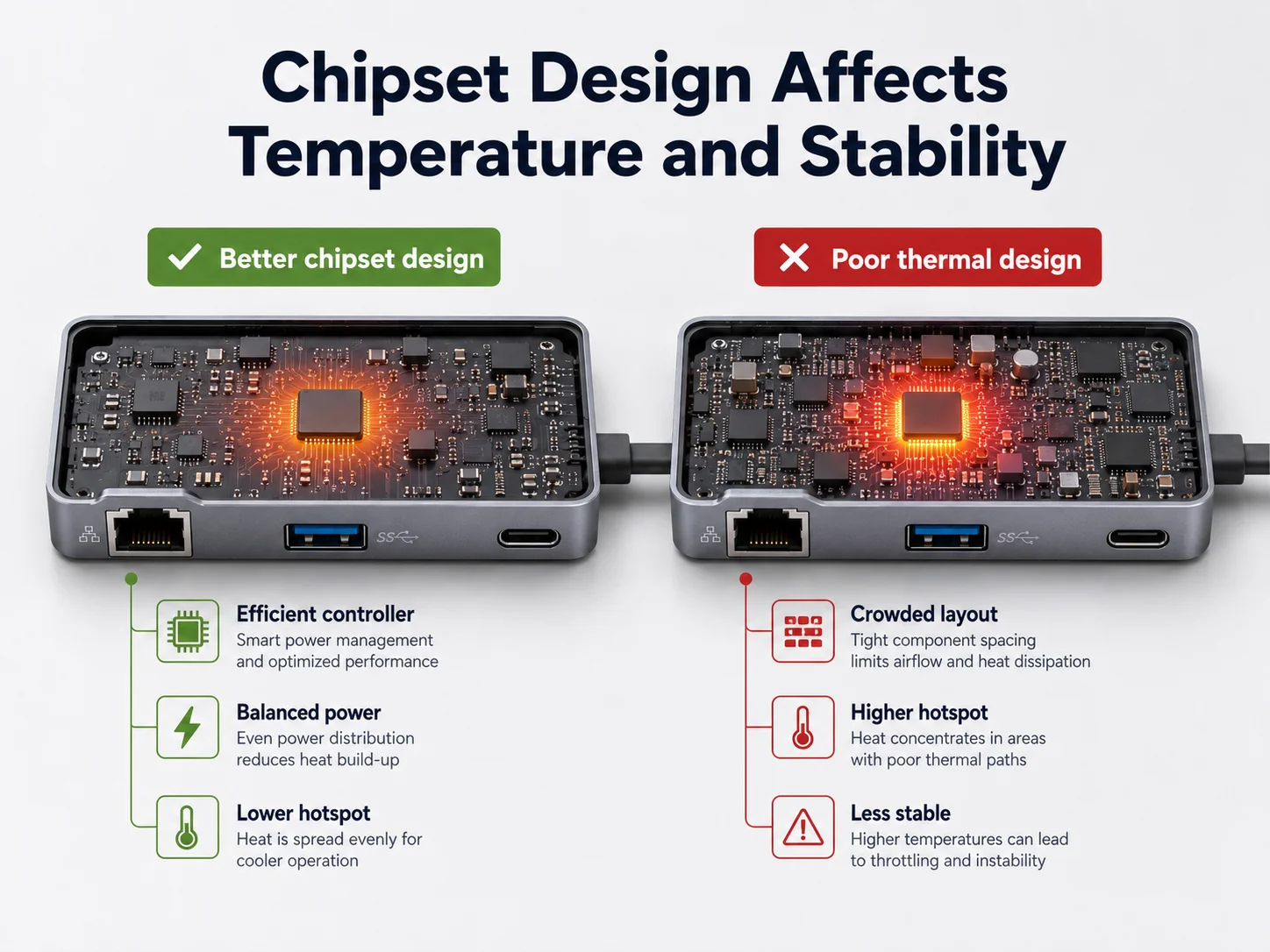
Chipset selection is the most important issue that many buyers cannot see from the outside. Two hubs can have nearly identical port layouts and aluminum bodies, yet they can perform very differently because of the controllers and power-management components inside.
Chipset selection affects USB-C hub temperature because the controller and power-delivery circuits determine how efficiently the hub processes signals, regulates voltage, and activates protection features9. Better chipset choices usually support more stable operation under sustained multiport use.
The chipset is not just a line on a specification sheet
I do not believe buyers need to become semiconductor engineers. However, buyers should understand that a hub chipset affects:
- Power conversion efficiency
- USB data stability
- Video-output compatibility
- Ethernet reliability
- Protection response
- Heat generation under load
- Firmware maturity and consistency
A supplier who only says “our hub supports 100W PD” has not answered the important question. I would ask what chipset solution they use, how they evaluate it, and whether they have experience with the intended use case.
What we look for during supplier evaluation
At our Shenzhen 3C factory, we evaluate more than price when selecting core component solutions. I look for suppliers that can provide consistent materials, clear technical communication, and stable production support.
My practical checklist includes:
| Evaluation Area | Why It Matters for Buyers |
|---|---|
| Chipset supply consistency | Reduces unexpected component substitutions between orders |
| Power-management design | Helps control heat during PD pass-through |
| Protection functions | Supports safer response to abnormal load conditions |
| Compatibility history | Reduces complaints across common laptop ecosystems |
| Firmware control | Helps maintain consistency across production batches |
| Engineering support | Speeds up root-cause analysis if a complaint occurs |
Avoid blind component substitution
One sourcing risk is unapproved substitution. A factory may use a different component because of cost or supply pressure. The new component may appear equivalent on paper but behave differently in real-world load conditions.
For larger orders, I recommend putting key requirements into the purchase agreement or approved sample process:
- Confirm the agreed chipset solution.
- Require notice before key-material changes.
- Keep a golden sample for comparison.
- Define the required port functions and test conditions.
- Clarify the remedy process for confirmed batch issues.
This is not about making sourcing unnecessarily difficult. It is about protecting the retailer’s brand after the products reach consumers.
7. Aluminum vs Plastic Housing: Which Material Manages USB-C Hub Heat Better?
Housing material is one of the most visible design choices. Buyers often prefer aluminum because it looks premium and matches laptops. That preference makes sense, but material alone does not guarantee a thermally stable USB-C hub.
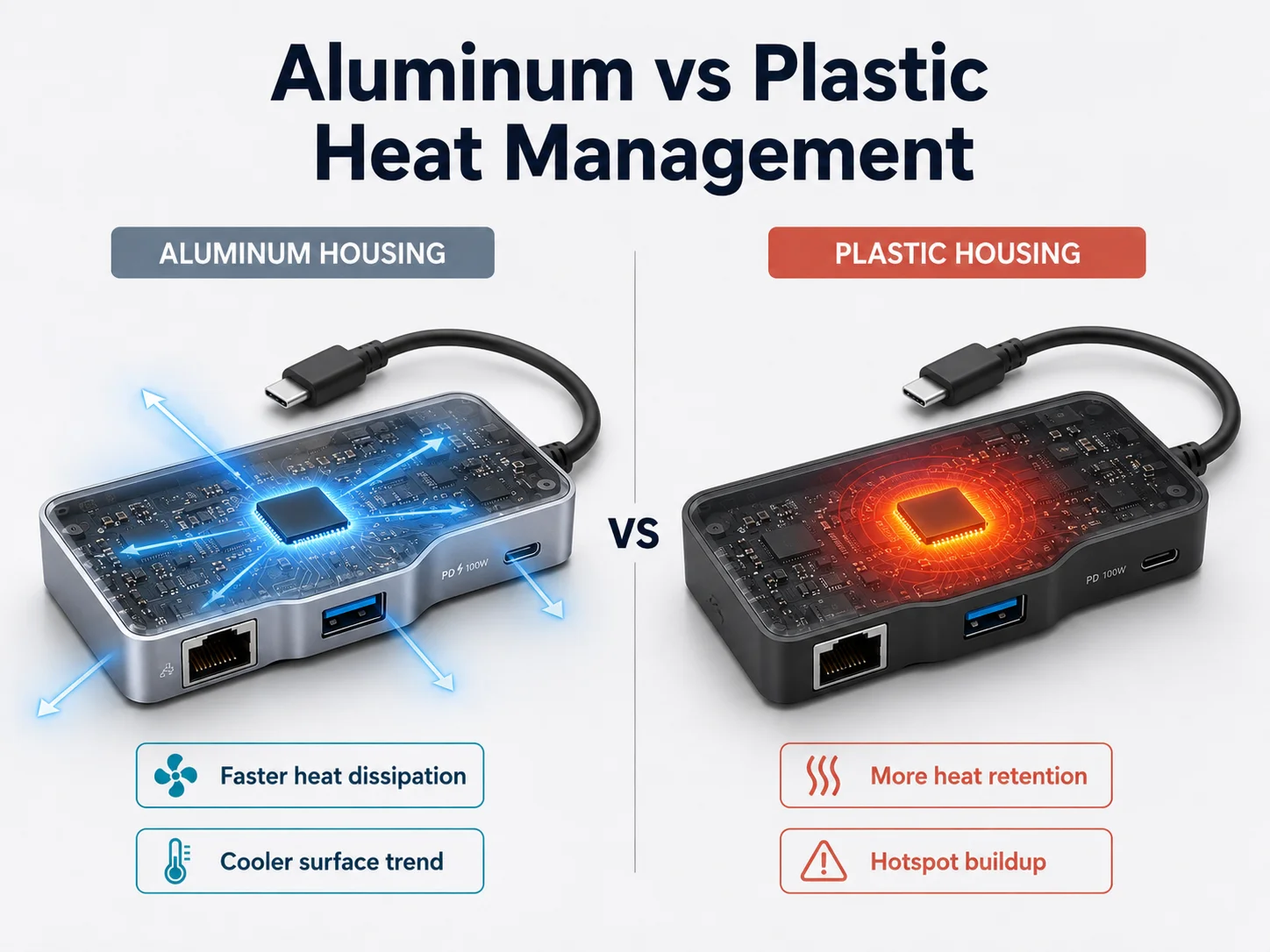
Aluminum housing generally manages USB-C hub heat better than plastic because it can spread internal heat across the outer shell. However, a metal case only works well when the PCB layout, thermal contact, chipset efficiency, and internal clearances are also properly designed.
Aluminum: better heat spreading, warmer surface feel
Aluminum can act as a heat spreader. When internal components transfer heat to the housing, the metal shell can distribute that heat over a larger area. This reduces concentrated hot spots inside the hub.
However, users may notice the warmth more easily because metal conducts heat well. A customer may touch an aluminum hub and think it is hotter than a plastic model, even if the internal electronics are actually operating more comfortably.
Plastic: lower surface warmth, but more insulation
Plastic does not conduct heat as effectively as aluminum. It can feel less warm to the hand, but it may retain more heat around internal components. For low-power, simple hub designs, plastic can still be suitable. The issue becomes more important as the product adds HDMI, Ethernet, fast data ports, and PD pass-through.
Housing is only one part of the thermal path
I always caution buyers against making a decision based on “metal equals good” or “plastic equals bad.” A well-designed plastic hub can outperform a poorly designed aluminum hub.
The full thermal path includes:
- Heat generated by the chipset and power circuits.
- Heat movement through thermal pads or contact materials.
- PCB layout and component positioning.
- Clearance between hot parts and the housing.
- The housing’s ability to spread heat.
- The surrounding environment and airflow.
For a premium retail line, aluminum often supports both appearance and thermal management. Still, I would ask the factory to explain the internal structure, not only show a nice exterior finish.
8. How Thermal Pads, PCB Layout, Ventilation, and Power Design Improve USB-C Hub Cooling
Some thermal design choices are invisible to the buyer, but they strongly affect long-term stability. A hub does not need to look large or industrial to manage heat well. It needs a thoughtful route for heat to leave critical components safely.
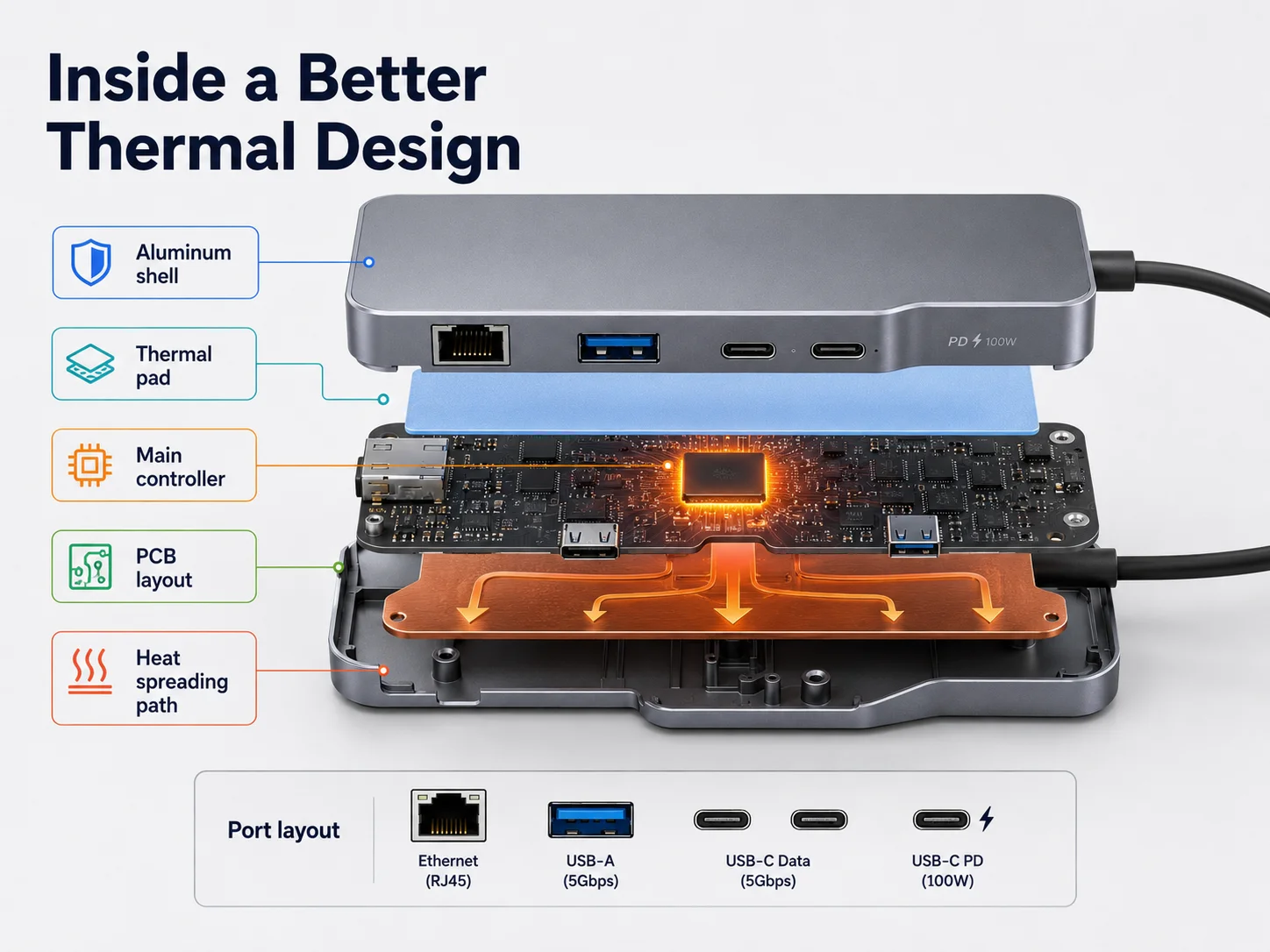
Thermal pads, efficient PCB layout, appropriate ventilation, and stable power design improve USB-C hub cooling10 by moving heat away from critical chips and reducing unnecessary electrical loss. These details help the hub maintain reliable performance during sustained multiport use.
Thermal pads create a heat bridge
A thermal pad can help transfer heat from a controller or power component to the aluminum housing. Without good contact, the metal shell may not provide much benefit because the heat remains concentrated near the chip.
I do not expect every buyer to inspect the pad material personally. Still, buyers can ask whether the design uses thermal interface materials and whether the factory has considered heat transfer to the housing.
PCB layout affects heat and signal stability
PCB layout is not only about fitting components into a small board. It affects both heat concentration and high-speed signal quality.
A better layout can:
- Keep high-heat components from crowding each other.
- Provide suitable copper areas for heat spreading.
- Reduce interference between high-speed signals.
- Support stable power delivery to downstream ports.
- Improve physical clearance inside the housing.
A very compact board with crowded components may save material cost, but it can make thermal management more difficult.
Ventilation must match the product design
Some hubs use small openings or structural gaps. Others depend mainly on a metal housing. Ventilation is not always necessary, and visible holes can reduce a product’s clean appearance or create dust concerns. What matters is whether the full structure supports the intended load.
I prefer suppliers that can explain their design choices in practical terms. A vague statement such as “our product has good cooling” is not enough. A useful answer explains how the chipset, PCB, thermal pad, and housing work together.
Power design remains the foundation
Better cooling cannot fully fix a poor power design. If the power path wastes too much energy, the product will create unnecessary heat before the housing has a chance to dissipate it.
That is why I return to the same sourcing principle: start with chipset and power efficiency, then confirm the structural design. Cooling is not a decorative feature. It is part of the reliability system.
9. What Temperature, Load, Compatibility, and Aging Tests Should Buyers Request for USB-C Hubs?
A product specification sheet can confirm port count and stated power rating, but it cannot fully show how a hub behaves after real use. Buyers need a clear test discussion before production, especially for hubs positioned for professional, travel, office, or multi-display use.
Buyers should request USB-C hub testing that covers sustained load, multiport compatibility, PD charging behavior, video output, data transfer, Ethernet operation, and aging performance.11 The goal is not to demand laboratory claims without context, but to confirm stable real-world use before mass production.

Ask for a practical test plan
I recommend discussing the test plan during sampling, not after a complaint. The plan should reflect how the target customer will use the hub.
For example, a retail-focused multiport hub may need testing with:
- A laptop connected to HDMI
- Ethernet active
- USB storage transferring files
- Keyboard and mouse connected
- PD charger connected
- Extended operating time under combined load
The exact conditions should match the product’s promised functions. I do not advise buyers to request random tests just to create paperwork. I advise them to request tests that reduce their specific return risk.
Important test categories
| Test Category | What Buyers Should Confirm |
|---|---|
| Functional testing | Every port works as specified |
| PD pass-through testing | Charging remains stable with compatible chargers and hosts |
| Video testing | Display output stays stable under expected resolution conditions |
| Data testing | USB storage and peripherals remain connected during use |
| Ethernet testing | Network stays stable during sustained connection |
| Compatibility testing | Common laptop, charger, monitor, and cable combinations are considered |
| Aging or burn-in testing | Units operate over time to identify early instability |
| Visual and assembly inspection | Housing, ports, cable strain relief, and finish meet the approved sample |
Request evidence that fits your order
For some buyers, a written test checklist and sample video may be sufficient. For larger programs or higher-risk channels, buyers may need more formal inspection arrangements, third-party checks, or pre-shipment sampling.
I also recommend asking about certifications relevant to the destination market and product configuration. Certifications matter, but they should not replace functional evaluation. A compliant product can still create customer dissatisfaction if its thermal behavior under real use is weak.
The best sourcing relationship is transparent. A reliable factory should not promise that a hub will never become warm. Instead, it should explain the expected use conditions, test process, and design limits honestly.
10. How to Source a High-Quality USB-C Hub with Stable Thermal Performance
Retailers and e-commerce sellers do not need to choose the most expensive hub in every case. They need to choose a hub that matches their customer profile, promised functions, price point, and expected usage. The sourcing decision should protect margin without creating avoidable return rates.
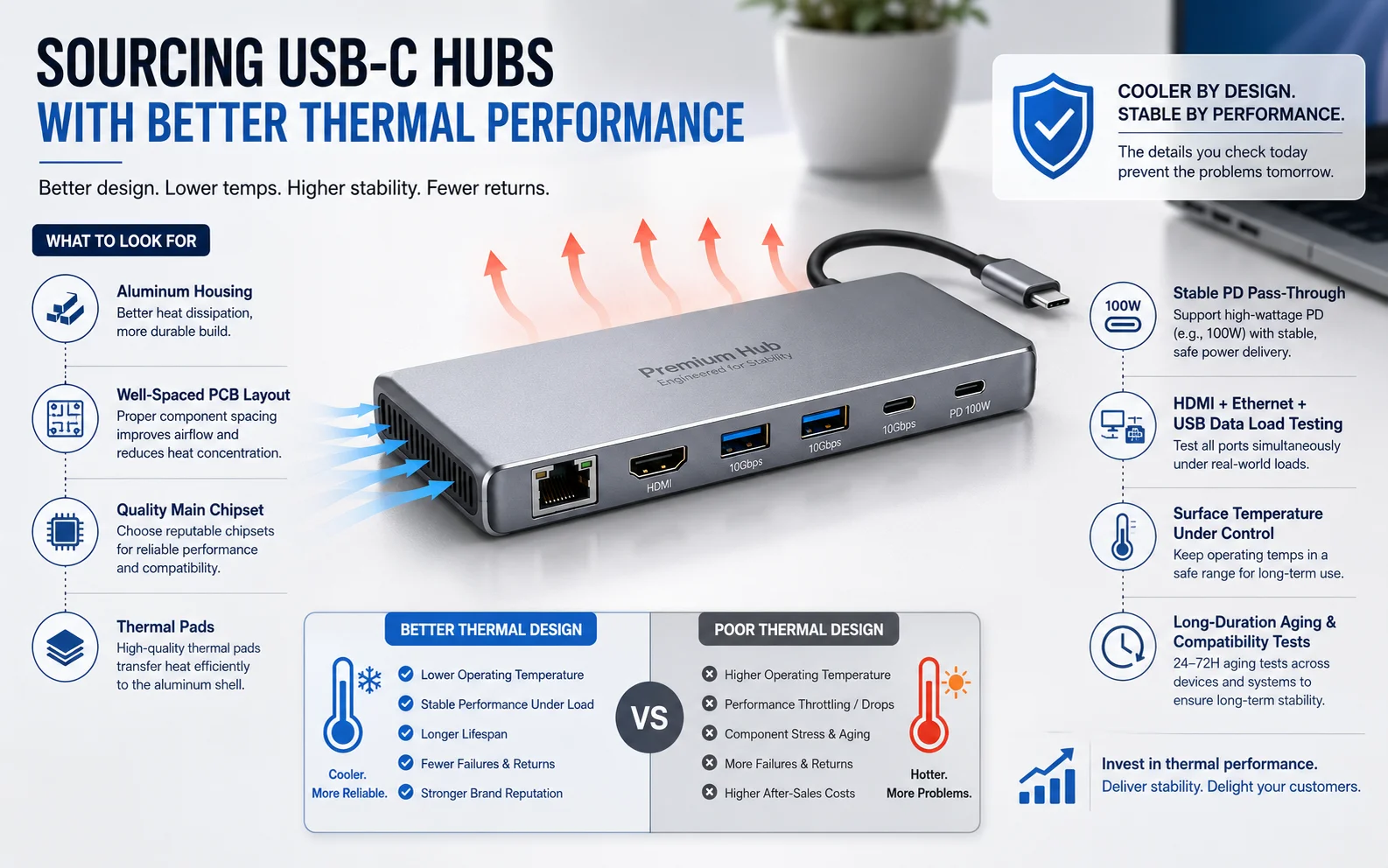
To source a high-quality USB-C hub with stable thermal performance, buyers should evaluate the chipset solution, PD power design, housing structure, PCB layout, sustained-load testing, material consistency, MOQ, delivery capability, and after-sales support—not just port count and wattage.
My sourcing checklist for buyers
When I work with a buyer on a hub project, I encourage them to use a simple but disciplined process:
-
Define the end-user scenario.
Is the hub for office workers, students, travelers, MacBook users, business users, or professional creators? A basic USB hub and a multi-display workstation hub should not use the same evaluation standard. -
Confirm the required port combination.
More ports create more complexity. Buyers should avoid adding functions only because competitors list them. -
Ask about the chipset and power solution.
The buyer does not need every technical detail, but the supplier should explain the design logic and stability approach. -
Review the approved sample under sustained load.
A five-minute test is not enough for a feature-rich hub. -
Confirm housing material and internal thermal approach.
Ask whether the unit uses aluminum, plastic, thermal pads, and appropriate internal spacing. -
Control key material changes.
Buyers should require notice for important component substitutions after sample approval. -
Discuss MOQ, lead time, and QC process early.
A good design still needs consistent production control. -
Plan for after-sales handling.
Clarify how the supplier will support root-cause investigation if field complaints appear.
Think beyond the unit cost
A cheaper USB-C hub may look attractive when comparing ex-factory prices. However, the true cost includes:
- Return handling
- Marketplace account health
- Negative reviews
- Replacement shipping
- Customer-service time
- Lost repeat orders
- Damage to your own brand reputation
For US and EU sellers, those costs can quickly exceed the savings from choosing the lowest-priced supplier.
As a manufacturer with long export experience, I believe the best factory relationship is not based on saying every product is perfect. It is based on identifying risks before mass production and responding clearly if a problem appears. That approach protects both the buyer and the final customer.
Frequently Asked Questions
Is it dangerous if my USB-C hub gets warm?
A warm USB-C hub is not automatically dangerous. Heat is normal when the hub handles charging, HDMI, Ethernet, or high-speed data. However, users should stop using the hub and seek support if warmth comes with shutdowns, burning smell, visible damage, repeated disconnects, or unstable charging.
Does 100W PD make a USB-C hub overheat?
No, 100W PD does not automatically make a USB-C hub overheat. Thermal performance depends more on power-conversion efficiency, chipset quality, protection circuits, PCB layout, and housing design. A well-designed 100W hub can be more stable than a poorly designed lower-wattage model.
Why does my USB-C hub disconnect when I use HDMI and an external SSD?
HDMI and external SSD use can create a high combined load on the hub. The issue may involve hub heat, insufficient charger power, cable quality, host compatibility, or an unstable controller design. Testing the setup with another charger, cable, laptop, and hub can help identify the source.
Is an aluminum USB-C hub always better than a plastic one?
An aluminum USB-C hub usually spreads heat more effectively than a plastic model, but it is not automatically better. A good thermal result also depends on the internal chipset, power design, thermal pads, PCB layout, and manufacturing consistency. Buyers should evaluate the complete design.
What should retailers ask a USB-C hub supplier before ordering?
Retailers should ask about chipset selection, PD power design, compatibility testing, sustained-load testing, housing material, thermal structure, component-change control, MOQ, lead time, certifications, and after-sales support. They should also test samples under realistic multiport use before approving mass production.
Conclusion
USB-C hubs get hot because they process power, video, Ethernet, and high-speed data in a compact space. Normal warmth is expected, but unstable performance under sustained load is not something retailers should ignore. In my experience, the strongest protection against returns is to evaluate chipset efficiency, power design, PCB layout, thermal materials, and production consistency before placing an order. If you are sourcing USB-C hubs for US or EU retail, wholesale, or e-commerce channels, contact our team to discuss your target port configuration, MOQ, customization needs, and stability requirements before production begins.
"Analysis of critical thermal issues in 3D integrated circuits", https://intra.engr.ucr.edu/~vafai/Publications/2016a/Wang.pdf. Electronic circuits dissipate part of their input power as heat, making thermal management important when multiple active components are concentrated in a small enclosure. Evidence role: mechanism; source type: education. Supports: Electrical power dissipated by active electronic circuits becomes heat, and compact electronic assemblies require thermal management to limit component temperatures.. Scope note: This supports the general thermal mechanism rather than measuring the temperature of a particular USB-C hub design. ↩
"Why Your USB-C Hub Gets Hot: Solutions Inside", https://us.ugreen.com/blogs/usb-hub/why-usb-c-hub-gets-hot-solutions. Thermal limits in integrated circuits may invoke protective shutdown or reduced operation when junction temperatures become excessive, which can manifest as interrupted peripheral service. Evidence role: mechanism; source type: research. Supports: Elevated junction temperature can trigger thermal protection or degrade the reliable operation of electronic controllers and power-management circuits.. Scope note: The evidence should establish a general electronic mechanism; it does not prove that every hub disconnect is caused by heat. ↩
"USB-C Docks and power draw : r/sysadmin", https://www.reddit.com/r/sysadmin/comments/m5t9ei/usbc_docks_and_power_draw/. USB-C docking architectures integrate active data, display, network, and power-delivery functions, so simultaneous operation increases the number of energized circuits within the dock. Evidence role: mechanism; source type: institution. Supports: USB-C docking stations combine separate functions, including USB data, display transport, Ethernet, and power delivery, each requiring active circuitry and power.. Scope note: The source should describe the architecture and its active functions, not assign a universal temperature increase to every port combination. ↩
"Heat Generation and Transport in SOI and GOI Devices", https://poplab.stanford.edu/pdfs/EPop-ECSSOI-2007.pdf. Under a constant load, an electronic assembly normally approaches a thermal steady state when its heat dissipation to the environment balances internally generated heat. Evidence role: mechanism; source type: education. Supports: An electronic assembly reaches thermal steady state when heat generated by operation is balanced by heat removed to its surroundings.. Scope note: A stable temperature alone does not establish that a hub is within its manufacturer-specified component or surface-temperature limits. ↩
"List of thermal conductivities", https://en.wikipedia.org/wiki/List_of_thermal_conductivities. Because aluminum conducts heat far more readily than typical polymer housings, an aluminum enclosure can transfer internally generated heat to its external surface more effectively. Evidence role: mechanism; source type: government. Supports: Aluminum has substantially greater thermal conductivity than common plastics, enabling it to conduct and spread heat more readily.. Scope note: The resulting touch temperature depends on heat source location, thermal interfaces, enclosure geometry, and ambient conditions. ↩
"High-Efficiency Energy Converters", https://arpa-e.energy.gov/programs-and-initiatives/search-all-projects/high-efficiency-energy-converters. Power-electronic conversion is inherently less than 100% efficient; the difference between input and delivered output power is dissipated as losses that contribute to heat. Evidence role: mechanism; source type: government. Supports: Power converters have finite efficiency, and the difference between input and output power is dissipated as loss, commonly as heat.. Scope note: Actual loss depends on converter topology, load, input voltage, component selection, and operating conditions. ↩
"Why DisplayPort - VESA - Interface Standards for The ...", https://vesa.org/displayport-developer/why-displayport/. Digital display transport requires greater link bandwidth as resolution, refresh rate, and the number of active displays increase, raising the data-handling demand on the display path. Evidence role: mechanism; source type: institution. Supports: Display-link bandwidth requirements rise with pixel resolution, refresh rate, and the number of active displays.. Scope note: Bandwidth demand does not by itself quantify a particular hub's heat output, which also depends on implementation and power efficiency. ↩
"Dynamic frequency scaling", https://en.wikipedia.org/wiki/Dynamic_frequency_scaling. Thermal throttling is a protective control mechanism in which a device reduces operating performance when temperature thresholds are approached or exceeded. Evidence role: definition; source type: institution. Supports: Thermal throttling is a temperature-protection mechanism that lowers operating performance or frequency to reduce heat generation.. Scope note: Whether a specific USB-C hub implements throttling, shutdown, or another protection response must be determined from its controller and power-device documentation. ↩
"A Primer on USB Type-C and Power Delivery Applications ...", https://www.ti.com/lit/slyy109. USB-C Power Delivery controller and power-path designs govern power negotiation, voltage and current monitoring, switching behavior, and protective responses, all of which influence system operation. Evidence role: mechanism; source type: research. Supports: USB-C Power Delivery controllers and associated power-path circuits manage negotiation, power switching, monitoring, and fault-protection functions.. Scope note: Component functionality does not establish that one unspecified chipset is categorically better than another without comparative test data. ↩
"7.0 Thermal Control", https://www.nasa.gov/smallsat-institute/sst-soa/thermal-control/. Electronic thermal design can reduce component temperatures by limiting power loss and by providing effective heat-conduction paths through thermal interface materials, PCB structures, and the enclosure. Evidence role: mechanism; source type: research. Supports: Thermal interfaces, conductive PCB features, enclosure design, and lower power dissipation can reduce thermal resistance and component temperature in electronic systems.. Scope note: The relative value of thermal pads, ventilation, and PCB changes depends on the hub's layout, enclosure, and operating environment. ↩
"A Methodology for Testing", https://nvlpubs.nist.gov/nistpubs/Legacy/IR/nbsir76-1157.pdf. Standards-based conformance and reliability practice evaluates electronic products under defined operating and interoperability conditions, because nominal feature specifications alone do not demonstrate sustained system performance. Evidence role: expert_consensus; source type: institution. Supports: Conformance, interoperability, and reliability evaluation commonly require testing under defined operating conditions rather than relying only on stated specifications.. Scope note: Formal USB compliance or reliability testing may not cover every real-world laptop, monitor, charger, cable, and peripheral combination. ↩