USB version vs USB connector is a distinction I explain often during product development and sourcing discussions. Many buyers see USB-C and assume fast data transfer or high-power charging, while others see USB 3.x and overlook the physical connector. That confusion can cause wrong SKUs, unclear listings, compatibility complaints, and avoidable returns. A clear evaluation method solves the problem.
Quick Answer
- USB-A, USB-C, and Micro-USB describe the physical connector format.[1]
- USB 2.0, USB 3.x, and USB4 describe technical standards or performance capabilities.[2]
- USB-C does not automatically mean USB 3.x, USB4, fast charging, or high power.[3]
- Actual performance depends on the complete chain: host, device, cable, charger, protocol, and power rating.[4]
- I recommend verifying every specification before purchasing, producing, or listing a USB product.
USB version vs USB connector describes two different parts of a USB product. The connector identifies the physical plug or port, while the USB version relates to data capability and technical implementation. Buyers should therefore check the connector, data standard, cable rating, charging protocol, and power capability together instead of using USB-C as a shortcut for performance.
I use this distinction when I help importers, retailers, and e-commerce sellers configure USB cable, charger, and consumer electronics SKUs. The terminology becomes much easier when we separate physical fit from technical capability. The sections below show how I turn that difference into a practical procurement and product-listing checklist.
What Is the Difference Between USB Version and USB Connector?
Buyers can reduce most USB confusion by asking two separate questions: What physical connector does the product use? and What technical performance does the product support? The first question concerns shape and fit. The second concerns data, power, and supported protocols.
A USB connector is the physical interface. Common examples include USB-A, USB-C, Micro-USB, and Mini-USB. A USB version or standard describes capabilities such as data transfer behavior and compatibility requirements. Examples include USB 2.0, USB 3.2, and USB4.
Connector type describes physical design
For example, USB-A is the familiar rectangular connector found on many computers, hubs, chargers, and older accessories. USB-C is smaller and reversible. Micro-USB remains present in some accessories, low-cost electronics, and legacy products.
The connector alone does not identify the complete specification.[5] A USB-C port may be used for basic USB 2.0 data, faster data, charging, display-related functions, or a combination of capabilities. The product design determines what the port actually supports.
USB version describes technical capability
A USB version generally relates to the communication standard and its supported performance. However, I avoid presenting a standard’s theoretical maximum as a guaranteed retail result. The full system may not support that maximum.
| Term | What it mainly describes | What it does not prove |
|---|---|---|
| USB-A | Physical connector format | A specific data speed or power level |
| USB-C | Physical connector format | USB4, fast charging, or high-power charging |
| Micro-USB | Physical connector format | A particular USB version in every product |
| USB 2.0 | Data standard and capability class | The performance of every connected system |
| USB 3.x | Higher-speed USB capability family | That the cable, device, or port supports the same level |
| USB4 | A newer USB performance and protocol framework | Guaranteed performance without checking the implementation |
I have seen product discussions become inaccurate when a buyer treats “USB-C cable” as a complete specification. It is not. I need at least the connector at each end, the data capability, the charging capability, and the intended device use before I can recommend a suitable SKU.
Does USB-C Mean Fast Data or Fast Charging?
USB-C does not automatically mean fast data transfer or fast charging. A USB-C product can support basic data capability, higher-speed data, charging-only operation, or several functions together. I recommend checking the product documentation and test evidence before making a performance claim.
Why USB-C creates misleading assumptions
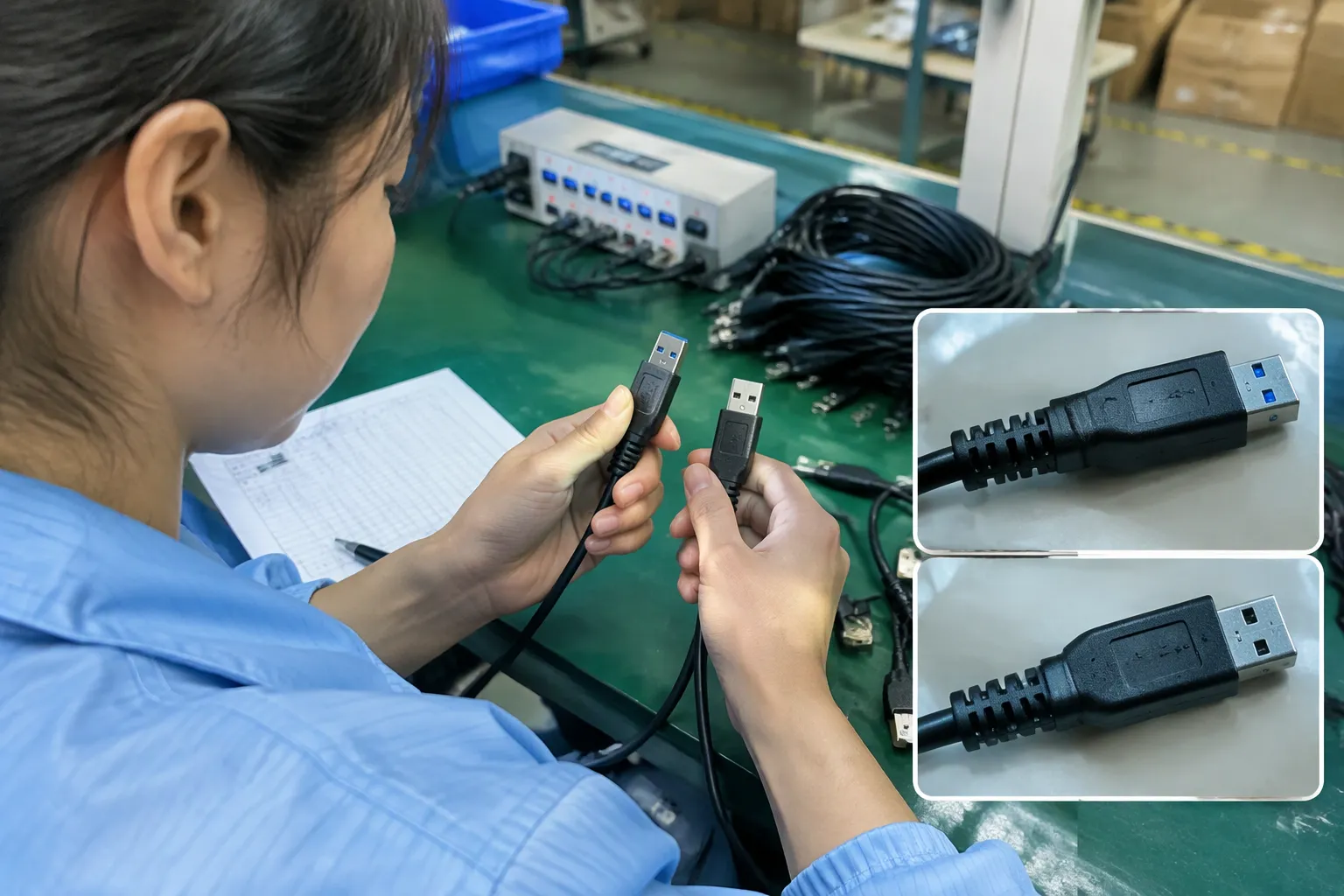
USB-C became popular because it offers a compact, reversible connector and supports a broad range of product designs. That flexibility is useful, but it also creates confusion. Two products can use identical-looking USB-C connectors while offering very different capabilities.
For instance, one USB-C cable may be designed mainly for charging and basic synchronization. Another may be designed for higher-speed data transfer. A third may include additional electronic components and support a higher power level when used with a compatible charger, device, and charging protocol.
The USB Implementers Forum provides official information about USB specifications and terminology.[6] I recommend checking current USB-IF documentation and product-specific test records before publishing technical claims. Buyers can also review the USB-IF official resources when they need to confirm terminology.
Charging and data are separate evaluation points
A cable can carry power without offering the same data capability as another cable. A device can have a USB-C charging port without supporting high-speed data. A charger can advertise a high output level while a connected phone accepts less because of its own design or charging protocol.
- What is the connector on each end?
- What data standard and speed does the product support?
- What charging protocol does the product support?
- What power rating is documented for the cable, charger, and device?
| Product claim | Buyer should verify |
|---|---|
| “USB-C fast data cable” | Data standard, tested speed, host and device compatibility |
| “USB-C fast charging cable” | Power rating, current capability, charging protocol, E-marker requirements where relevant |
| “USB-C laptop charger” | Supported output profiles, regional plug, safety documentation, device compatibility |
| “USB-C cable” | Whether the cable supports charging only, data, video-related functions, or a combination |
| “USB 3 cable” | Exact USB generation or naming, connector ends, and permitted packaging language |
I also tell sellers to avoid broad wording when the supplier specification is incomplete. A simple listing such as “USB-C cable” may be accurate but not useful. A more detailed claim is only safer when the factory documents support it.
How Does the Complete USB Product Chain Limit Performance?
The connected system determines actual USB performance. The source device, receiving device, cable, charger, operating environment, and supported protocol must all work together. The weakest relevant component can limit the result, so I evaluate the complete product chain instead of one connector or label.
A practical example
- A laptop port with a higher-speed USB implementation
- A phone port with a different capability
- A hub that has its own limitation
- An external drive with a separate interface requirement
- A charger that provides power but no meaningful data function
The cable cannot create a capability that the connected devices do not support. In the same way, a high-performance device cannot achieve its intended result through a cable that lacks the required data or power characteristics.
The weakest-link model
This statement does not replace formal testing, but it helps buyers avoid oversimplified assumptions. A product page should explain the intended combination rather than imply that one component guarantees the complete result.
| System component | Questions for procurement |
|---|---|
| Host port | Which USB standard and functions does it support? |
| Device port | Is the port for charging, data, video, or several functions? |
| Cable | What data speed, current, power, length, and connector combination are documented? |
| Charger | Which output profiles and charging protocols are supported? |
| Product firmware | Does the device require a specific protocol or accessory? |
| Packaging | Does every printed claim match the verified specification? |
I have found this approach useful when coordinating production because it turns vague terms into measurable review points. It also helps customer-service teams explain why two visually similar cables may not produce the same result.
How Should Buyers Compare USB-A, USB-C, and Micro-USB Products?
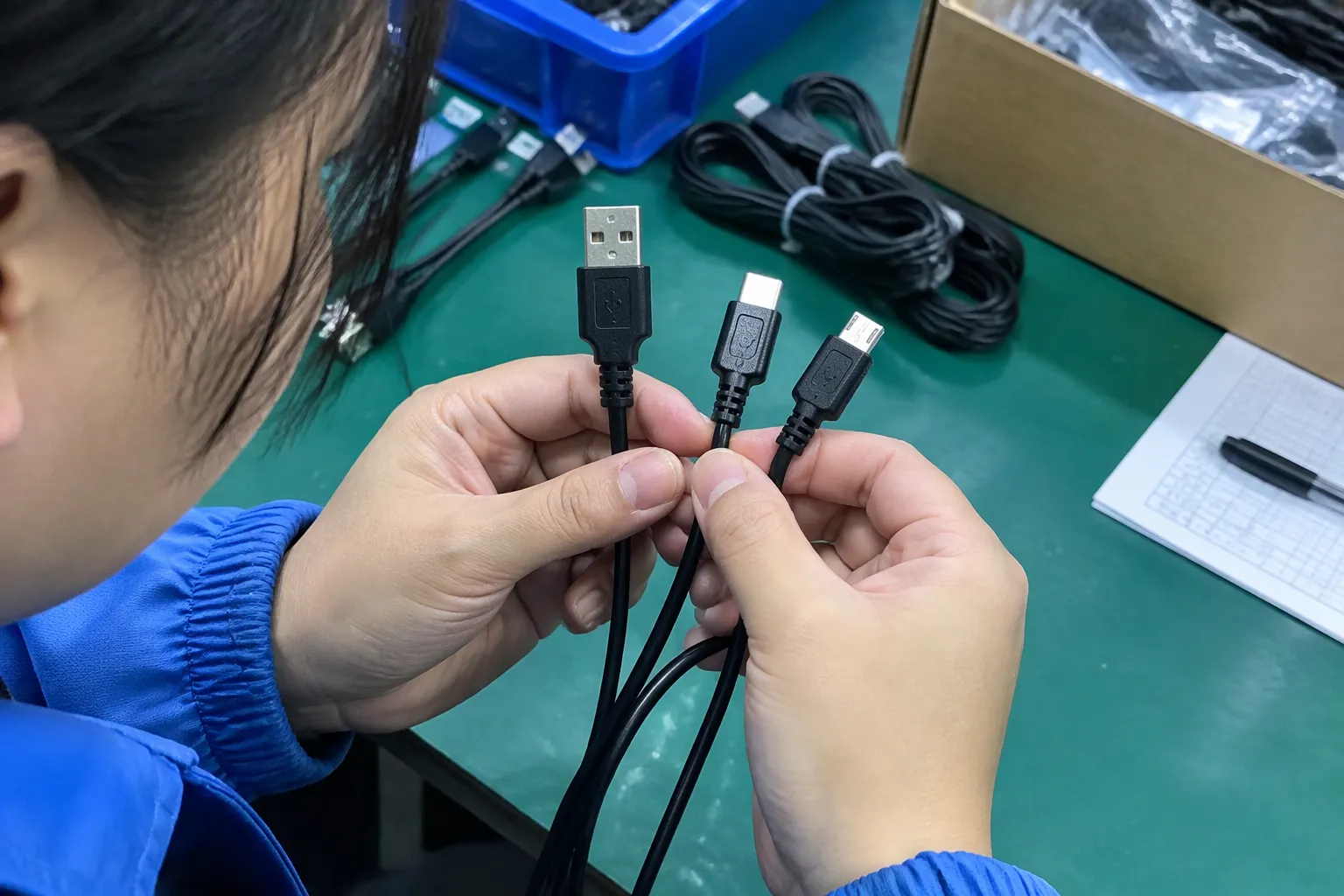
Buyers should compare connector types according to target devices, market demand, durability expectations, product positioning, and technical requirements. USB-C often offers the broadest current-market opportunity, but USB-A and Micro-USB still have valid applications and should not be removed from a range without checking customer demand.
USB-A
USB-A remains common on desktop computers, older chargers, vehicles, hubs, and legacy accessories. It is often useful for replacement cables and budget products. However, its presence does not automatically identify the data standard or output capability.
A USB-A-to-USB-C cable may be attractive for customers who still use older chargers or computers. I would still verify the cable’s intended current, data performance, and charging use before placing a claim on the package.
USB-C
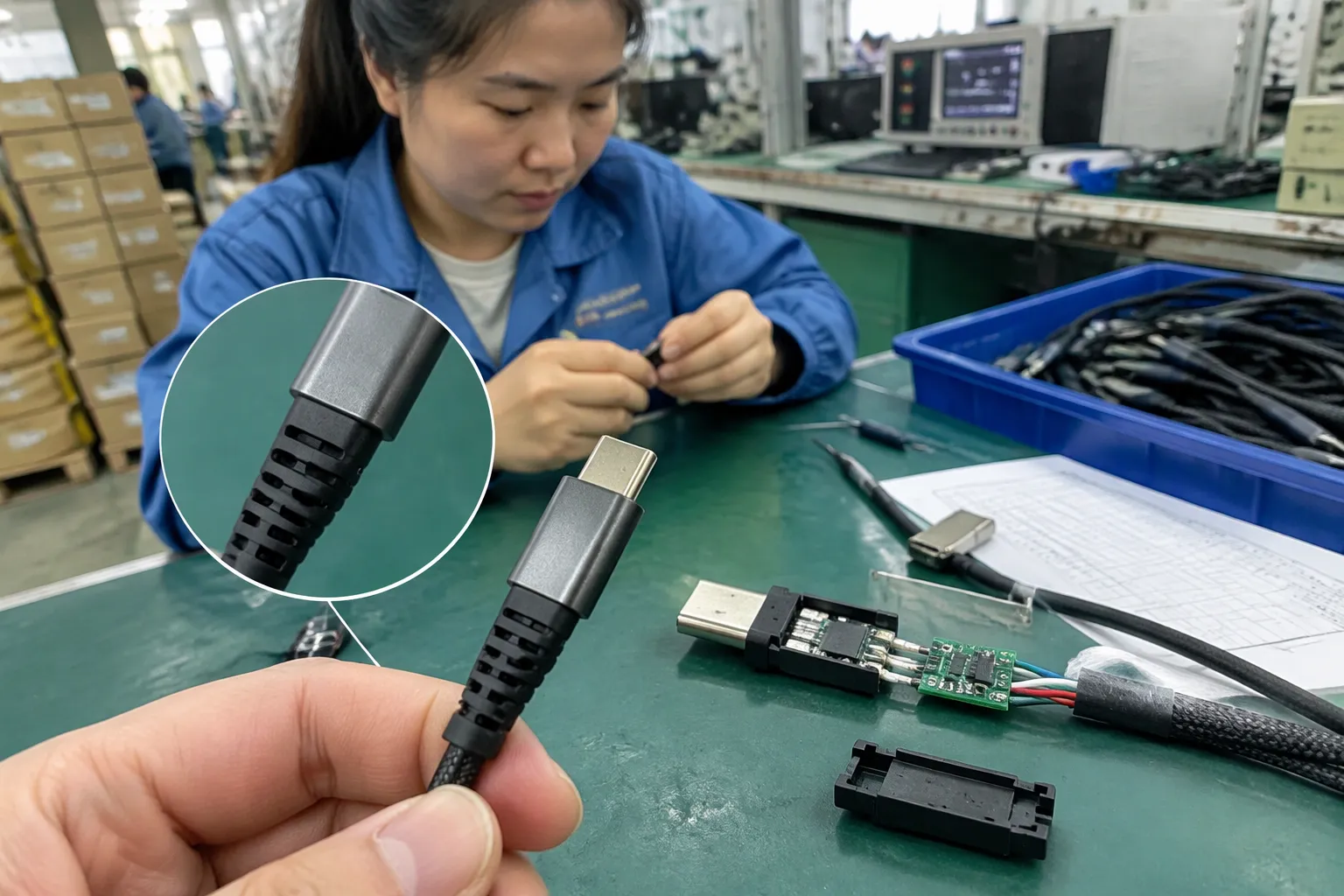
USB-C is now widely used in phones, tablets, laptops, headphones, power banks, chargers, and other consumer electronics.[7] Its reversible design improves convenience, and its ecosystem can support a broad range of functions.
That broad range is also the main sourcing challenge. A low-cost USB-C cable for basic charging should not be positioned in the same way as a documented high-speed or high-power cable. The SKU name, bill of materials, packaging, and product page should all describe the same product.
Micro-USB
Micro-USB is an older connector format, but it continues to appear in certain accessories and replacement markets.[8] Some buyers still need it for existing devices, and discontinuing it too quickly can create gaps in a catalog.
| Connector | Typical sourcing role | Main buyer question |
|---|---|---|
| USB-A | Legacy computers, chargers, hubs, and accessories | Does the target customer still use USB-A equipment? |
| USB-C | Current phones, tablets, laptops, chargers, and accessories | What exact data and power features does this USB-C SKU support? |
| Micro-USB | Existing accessories and replacement markets | Is the remaining demand sufficient for the planned MOQ? |
| USB-A to USB-C | Transitional and mixed-device environments | Does the cable match the charger, device, and intended charging claim? |
| USB-C to USB-C | Newer chargers and devices | Are both ends and the complete system rated for the listed use? |
I often recommend building a product range around actual customer use rather than connector fashion. A European retailer may need USB-C fast-charging accessories, while another distributor may still sell replacement Micro-USB cables in volume. The right answer depends on the channel, region, device mix, and claims the buyer can support.
What Should a Buyer Verify Before Ordering USB Products?
Before ordering USB products, I recommend verifying the physical connector, USB version, data speed, cable power rating, charging protocol, compatibility, test documents, packaging language, and quality-control plan. A written specification prevents a low-price quotation from becoming an expensive after-sales problem.
2. Confirm the data capability
- Applicable USB version or performance class
- Maximum documented data rate
- Whether the cable supports data or charging only
- Whether performance depends on a special host or device
- Test method or supporting report, where applicable
- Cable length used for the stated result
The buyer should also check current naming conventions. USB terminology has changed over time, and old labels may be confusing. The USB-IF website and official technical documentation are better references than informal marketplace descriptions.
3. Confirm power and charging claims separately
- Rated voltage and current
- Claimed maximum power
- Supported charging protocol
- Charger output profiles
- Device acceptance limits
- Cable suitability
- Whether an electronic marker or other component is required for the intended use
- Safety and compliance documentation relevant to the destination market
I do not recommend printing a wattage on packaging until the product team has verified that the cable or charger is designed for that claim. A cable may be physically compatible while still being unsuitable for a particular power level.
4. Review samples and production controls
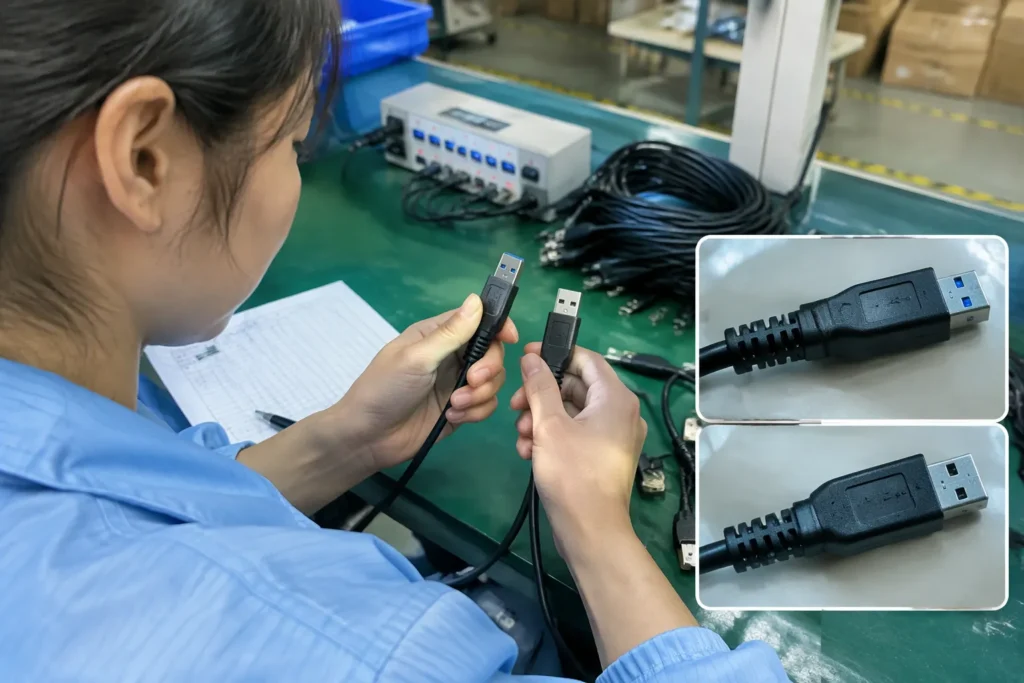
- Connector dimensions and insertion fit
- Cable length and jacket finish
- Strain relief
- Label accuracy
- Charging behavior with intended devices
- Data connection with intended devices
- Port alignment and mechanical feel
- Batch consistency
- Carton and accessory labeling
A production inspection can then compare finished goods against the approved sample and written specification. For OEM and ODM projects, I also recommend controlling artwork revisions. A correct product with outdated packaging can still create customer complaints.
5. Match the product claim to the sales channel
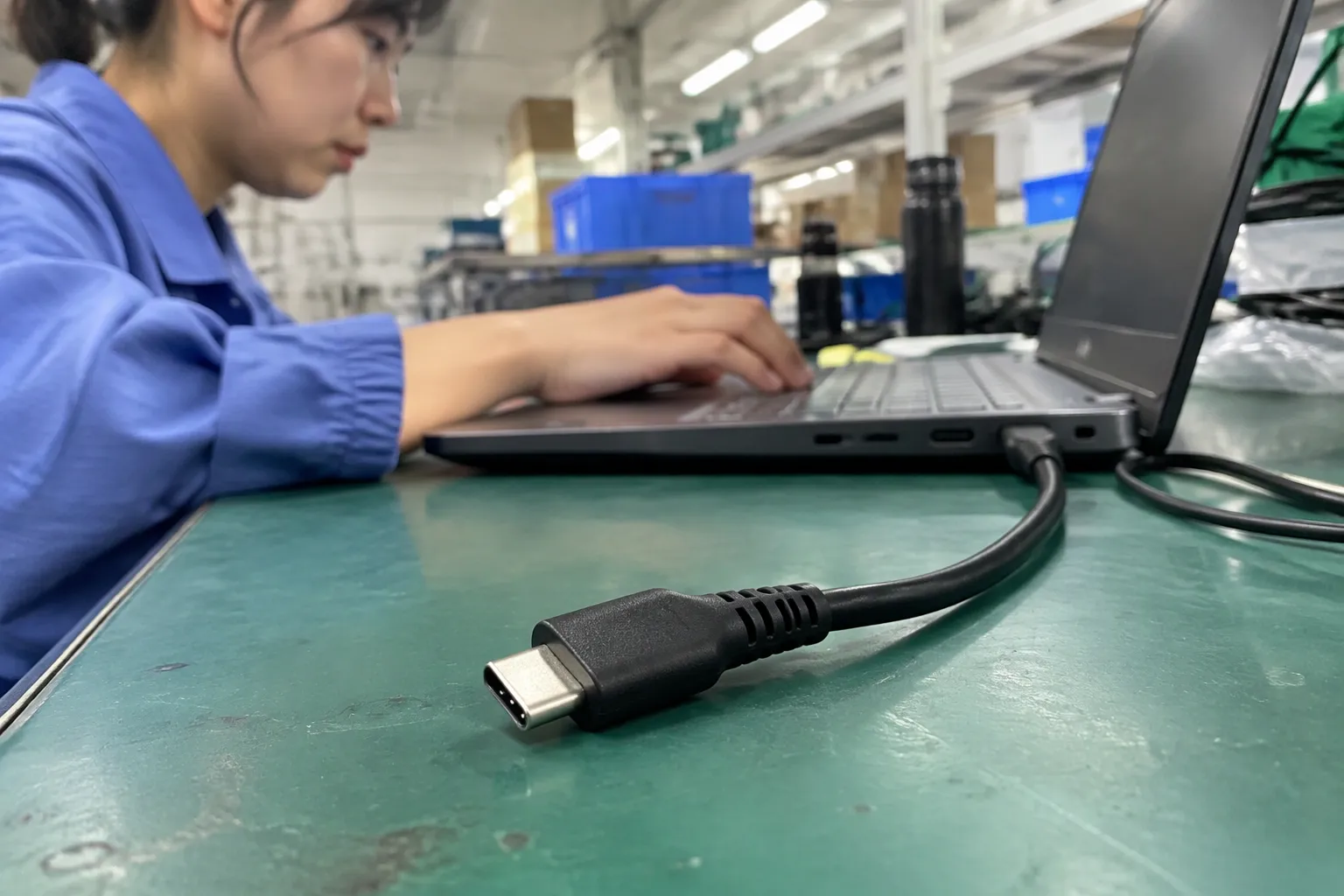
A professional importer may have a detailed technical sheet, while a marketplace listing may have only limited space. Both still need accurate claims. I use a claim matrix to connect evidence with customer-facing language.
| Claim area | Evidence to retain | Safer listing approach |
|---|---|---|
| Connector | Approved sample and drawing | State both connector ends |
| USB version | Current specification and test support | Use the verified designation |
| Data speed | Product-specific test evidence | Avoid unsupported “ultra-fast” wording |
| Charging power | Electrical specification and compatible equipment | State rated capability with conditions |
| Protocol | Charger or device documentation | Name only supported protocols |
| Compatibility | Intended host and device list | Avoid saying “works with everything” |
| Certification | Valid documents for the exact model | Verify scope, holder, and validity |
How Can Retailers and Importers Reduce USB Returns?
Retailers and importers can reduce USB-related returns by simplifying product choices, publishing complete specifications, using clear compatibility language, and checking samples before shipment. Buyers should design the product page around the customer’s actual use instead of relying on a familiar connector name.
Avoid universal language
- “Designed for compatible USB-C devices”
- “Supports the listed data capability when used with compatible host and receiving devices”
- “Charging performance depends on the charger, device, cable, and supported protocol”
- “Please check your device requirements before purchase”
Build better SKU architecture
| SKU difference | Why it matters |
|---|---|
| Connector combination | Customers need physical compatibility |
| Cable length | Longer cables may serve different use cases |
| Data capability | Customers may connect storage or other data devices |
| Power rating | Charging expectations differ |
| Charging protocol support | Charger and device negotiation may vary |
| Construction | Braided, PVC, reinforced, or custom designs serve different segments |
| Packaging claim | The box must match the actual SKU |
I also suggest linking related internal content such as a USB-C cable sourcing checklist, charger quality-control guide, or consumer electronics supplier evaluation guide. These resources can help buyers connect connector selection with broader supplier and quality decisions.
What Quality-Control Checks Matter for USB Cables and Chargers?
USB quality control should combine visual inspection, mechanical checks, electrical verification, labeling review, and document control. The exact test plan should match the product and destination market, and qualified professionals should evaluate application-specific safety or compliance requirements.
Mechanical checks
- Connector shell and housing finish
- Pin alignment
- Plug insertion and removal
- Strain relief at both ends
- Cable jacket consistency
- Bend resistance appropriate to the design
- Port fit across approved reference devices
- Marking and logo placement
Electrical and functional checks
- Continuity
- Charging behavior
- Data connection
- Current and voltage behavior
- Protection functions in chargers
- Temperature behavior under defined conditions
- Compatibility with approved devices
- Output-port identification
I do not present these checks as a universal laboratory protocol. The product category, market, design, and applicable requirements determine the appropriate method. For chargers and power products, the buyer should use qualified testing facilities and confirm the requirements for the target market.
Document and label checks
Certifications are documents that buyers should verify for the exact product and market. A certificate for one model does not automatically prove that every visually similar model has the same status. The buyer should confirm the document issuer, model scope, validity, and applicable standard with a qualified compliance professional when necessary.
Why supplier communication matters
Many USB disputes begin with an incomplete purchase order. A buyer may ask for “a USB-C fast-charging cable,” while the factory interprets that phrase differently. I prefer to convert the request into a specification table before quotation and sample approval.
The table should identify the connector ends, length, color, material, data capability, power claim, protocol, packaging, test requirements, and acceptable tolerances. This process takes more time at the beginning, but it gives production, inspection, logistics, and sales teams the same reference.
What Is the Best USB Version and Connector for a New SKU?
There is no universal best USB version and connector. The best choice depends on the target device ecosystem, price position, required data performance, charging use, regional demand, and evidence available for the product claim. I select the specification from the customer’s use case rather than from the connector name alone.
For basic charging accessories
A basic charging cable may not need the same data capability as a cable intended for external storage or professional equipment. However, the seller should still document its rated charging use and avoid describing it as a high-speed data cable if it was not designed or tested for that purpose.
For charging-focused products
Charging products require a separate evaluation. A charger may have multiple ports, different output behavior, and protocol support that changes when several devices are connected. A cable may also have a power limitation that affects the final charging result.
| Evaluation item | Example question |
|---|---|
| Charger | What outputs and protocols are supported? |
| Cable | What power and current rating are documented? |
| Device | What input does the device accept? |
| Use condition | Does performance change with multiple connected devices? |
| Listing | Are the conditions explained clearly? |
| Quality | Has the finished product been checked against the approved specification? |
Buyer checklist
-
[ ] I confirmed every connector end.
-
[ ] I confirmed the intended device and host use.
-
[ ] I separated USB version from connector type.
-
[ ] I verified the data capability.
-
[ ] I verified charging power and current claims.
-
[ ] I checked supported charging protocols.
-
[ ] I reviewed cable length and construction.
-
[ ] I approved a physical sample.
-
[ ] I defined functional and visual quality checks.
-
[ ] I checked documentation for the exact model.
-
[ ] I confirmed MOQ, lead time, packaging, and spare-part needs.
-
[ ] I agreed on the permitted product claims.
-
[ ] The product title states the connector combination.
-
[ ] The description separates data from charging.
-
[ ] The listed performance matches current documentation.
-
[ ] The compatibility section names important conditions.
-
[ ] The images do not imply unsupported functions.
-
[ ] The packaging and online copy use the same specification.
-
[ ] The customer-service team has a compatibility explanation.
Frequently Asked Questions
Is USB-C the same as USB 3.0?
No. USB-C describes the physical connector format, while USB 3.0 describes a USB data capability. A USB-C product may use USB 2.0, a USB 3.x implementation, USB4, or another supported configuration. I recommend checking the exact product specification rather than inferring performance from the connector.
Can a USB-C cable support fast charging but slow data?
Yes. Charging and data capabilities are separate design considerations. A cable may support a particular charging use while offering limited data performance. Buyers should verify the cable’s documented power, current, data capability, and protocol support before using a fast-charging or high-speed claim.
Does USB-A always mean USB 2.0?
No. USB-A is a physical connector type and can appear in products with different USB implementations. The connector shape does not identify the exact data standard. Buyers should check the host, cable, and device specifications together.
Should I list USB-C products as “fast charging”?
Only when the product documentation and applicable testing support that claim. The listing should state relevant conditions, such as compatible charger, device, cable, and protocol. I would not use “fast charging” as a substitute for a verified power or charging specification.
What documents should I request from a USB supplier?
I would request the product specification, approved sample, applicable test reports, certification or compliance documents for the exact model, packaging artwork, and quality-control requirements. Buyers should verify document scope and validity, especially for chargers and products sold in regulated markets.
Conclusion
USB version vs USB connector is not a choice between two competing labels. It is a reminder that physical compatibility and technical capability must be evaluated separately. I recommend checking the connector, USB version, data speed, charging protocol, power rating, cable design, connected devices, documentation, and product claims as one procurement process. Before you place an order or publish a listing, use the checklist above and ask your supplier to confirm every claim in writing. My Shenzhen OEM/ODM team can help buyers turn those requirements into a clear USB product specification, sample plan, and quality-control process.
Sources
- USB Type-C® and USB 2.0 Type-C™ Cable and ...", USB-IF terminology distinguishes the physical USB connector and receptacle from the USB specification governing data and other capabilities
- USB4® Specification v2.0", USB-IF specifications describe USB 2.0, USB 3.x, and USB4 as successive specification frameworks with defined signaling, protocol, and performance characteristics
- USB Charger (USB Power Delivery)", USB-IF documentation indicates that the USB Type-C connector does not alone specify a product's USB data rate, USB4 support, or maximum charging capability
- The Basics of USB Power Delivery Negotiations", USB system behavior is determined by the capabilities and negotiated configuration of the connected host, device, cable, and power-delivery components rather than by the connector alone
- Cables and Connectors", USB-IF specifications treat connector form factor as distinct from the data rates, power profiles, and alternate functions implemented by a particular product
- USB.org", USB-IF describes itself as the organization responsible for supporting and promoting the development and adoption of USB specifications and related compliance programs
- USB Type C Market Size ($15.2 Billion) 2030", Regulatory and market sources document the broad adoption of USB-C across several categories of portable consumer electronics
- USB Devices Market (2026 – 2035)", Market and product-inventory evidence indicates that Micro-USB remains in use in selected legacy electronics and replacement-accessory segments