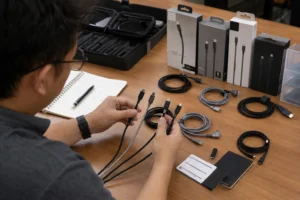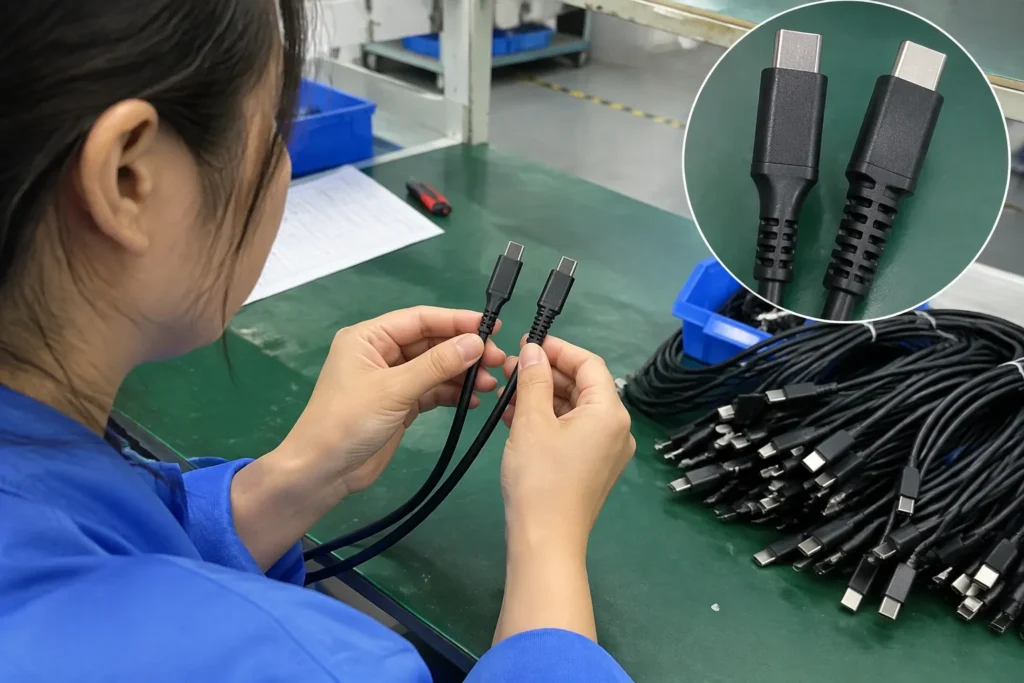
Mini USB vs Micro USB is a common sourcing question when I help buyers select replacement cables or prepare consumer-electronics stock. A wrong identification can lead to failed charging, unusable inventory, returns, and support disputes. I reduce that risk by checking the device model and port directly before discussing cable quantities, customization, or supplier pricing.
Quick Answer
- Mini USB is generally larger and taller, while Micro USB is usually thinner and more compact.
- I do not treat similar connector shapes as interchangeable.[1] A Mini USB cable normally will not fit a Micro USB port.
- I recommend confirming the device model, port image, user manual, or original cable before ordering.
- The connector type alone does not prove charging speed, data performance, cable quality, or product value.[2]
- Buyers should verify the exact connector variant, cable specification, packaging, MOQ, lead time, and quality-control process with the supplier.
Mini USB is larger and more rectangular, while Micro USB is smaller and flatter. However, appearance alone is not reliable enough for purchasing decisions. I recommend confirming the device model and exact port before selecting a cable, because Mini USB and Micro USB are not automatically interchangeable and may support different device designs, cable assemblies, and applications.
The visual difference is useful as a first check, but it should not become the final decision. In my supplier-side conversations, compatibility problems usually begin when a buyer selects a cable from a product photo without checking the device model. The connector is only one part of a successful cable order.
Mini Micro USB: Visual Differences Cases
When I compare Mini USB vs Micro USB, I start with the connector’s physical profile, not with assumptions about age, speed, or quality. Mini USB connectors commonly look deeper and bulkier. Micro USB connectors commonly look thinner and more compact. Even so, product photos can distort scale and hide the exact variant.
Mini USB connectors are typically taller and more substantial, whereas Micro USB connectors are typically shorter, flatter, and narrower. I use those features for an initial visual check only. I confirm the device model and port specification before approving a replacement cable or building a wholesale order.
What does Mini USB usually look like?
In everyday sourcing conversations, “Mini USB” often refers to a Mini-B connector. It commonly has a relatively tall trapezoidal or rectangular metal shell. The connector can look more substantial than a Micro-B plug, especially when both are placed beside each other.
The term still needs care. USB connector families have had multiple mechanical variations[3], and not every plug that a seller calls “Mini USB” has exactly the same contact arrangement or housing. I therefore avoid approving a production order from a general label alone.
- The overall height of the metal plug.
- Whether the plug appears deep or compact.
- The shape of the upper and lower edges.
- The number and position of visible contacts.
- The physical orientation of the port on the device.
What does Micro USB usually look like?
Micro USB, especially Micro-B, usually has a flatter and smaller metal shell.[4] It is common in older smartphones, accessories, cameras, power banks, speakers, and other compact electronics.[5] However, I would not identify a port only from the product category. Manufacturers can use different interfaces within the same category.
I explain this distinction because buyers sometimes ask whether Micro USB is “better” simply because it is smaller. The correct answer depends on the device design, electrical implementation, cable construction, and applicable specification.
Why can photos create mistakes?
- Scale is missing. A close-up photograph does not show the connector beside a known object.
- Perspective changes the shape. A plug viewed from an angle can look wider or taller.
- The port may be recessed. The surrounding plastic can hide part of the connector opening.
- Listings may use broad keywords. A seller may write “USB cable” without naming the exact device-side connector.
- Similar housings can be confusing. A damaged or overmolded plug may not resemble a standard illustration.
I recommend asking for a clear image of the device port, the device model number, and the original cable whenever the listing is unclear. If the order is commercially important, I also request a physical sample before finalizing a large quantity.
How Can Buyers Identify the Correct USB Port?
A visual comparison can narrow the choice, but it cannot reliably confirm compatibility by itself. I identify the correct cable by combining the device model, original accessory, port image, product documentation, and sample testing. This process is more dependable than choosing between Mini USB and Micro USB from a generic title.
Start with the device model
- Manufacturer and model number.
- Product-generation information.
- Original user manual.
- Existing cable or charger label.
- A clear image of the port.
- A photograph showing the port beside a ruler or common object.
- The retailer’s technical listing.
- A sample unit for testing.
Compare the original cable
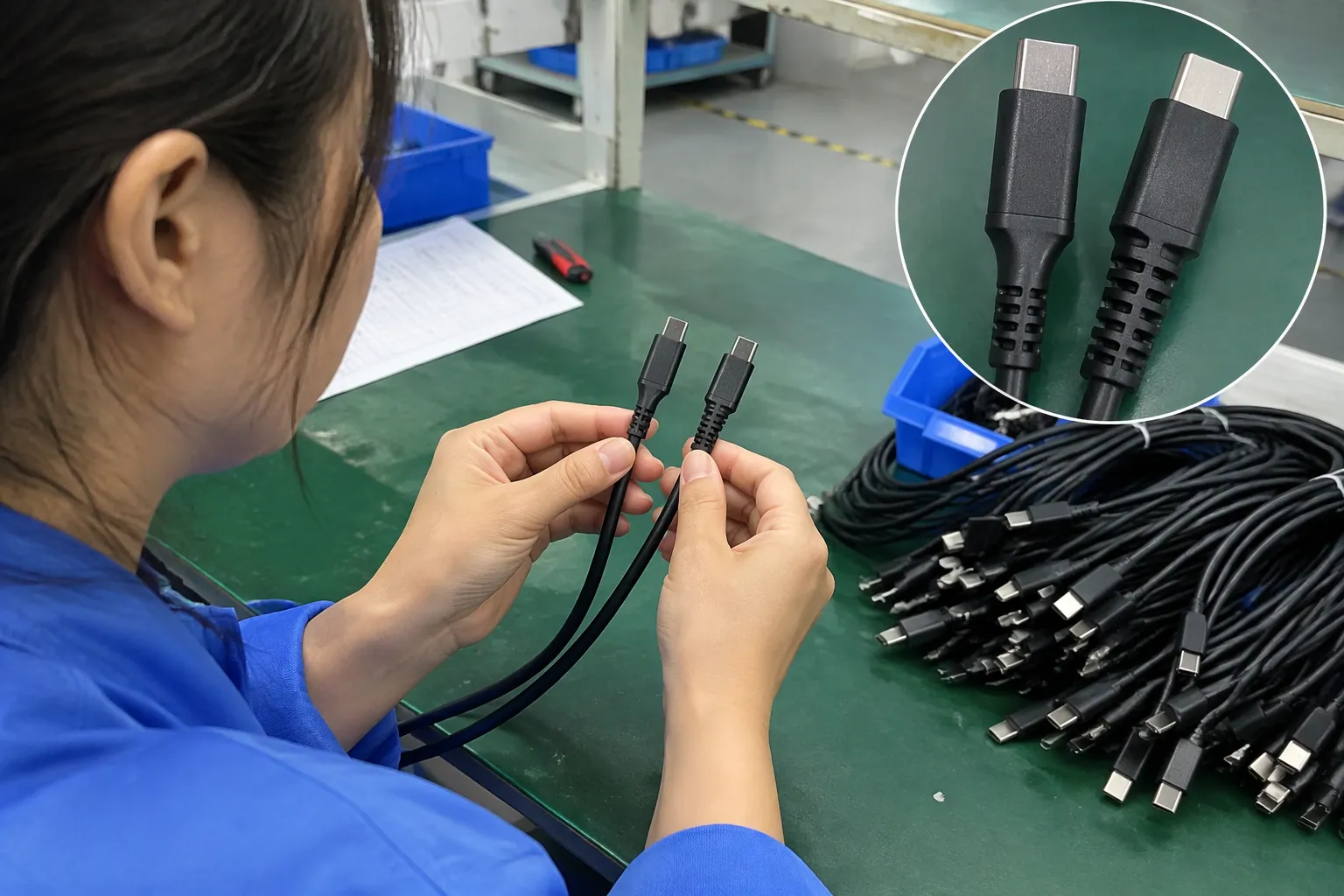
If the original cable is available, I inspect the device-side plug first. I do not rely only on the USB-A or USB-C end because the host-side connector tells me little about the device-side requirement.
I never recommend forcing a connector. Excessive pressure can damage the device port, bend contacts, or create a return that appears to be a cable-quality problem but actually began with incorrect identification.
Check documentation and authoritative references
For technical verification, I use the manufacturer’s documentation and established standards information. The USB Implementers Forum connector and cable resources can help buyers understand official USB documentation and terminology. The USB-IF compliance program also provides useful context for distinguishing general marketplace descriptions from verified compliance claims.
| Verification item | Buyer’s record |
|---|---|
| Device brand and model | Exact model number |
| Device-side connector | Mini USB, Micro USB, or another type |
| Host-side connector | USB-A, USB-C, or another type |
| Source of identification | Manual, sample, manufacturer, or photo |
| Intended function | Charging, data, or both |
| Approval status | Sample approved or pending |
Request a pre-production sample
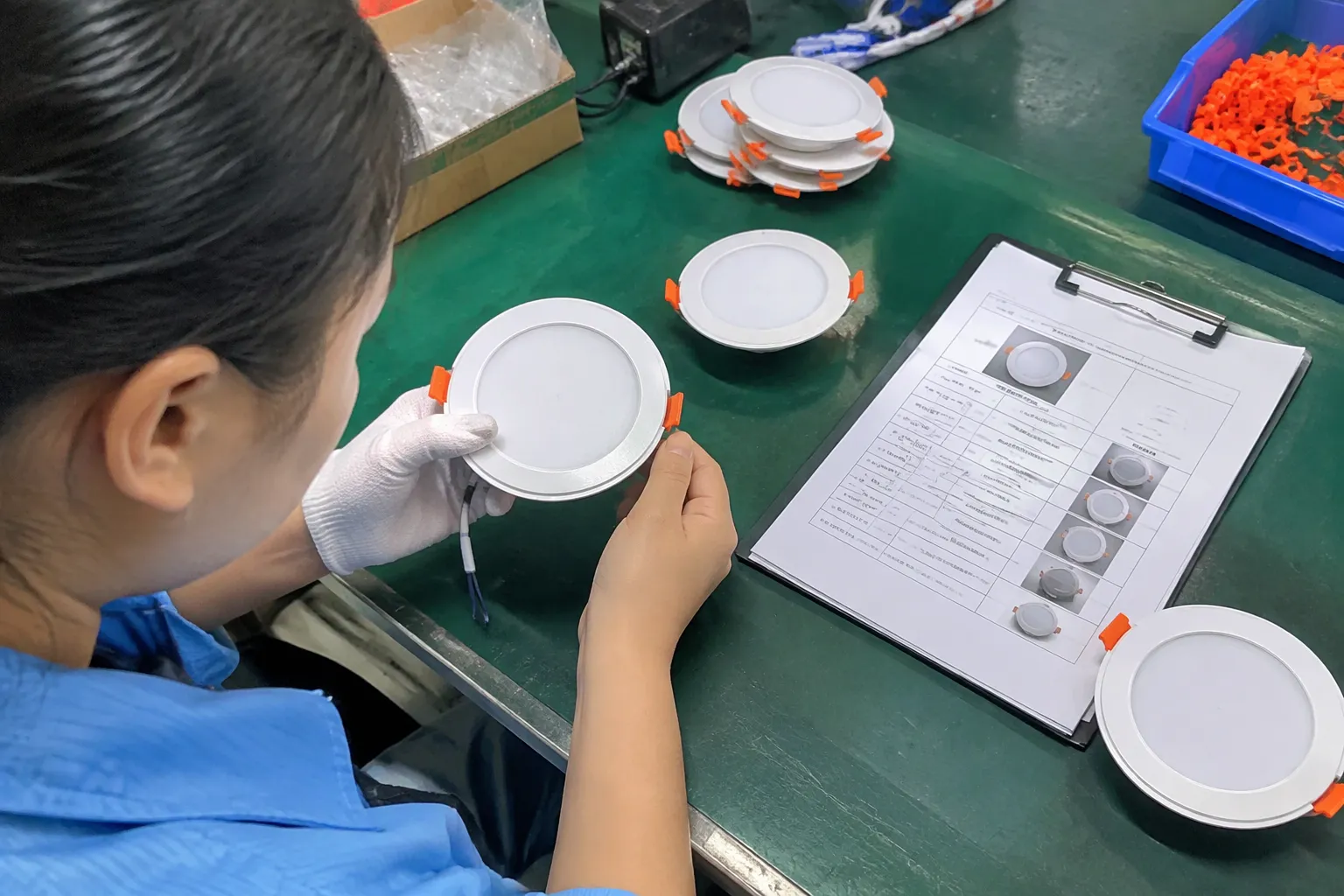
I consider a sample especially important when a buyer plans to import several hundred or several thousand units. The buyer should test the cable with the actual device or a confirmed equivalent, rather than with a visually similar product.
- Physical fit.
- Insertion and removal.
- Charging recognition.
- Data connection, if required.
- Cable length.
- Jacket flexibility.
- Strain relief.
- Label and packaging accuracy.
- Appearance against the approved sample.
A sample does not replace professional engineering evaluation for high-risk applications. It does, however, reduce a common procurement error: ordering the wrong connector because the listing name sounded familiar.
Are Mini USB and Micro USB Interchangeable?
Mini USB and Micro USB are not automatically interchangeable. Their different mechanical dimensions mean that a Mini USB plug generally does not fit a Micro USB port, and a Micro USB plug generally does not fit a Mini USB port. An adapter may change the physical interface, but it does not guarantee complete functional compatibility.[6]
Mechanical compatibility comes first
A cable must physically fit before the electrical connection can work.[7] The connector shell, internal contacts, keying, and insertion depth all matter. If the plug is the wrong type, a buyer may experience:
- No physical connection.
- An unstable connection.
- Inability to charge.
- Inability to transfer data.
- Damage caused by forcing the plug.
- A misleading impression that the cable is defective.
Adapters need careful evaluation
An adapter can sometimes allow a cable with one connector to connect to a device with another port. I do not treat an adapter as a universal solution. The adapter may introduce additional contact points, mechanical stress, fit problems, or performance limitations.
- Does the adapter support the required electrical connections?
- Does it support charging only, data only, or both?
- Is the device compatible with the host-side arrangement?
- Does the adapter fit without blocking nearby ports?
- Does the additional joint create a reliability concern?
- Can the final combination be tested with the actual device?
Connector labels can hide variants
- Micro-B or another Micro USB variant.
- Device-side plug or receptacle.
- Host-side connector.
- Cable direction and length.
- Charging and data requirements.
- Shielding and construction.
- Housing design.
- Overmold material.
- Packaging and labeling.
- Required inspection criteria.
The same principle applies to Mini USB. I encourage buyers to include a reference photo and approved sample in the purchase specification. A written name helps, but a controlled specification is stronger.
What I would do when identification remains uncertain
I would pause the order rather than make a low-confidence selection. I would request the device model and a clear port image. If the buyer has the old cable, I would compare it with the proposed sample. If the application is commercially important, I would ask for a sample device or arrange a test procedure with the buyer’s technical team.
Does Connector Type Determine Charging Speed or Data Performance?
Connector type alone does not determine charging speed, data performance, or overall cable quality. I evaluate the complete cable and device system, including the device electronics, cable conductors, contact design, charger, power requirements, data implementation, and applicable specification.
Why the connector is only one component
| Question | What I would verify |
|---|---|
| Will it fit? | Exact connector family and mechanical dimensions |
| Will it charge? | Device, charger, cable, and required electrical support |
| Will it transfer data? | Device function, wiring, contacts, and tested data capability |
| Will it last? | Strain relief, conductor design, jacket, contacts, and inspection |
| Is it suitable for sale? | Product consistency, labeling, packaging, and supplier controls |
Charging claims require evidence
When a listing says “fast charging,” I ask what the claim means and how it was verified. A buyer should request relevant test information or define the acceptance criteria before purchase. I avoid repeating a supplier’s marketing term as if it were a universal technical result.
- Charging recognition with the target device.
- Charging stability over a defined period.
- Cable temperature under the intended use conditions.
- Compatibility with the intended power source.
- Connector fit after repeated insertion cycles.
- Performance with the approved device and charger combination.
Data performance also needs confirmation
Some buyers need only charging, while others need synchronization, firmware updates, file transfer, or communication with equipment.[8] The buyer should state the intended function clearly.
- Whether the device supports data through that port.
- Whether the cable is wired for data rather than charging only.
- Whether the requested data mode is supported.
- Whether the buyer has a defined test file or device procedure.
- Whether the result is consistent across approved samples.
The USB-IF specifications and documents provide a useful reference point, but a marketplace connector label should not be treated as proof of compliance. I also recommend checking whether any supplier certification or test report applies to the exact model and cable assembly being purchased.
Quality depends on construction and controls
- Conductor material and gauge.
- Insulation and jacket material.
- Shielding approach.
- Contact and terminal quality.
- Injection-molding consistency.
- Strain-relief design.
- Bend and pull test criteria.
- Continuity testing.
- Short-circuit testing.
- Visual inspection standards.
- Lot traceability.
The appropriate criteria depend on the product and application. A qualified professional should assess specialized or safety-sensitive uses. I present these checks as procurement guidance, not as a substitute for laboratory testing or engineering approval.
Which USB Cable Should Retailers and Wholesalers Stock?
Retailers and wholesalers should stock the connector that matches verified customer demand and confirmed device compatibility. I do not recommend choosing Mini USB or Micro USB simply because one appears newer, smaller, or easier to market. I base the decision on sales history, target devices, replacement demand, regional requirements, and supplier reliability.
Segment demand by actual device use
I ask buyers to examine their current sales and return data. A retailer may discover that customers are not asking for “a USB cable” in general. They may be replacing a cable for a specific camera, speaker, navigation device, controller, or legacy accessory.
- Top devices mentioned in customer questions.
- Connector types in returned products.
- Search terms used on the buyer’s website.
- Existing inventory by connector type.
- Average monthly sales.
- Seasonal demand.
- Common cable lengths.
- Charging-only versus data-use demand.
- Customer complaints about fit.
- Replacement and warranty trends.
Build a clear SKU structure
| SKU information | Example decision |
|---|---|
| Device-side connector | Mini USB or Micro USB |
| Host-side connector | USB-A or USB-C |
| Length | Short, standard, or extended |
| Function | Charging only or charging and data |
| Finish | Standard, braided, or customized |
| Packaging | Bulk, retail box, or private label |
| Market | Retail, wholesale, or e-commerce |
The exact options should reflect verified demand. Too many similar SKUs can increase warehouse errors. Too few can create compatibility complaints. Clear photos, connector labels, and barcode control can reduce picking mistakes.
Consider MOQ, lead time, and replacement demand
- MOQ.
- Unit price at different quantities.
- Production lead time.
- Reorder lead time.
- Sample approval time.
- Packaging setup time.
- Freight cost.
- Defect and replacement process.
- Supplier response time.
Use private-label packaging carefully
- Product title.
- Connector illustration.
- Compatibility wording.
- Cable length.
- Function description.
- Quantity.
- Barcode.
- Country-of-origin information where applicable.
- Required market labeling.
- Any certification marks used.
I treat certifications as documents that buyers should verify for the exact product and production arrangement. A supplier’s general statement that a factory is “certified” is not enough to prove that every cable model carries the same approval.
How I support supplier evaluation
As a Shenzhen OEM/ODM consumer-electronics supplier, I can help buyers organize product specifications, samples, customization details, production coordination, and quality-control requirements. My role is supplier-side and product-selection focused. I do not present a visual connector check as laboratory testing.
- The target devices.
- The exact connector variant.
- The required cable functions.
- Sample approval criteria.
- Inspection points.
- Packaging and labeling.
- Acceptable defect limits.
- Delivery schedule.
- After-sales handling.
- Documentation to be supplied.
How Should Buyers Control Quality Before Shipment?
Buyers can reduce Mini USB vs Micro USB returns by controlling identification, samples, production inspection, and final documentation. I recommend checking the connector at several stages instead of discovering a mismatch after goods reach the warehouse or end customer.
Define the approved sample
A photograph can support the record, but I prefer to retain a physical golden sample when practical. The production team and inspection team can then compare the shipment against the same reference.
Use incoming and in-process checks
- Incoming connector and cable-material inspection.
- First-piece approval.
- Plug dimension and appearance checks.
- Continuity and short-circuit testing.
- Charging or data test with the agreed device.
- Visual inspection of molding and strain relief.
- Label and packaging verification.
- Quantity count.
- Carton and shipping-mark inspection.
Create a compatibility test matrix
| Device model | Port identified | Physical fit | Charging | Data | Result |
|---|---|---|---|---|---|
| Model A | Confirmed | Pass/Fail | Pass/Fail | Pass/Fail | Approved/Pending |
| Model B | Confirmed | Pass/Fail | Pass/Fail | Pass/Fail | Approved/Pending |
| Model C | Confirmed | Pass/Fail | Pass/Fail | Pass/Fail | Approved/Pending |
This approach reveals an important issue: a cable may fit several devices but not perform identically with all of them. I would not expand a compatibility claim beyond the models actually verified.
Inspect the final goods before shipment
Pre-shipment inspection can catch an incorrect connector family, mixed cartons, wrong labels, or an unapproved housing. I recommend sampling from different cartons and production points, not only from the first carton prepared.
- Purchase order.
- Product model or SKU.
- Quantity produced.
- Quantity inspected.
- Sampling method.
- Defects found.
- Test equipment or method.
- Photos.
- Corrective action.
- Approval decision.
Keep after-sales data connected to purchasing
- Wrong connector selected by customer.
- Incorrect listing information.
- Cable does not physically fit.
- Cable fits but does not charge.
- Data function not supported.
- Physical damage.
- Packaging or labeling error.
- Device-specific compatibility issue.
What Common Buying Mistakes Should Be Avoided?
The most common mistakes are using a broad cable name, relying on a single product photo, assuming connector type proves performance, and skipping sample approval. I avoid these errors by separating physical compatibility, intended function, product quality, and commercial requirements.
Mistake 2: Choosing from the connector’s apparent age
Some buyers associate Mini USB with older products and Micro USB with newer products. That assumption may be useful as general context, but it is not a reliable identification method. A particular device may use a legacy connector for design, cost, compatibility, or product-history reasons.
Mistake 3: Assuming similar shape means interchangeable function
A connector can look close enough in a small image while remaining mechanically incompatible. I recommend showing the exact connector in product listings and adding clear compatibility wording. The seller should not imply that one cable fits every small USB port.
Mistake 4: Using unsupported speed or charging language
Words such as “fast,” “high-speed,” or “universal” can create customer expectations. I prefer evidence-based wording tied to a tested device or documented specification. Buyers should also review marketplace rules and local labeling requirements before publishing technical claims.
Mistake 5: Ignoring version and model changes
A device manufacturer may revise a product while keeping a similar commercial name. I recommend recording the full model and revision when available. For replacement programs, I also ask whether the buyer has received complaints from more than one production batch.
Mistake 6: Comparing only unit prices
| Evaluation area | Questions for the supplier |
|---|---|
| Identification | Can the supplier confirm the exact connector and sample? |
| Product control | Is there an approved reference sample? |
| Testing | What checks are performed and recorded? |
| Customization | Can packaging and labeling match the approved specification? |
| Capacity | Can the supplier meet the required quantity and schedule? |
| Communication | Who handles technical clarification and after-sales issues? |
| Documentation | Can the buyer verify relevant reports and claims? |
| Commercial terms | What are MOQ, lead time, payment, and replacement terms? |
Frequently Asked Questions
Is Mini USB bigger than Micro USB?
Mini USB is generally larger and taller than Micro USB, while Micro USB is usually thinner and more compact. These descriptions help with an initial visual comparison, but I recommend confirming the device model and exact port because connector variants and product photos can cause identification errors.
Can I use a Micro USB cable in a Mini USB port?
I would not assume that a Micro USB cable fits a Mini USB port. The two connector families have different mechanical forms and are not automatically interchangeable. If an adapter is considered, I would verify both physical fit and the required charging or data function with the actual device.
Does Micro USB charge faster than Mini USB?
Neither connector type automatically guarantees faster charging. Charging depends on the device, charger, cable construction, electrical implementation, and applicable requirements. I recommend testing the complete device-and-cable combination and avoiding unsupported charging claims based only on the connector name.
How can I identify the correct cable for a wholesale order?
I recommend recording the device model, photographing the port, checking the original cable or manual, and ordering a sample for approval. The purchase specification should identify both connector ends, length, intended function, packaging, test requirements, MOQ, and delivery expectations.
Should retailers still stock Mini USB cables?
Retailers should stock Mini USB cables when verified customer or device demand justifies them. I would review sales data, replacement requests, return reasons, and target-device compatibility before deciding. A smaller niche SKU can still be valuable if the listing is clear and the supplier can provide consistent quality.
Conclusion
Mini USB vs Micro USB is first a compatibility question and only then a visual comparison. Mini USB is generally larger, while Micro USB is generally smaller and flatter, but I do not approve a cable order from appearance alone. I recommend confirming the exact device model, checking the port and original cable, testing a sample, and defining quality and packaging requirements. For OEM, ODM, wholesale, or private-label cable projects, I can help organize product specifications, sourcing, production coordination, and quality-control checks before shipment.
Sources
- Universal Serial Bus Micro-USB Cables and Connectors ...", USB connector specifications define distinct mechanical interfaces for Mini-B and Micro-B, so a plug designed for one receptacle is not ordinarily compatible with the other without an intermediary device
- Volts, Amps, and Watts: How They Affect Device Charging", Technical USB documentation indicates that connector geometry identifies an interface form but does not by itself specify the complete electrical, signaling, or construction performance of a cable assembly
- MINI USA Official Site | Compact Cars & SUVs", USB connector classifications include multiple Mini and Micro variants, including distinct plug and receptacle forms, which explains why the unqualified labels “Mini USB” and “Micro USB” may be insufficient for precise identification
- Universal Serial Bus Micro-USB Cables and Connectors ...", Mechanical drawings for USB Micro-B describe a compact, low-profile shell and distinguish it from the larger Mini-B interface used in earlier device designs
- Power Banks Market Demands and Forecast 2033", Historical accounts of consumer electronics identify Micro-USB, particularly Micro-B, as a widely used interface in earlier generations of mobile phones and peripheral devices
- A Primer on USB Type-C and Power Delivery Applications ...", An adapter can provide mechanical conversion while leaving electrical connections, signaling support, or power negotiation unresolved; consequently, physical fit alone does not demonstrate complete USB functionality
- Why Do Some USB Connectors Fit Only One Way?", Connector engineering references describe mechanical alignment and contact engagement as prerequisites for completing the conductive path between mating interfaces
- How to tell a USB charge-only cable from a USB data cable", USB interface documentation distinguishes power delivery from data signaling, allowing a cable or device configuration to support charging without necessarily supporting synchronization or file transfer