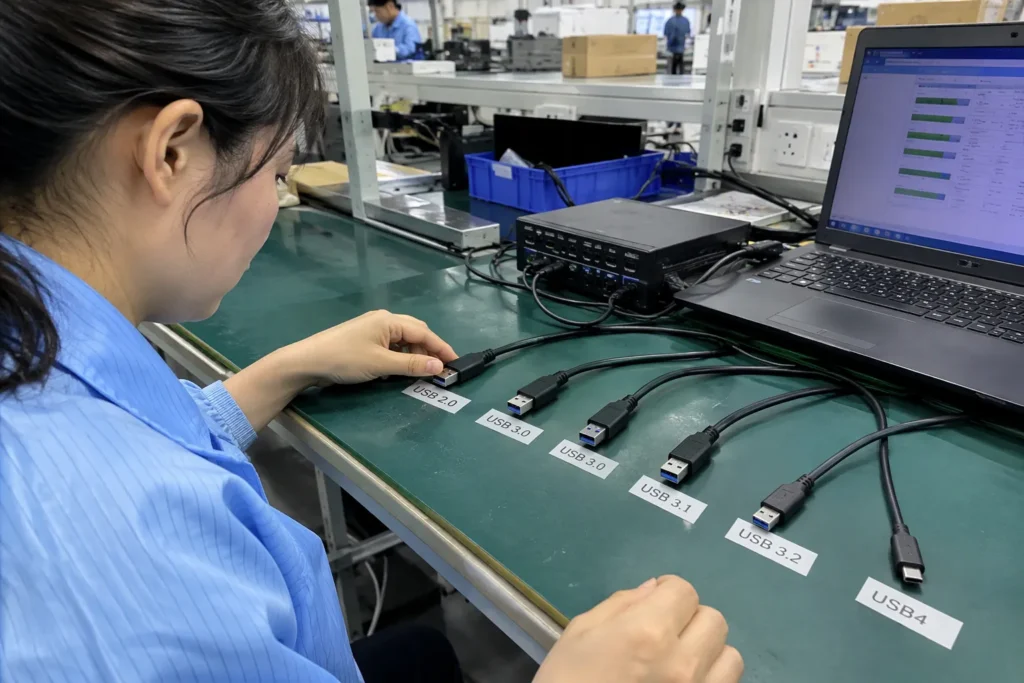
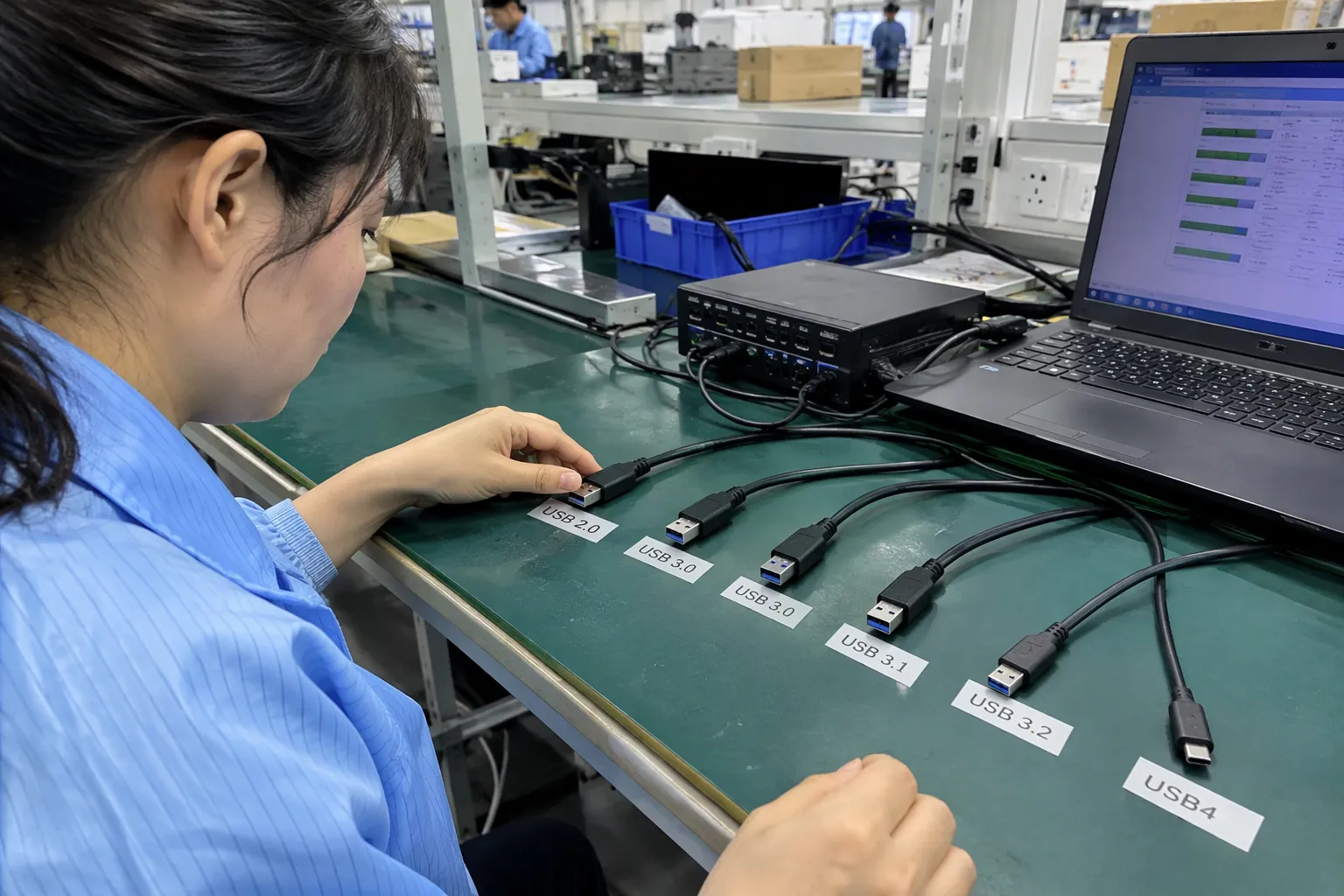
USB 2.0 vs USB 3.0 vs USB 3.1 vs USB 3.2 vs USB4 can create confusion when I help buyers confirm cable specifications. Similar connectors can hide very different capabilities, and unclear labels can lead to compatibility complaints, unnecessary cost, or slow data transfer. I solve this by checking the complete connection path before selecting a product or supplier.
The right choice depends on the application, not only the version name. USB 2.0 suits basic charging, keyboards, mice, and simple peripherals. USB 3.x is more suitable for faster storage and data transfer, while USB4 targets advanced USB-C systems that support the required protocol and cable capability. Buyers should verify the host, device, connector, cable, advertised data rate, power requirements, and sample performance before approving a SKU.
Quick Answer
- USB 2.0 is usually sufficient for basic peripherals, many low-cost charging cables, keyboards, mice, printers, and simple data connections.
- USB 3.0 and USB 3.1 are older or transitional names that need careful interpretation because USB-IF naming has changed.
- USB 3.2 can describe several capability levels, including Gen 1, Gen 2, and Gen 2x2.
- USB4 can provide advanced performance, but the host, device, cable, and protocol must all support the required mode.
- USB-C describes a connector shape, not a guaranteed speed.[1]
- I recommend confirming the intended use first, then checking the complete connection path and validating samples before placing a production order.
The most common mistake I see in product discussions is treating a version number as if it describes the whole product. It does not. A cable can have a USB-C connector but only support USB 2.0 data. A host device can advertise a high specification but operate at a lower level with the selected cable. The sections below explain how I evaluate these differences for retail, wholesale, and e-commerce product decisions.
How should I compare USB 2.0 vs USB 3.0 vs USB 3.1 vs USB 3.2 vs USB4?
When I compare USB generations, I first separate the standard name, connector, cable construction, and actual application. These layers interact, but they are not interchangeable. A higher number on a product page does not automatically mean that every connection will deliver higher real-world performance.
| USB name commonly used in sales discussions | Common technical association | Nominal maximum data rate often quoted | Important buying caution |
|---|---|---|---|
| [USB 2.0 | High-Speed USB | 480 Mbps](https://www.usb.org/document-library/usb-20-specification)[2] | Many products use USB 2.0 data over USB-C |
| USB 3.0 | USB 3.2 Gen 1 in newer terminology | 5 Gbps | “USB 3.0” and “USB 3.2 Gen 1” may refer to the same 5 Gbps class |
| USB 3.1 Gen 1 | USB 3.2 Gen 1 | 5 Gbps | The Gen 1 wording matters |
| USB 3.1 Gen 2 | USB 3.2 Gen 2 | 10 Gbps | The older and newer names can appear together in catalogs |
| [USB 3.2 Gen 2x2 | USB 3.2 specification | 20 Gbps](https://www.usb.org/usb-32-0)[3] | Requires suitable host, device, cable, and implementation |
| [USB4 | USB4 architecture | Commonly 20 or 40 Gbps modes](https://www.usb.org/sites/default/files/usb4_logo_usage_guidelines_april_2020_f_2.pdf)[4] | USB4 capability is not guaranteed by USB-C alone |
These figures represent signaling or nominal maximum rates, not guaranteed file-copy speeds.[5] Protocol overhead, storage performance, operating systems, thermal limits, controller quality, cable length, and device design can reduce the result.
Why do the names cause confusion?
USB naming has changed over time. For example, what was widely sold as USB 3.0 may later be labeled USB 3.2 Gen 1[6]. What many buyers call USB 3.1 may refer either to a 5 Gbps Gen 1 product or a 10 Gbps Gen 2 product. Therefore, I ask suppliers to state the exact generation, speed class, and test basis, rather than accepting “USB 3.1” as a complete specification.
The official USB-IF USB 3.2 documentation and USB4 documentation should be checked for current terminology. Product teams should also verify whether a supplier is using an official logo or simply using a marketing phrase.
Nominal speed is not the same as customer experience
A customer may not notice a difference between USB 2.0 and a faster specification when charging a phone, connecting a mouse, or transferring small office files. The difference becomes more commercially relevant when the product connects:
- External solid-state drives
- High-resolution cameras
- Large video files
- Docks and monitors
- Professional storage systems
- High-speed networking or other advanced peripherals
I once reviewed a specification discussion where the buyer focused on the connector and the printed “fast charging” phrase, while the real requirement was regular large-file transfer. The correct questions were not only about charging. They concerned the data lanes, host port, storage device, cable, and test method.
- Intended customer use
- Connector combination
- Data speed class
- Power requirement
- Cable length
- E-marker or other relevant implementation details, when applicable
- Host and device compatibility
- Required markings and packaging language
- Sample test result
- Supplier documents and change-control process
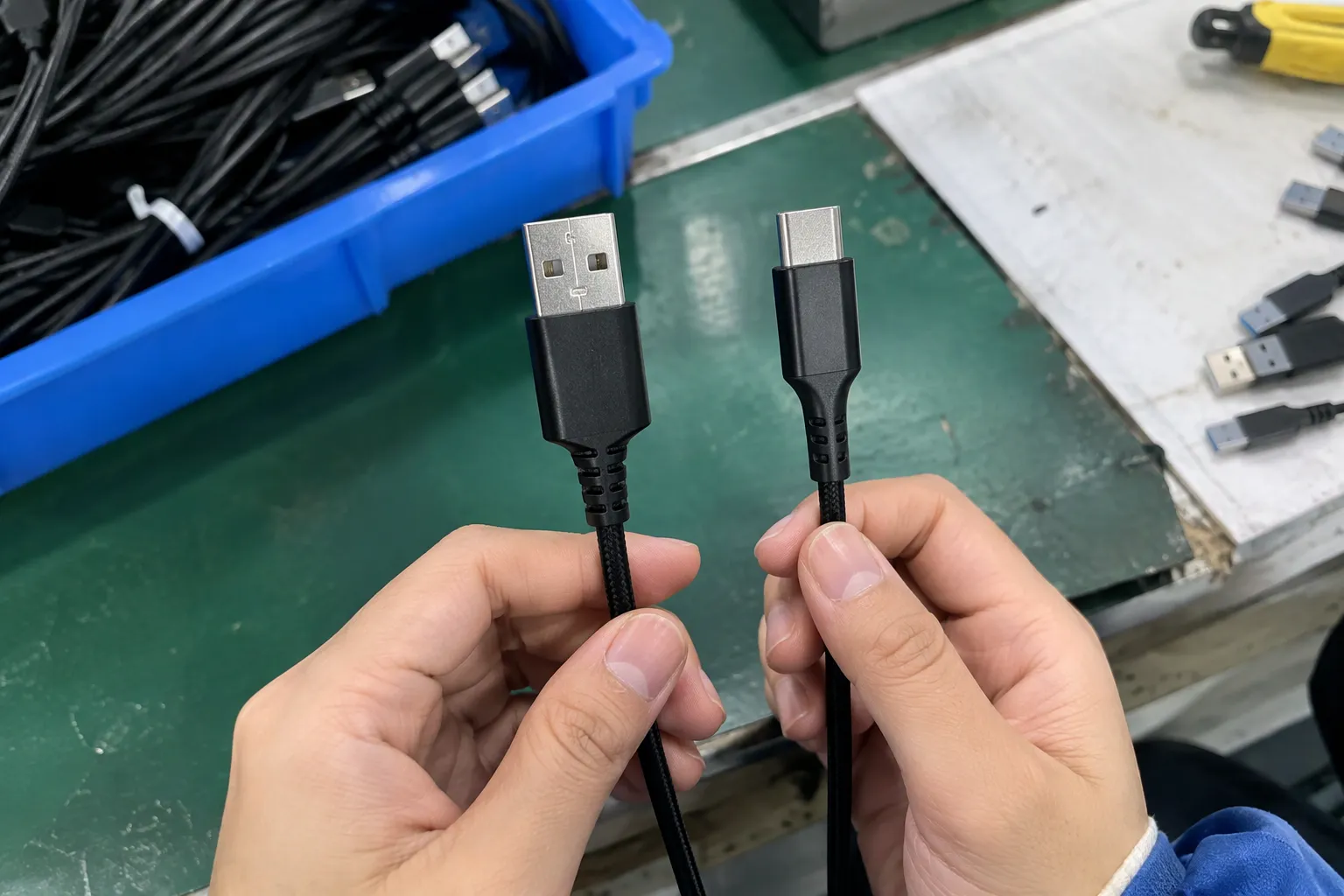
Is USB-C the same as USB 3.0, USB 3.2, or USB4?
USB-C is a connector and interface design. It is not a data-transfer generation. A USB-C cable or port may support USB 2.0, USB 3.x, USB4, charging functions, display protocols, or a combination of these features. I never approve a product as “high speed” only because it uses USB-C.
The USB-C connector has become common because it is compact, reversible, and suitable for multiple functions. However, the connector shape does not reveal every capability inside the cable or device. Buyers must request a complete specification.
What should a buyer check on a USB-C product?
| Evaluation point | Question for the supplier |
|---|---|
| Connector | Is the product USB-C to USB-C, USB-A to USB-C, or another combination? |
| Data | What exact USB data rate does the product support? |
| Power | What charging power is supported, under which conditions? |
| Protocol | Does it support USB only, or also DisplayPort Alt Mode, Thunderbolt compatibility, or another mode? |
| Cable length | Does the stated capability apply to the requested length? |
| Construction | Are the conductors, shielding, terminals, and internal components suitable for the claim? |
| Identification | Does the label state the speed clearly without implying unsupported features? |
| Testing | Can the supplier provide relevant reports and sample verification? |
A USB-C cable designed for charging may use a USB 2.0 data configuration. That design can be entirely reasonable if the intended use is phone charging and basic synchronization. It becomes a problem when the package suggests that the cable is suitable for high-speed storage.
Why do USB-A and USB-C comparisons also mislead buyers?
USB-A and USB-C describe different connector formats. They do not provide a complete speed comparison. A USB-A to USB-C cable can support a particular USB 3.x mode if the host, cable, and device are designed for it. A USB-C to USB-C cable can support only USB 2.0 data if that is how it is constructed.
I recommend that sellers avoid phrases such as “the fastest USB-C cable” unless they define the specific capability. Better product copy might state:
- “USB 2.0 data synchronization”
- “Up to 5 Gbps data transfer, subject to compatible devices”
- “USB 3.2 Gen 2, 10 Gbps class”
- “USB4 40 Gbps class, compatible host and device required”
What does this mean for private-label and OEM products?
For an OEM or private-label product, the packaging, online listing, user manual, and test sample should use consistent language. I ask buyers to approve the specification sheet before artwork is finalized. I also ask the factory or manufacturing partner to confirm whether any component change could affect the advertised capability.
A cable may look identical after a material or supplier change, but the internal construction can differ. This is why procurement teams should connect approved samples, approved specifications, and production inspection. A visual check alone cannot prove a data rate.
When is USB 2.0 the better product choice?
USB 2.0 is often the better choice when the customer needs basic connectivity and the higher data capability would not create meaningful value. A faster specification can increase component cost, testing requirements, packaging complexity, and compatibility risk. I do not recommend upgrading every cable automatically.
- Charging-focused cables
- Keyboards and mice
- Simple barcode scanners
- Some printers and office peripherals
- Low-bandwidth control devices
- Basic phone synchronization
- Cost-sensitive promotional electronics
The right decision depends on the product’s actual purpose. If the cable will connect a portable SSD, USB 2.0 may create a poor customer experience. If the cable will charge a low-cost accessory and transfer only occasional small files, the additional data capability may not justify the cost.
How should retailers evaluate the value of a higher speed?
- What task will the customer perform?
- Does that task involve large files or continuous data?
- Does the customer’s host device support the faster mode?
- Does the connected product support the faster mode?
- Will the higher capability be visible in the listing and packaging?
- Can the supplier verify the claim consistently in production?
| Intended use | Likely specification discussion | Main commercial concern |
|---|---|---|
| Charging and occasional synchronization | USB 2.0 may be sufficient | Avoid implying high-speed storage performance |
| Keyboard, mouse, or simple control device | USB 2.0 often sufficient | Focus on reliability and connector quality |
| External hard drive | USB 3.x may be more suitable | Confirm host, drive, cable, and real transfer conditions |
| External SSD | USB 3.2 or USB4 may be relevant | Confirm the complete performance path |
| Docking station | Depends on data, display, and power functions | Verify protocols, power delivery, and compatibility |
| Video production workflow | Higher capability may be justified | Require professional technical evaluation |
For many mass-market SKUs, stable quality matters more than the highest theoretical number. A well-controlled USB 2.0 cable that matches its label can be a better product than an inconsistent cable marketed with an ambitious claim.
What quality points matter for a USB 2.0 cable?
- Terminal fit and insertion quality
- Strain relief
- Conductor continuity
- Insulation and jacket quality
- Resistance and voltage drop where relevant
- Connector plating or finish specification
- Bend performance
- Label accuracy
- Plug dimensions and molding quality
- Lot traceability
A low-speed product still creates complaints if it disconnects, overheats, breaks at the connector, or fails to charge reliably. I therefore treat USB 2.0 as a specification choice, not as permission to reduce quality control.
How should I interpret USB 3.0, USB 3.1, and USB 3.2?
I interpret USB 3.0, USB 3.1, and USB 3.2 by identifying the exact generation and mode rather than relying on the broad label. This step is important because the names have been reused and reorganized. A supplier that writes only “USB 3.1 cable” has not provided enough information for a reliable purchase decision.
The practical naming map
The following map is useful for initial discussions, but I still ask suppliers to confirm the current official terminology:
| Older or common market wording | Newer USB-IF wording commonly associated with it | Nominal rate |
|---|---|---|
| USB 3.0 | USB 3.2 Gen 1 | 5 Gbps |
| USB 3.1 Gen 1 | USB 3.2 Gen 1 | 5 Gbps |
| USB 3.1 Gen 2 | USB 3.2 Gen 2 | 10 Gbps |
| USB 3.2 Gen 2x2 | USB 3.2 Gen 2x2 | 20 Gbps |
This table does not mean that every product using an old name has been correctly labeled. It means that buyers need to clarify what the supplier actually intends to deliver.
Why is “USB 3.1” incomplete?
“USB 3.1” without “Gen 1” or “Gen 2” can create ambiguity.[7] Gen 1 and Gen 2 do not represent the same nominal data rate. A buyer who approves artwork with only “USB 3.1” may later discover that the factory understood a different level from the marketing team.
That statement is more useful than “super-speed USB 3.1.” The final wording still needs review against the relevant USB-IF rules and the product’s actual qualification.
Does USB 3.2 Gen 2x2 always work with USB-C?
USB 3.2 Gen 2x2 is associated with a 20 Gbps mode that depends on suitable implementation.[8] The connector alone does not guarantee it. The host, peripheral, cable, controller, and operating environment must support the mode.
This issue matters for external SSD enclosures and premium cables. A buyer may connect a 20 Gbps enclosure to a computer that supports only a lower mode. The product can be functioning normally while delivering a lower result. The package should explain this in a clear, non-misleading way.
How can suppliers reduce naming risk?
- Product model and revision
- Connector combination
- Data generation and exact mode
- Maximum cable length for the claim
- Power capability, if included
- Supported protocols
- Test equipment and test conditions
- Applicable USB-IF or other documentation
- Packaging wording
- Approved sample reference
- Change-notification procedure
I also recommend that buyers compare the supplier’s quotation, specification sheet, sample label, and final artwork. Any mismatch should be corrected before mass production. In my experience with specification communication, small wording differences can become large commercial problems after a product reaches several sales channels.
What should buyers know about USB4?
USB4 is an advanced USB architecture intended for capable USB-C systems. It can support higher data performance and multiple protocol functions, but I do not treat “USB4” as a universal promise of one speed or one customer experience. The exact mode, device support, cable capability, and system implementation still matter.
USB4 products require more careful evaluation than a basic charging cable. The buyer should confirm whether the intended application needs USB4 or whether a well-specified USB 3.2 product would provide sufficient value at lower cost.
Which products may justify USB4?
- High-performance external SSDs
- Professional content creation systems
- Advanced docking stations
- High-bandwidth peripherals
- Premium laptops and accessories
- Products that combine data, display, and other protocols
The commercial case becomes stronger when customers already own compatible hosts and devices. The case becomes weaker when the product is sold to a broad audience with unknown equipment. A premium cable may not deliver a visible benefit if the customer’s computer or peripheral operates at a lower level.
What should I verify before requesting a USB4 cable?
- Define the task. Is the customer transferring large files, connecting a dock, using displays, or charging?
- Confirm the host. What USB4 or related capability does the computer, phone, or tablet support?
- Confirm the peripheral. Does the SSD, dock, monitor, or other device support the same required mode?
- Confirm the cable. Does the cable support the required data rate, length, power, and protocol functions?
- Check identification. Is the label accurate and supported by supplier documentation?
- Test the approved sample. Does the sample perform as expected with representative equipment?
- Control production. Can the supplier maintain the same construction and components during mass production?
Why can USB4 add procurement risk?
USB4 products can involve more complex cable construction, tighter component control, and more demanding compatibility discussions. The product may also require clearer packaging because buyers may assume that every USB-C connection delivers the same performance.
I would not select USB4 only to make a product listing appear more advanced. I would select it when the application, customer segment, and verified supply capability support the premium specification.
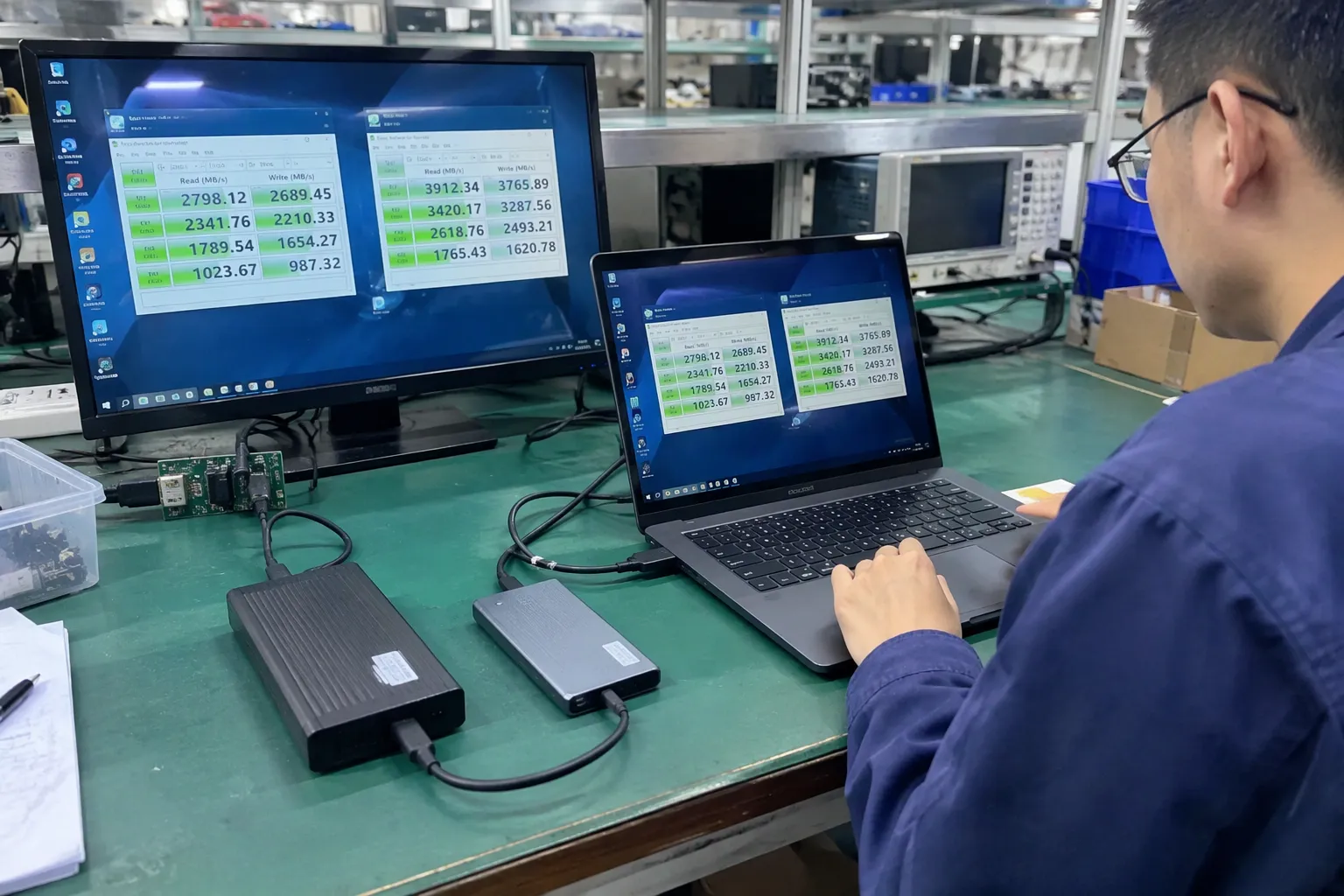
A supplier should not promise a fixed real-world transfer speed without defining the test conditions. Storage devices, computers, file sizes, operating systems, thermal behavior, and background processes all affect performance. A qualified engineer or testing laboratory should evaluate application-specific requirements where the product supports professional workflows.
Where can buyers verify USB4 information?
Buyers should begin with current USB-IF technical documents, official product information, and supplier test documentation. If a product uses additional protocols or certification marks, buyers should verify those claims through the relevant rights holder or certification program.
Certification documents should be treated as documents to verify, not as a substitute for product evaluation. The document should match the product model, manufacturer, revision, and intended claim.
How can buyers select the right USB cable and supplier?
The best selection process starts with the intended SKU, not with the highest USB version available. I work with buyers to translate a sales requirement into a production specification. That translation should cover customer use, technical capability, packaging language, quality control, MOQ, lead time, and after-sales responsibility.
A practical verification sequence
1. Define the customer promise
- Basic charging and synchronization
- 5 Gbps-class data transfer
- 10 Gbps-class external storage connection
- Advanced USB4 connection for a compatible system
2. Identify the complete connection path
- Host
- Host port
- Cable
- Cable connectors
- Peripheral
- Peripheral controller
- Operating system and software
- Protocols used by the application
The lowest supported capability in the path can limit the result. A higher specification printed on one component cannot override a lower capability elsewhere.
3. Match the product to the market
A premium USB4 cable may suit a specialist computer accessory range. A USB 2.0 cable may suit a high-volume charging bundle. A USB 3.2 Gen 2 cable may suit customers who use external SSDs. The right choice depends on the channel and customer expectation.
| Buyer situation | Practical product direction | What I would emphasize |
|---|---|---|
| Budget charging accessory | USB 2.0 may be suitable | Reliable charging, durability, honest labeling |
| General mobile accessory | USB 2.0 or USB 3.x, depending on data use | Compatibility and clear product copy |
| External storage accessory | USB 3.2 class or higher, if supported | Host, device, cable, and test conditions |
| Premium laptop accessory | USB4 may be relevant | Verified mode, protocol support, and system compatibility |
| Private-label retail range | Several clearly differentiated SKUs | Avoid confusing overlap between model names |
4. Confirm documents and samples
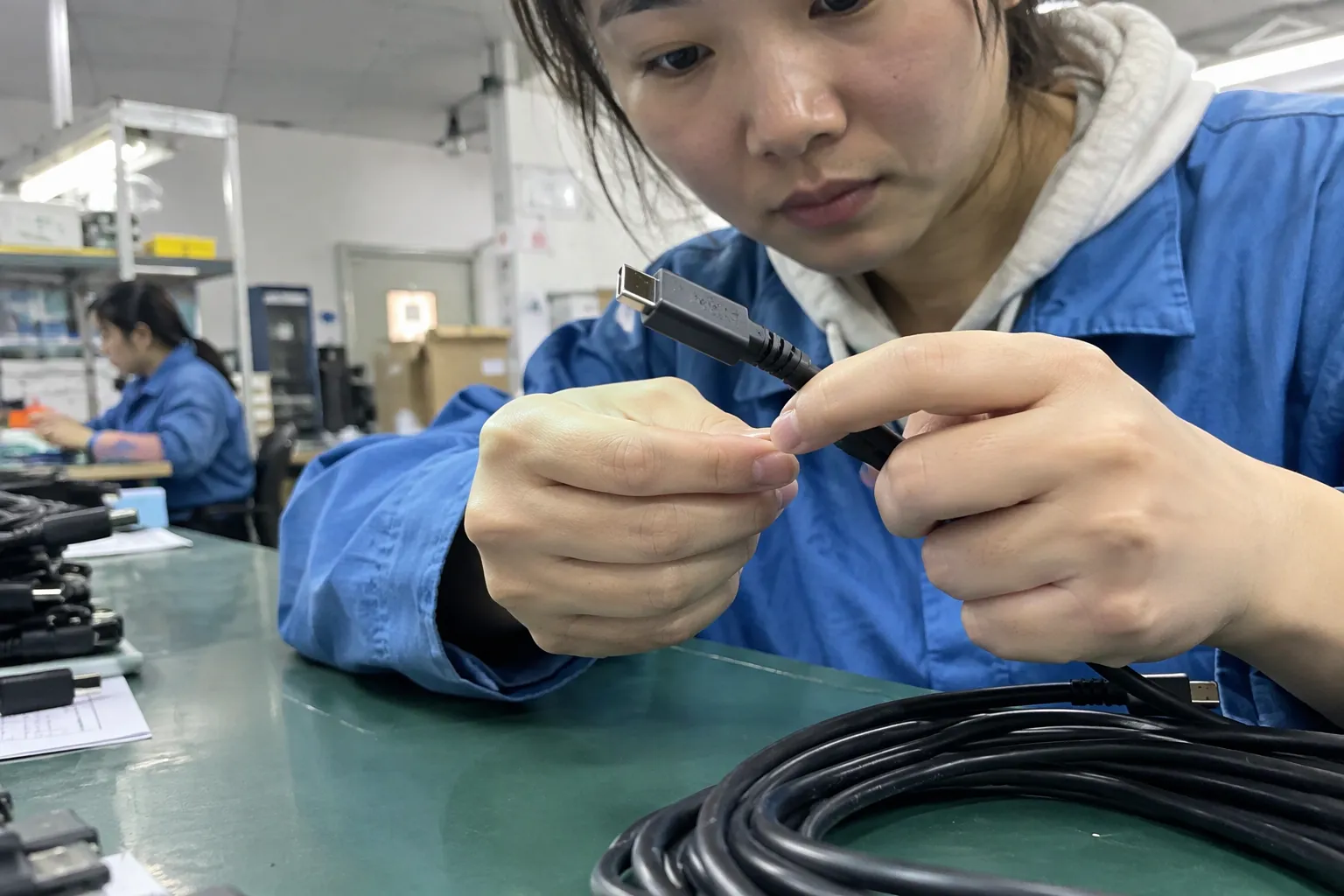
I ask for a formal specification sheet, relevant reports, component information where appropriate, and a production sample. Buyers should verify certifications and marks directly. A document from one model should not automatically be used to support another model.
A sample test should use equipment similar to the intended customer environment. A supplier demonstration can be useful, but it does not replace independent evaluation for critical applications.
5. Control packaging and online content
- Product packaging
- Online listing
- User manual
- Retail carton
- Wholesale catalog
- Sales presentation
- Technical specification sheet
Maximum performance requires compatible host device, peripheral, cable, and protocol support. Actual results may vary by system and application.
What supplier questions should I ask?
- Which exact USB generation and mode does the product support?
- What is the nominal data rate?
- Is the product data-only, charging-focused, or multifunctional?
- What connector combinations and lengths are available?
- Does the capability change with cable length?
- What host and device were used for sample verification?
- What production tests are performed?
- How does the supplier control component changes?
- Which certifications or USB-related documents apply to this exact model?
- What are the MOQ, lead time, warranty process, and replacement terms?
Our Shenzhen-based OEM/ODM supply work includes specification confirmation, sampling, production coordination, quality control, and communication with overseas buyers. We can help organize these questions with manufacturing partners, but buyers should still obtain qualified technical evaluation for application-specific decisions.
Frequently Asked Questions
Is USB-C always faster than USB 2.0?
No. USB-C describes a connector format, not a guaranteed data speed. A USB-C cable can support USB 2.0 data, USB 3.x, USB4, charging, or other functions depending on its design. Buyers should check the exact specification rather than judging capability from the connector shape.
Is USB 3.0 the same as USB 3.2 Gen 1?
USB 3.0 is commonly associated with USB 3.2 Gen 1, both in the 5 Gbps nominal class. However, buyers should confirm the supplier’s exact wording and product implementation. “USB 3.1” can be ambiguous unless the supplier identifies Gen 1 or Gen 2.
Should I always choose USB4 for a premium cable?
No. USB4 is appropriate only when the host, device, cable, protocol, and customer application can use its capability. A USB4 cable may add cost without meaningful value for basic charging or low-bandwidth peripherals. I recommend matching the specification to the customer’s real task.
Can a USB 2.0 cable charge a phone?
It may charge a phone, but charging performance depends on the cable, charger, phone, power protocol, current, resistance, and other design factors. USB data generation alone does not fully describe charging capability. Buyers should specify and verify charging requirements separately from data requirements.
How can I avoid misleading USB speed claims?
State the exact USB generation or mode, nominal data rate, connector type, and compatibility conditions. Avoid using USB-C as a speed claim. Request supplier documents, test an approved sample, verify certification information, and make sure the packaging and online listing match the controlled specification.
Conclusion
USB 2.0 vs USB 3.0 vs USB 3.1 vs USB 3.2 vs USB4 is not a simple ranking from old to new. I evaluate each product through the complete connection path: task, host, device, connector, cable, protocol, power requirement, labeling, and verified sample performance. USB 2.0 can be the right commercial choice for basic accessories, while USB 3.x or USB4 can serve high-bandwidth applications. Contact our Shenzhen OEM/ODM team to discuss specification confirmation, sampling, production coordination, quality control, MOQ, and wholesale supply for your target market.
Sources
- USB Type-C® and USB 2.0 Type-C™ Cable and ...", USB Implementers Forum documentation distinguishes the USB Type-C connector and cable specification from the USB data-transfer protocols and performance levels that a host, device, or cable may support
- USB 2.0 Specification", The USB 2.0 specification identifies High-Speed USB as supporting a nominal signaling rate of 480 Mbps
- USB 3.2 Specification", USB Implementers Forum technical material identifies USB 3.2 Gen 2x2 as a two-lane mode with a nominal signaling rate of 20 Gbps
- USB4® Logo Usage Guidelines", The USB4 specification describes operational data-rate modes including 20 Gbps and 40 Gbps, subject to the capabilities negotiated by the connected systems
- Understanding Facilities and Administrative (F&A) Costs", Technical analyses of USB performance distinguish the advertised link rate from effective application throughput because protocol overhead and host, device, and storage-system limitations consume part of the available bandwidth
- USB 3.2 Specification Language Usage Guidelines from ...", USB Implementers Forum naming guidance associates the earlier USB 3.0 designation with the later USB 3.2 Gen 1 designation, both representing the 5 Gbps class
- USB 3.1 Specification Language Usage Guidelines from ...", USB terminology documentation distinguishes USB 3.1 Gen 1, associated with the 5 Gbps class, from USB 3.1 Gen 2, associated with the 10 Gbps class; therefore, the unqualified term USB 3.1 is incomplete
- What is USB 3.2 Gen 2x2?", USB 3.2 Gen 2x2 documentation describes a two-lane 20 Gbps mode whose operation depends on compatible host, device, controller, and cable implementations