Feeling lost choosing a USB cable supplier? It’s a common problem. Making the wrong choice can waste your money on products that just won't sell.
Before ordering from an OEM USB cable manufacturer, importers must check connector types (USB-C), material quality (nylon braid), charging specs (PD/QC), and certifications (MFi, UL). These details directly impact product performance, marketability, and your brand's reputation.
I've been exporting 3C products for over 15 years. I see new importers make the same mistakes all the time. They get a good price but forget to check the details that actually determine if a cable is good or bad. This guide will help you avoid those mistakes. Let’s break down what you really need to check to order with confidence.
What connector types should I prioritize for the US and EU markets?
Are you confused by all the different USB connectors? Picking the wrong one means your inventory will just sit on the shelf. This is a big fear for importers.
For US and EU markets, you should prioritize USB-C to USB-C and USB-C to Lightning cables. The EU has made USB-C the new standard, and most new devices use it. These two types cover almost all modern smartphones, laptops, and gadgets.
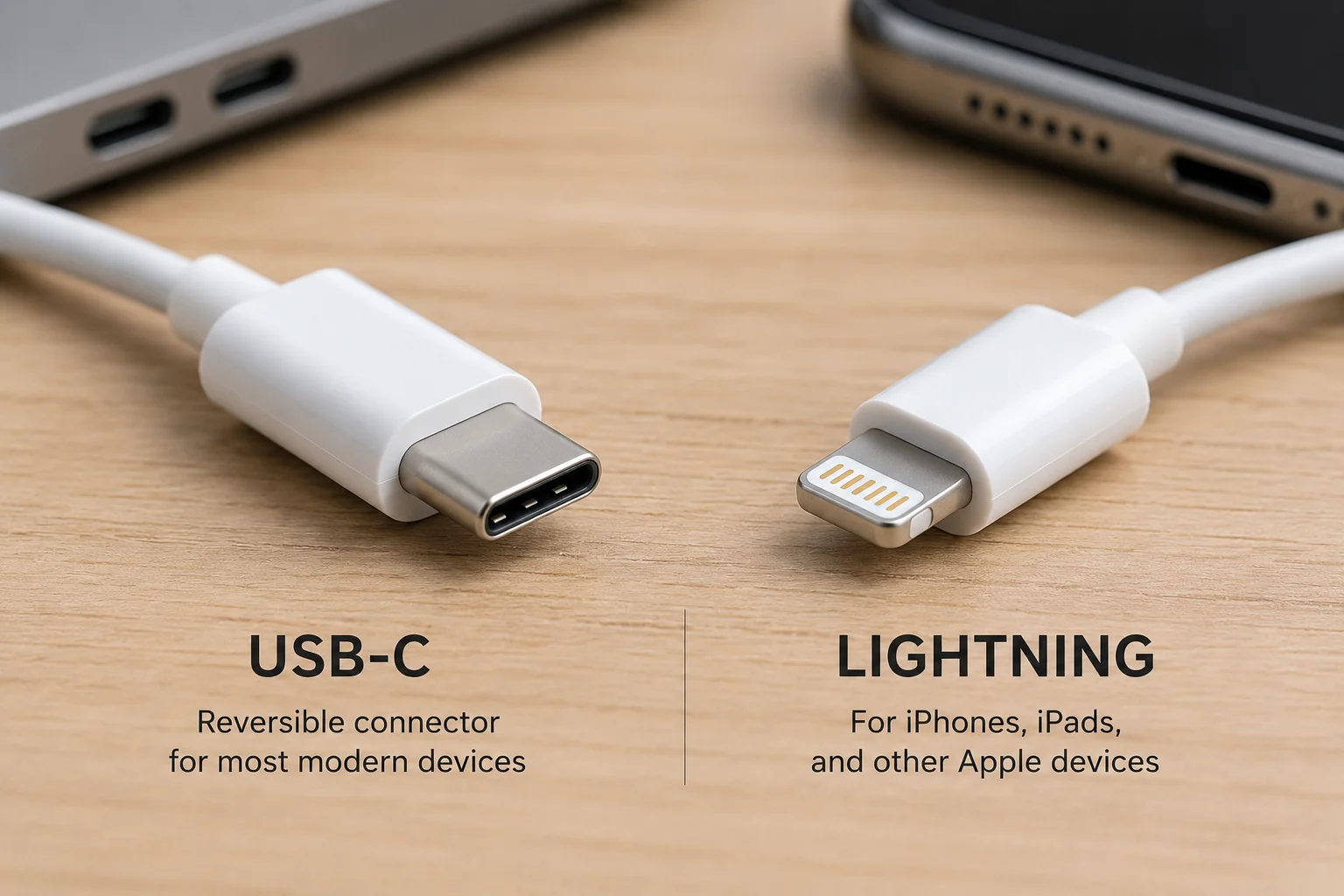
This is a question I get almost every day. A new client looks at our catalog and sees dozens of options. They feel overwhelmed. But the choice is actually pretty simple if you know the market trends. My job is to make it easy for you.
The Rise of USB-C
You need to know about the new EU law. By the end of 2024, all new phones, tablets, and cameras sold in the EU must use a USB-C port for charging.1 This is not just a suggestion; it's a rule. The US market is following this trend very closely.2 This means USB-C is the future, and it is also the present. If you are not stocking USB-C cables, you are already behind.
Don't Forget Apple's Lightning
While the newest iPhones use USB-C, there are hundreds of millions of older iPhones out there3. Any model from the iPhone 14 all the way back to the iPhone 5 uses the Lightning connector. This is a huge market. So, a cable that connects a USB-C power adapter to a Lightning phone is still a best-seller. This will change over time, but for the next few years, it's a safe bet.
| Priority | Connector Type | Target Devices | Market Trend |
|---|---|---|---|
| 1 (High) | USB-C to USB-C | Modern Android phones, iPhones (15+), iPads, Laptops | Growing (Mandatory in EU) |
| 2 (High) | USB-C to Lightning | iPhones (14 and older), certain iPads, AirPods | Stable, but will decline |
| 3 (Medium) | USB-A to USB-C | Charging modern phones with older power bricks | Declining |
| 4 (Low) | USB-A to Micro-USB | Older Android devices, budget accessories | Niche / Legacy |
My advice to all my clients is to focus about 80% of your budget on the top two priorities. This lowers your risk and makes sure you are selling what customers need right now.
How do I choose between standard stock and OEM cables?
Are you stuck between buying ready-made cables and designing your own? This decision is important. The wrong choice can lock up your money in a product that doesn't fit your brand.
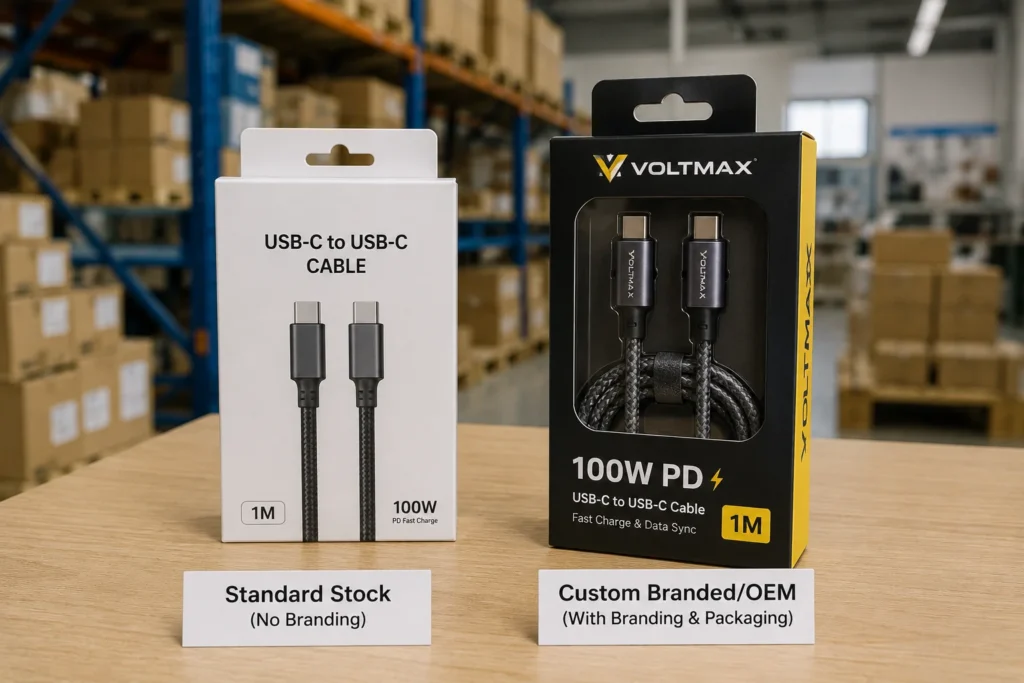
Choose standard stock cables when you need to test the market quickly with a low minimum order quantity (MOQ). Choose OEM (Original Equipment Manufacturer) when you need custom features or branding and can afford the higher MOQ and longer development time.
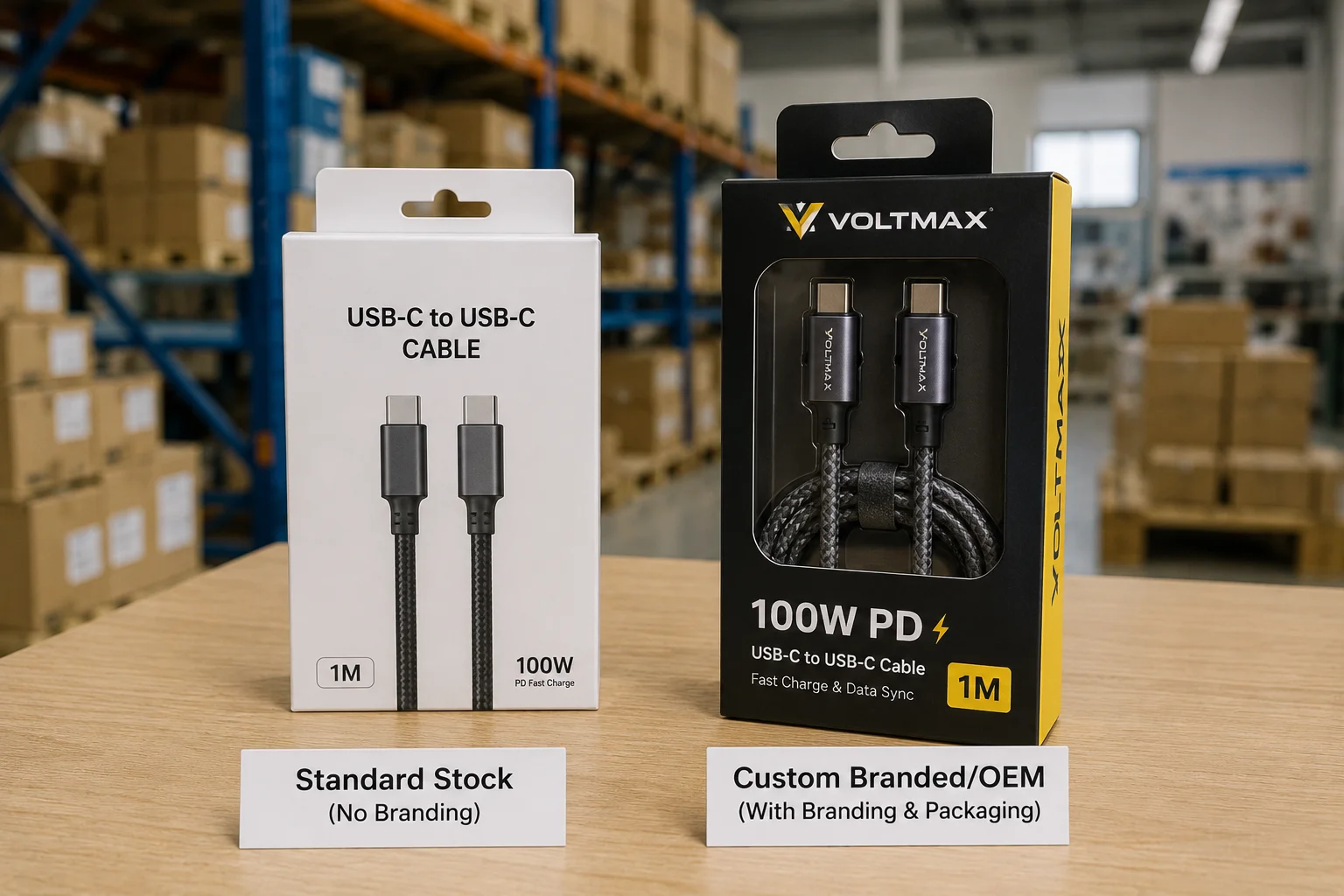
When clients ask me for the 'best option', my first question is always about their business goals. This is not about which cable is better. It is about which business strategy is right for you. It's a choice between speed, branding, and cost. Each path has its own risks and rewards. I help my customers figure out which risks they can afford to take.
When to Choose Standard Stock (Wholesale)
This is the market-testing option. It's perfect if you are not sure if a specific color or length will sell. You can order a small quantity to find out.
- The Good Part: The MOQ is very low, sometimes just a few hundred pieces. We can ship these orders very fast, often within a week. The initial investment is small.
- The Bad Part: You get no customization. The cable you sell is the exact same one your competitor might be selling. This can make it hard to compete on anything but price.
When to Choose OEM
This is for building a unique brand. You choose this path when you need a specific color, a special material, or a unique feature that no one else has.
- The Good Part: You have complete control. You decide the length, the material, the connector design, everything. This allows you to create a premium product and charge a higher price.
- The Bad Part: The MOQ is high, usually thousands of units. You will also have to pay for tooling, which means creating custom molds. This can cost thousands of dollars. The entire process, from design to delivery, can take several months.
The Middle Ground: Private Label
Many of our successful customers start here. We take one of our standard, high-quality stock cables and simply add your logo to the connector and create custom packaging for you.
- The Good Part: It gives you a branded product without the high cost and long wait of full OEM.
- The Bad Part: The cable inside the box is still a standard model. Your differentiation is mostly in marketing and packaging.
| Factor | Standard Stock (Wholesale) | Private Label | OEM |
|---|---|---|---|
| Goal | Test the market | Build a brand | Create a unique product |
| MOQ | Low | Medium | High |
| Cost | Low | Medium | High |
| Speed | Fast | Medium | Slow |
| Customization | None | Logo & Packaging | Full Control |
| Best For | New sellers, market testers | Growing e-commerce brands | Established brands, large retailers |
What specs matter most for charging and data cables?
Do terms like "watts" and "amps" seem confusing? If you ignore these technical specs, you could end up with angry customers, bad reviews, and a lot of returned products.
For charging, the most important specs are wattage (e.g., 60W, 100W) and support for fast-charging standards like Power Delivery (PD). For data, the key spec is transfer speed, like 480Mbps (USB 2.0) for standard cables or 5Gbps (USB 3.0) for high-speed ones4.
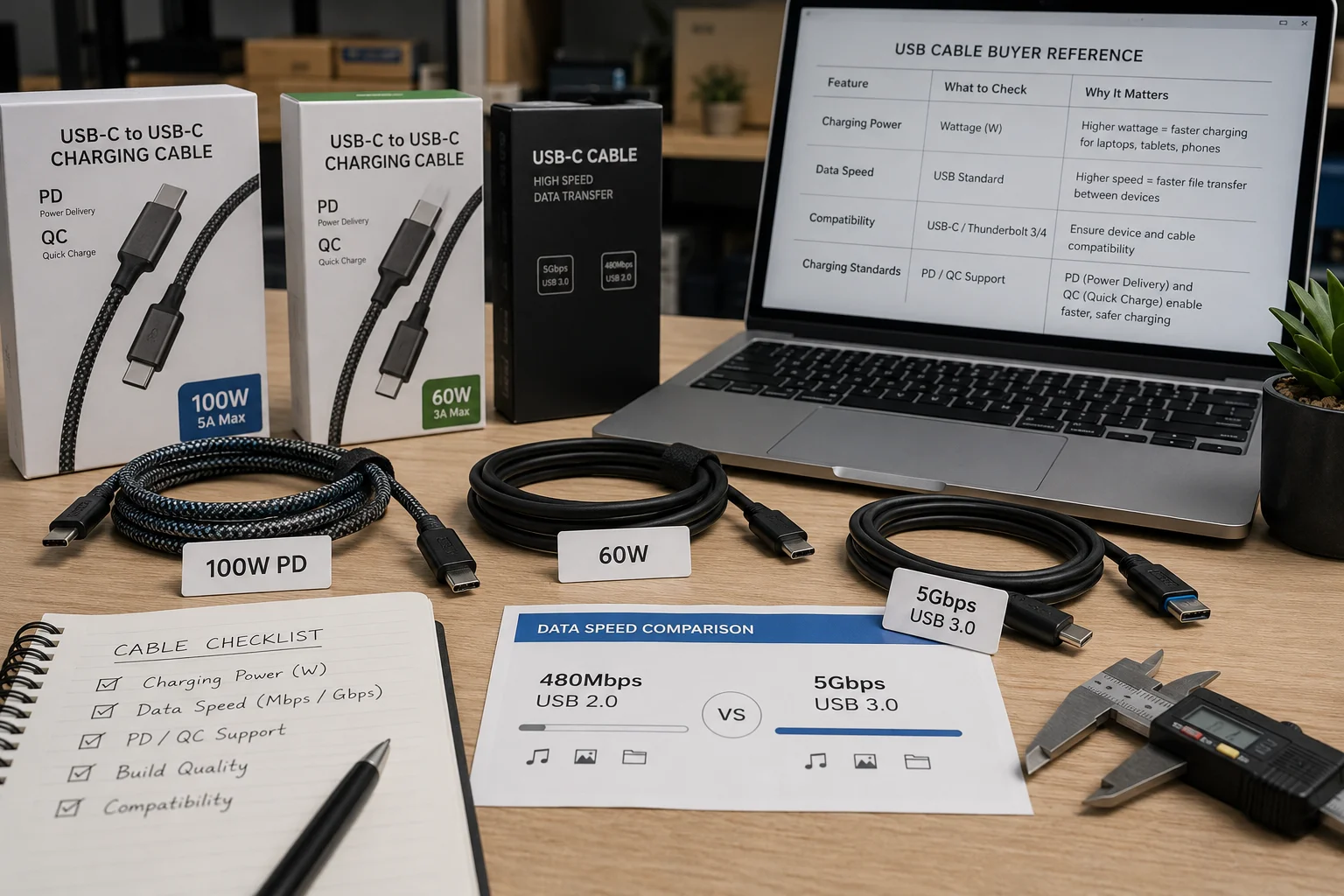
I remember a client who ordered 10,000 cables just because the price was low. He didn't check the charging specs. The cables couldn't fast-charge any modern phones. He had to sell them at a huge loss. It was a painful lesson. Let's make sure you don't repeat it. The details matter.
Charging Specs Are All About Speed
Your customers want their devices to charge quickly. Your cables must support this.
- Power Delivery (PD): This is the most important standard for USB-C. It allows for high-power charging of everything from phones to laptops. You must tell your supplier the wattage you need. 60W is great for phones and tablets. For laptops, you need 100W or more.
- Quick Charge (QC): This is a popular standard for many Android phones. A cable that supports both PD and QC is more valuable to customers.
- Amperage (A): The cable must be rated for enough amps. To get over 60W of power, you need a cable that can handle 5A.5 A standard 3A cable won't be enough.
Data Specs: Do Your Customers Need Speed?
Think about how your customers will use the cable.
- USB 2.0 (480Mbps): Most people only use their cables for charging. For them, this standard data speed is perfectly fine. It keeps the cost of the cable down. The vast majority of charging cables we sell are USB 2.0.6
- USB 3.0 (5Gbps) or higher: Some customers need to transfer large files, like photos or videos. For them, speed is critical. These high-speed cables cost more to make, so you should only order them if you know you have customers who will pay for the extra performance.
| Specification | What to Look For | Why It Matters | Target Customer |
|---|---|---|---|
| Charging Power | 60W, 100W, 240W | Determines if it can charge laptops and fast-charge phones | Everyone (match wattage to devices) |
| Charging Protocol | PD 3.0, QC 4.0+ | Enables fast charging on compatible devices | Most smartphone users |
| Amperage | 3A, 5A | Higher amps needed for higher wattage (e.g., 5A for 100W) | Users with high-power devices |
| Data Speed | 480Mbps (USB 2.0) | Standard speed, good enough for most charging cables | General consumer |
| Data Speed | 5Gbps+ (USB 3.0+) | For fast file transfers and external drives | Professionals, content creators |
What should I confirm before the first order?
Are you ready to place your first big order? A small detail you miss now can become a huge problem later. A simple checklist can save you from a major headache.
Before your first order, confirm four key things: all necessary certifications (MFi, UL, CE), specific material and durability tests (nylon braid, bend tests), final packaging details, and the performance of a final "golden" sample.
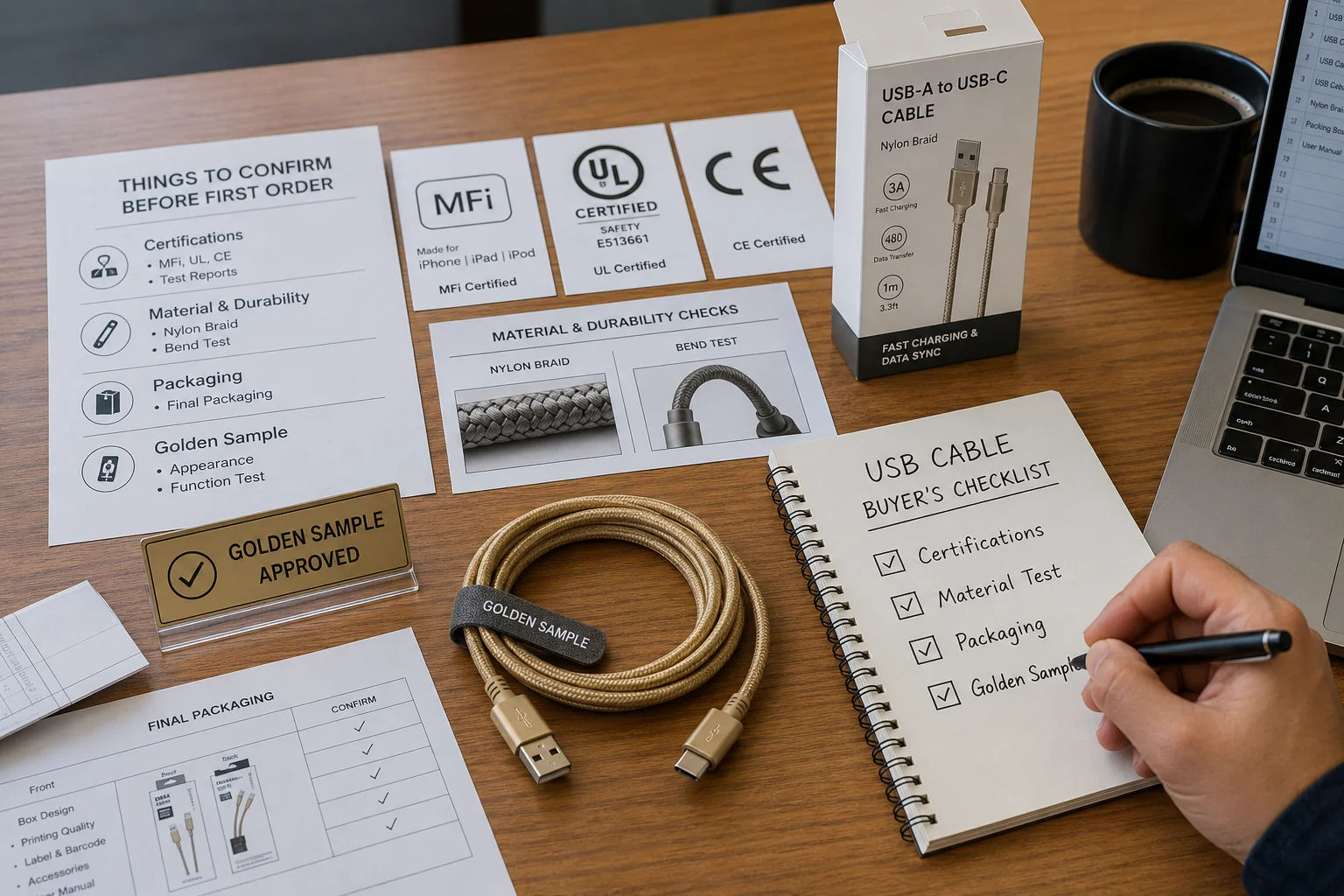
My business is built on helping clients avoid last-minute problems. This is the final checklist I go through with every new buyer. It protects you from getting a product you can't sell, and it protects us from having an unhappy customer. It is the most important step.
1. Certifications Are Not Optional
These are about safety and compatibility. Do not skip them.
- MFi (Made for iPhone/iPad): If you are selling Lightning cables, you must have this. Apple can block non-certified cables with a software update, making them useless.7 MFi adds cost, but it's essential insurance for your business.
- UL/CE/RoHS: These are safety and environmental standards. UL is for the US market, while CE and RoHS are for the EU.8 It is illegal to sell products that do not meet these standards. Ask your supplier for the certificates.
2. Get Specific on Materials and Durability
"High quality" is not a specification. You need to be more specific.
- Cable Jacket: TPE is the basic, rubbery material. A nylon braid on the outside makes the cable much stronger and gives it a premium feel.
- Strain Relief (SR): This is the flexible part where the cable meets the connector plug. It's the most common point of failure. Ask how many times it has been tested to bend (a good number is over 10,000 times9).
- Wire Gauge (AWG): A lower number means a thicker wire. Thicker wires are better for carrying power, especially for fast charging.10
3. Finalize Packaging and Logistics
How the product arrives is part of the product itself.
- How will they be packed? In a simple plastic bag? Or a nice retail box with your brand on it? This affects your costs and how you will sell them.
- Confirm the shipping terms (like FOB or EXW), the size and weight of the master cartons, and how many units are in each carton. You need this information to calculate your total landed cost.
4. Approve the "Golden Sample"
This is the most critical rule: never place a bulk order without testing and approving a final sample first. This sample is the "golden standard." Test it yourself. Does it fast charge your phone? Does it feel strong? The factory will use this exact sample as their guide for mass production. You must sign off on it before they begin.
Conclusion
Choosing the right USB cable supplier is easy if you ask the right questions. Focus on your market, know the trade-offs, and check every single detail before you place your order.
"Radio Equipment Directive (2022) - Wikipedia", https://en.wikipedia.org/wiki/Radio_Equipment_Directive_(2022). Supports the claim by referencing Directive (EU) 2022/2380 of the European Parliament, which amends the Radio Equipment Directive to establish a common charging solution, making USB-C mandatory for certain electronics sold in the EU. Evidence role: general_support; source type: government. Supports: The claim that the EU has passed a law mandating USB-C as a common charging port for a wide range of electronic devices by the end of 2024.. ↩
"Senator Dave Cortese Introduces Senate Proposal to Significantly ...", https://sd15.senate.ca.gov/news/senator-dave-cortese-introduces-senate-proposal-significantly-expand-electric-vehicle-ev. Supports the claim by referencing proposed legislation in states like California or letters from federal lawmakers urging the U.S. Department of Commerce to adopt a similar strategy to the EU's common charger mandate. Evidence role: general_support; source type: government. Supports: The claim that the US is following the EU's trend toward a common charger standard.. Scope note: This source would show a trend and political momentum rather than a passed federal law, which does not yet exist. ↩
"Lightning (connector) - Wikipedia", https://en.wikipedia.org/wiki/Lightning_(connector). Provides statistics from market research firms on the installed base of iPhone users, showing the distribution of models and confirming that a significant population, numbering in the hundreds of millions, uses devices with a Lightning port. Evidence role: statistic; source type: research. Supports: The claim that a large number of iPhones still in use rely on the Lightning connector.. ↩
"USB 3.0 - Wikipedia", https://en.wikipedia.org/wiki/USB_3.0. Supports the claim by referencing the official specifications from the USB Implementers Forum (USB-IF). It notes that the 5 Gbps transfer rate was originally introduced with USB 3.0 and is now officially referred to as 'USB 3.2 Gen 1' under the latest naming convention. Evidence role: definition; source type: institution. Supports: The claim that USB 3.0 provides a data transfer speed of 5Gbps.. ↩
"USB hardware - Wikipedia", https://en.wikipedia.org/wiki/USB_hardware. Supports the claim by referencing the USB Power Delivery specification, which states that standard USB-C cables are rated for 3A of current, limiting power to 60W at 20V. To achieve higher power levels (up to 100W or 240W in newer specs), an electronically marked cable rated for 5A is required. Evidence role: mechanism; source type: institution. Supports: The claim that cables must support 5A to exceed 60W of power delivery.. ↩
"USB-C - Wikipedia", https://en.wikipedia.org/wiki/USB-C. Provides analysis from a technical publication explaining that because most consumers use USB-C cables primarily for charging, manufacturers often use the less complex and more cost-effective USB 2.0 wiring (480Mbps) rather than the additional wiring required for higher data speeds like USB 3.0. Evidence role: general_support; source type: other. Supports: The claim that most USB-C cables sold are limited to USB 2.0 data speeds.. ↩
"Do Apple devices have an algorithm that blocks third party cables ...", https://www.reddit.com/r/apple/comments/akdafp/serious_question_do_apple_devices_have_an/. Provides documentation from technology news outlets and user forums reporting instances where iOS updates have introduced checks that cause non-MFi certified Lightning accessories to fail, often resulting in a 'This accessory may not be supported' error message. Evidence role: case_reference; source type: other. Supports: The claim that Apple can and does block non-certified accessories via software updates.. ↩
"RoHS - Wikipedia", https://en.wikipedia.org/wiki/RoHS. Provides definitions from government or standards bodies, explaining that UL (Underwriters Laboratories) provides safety certification primarily for North America, while the CE mark indicates conformity with health, safety, and environmental standards for products sold within the European Economic Area, and RoHS is an EU directive restricting hazardous substances. Evidence role: definition; source type: government. Supports: The claim that UL certification is primarily for the US market, while CE marking and the RoHS directive apply to the EU.. ↩
"[PDF] IEC TEST REPORT FORM TEMPLATE", https://www.eac.gov/sites/default/files/voting_system/files/Safety_Test_Report_ClearCast_only.pdf. Supports the claim by referencing reports from independent product testing laboratories or electronics engineering articles that describe common stress-testing procedures for consumer cables, where 10,000-25,000 bend cycles are frequently cited as the standard for a high-durability product. Evidence role: expert_consensus; source type: research. Supports: The claim that a bend test of over 10,000 cycles is a benchmark for a durable cable.. ↩
"Wire Gauge Chart and Ampacity | Guide for Electricians", https://www.uti.edu/blog/electrical/wire-gauge-chart-awg-ampacity. Provides an explanation from an engineering or physics resource on the American Wire Gauge (AWG) standard. It details how a lower gauge number signifies a larger diameter wire, which has lower electrical resistance, thereby minimizing energy loss as heat and reducing voltage drop, making it more efficient for carrying high currents required by fast-charging protocols. Evidence role: mechanism; source type: education. Supports: The claim that thicker wires are better for carrying power.. ↩