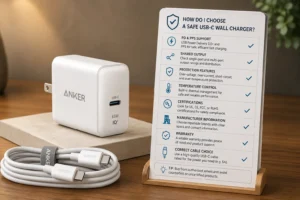
Your customers are confused by all the different USB cables. This confusion can lead to returns and bad reviews. This guide will make you the expert they can trust.
The most common USB connectors you'll encounter are USB-A, Micro USB, and USB-C. USB-A is the classic rectangular port. Micro USB is the smaller, older standard for Android phones. USB-C is the modern, oval-shaped, reversible connector1 for almost all new devices, including iPhones and laptops.
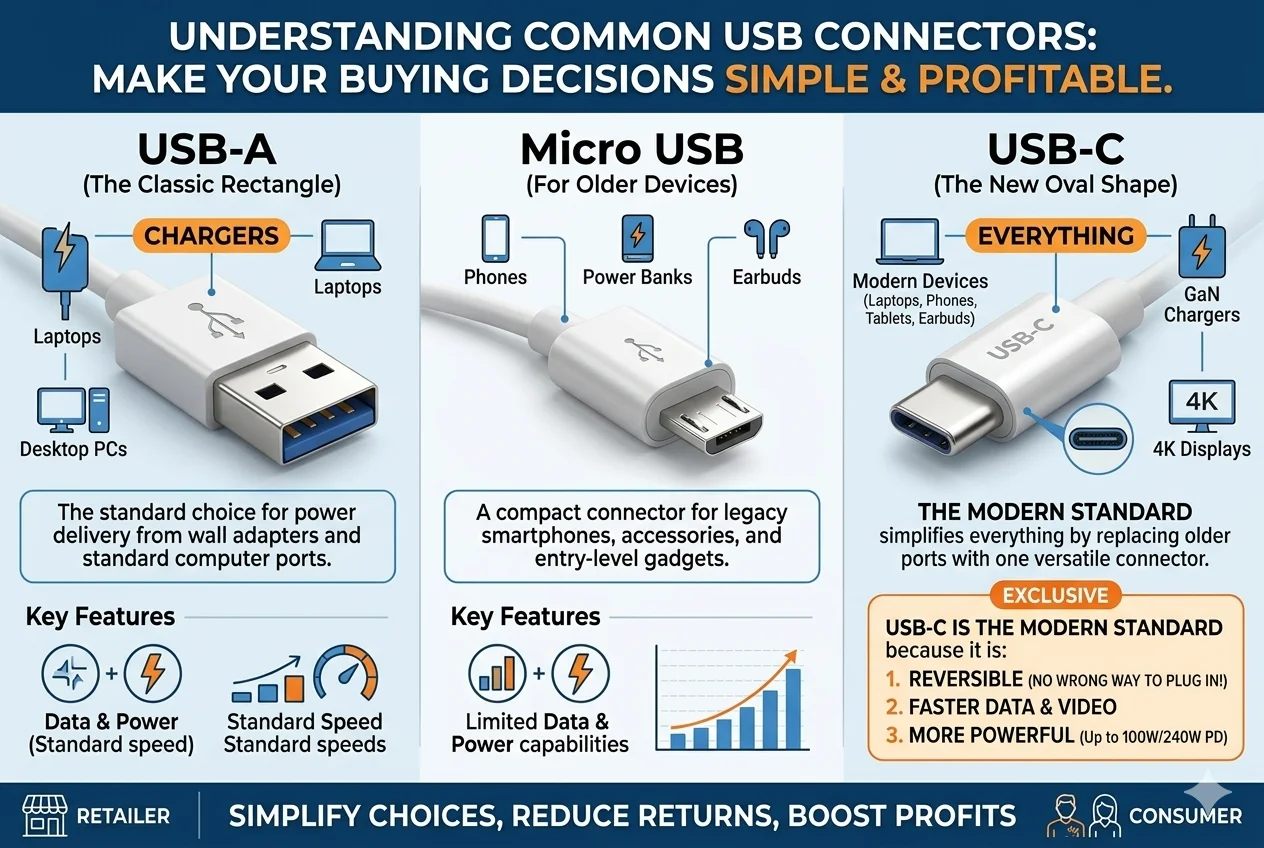
Understanding these basic types is just the beginning. As a business owner, you need to know more than just what they look like. You need to know which ones will actually sell, what quality markers to look for, and how to order them effectively from a supplier like us. The small details are what separate a successful product line from a box of dead stock. Let's dive into the questions I get asked every day by buyers just like you.
What connector types should I prioritize for the US and EU markets?
You're worried about investing in cables that won't sell. Market trends change fast, and stocking the wrong inventory means tying up your cash. Let me show you what to focus on.
For both the US and EU markets, you must prioritize USB-C. Specifically, USB-C to USB-C and USB-A to USB-C cables. The EU has mandated USB-C for new electronics2, and the US market has already adopted it widely across most new devices.
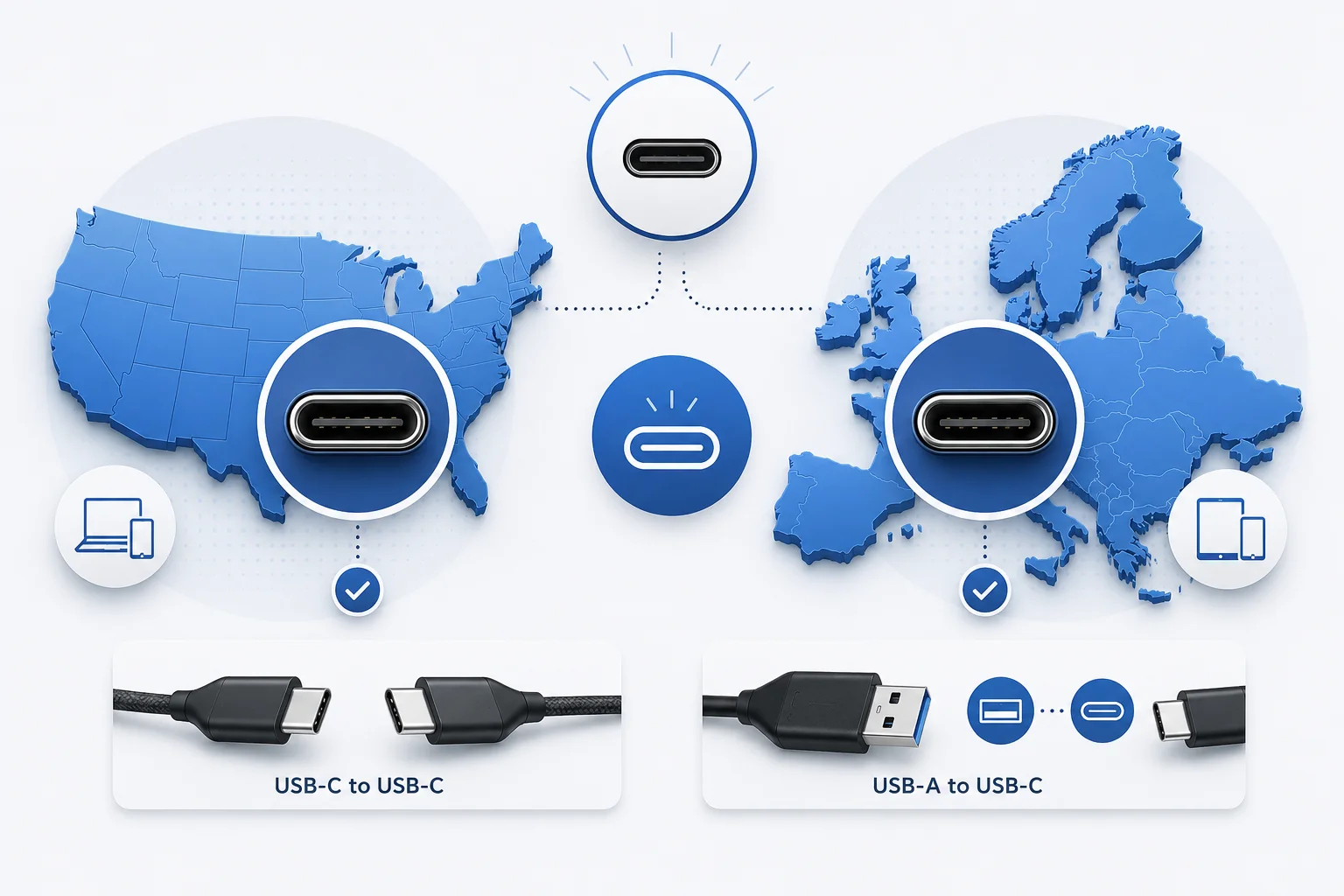
In my 15 years of exporting electronics, I've seen standards come and go, but the shift to USB-C is the most important one yet. A client of mine from Germany was hesitant to switch their inventory to mostly USB-C last year. They had a lot of stock of Micro USB and Apple Lightning cables. We looked at the market data together, and I showed them the new EU regulations that would make USB-C mandatory. They took the advice and placed a large order for USB-C to USB-C cables. Now, those cables make up 80% of their quarterly reorders.
The EU Mandate Changes Everything
The European Union has made it simple: by the end of 2024, most new portable electronics must use a USB-C charging port3. This includes smartphones, tablets, and cameras4. For your business, this isn't a suggestion; it's a requirement for market access. Stocking anything else as your primary product for new devices is a guaranteed failure.
US Market Adoption
The US doesn't have a government mandate, but the market has already spoken.
- Android Phones: Have used USB-C for years.
- Apple: iPhones 15 and newer use USB-C5. Laptops have used it for a long time.
- Laptops & Tablets: Nearly all new models from Dell, HP, Apple, and others use USB-C for charging and data.
This table breaks down what you should focus on:
| Market | Primary Focus | Secondary Focus | Niche/Legacy Stock |
|---|---|---|---|
| EU | USB-C to USB-C (for new devices) | USB-A to USB-C (for older chargers) | Micro USB, Lightning (for older device replacements) |
| US | USB-C to USB-C, USB-A to USB-C | USB-A to Lightning (for older iPhones) | Micro USB (for budget devices) |
Your main focus should be on "C-to-C" cables. These support the fastest charging and are what customers with new phones and new chargers need. "A-to-C" is your next priority, for people who have a new USB-C device but still use an older USB-A wall charger.
How do I choose between standard stock and OEM cables?
You see that standard "off-the-shelf" cables are cheap, but OEM gives you branding. Making the wrong choice can either limit your brand's growth or waste a lot of money on customization you don't need.
Choose standard stock cables for speed, low minimum order quantities (MOQ), and testing a market. Pick OEM when you need specific branding, unique colors, or custom features to build a premium brand. OEM requires a much higher investment and volume commitment.
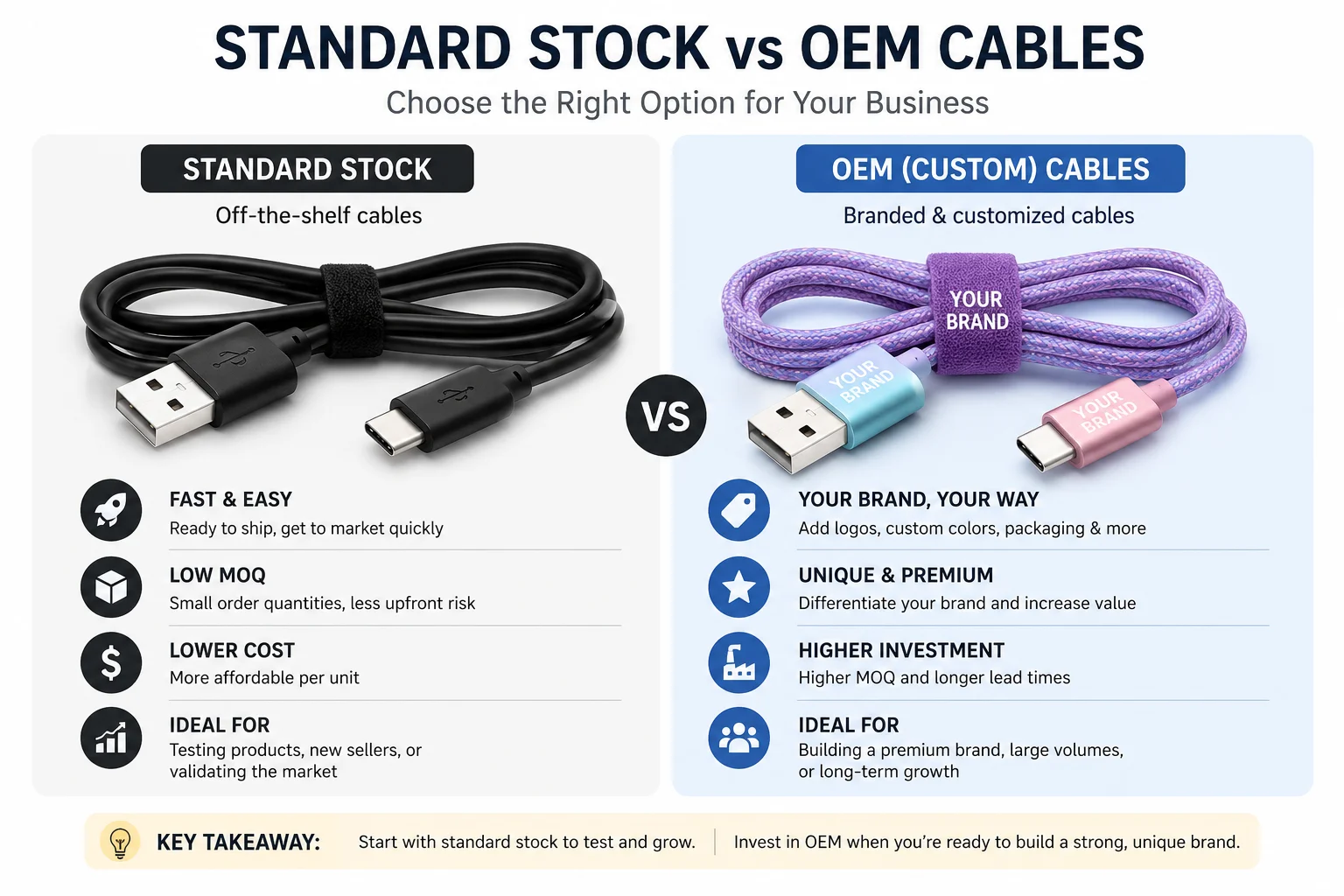
I talk to new Amazon sellers almost every day. Their first question is often about creating a custom, branded cable. My advice is always the same: start with our standard stock. I had a client who wanted to launch a new e-commerce store. They insisted on a unique, Pantone-matched braided cable for their first order. The MOQ was 3,000 pieces. After six months, they had only sold 500. For their next venture, they ordered 1,000 of our standard, high-quality black TPE cables. They sold out in a month. Once they proved the market wanted their product, we moved them to a custom OEM cable. Test the market first, then build the brand.
When to Choose Standard Stock
This is the "market-testing" option. It's not just about being cheap; it's about being smart and fast.
- Speed: We can often ship these in 1-2 weeks.
- Low Risk: MOQs are low, usually around 500-1,000 pieces. You don't have to tie up a lot of capital.
- Validation: You can test different lengths or types (e.g., A-to-C vs C-to-C) to see what sells before committing more money.
When to Choose OEM/Private Label
This is the "brand-building" option. It's about more than just a logo.
- Differentiation: You can choose the exact material (nylon braiding, TPE), color, connector housing, and length.
- Perceived Value: Customization allows you to command a higher price.
- Control: You are creating a unique product that can't be easily copied by competitors.
Here is a table to help you decide which path is right for your business:
| Feature | Standard Stock Cables | OEM/Private Label Cables |
|---|---|---|
| MOQ | Low (e.g., 500-1000 pcs) | High (e.g., 3000+ pcs) |
| Lead Time | Short (1-2 weeks) | Long (4-6+ weeks) |
| Customization | Limited (maybe custom packaging) | Full (color, length, material, logo) |
| Cost per Unit | Lower | Higher (due to tooling/setup) |
| Best For | New sellers, market testing, speed | Established brands, premium products |
What specs matter most for charging and data cables?
You know that not all cables are created equal. Selling a cable that charges slowly or breaks easily is the fastest way to get terrible reviews and a high return rate. You need to know what specs to ask for.
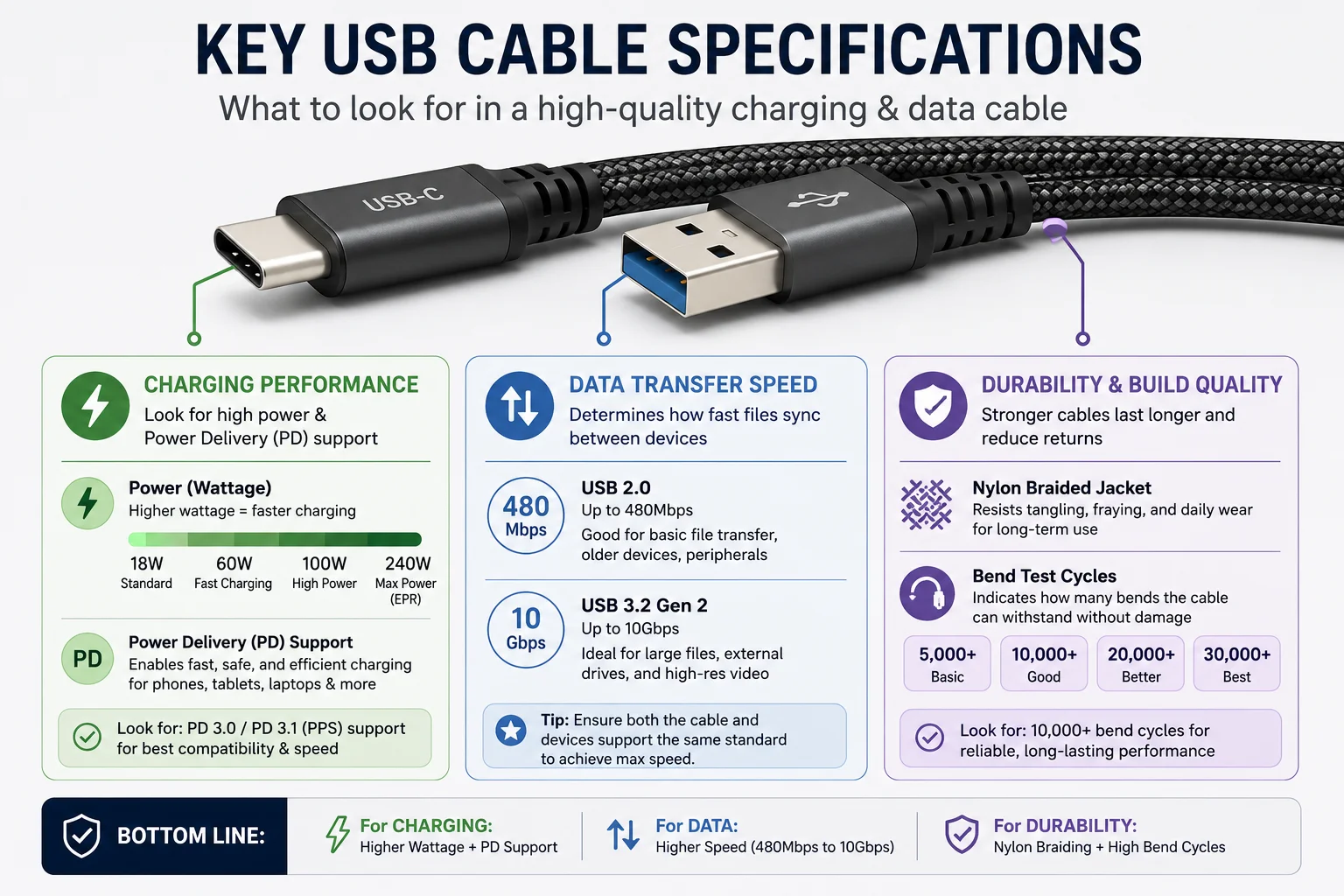
For charging, the key specs are the power wattage (W) and Power Delivery (PD)6 support. For data, it's the transfer speed, like USB 2.0 (480Mbps) or USB 3.2 (10Gbps)7. For durability, look for nylon braiding and bend test cycles8.
This reminds me of a buyer from the US who wanted to order 10,000 USB-C cables. He only asked for the "cheapest price." We could have sold him a basic USB 2.0 cable that only supports 15W charging. But I asked him, "Who is your customer?" He said they sell to a lot of students and professionals. I explained that for just a few cents more per cable, he could get a USB-C cable that supports 60W Power Delivery. He could then market it as a "Laptop-Ready Fast Charging" cable. He took the advice. His next email to me said that his sales had nearly doubled because he was solving a real problem for customers who wanted one cable for their phone and their MacBook.
Deeper Dive into Specs
Let's break down what you need to request from your supplier.
Charging Specifications
- Wattage (W): This is the measure of power output. A phone might only need 20W, but a laptop needs 60W or even 100W. The new USB-C PD 3.1 standard even goes up to 240W9. Selling a cable that can't power a customer's device is a big problem.
- Power Delivery (PD): This is a charging protocol primarily used over USB-C that negotiates for the fastest possible charging speed. If you are selling USB-C cables, they MUST support PD.
Data Transfer Specifications
- USB 2.0 (480Mbps): This is the most basic speed. It's fine for charging and syncing a phone, but it is very slow for transferring large files. Most cheap cables are USB 2.0.
- USB 3.2 / USB4 (5Gbps to 40Gbps): These are much faster. They are essential for customers who use external hard drives, high-resolution monitors, or transfer large video files.
Here is a simple table to use when you place an order:
| Spec | What to Look For | Why It Matters for Your Customers |
|---|---|---|
| Charging Speed | Wattage (e.g., 60W, 100W) & PD Support | Enables fast charging for phones, tablets, and laptops. This is a primary selling point. |
| Data Transfer | Speed (e.g., 480Mbps, 5Gbps, 40Gbps) | Allows for fast file transfers. Crucial for professionals and tech enthusiasts. |
| Durability | Material (Nylon, TPE) & Bend Test (e.g., 10,000 cycles) | Ensures a longer lifespan, leading to fewer returns and better reviews. Supports a premium price. |
| Certification | USB-IF (for USB)10, MFi (for Apple)11 | Guarantees safety, compatibility, and performance. This is a huge trust signal for customers. |
What should I confirm before the first order?
You're ready to place your first big order, but you feel nervous. A small mistake or misunderstanding now could cost you thousands of dollars and delay your entire project. Let's make sure that doesn't happen.
Before sending any money, confirm every single detail. This includes connector types, length, material, charging specs (Watts), and data specs (Gbps). Finalize your packaging, MOQ, lead time, and shipping terms. Most importantly, always get a physical pre-production sample.
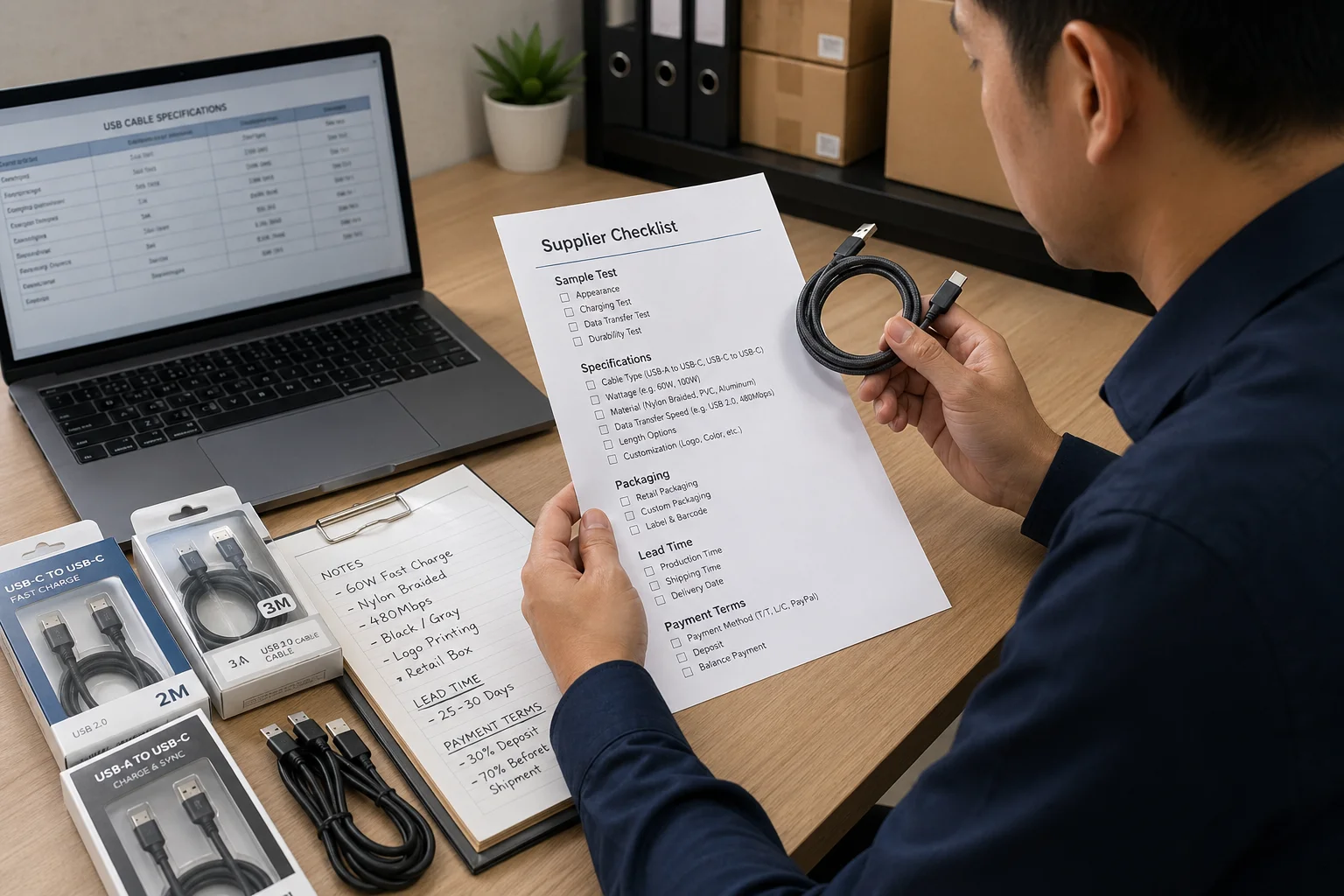
I have one simple rule that I tell every new client: never, ever skip the sample. A few years ago, I had a client in France who was in a huge hurry. He approved a large OEM order for cables based only on photos and a 3D drawing. The color in the photo looked perfect. When the 5,000 cables arrived, the shade of blue was slightly different from his brand's official color. It wasn't a huge disaster, but it was a surprise he didn't want. A simple $50 courier fee for a physical sample would have prevented weeks of stress. We now insist on a sample approval for all OEM orders to protect our clients.
Your Final Pre-Order Checklist
Use this as a guide when talking to your supplier. Get everything in writing.
1. Product Specifications
- [ ] Connector Type 1: (e.g., USB-A, USB-C)
- [ ] Connector Type 2: (e.g., USB-C, Lightning)
- [ ] Cable Length: (e.g., 1m, 2m)
- [ ] Cable Material: (e.g., TPE, Braided Nylon)
- [ ] Color: (e.g., Black, White, Pantone color code)
- [ ] Charging Spec: (e.g., 60W Power Delivery)
- [ ] Data Spec: (e.g., USB 2.0 / 480Mbps)
2. Branding and Packaging
- [ ] Logo: Is a logo being printed on the cable? If so, where?
- [ ] Packaging: What kind of packaging? (e.g., polybag, retail box). Have you provided the final artwork?
- [ ] Barcodes: Do you need a UPC or EAN barcode on the packaging?
3. Commercial Terms
- [ ] Price Per Unit:
- [ ] Minimum Order Quantity (MOQ):
- [ ] Total Order Value:
- [ ] Payment Terms: (e.g., 30% deposit, 70% before shipping)
- [ ] Shipping Terms (Incoterms): (e.g., EXW, FOB Shenzhen)
4. Quality and Timeline
- [ ] Sample Approved: Have you received and approved a physical pre-production sample?
- [ ] Lead Time: What is the estimated date for production to be finished?
- [ ] Certifications: Does the product come with necessary certifications like CE, RoHS, or FCC12?
Conclusion
Choosing the right USB cable means matching product specs to your market's needs. Prioritize USB-C, decide between fast stock or branded OEM, and always verify every detail before you order.
"USB-C - Wikipedia", https://en.wikipedia.org/wiki/USB-C. Provides a technical definition of the USB-C connector, outlining its 24-pin, reversible-plug design and its role as a modern standard for both data transfer and power delivery. Evidence role: definition; source type: institution. Supports: the physical and functional characteristics of the USB-C connector, such as its reversible design and role as a modern standard.. ↩
"Radio Equipment Directive (2022) - Wikipedia", https://en.wikipedia.org/wiki/Radio_Equipment_Directive_(2022). Cites the official EU legislation, Directive (EU) 2022/2380, which mandates USB-C as the common charging port for a range of electronic devices sold in the European Union. Evidence role: historical_context; source type: government. Supports: the existence and general scope of the EU's mandate for a common charger (USB-C).. ↩
"Radio Equipment Directive (2022) - Wikipedia", https://en.wikipedia.org/wiki/Radio_Equipment_Directive_(2022). Confirms the deadline for the EU's common charger rule, stating that the directive applies to most new portable electronics from 28 December 2024. Evidence role: general_support; source type: government. Supports: the specific date by which the EU's common charger directive must be applied by member states.. ↩
"Radio Equipment Directive (2022) - Wikipedia", https://en.wikipedia.org/wiki/Radio_Equipment_Directive_(2022). Details the specific categories of radio equipment covered by the EU directive, which includes mobile phones, tablets, digital cameras, headphones, and other portable devices. Evidence role: general_support; source type: government. Supports: the specific categories of electronic devices that fall under the EU's common charger mandate.. ↩
"iPhone 15 - Wikipedia", https://en.wikipedia.org/wiki/IPhone_15. Provides the official technical specifications for the iPhone 15, confirming its use of a USB-C connector for charging and data transfer. Evidence role: case_reference; source type: other. Supports: that the iPhone 15 model line uses a USB-C port for charging and data transfer.. Scope note: This source supports the claim for a specific product line, serving as a key example of the market shift. ↩
"USB hardware - Wikipedia", https://en.wikipedia.org/wiki/USB_hardware. Explains the USB Power Delivery (PD) specification, a protocol that enables safe, high-speed charging by allowing devices to negotiate power requirements with the charger over a USB-C connection. Evidence role: definition; source type: institution. Supports: the definition and function of the USB Power Delivery (PD) specification.. ↩
"USB - Wikipedia", https://en.wikipedia.org/wiki/USB. Provides a technical comparison of USB standards, confirming that USB 2.0 has a maximum theoretical speed of 480 Mbps, while various generations of USB 3.2 offer speeds from 5 Gbps to 20 Gbps. Evidence role: statistic; source type: encyclopedia. Supports: the data transfer rates for different USB standards, such as USB 2.0 and USB 3.2.. ↩
"[PDF] IS 10810-50 (1984): Methods of test for cables, Part 50: Bending test", https://law.resource.org/pub/in/bis/S05/is.10810.50.1984.pdf. Describes industry-standard mechanical stress tests for cables, including bend tests where a cable is repeatedly bent to a specific angle to determine its lifespan before failure, often rated in thousands of cycles. Evidence role: mechanism; source type: other. Supports: the use of bend cycle tests as a method for quantifying the mechanical durability of cables.. Scope note: The source would describe the general testing method, not a universal standard with specific cycle count requirements. ↩
"USB hardware - Wikipedia", https://en.wikipedia.org/wiki/USB_hardware. Details the USB Power Delivery (PD) 3.1 specification, which introduced the Extended Power Range (EPR) feature, enabling power delivery up to 240W over compliant USB-C cables and connectors. Evidence role: statistic; source type: institution. Supports: that the USB Power Delivery 3.1 specification supports charging up to 240 watts.. ↩
"USB Implementers Forum - Wikipedia", https://en.wikipedia.org/wiki/USB_Implementers_Forum. Outlines the USB-IF Certified USB program, which provides testing and certification to ensure that products meet standards for performance, safety, and interoperability, allowing them to use official USB logos. Evidence role: definition; source type: institution. Supports: the purpose and benefits of the USB-IF certification program.. ↩
"MFi Program", https://en.wikipedia.org/wiki/MFi_Program. Describes Apple's MFi Program, a licensing and certification program for developers of hardware and software peripherals that work with Apple devices, ensuring compatibility and safety standards are met. Evidence role: definition; source type: other. Supports: the definition and purpose of Apple's MFi (Made for iPhone/iPad/iPod) certification program.. ↩
"CE marking - Wikipedia", https://en.wikipedia.org/wiki/CE_marking. Provides an overview of key regulatory compliance marks for electronics: CE marking indicates conformity with standards for products sold in the EEA; RoHS restricts the use of specific hazardous materials; and FCC certification confirms that products do not produce harmful electromagnetic interference. Evidence role: definition; source type: government. Supports: the meaning and scope of CE, RoHS, and FCC certifications for electronic products.. Scope note: A single source may not cover all three, but government or regulatory compliance sites often explain these common standards. ↩