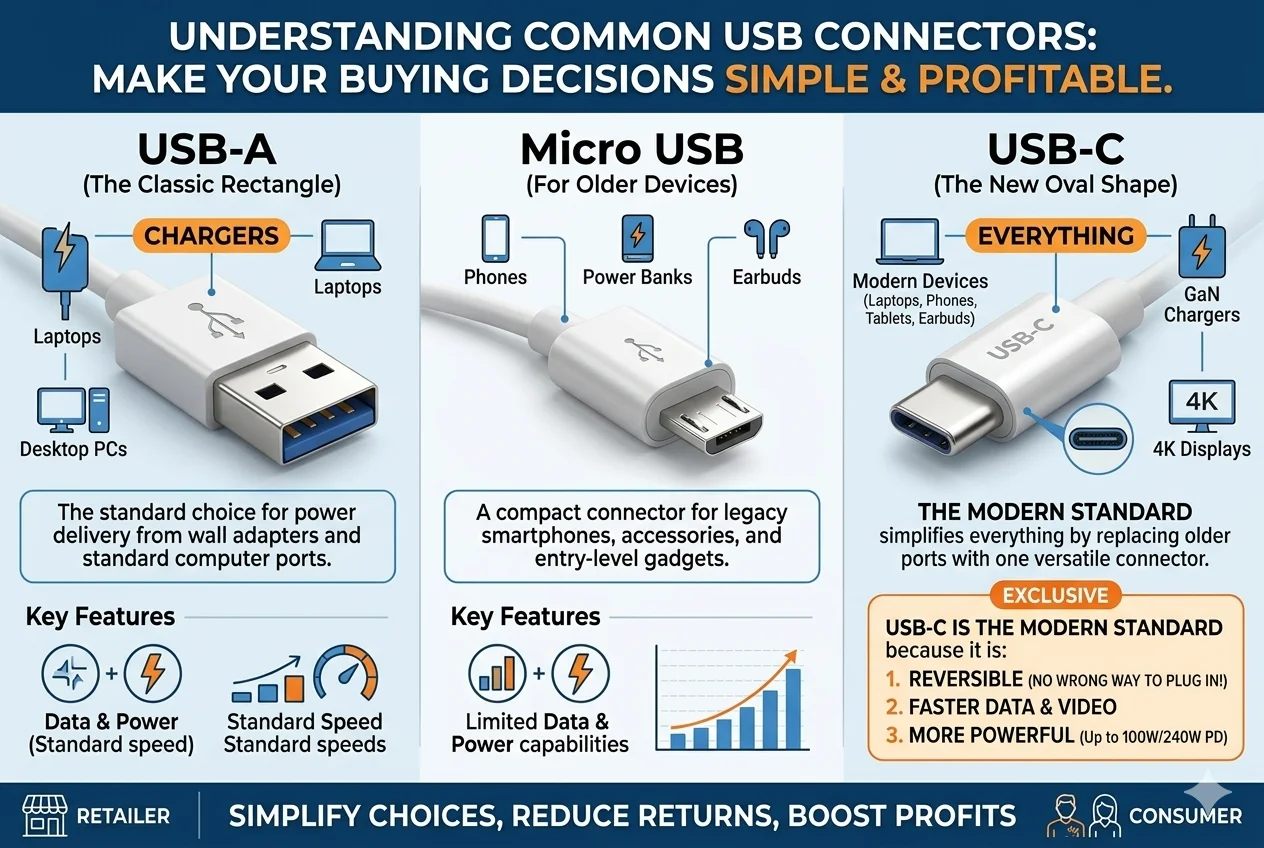
Confused by the endless USB types on the market? Choosing the wrong cable frustrates customers and leads to returns. This guide will make your buying decisions simple and profitable.
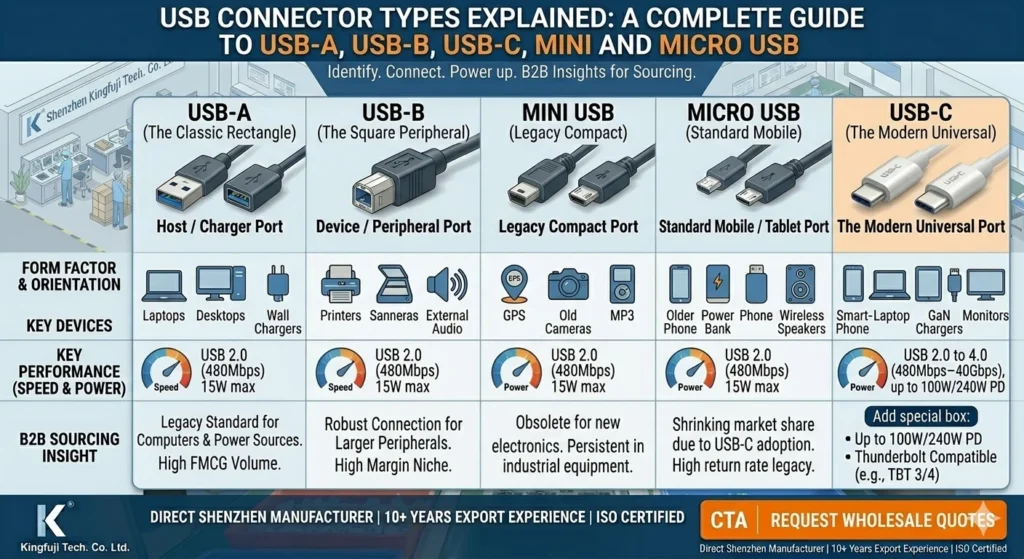
The most common USB connectors are USB-A1 (the classic rectangle for chargers), Micro USB2 (for older devices), and USB-C3 (the new oval shape for everything). USB-C3 is the modern standard because it is reversible, faster, and more powerful, simplifying choices for both consumers and retailers.
I've been in the electronics export business for over 15 years. I've seen trends come and go, but the shift in USB connectors is one of the biggest changes for retailers. It's not just about a new shape; it's about a whole new way of thinking about your inventory. Getting it right means happy, repeat customers. Getting it wrong means a warehouse full of cables nobody wants. Let's break down each type so you can stock your shelves with confidence and avoid costly mistakes. This is the practical advice I give all my clients.
What is USB-C3, and Why Should It Dominate Your Inventory?
Are you worried about stocking a product that will soon be obsolete? USB-C3 is the future-proof choice that solves this problem, ensuring your inventory stays relevant and sells quickly.
USB-C3 is the modern, 24-pin, oval-shaped connector standard. Its key advantages are its reversible design (it can be plugged in upside down) and its ability to handle high-speed data and high-power delivery, making it the go-to choice for almost all new electronic devices.
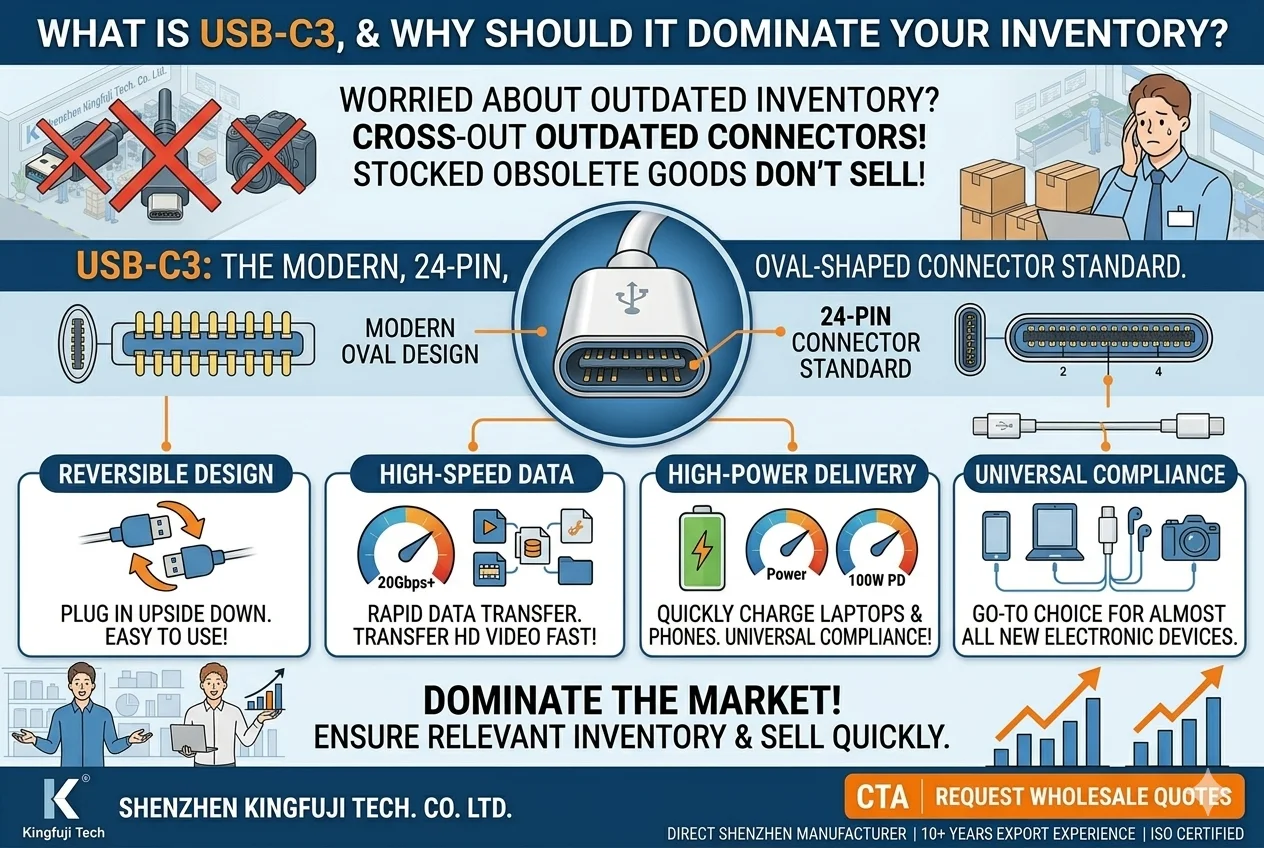
I always tell my clients to think of USB-C3 as the "one cable to rule them all." For years, we dealt with customer complaints about broken Micro USB2 ports because they forced the plug in the wrong way. USB-C3 solves that. It's a simple, brilliant design that makes life easier for the end-user. This is why it's taking over the market so quickly. For a retailer, an easier customer experience means fewer returns and more repeat business. But not all USB-C3 cables are the same. The shape is just the physical shell. The real magic, and the factor that determines the price, is the technology inside.
Understanding USB-C3's Power
The term "USB-C3" only refers to the connector's shape. The performance depends on the protocol it uses. This is a critical point that many buyers miss.
| Protocol | Data Speed | Power Delivery (PD)4 | Common Use Case |
|---|---|---|---|
| USB 2.05 | 480 Mbps | Up to 15W | Basic charging, simple data sync |
| USB 3.2 Gen 16 | 5 Gbps | Up to 100W+ | Fast charging, external hard drives |
| USB 3.2 Gen 27 | 10 Gbps | Up to 100W+ | 4K video output, high-speed SSDs |
| USB4 / Thunderbolt8 | 40 Gbps | Up to 240W | High-end laptops, docking stations |
For your business, this means you need to offer a range. Basic, affordable USB 2.05 speed A-to-C cables9 are volume sellers for simple charging. But you also need C-to-C cables10 with Power Delivery (PD)4 for customers who want to fast-charge their phones, tablets, or even laptops. I recommend dedicating 70% of your cable budget to USB-C3. Focus on high-demand A-to-C cables9 and a growing selection of C-to-C cables10. Avoid the mistake of only stocking the cheapest option; you'll miss out on the profitable, high-performance market.
Is the Classic USB-A1 Connector Still Relevant for Your Business?
Do you see the world moving to USB-C3 and wonder if you should stop buying USB-A1? That would be a huge mistake. USB-A1 is still the king of the "host" side.
Yes, USB-A1 is extremely relevant. It is the rectangular connector found on almost all chargers, computers, power banks, and car adapters. While devices are moving to USB-C3, the power sources they plug into are still overwhelmingly USB-A1, making A-to-C cables9 a top seller.
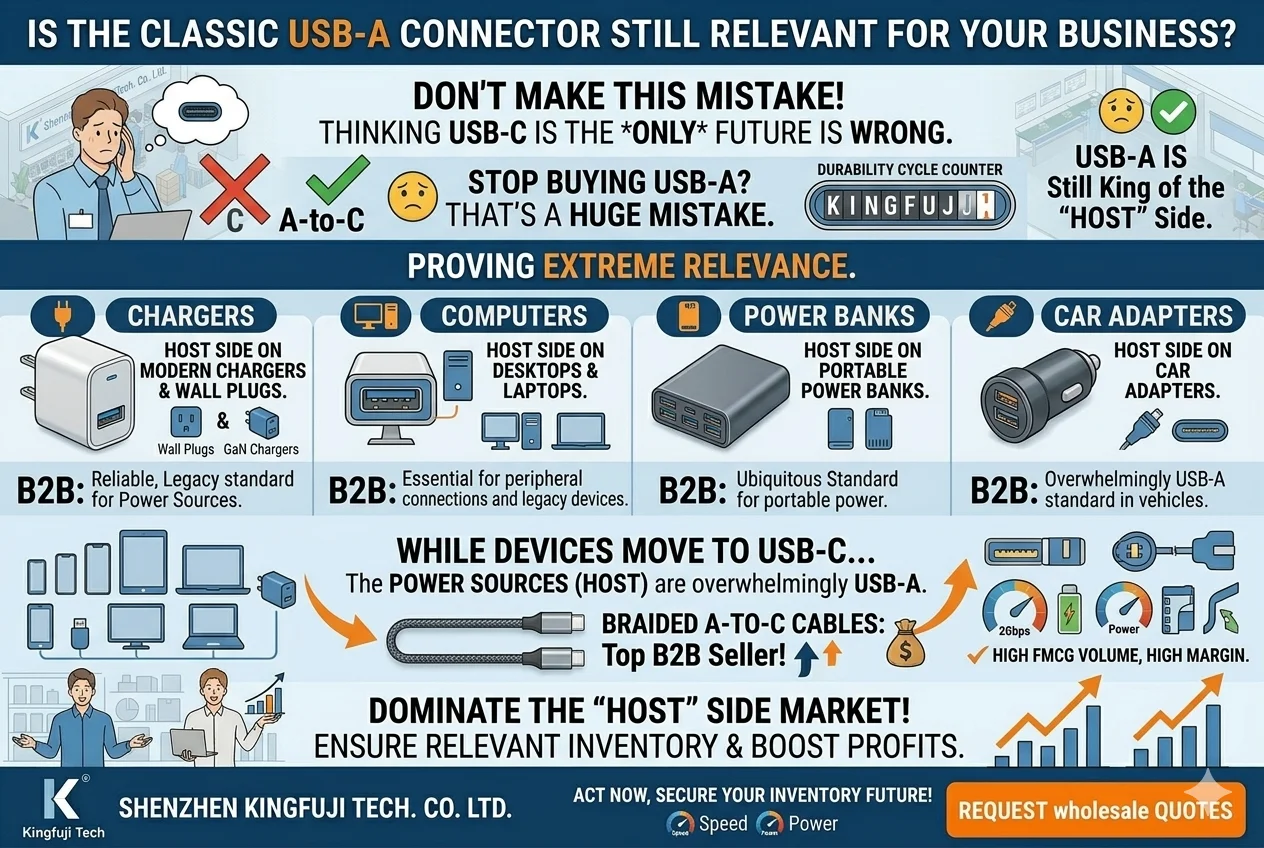
Think about your customers' homes, cars, and offices. The wall chargers, the USB ports in their laptops, the power banks in their bags—they are almost all USB-A1. This is what we call the "host" port. Even though a new phone has a USB-C3 port, its owner will most likely plug it into a USB-A1 charger. This is why A-to-C cables9 are an absolute necessity for any retailer, from a major electronics store to a local grocery. A client of mine in Italy thought he could go "all-in" on C-to-C cables10 last year. His sales dropped until he restocked on A-to-C cables9, which immediately became his best-selling item again.
How to Stock USB-A1 Smartly
The key is to view USB-A1 not as a device-side connector, but as the power source connector. Your inventory should reflect this reality.
- What it is: The original, flat, rectangular USB host connector. It only plugs in one way.
- Visuals: You can often spot the difference between USB 2.05 (usually with a white or black plastic insert) and the faster USB 3.0 (usually with a blue insert).
- Common Applications: Wall chargers, car chargers, laptops, desktops, game consoles, power banks.
- Choosing for Your Market: A-to-C cables9 should be your priority. They are a high-volume, fast-moving product. You should also stock A-to-Lightning for iPhone users and a smaller quantity of A-to-Micro USB2 for legacy devices.
- Common Buying Mistake: Phasing out USB-A1 cables too quickly. The charging infrastructure is massive and will take years to be replaced. Don't abandon the product that a majority of your customers still need every single day.
- Our Recommendation: We suggest allocating 20% of your budget to USB-A1 based cables. Prioritize high-quality, durable A-to-C cables9. They are a safe bet and a cornerstone of any successful 3C accessories lineup. Contact us to discuss bulk pricing on our best-selling models.
How Much Stock Should You Dedicate to Micro USB2 Cables?
Are you holding onto a large inventory of Micro USB2 cables? You might be catering to a shrinking market, and it's time to adjust your strategy to avoid getting stuck with dead stock.
Micro USB2 is the older, trapezoid-shaped connector for legacy devices. You should drastically reduce your stock, dedicating only about 10% of your cable budget to it. It serves a niche market of older or budget electronics, but it is no longer a primary seller.
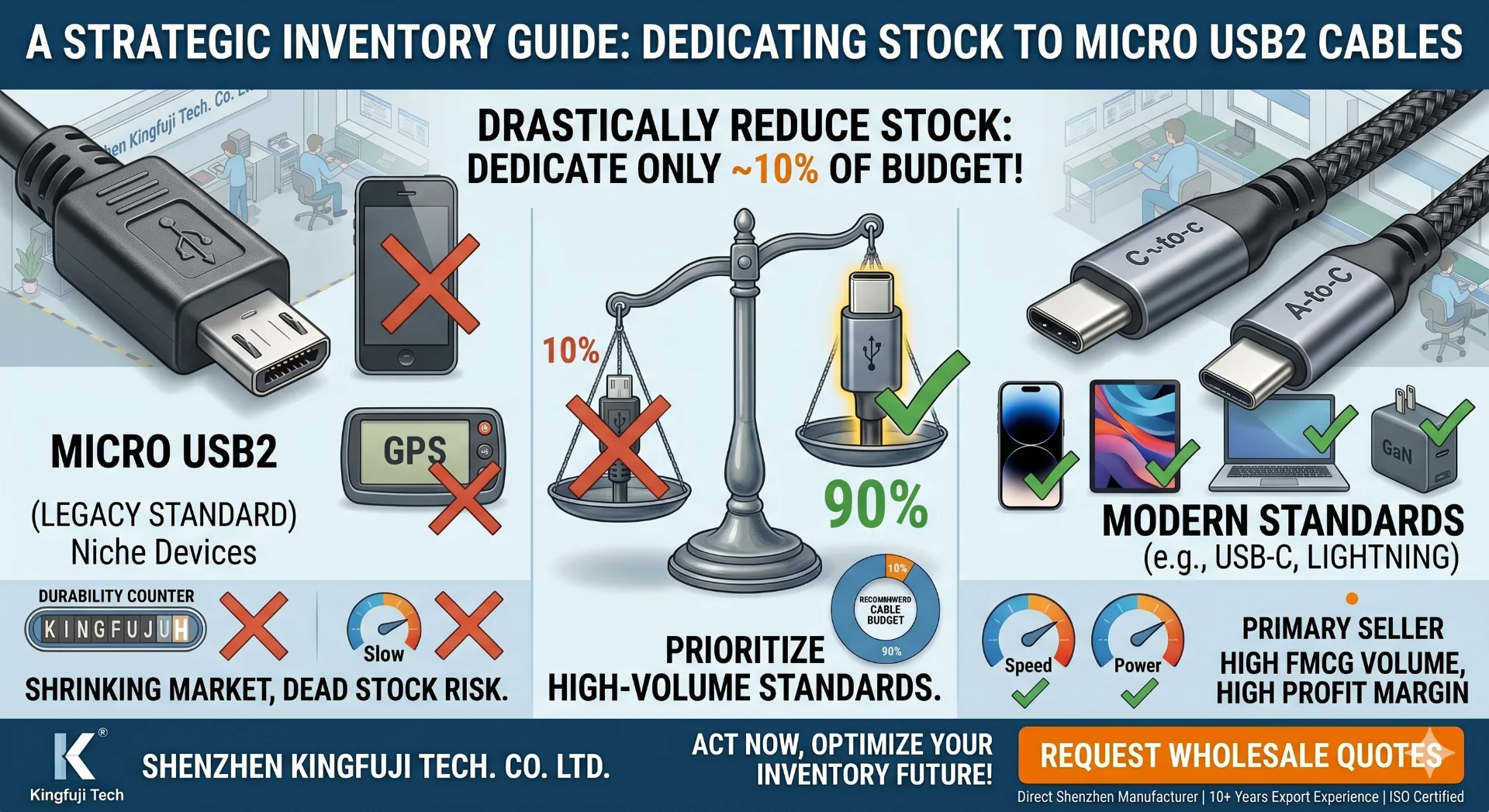
I remember five years ago, Micro USB2 was everything. Every Android phone, Bluetooth speaker, and power bank used it. We shipped millions of them. But today, the story is completely different. Nearly every new device has moved to the superior USB-C3 standard. Holding onto a large Micro USB2 inventory is like stocking cassettes in the age of streaming. Yes, a few people still need them, but it's a rapidly declining market. A small grocery importer I work with in the US got stuck with thousands of Micro USB2 cables last year. He had to sell them at a loss just to clear the shelf space for more profitable A-to-C cables9.
The Right Role for Micro USB2 in Your Inventory
Micro USB2 is now a legacy product. You stock it to serve customers with older devices, not to attract new ones.
- What it is: A small connector with a D-like, trapezoidal shape that was the standard for mobile devices before USB-C3.
- Visuals: It's easily identified by its non-symmetrical shape, which means it can only be plugged in one way. This was a common point of failure.
- Common Devices: Older Android phones and tablets, budget Bluetooth headsets and speakers, cheap power banks, and some e-cigarettes.
- How to Choose: Offer one or two basic, reliable, and low-cost options. There is no "premium" Micro USB2 market anymore. Your goal is to serve the need without over-investing.
- Common Buying Mistake: Overstocking. Many buyers see the low price and purchase too many units, failing to realize the demand has plummeted. This ties up cash and valuable retail space.
- Our Recommendation: Allocate 10% or less of your cable budget here. It’s a service item for a specific customer, not a growth category. Once your current stock sells, reorder in much smaller quantities.
Should You Ever Stock Mini USB11 or USB-B12 Cables?
Do you get occasional requests for strange, blocky USB cables and wonder if you should carry them? For 99% of retailers, the answer is a clear and simple no. It's a trap.
Absolutely not, unless you run a highly specialized store. Mini USB11 (for old cameras and GPS) and USB-B12 (the square plug for printers) are obsolete for general retail. Stocking them will almost certainly lead to dead inventory and lost profits.
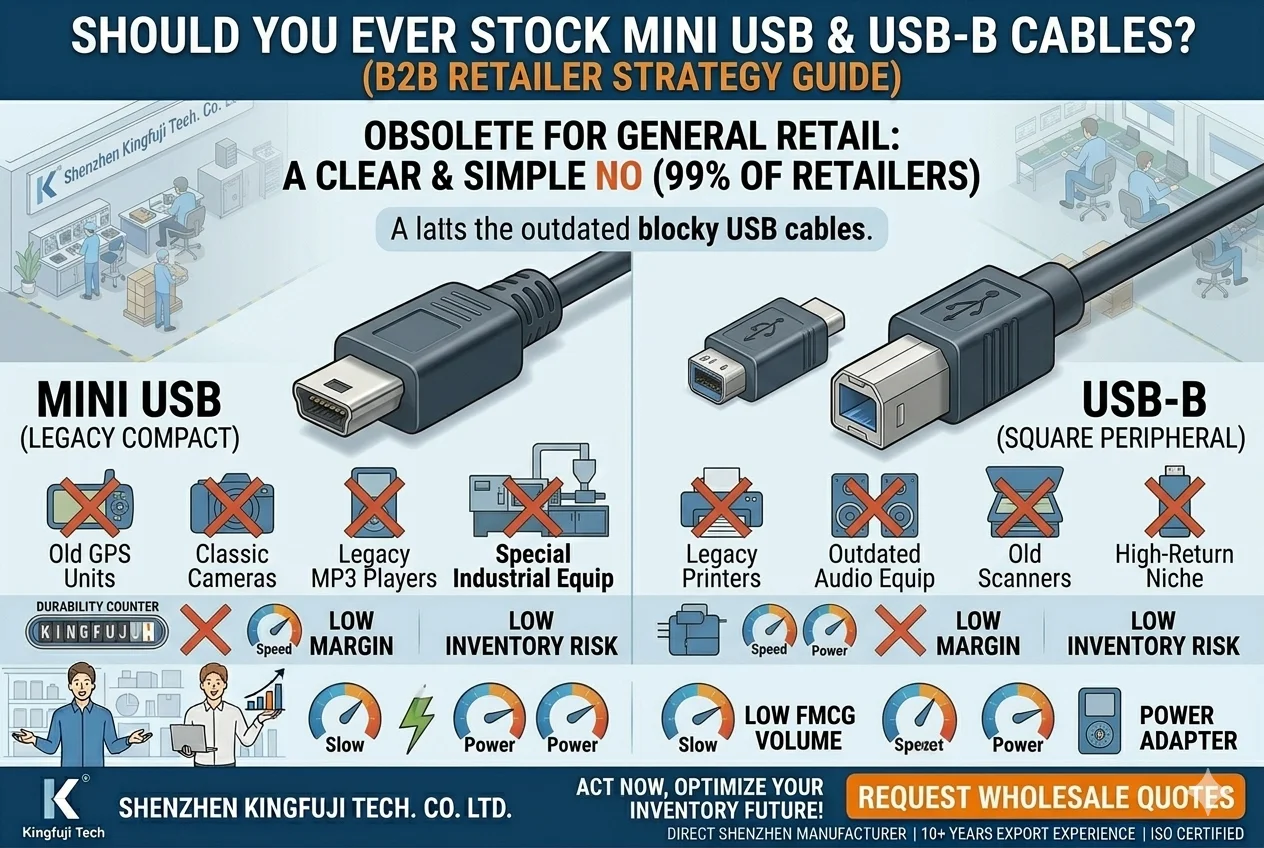
This is one of the most straightforward pieces of advice I give. I had a new e-commerce client who wanted to be a "one-stop shop" for all cables. Against my advice, he ordered a few hundred Mini USB11 and USB-B12 cables. A year later, he had sold exactly three. The rest sat in a box, a monument to a bad buying decision. The market for these connectors is incredibly small and specific. The person who needs a printer cable will go to a computer parts store. The person who needs a cable for a 15-year-old digital camera will probably just buy a new camera. Don't let a "just in case" mentality hurt your business.
Why a 0% Budget is the Smart Choice
Your shelf space and capital are too valuable to waste on products with virtually no demand. Here's a quick breakdown of why you should avoid these connectors.
| Connector | Shape | Common Devices | Why You Should Avoid |
|---|---|---|---|
| Mini USB11 | Small, trapezoidal, thicker than Micro USB2 | Old digital cameras, old MP3 players, some GPS devices | The devices are obsolete. The customer base is almost non-existent for a general retailer. |
| USB-B12 | Square-ish with beveled top corners | Printers, scanners, external hard drive enclosures | These are specialty items. Customers buy them from office supply or computer hardware stores, not a supermarket or general e-commerce site. |
- The Biggest Buying Mistake: Ordering any at all. It's easy to think a small order is low-risk, but it takes up space, complicates your inventory management, and the money is better spent on more A-to-C cables9.
- Our Recommendation: A 0% budget allocation. It's that simple. If a customer asks, politely explain that you focus on modern consumer electronics and suggest they try a specialized computer store. This positions you as a current, modern retailer, not a dusty old parts shop. Focus your energy on the products that 99% of your customers actually want to buy.
Conclusion
Focus your inventory on USB-C3 as the primary type, maintain strong stock of USB-A1 cables for charging, reduce Micro USB2, and completely avoid Mini USB11 and USB-B12 for maximum profitability.
Understanding USB-A's relevance helps you cater to the majority of charging needs, ensuring customer satisfaction and repeat business. ↩
Knowing the decline of Micro USB helps you avoid overstocking and focus on more profitable cable types. ↩
Exploring USB-C's advantages ensures your inventory stays relevant and meets consumer demand for faster, reversible connections. ↩
Understanding PD capabilities allows you to offer high-performance cables that attract tech-savvy customers. ↩
Knowing USB 2.0's limitations helps you guide customers towards faster, more efficient options. ↩
Offering USB 3.2 Gen 1 cables can boost sales by providing faster data transfer and charging options. ↩
Stocking USB 3.2 Gen 2 cables attracts customers needing high-speed data transfer for advanced devices. ↩
Offering USB4 cables positions your store as a leader in cutting-edge technology, appealing to high-end users. ↩
A-to-C cables meet the widespread need for connecting USB-A chargers to USB-C devices, ensuring high sales volume. ↩
C-to-C cables cater to the growing demand for fast charging and data transfer, appealing to tech-savvy customers. ↩
Avoiding Mini USB prevents dead inventory and focuses resources on more profitable, modern cable types. ↩
Understanding USB-B's niche applications helps you avoid stocking unnecessary inventory. ↩