Quick Answer
USB connector shapes help buyers identify whether a cable can physically connect two devices, but choosing the wrong shape can still cause compatibility problems, returns, and customer complaints. I often see buyers focus on the visible plug while overlooking the cable’s data, charging, and protocol specifications. A careful matching process reduces these risks.
Common USB connector shapes include USB-A, USB-C, Micro-USB, Mini-USB, and USB-B.[1] Each shape serves different devices and cable configurations. However, connector shape does not automatically indicate charging power, data speed, or USB generation[2]. Buyers should check the device ports, both cable ends, the host or charger, and the intended use before selecting or describing a product.
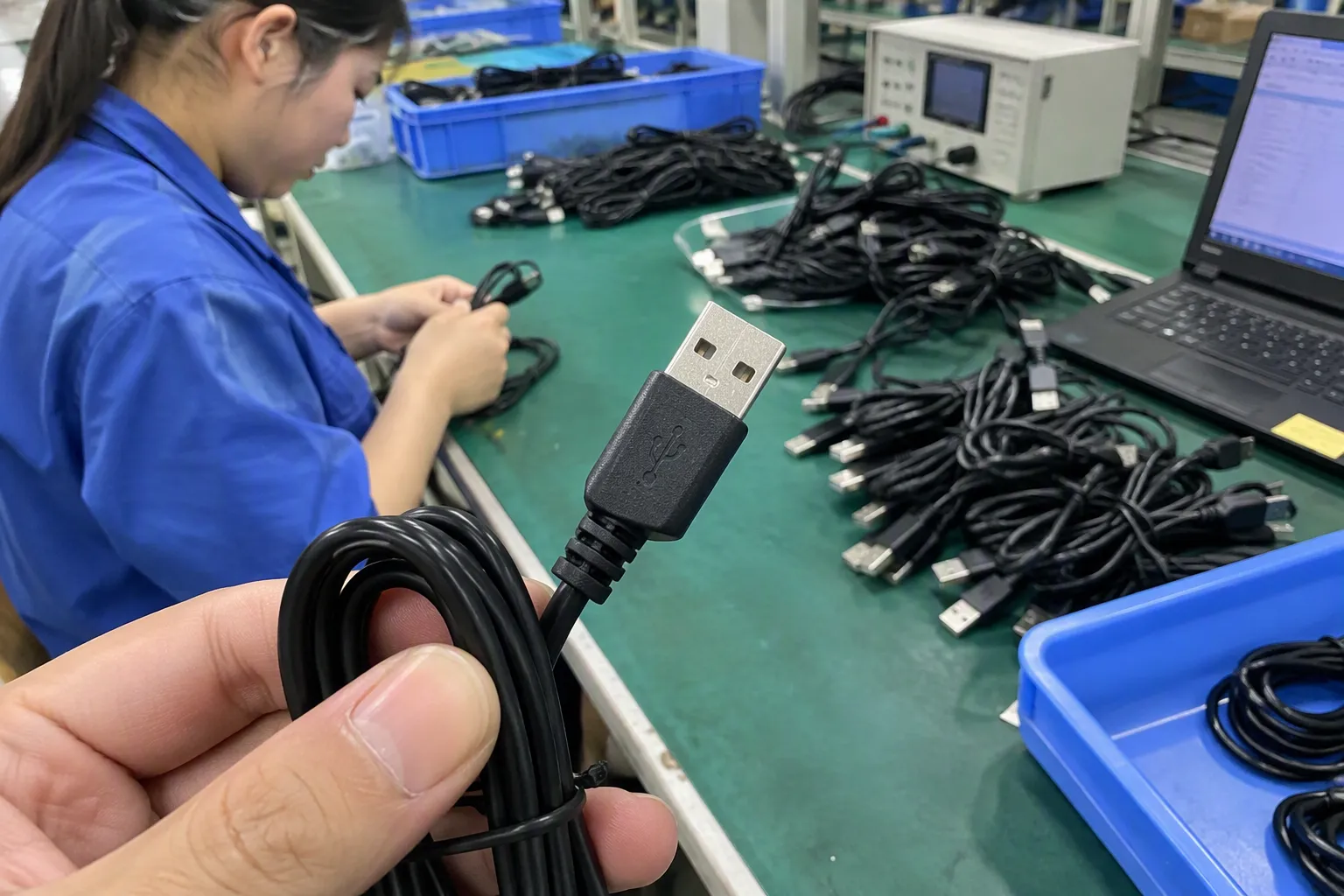
I use connector shape as the first step in product selection, not the final decision. A retailer may identify a USB-C plug correctly but still list a cable inaccurately if the product only supports basic charging or limited data transfer. The sections below explain the practical differences and the questions I recommend asking before purchasing or stocking USB accessories.
What Are the Common USB Connector Shapes and What Are They Used For?
The wrong connector shape creates an immediate physical mismatch. A customer may own the right type of phone, camera, charger, or computer but still need a cable with a specific connector combination. I have found that discussing both ends of the cable is more useful than discussing one plug in isolation.
- USB-A: Hosts, chargers, computers, hubs, and older power adapters.
- USB-C: Modern phones, tablets, laptops, monitors, power banks, chargers, and accessories.
- Micro-USB: Older phones, small electronics, cameras, speakers, and other compact devices.
- Mini-USB: Older cameras, GPS units, controllers, and specialty equipment.
- USB-B: Printers, scanners, audio equipment, and selected industrial or office devices.
- Lightning or proprietary plugs: Certain device ecosystems and accessories. These are common cable ends but are not USB connector shapes in the strict technical sense.
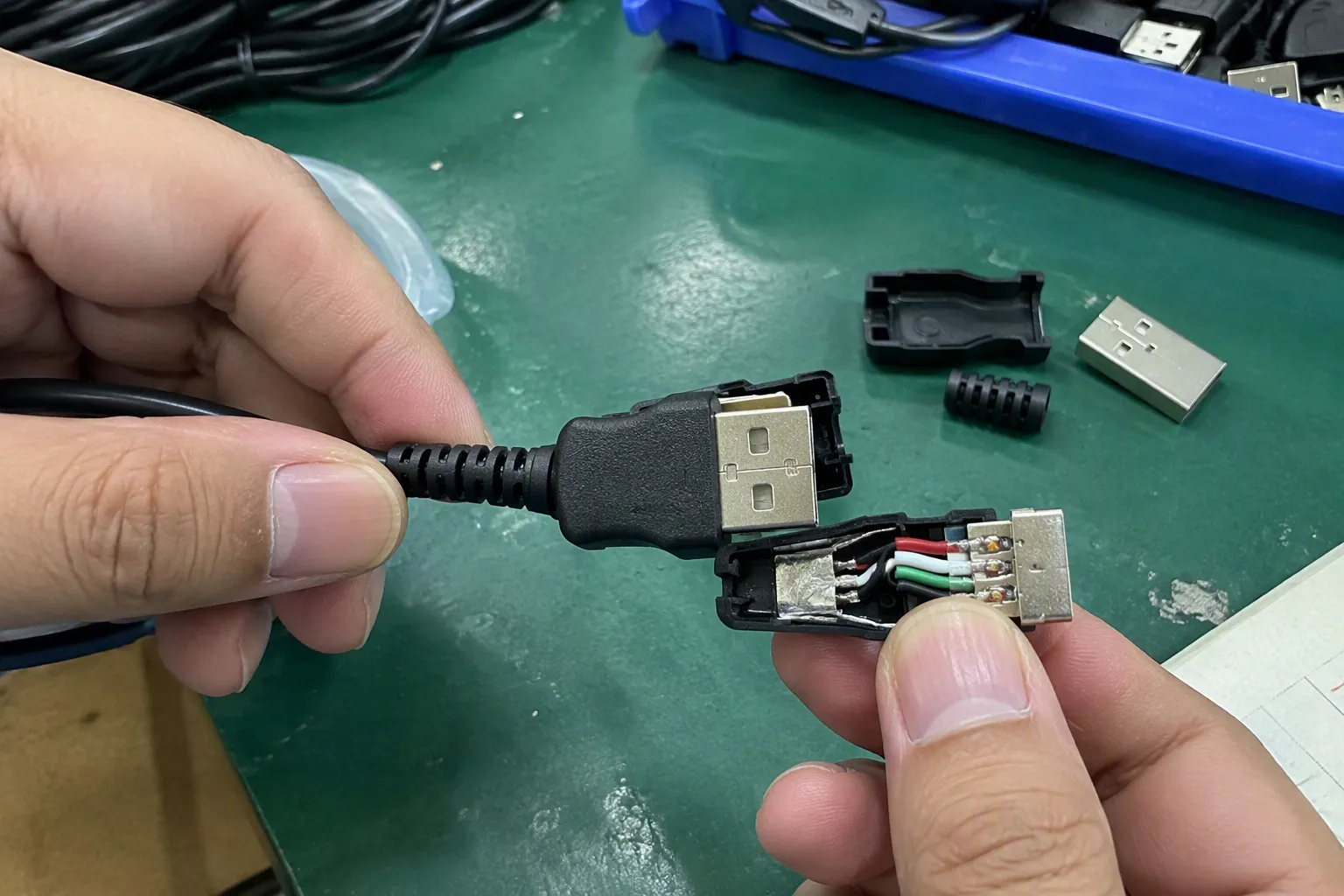
USB-A is the flat, rectangular connector that many users recognize from older chargers, desktop computers, laptops, televisions, game consoles, and hubs. It usually acts as the host-side or power-source connector in a cable.
- USB-A to USB-C for older chargers or computers connecting to newer devices.
- USB-A to Micro-USB for older phones, speakers, cameras, and accessories.
- USB-A to Lightning for compatible mobile devices.
- USB-A extension cables for peripherals and office equipment.
USB-A remains relevant in many product categories because existing chargers, computers, car ports, and retail accessories still use it. I would not describe it as obsolete simply because USB-C is becoming more common. A buyer who stocks only USB-C cables may lose customers who still need to connect a device to an older computer or charger.
The connector shape also says little about the internal construction. Two USB-A cables can have different conductors, shielding, charging behavior, data capabilities, and quality levels. A product listing should describe the actual tested or documented specification rather than assuming that the familiar plug provides a particular performance level.
USB-C: A reversible connector with many possible capabilities
USB-C is a small, oval-shaped, reversible connector. Users can insert it in either orientation[3], which makes it convenient for phones, tablets, laptops, headphones, power banks, monitors, docking stations, and chargers.
- Charging a phone from a wall charger.
- Connecting a tablet to a computer.
- Connecting a laptop to a docking station.
- Transferring files between compatible devices.
- Connecting selected displays or other accessories.
- Supporting different charging and data protocols, depending on the product design.
The most important purchasing point is that USB-C describes the connector form, not the complete performance level[4]. A USB-C cable does not automatically support the fastest data transfer, the highest charging power, video output, or every USB Power Delivery feature. The buyer must verify the product documentation and the requirements of the connected devices.
I often recommend that e-commerce sellers avoid using a broad phrase such as “high-speed USB-C cable” unless the supplier has provided clear specifications and supporting test information. The listing should state what the cable is designed to do, what it does not support when relevant, and which charger or device conditions are required.
Micro-USB connectors are smaller than USB-A and have an asymmetrical shape. They appeared widely on earlier smartphones and remain common in low-power electronics and many existing accessories.
- Older Android phones.
- Bluetooth speakers and headphones.
- E-readers.
- Small cameras.
- Wireless keyboards and mice.
- Fitness devices.
- Power banks.
- Small lights and household electronics.
Micro-USB is often associated with older products, but that does not mean every Micro-USB cable has the same function. Some cables are intended mainly for charging. Others support data transfer. Some have different internal wiring or construction for a particular application.
I ask buyers to check whether the device requires a standard Micro-USB plug or a less common variant. I also recommend checking the orientation, plug housing size, and insertion depth when the cable is intended for a compact or recessed port. A physically similar connector may not fit correctly if the housing is too large.
Mini-USB is larger than Micro-USB and was used in many earlier cameras, GPS devices, MP3 players, external drives, and controllers.[8] It is less common in new consumer products, but it remains important when customers need replacement cables for existing equipment.
A retailer should not remove Mini-USB products from consideration only because newer connectors dominate current launches. Replacement demand can continue for years in specialist categories. At the same time, a seller should avoid suggesting that a Mini-USB cable is suitable for a Micro-USB or USB-C device. Similar names do not mean physical interchangeability.
USB-B has a square or slightly beveled shape and commonly appears on printers, scanners, audio interfaces, and some larger office or professional devices. One popular cable configuration is USB-A to USB-B, where the USB-A end connects to a computer and the USB-B end connects to a printer or peripheral.
USB-B is not usually the first cable a consumer thinks of, but it can be a practical stock item for office supply retailers, electronics distributors, and sellers serving professional users. The exact device port should always be confirmed because different equipment may use standard USB-B, Mini-USB, Micro-USB, or a proprietary connection.
Some products use a USB connector on one end and a non-USB connector on the other. Lightning is one familiar example. Other products use magnetic connectors, barrel plugs, pogo pins, or manufacturer-specific ends.
I treat these products carefully in supplier discussions because “USB cable” may describe the power-source side rather than both ends. A product page that shows only one end can create confusion. Buyers should show the complete cable configuration, identify the device-side connector, and state whether the product is intended for charging, data, or both.
Does USB Connector Shape Tell You the Speed or Charging Power?
Many customers assume that a newer-looking connector must provide better performance. That assumption creates inaccurate listings and difficult after-sales conversations. I separate four different questions: physical fit, USB standard, data speed, and charging capability.
USB connector shape does not by itself confirm data speed, charging power, USB generation, video support, or USB Power Delivery. A buyer should verify the cable’s documented capabilities, the device ports, the charger or host, and the protocol requirements. The complete connection determines the practical result.
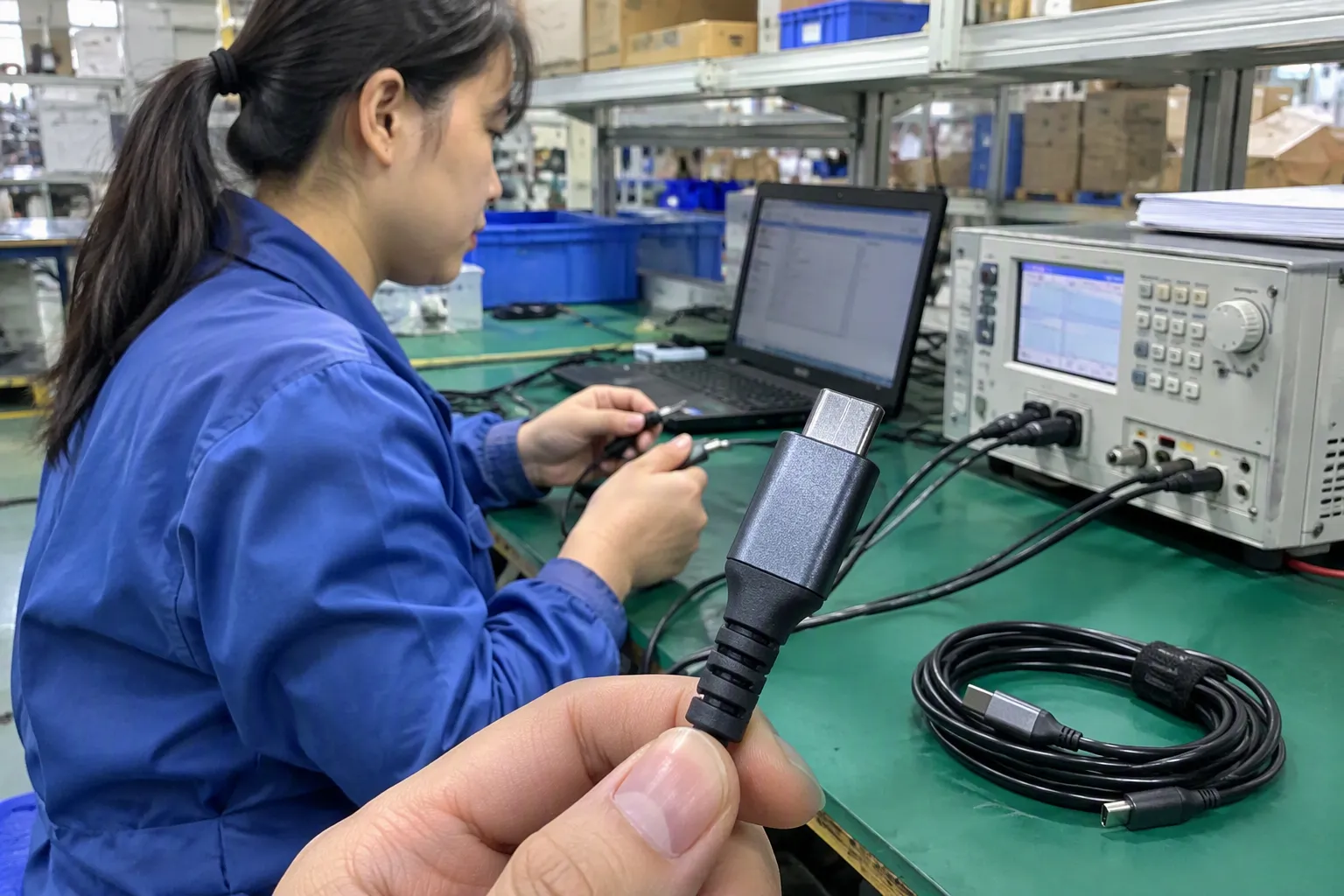
A connector shape is a physical design. A USB standard or protocol describes how connected equipment communicates or manages power. These concepts work together, but they are not interchangeable.
For example, two cables may both have USB-C plugs while differing in:
- Data transfer support.
- Charging current capability.
- Power Delivery support.
- Cable length and signal integrity.
- Shielding and conductor design.
- Display or alternate-mode support.
- E-marker or other identification components where applicable.
- Manufacturing quality and consistency.
The same principle applies to USB-A, Micro-USB, and other connector forms. A USB-A plug does not guarantee one specific data generation. A Micro-USB plug does not prove that a cable supports data. The seller must use the supplier’s technical documentation and, where necessary, qualified testing.
Charging performance depends on more than the cable end.[6] I consider at least these elements:
- The charger’s output capability.
- The device’s charging requirements.
- The cable’s current and power support.
- The negotiated charging protocol.
- Cable length, construction, and quality.
- Whether the charger and device communicate correctly.
USB Power Delivery is a separate consideration[5]. A USB-C connector can be present without the cable or connected products supporting every USB Power Delivery function. I therefore avoid wording such as “all USB-C cables support fast charging.” A more responsible listing identifies the documented charging use case and explains that actual charging depends on the charger and device.
A customer transferring photos from a phone to a computer may care more about data support than charging. A cable that charges successfully may still provide limited or no data transfer[7] if it has a charging-focused internal design.
- Whether data transfer is supported.
- The applicable USB specification or documented speed class.
- The host and device port capabilities.
- Whether the cable is intended for synchronization, peripherals, storage, or another task.
- Whether video output is supported, if the application requires it.
I have seen buyers order attractive USB-C cables for retail packaging and later discover that the product description promised more than the actual specification. The problem was not the connector shape. The problem was that the team treated the shape as a performance label.
| Product description | What it tells the buyer | What still needs verification |
|---|---|---|
| USB-A to USB-C cable | The physical ends | Charging, data, protocol, and device compatibility |
| USB-C to USB-C cable | Both physical ends are USB-C | Power capability, data performance, display support, and host compatibility |
| USB-A to Micro-USB cable | Common connection for older devices | Charging-only or data support and exact device fit |
| USB-A to USB-B cable | Common computer-to-printer configuration | Equipment compatibility and required data specification |
| USB-C charging cable | Intended charging use | Supported power conditions and whether data is included |
A cable is a connection between two ports, not a single connector. Many purchasing errors happen because a buyer checks the device-side port but forgets the charger, computer, hub, or wall adapter on the other end.
I match a cable by checking the device port, the source port, the intended task, and the required performance. I then compare those findings with the supplier’s specification sheet, product sample, packaging information, and any applicable test documents.
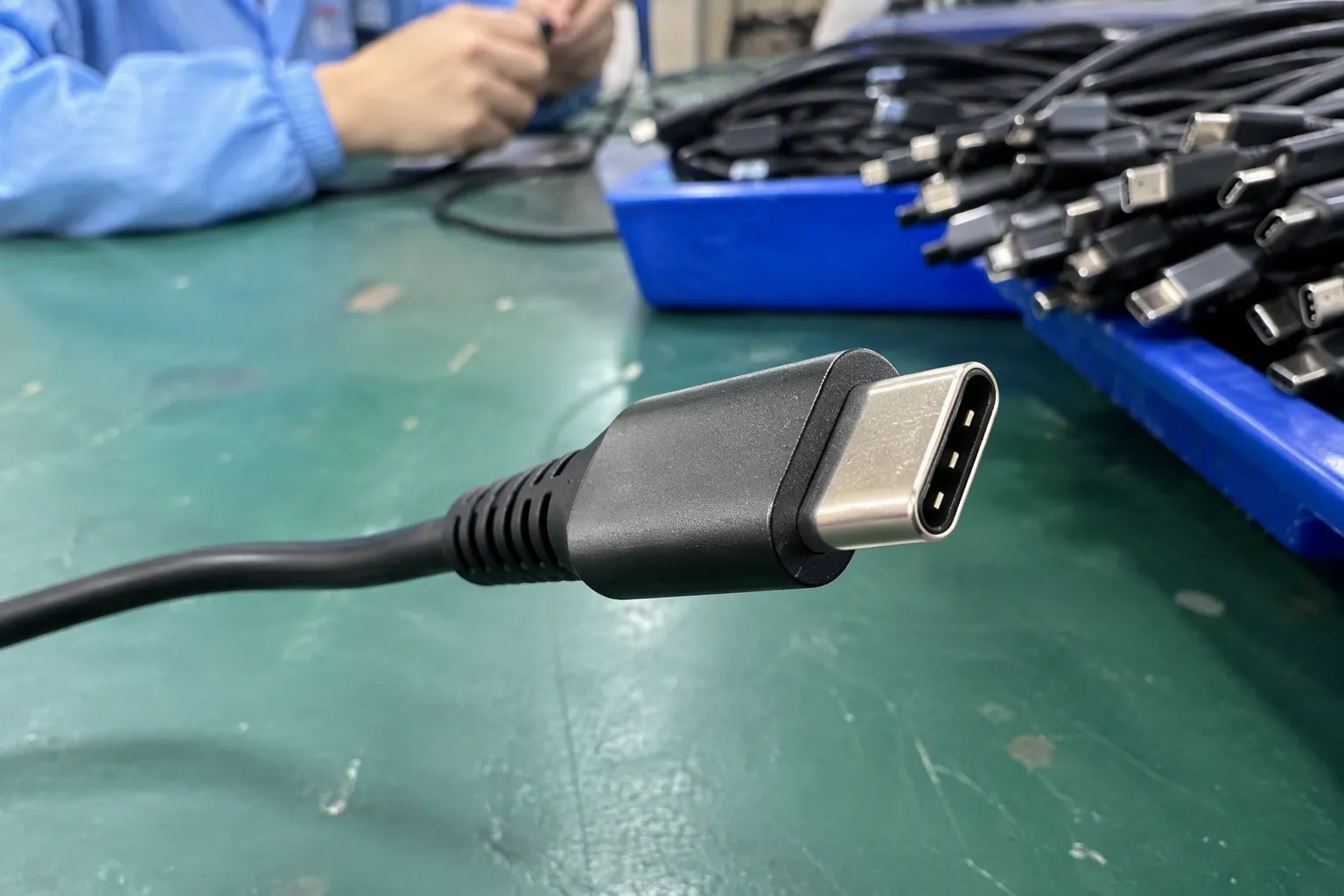
The device port is usually the easiest place to begin. I recommend asking:
- What device will the customer connect?
- What connector is physically installed on that device?
- Is the port recessed or unusually narrow?
- Does the device need charging, data transfer, or both?
- Does the manufacturer specify a particular cable or protocol?
A phone with a USB-C port may use a USB-C to USB-C cable with a modern charger, or a USB-A to USB-C cable with an older charger. Both cables may fit the phone, but they serve different connection environments.
The second end depends on the equipment supplying power or data. A buyer should inspect the port on:
- A wall charger.
- A laptop.
- A desktop computer.
- A vehicle adapter.
- A power bank.
- A docking station.
- A monitor.
- A hub.
This step matters for retail bundles. For example, a package containing a USB-C device and a USB-A wall charger may require a USB-A to USB-C cable. A different bundle containing a USB-C charger may require USB-C to USB-C.
| Intended task | Questions I ask |
|---|---|
| Basic charging | Which ports are on the charger and device? What charging conditions are documented? |
| File transfer | Does the cable support data, and what do the connected devices support? |
| Printer connection | Does the printer use USB-B, and does the computer use USB-A or USB-C? |
| Laptop docking | Does the cable support the required data, display, and power functions? |
| Retail replacement | What cable did the original product use, and what customer devices are common? |
| Travel accessory | Does the cable match the customer’s charger, power bank, and device ecosystem? |
A cable that is suitable for basic charging may not be suitable for a laptop dock or high-demand data application. I make this distinction clear during product selection because it protects both the buyer and the final customer.
Before confirming a purchase, I suggest a simple four-part check:
- Port shape: Do both plugs physically match the two devices?
- Direction of use: Which end connects to the source, host, or charger?
- Function: Does the cable need charging, data, audio, video, or several functions?
- Documented capability: Do the supplier documents support the advertised use?
I also recommend reviewing samples before a large order. A sample can help confirm plug fit, strain relief, flexibility, labeling, packaging, and general build quality. However, a sample inspection does not replace technical validation for application-specific performance.
What Should Retailers and Importers Check Before Ordering USB Cables?
Product selection becomes more complicated when a buyer must stock several connector shapes across multiple markets. The lowest unit price may not be the lowest total cost if the cable creates high return rates or customer support work.
I recommend evaluating USB cables through a combination of compatibility, quality control, supplier communication, order terms, and after-sales planning. The buyer should verify technical documents and avoid treating general certification language as proof of every product claim.
A supplier quotation should identify the cable clearly. I normally ask for details such as:
- Connector combination, including both ends.
- Cable length and available tolerances.
- Charging-only or charging-and-data function.
- Applicable data specification.
- Supported charging protocol, where relevant.
- Outer material and conductor construction.
- Plug housing and strain-relief design.
- Packaging and labeling requirements.
- Applicable test reports or certification documents.
- Minimum order quantity and production lead time.
The buyer should ensure that the quotation, sample, packaging artwork, and final product all use consistent language. A mismatch between these documents can create problems during customs review, retail onboarding, or customer complaints.
Connector quality affects the customer’s daily experience. I look at:
- Whether the plug inserts smoothly without excessive looseness.
- Whether the housing has sharp edges or poor molding.
- Whether the cable bends naturally near the strain relief.
- Whether the outer jacket shows cracks, marks, or inconsistent color.
- Whether the plug alignment is stable.
- Whether labels and packaging match the approved version.
These checks do not prove every electrical specification, but they can identify visible manufacturing problems. For larger orders, the importer may also arrange inspection or testing through a qualified third party.
Supplier selection should include process questions, not only product questions. I ask how the factory manages:
- Incoming materials.
- Connector and cable assembly.
- In-process inspection.
- Finished-goods inspection.
- Lot identification.
- Packaging checks.
- Complaint handling and corrective action.
A supplier with clear procedures can make repeat orders easier to control. A supplier that changes materials or construction without communication creates additional risk, especially for retailers with fixed packaging and customer expectations.
Our company works with products intended for European and American markets, and buyers often ask about certifications. I explain that certification or compliance claims should be checked against the exact product, model, manufacturer, scope, and current documentation.
- The document issuer.
- The product or model covered.
- The test standard or regulation referenced.
- The date and validity information.
- Whether the document applies to the complete product.
- Whether market-specific marking and labeling requirements are addressed.
I do not recommend using a general certificate for one product to support claims about a different cable. Buyers should seek qualified professional or regulatory advice when the application involves safety-critical, high-power, medical, automotive, or other specialized requirements.
For European and American retailers, wholesalers, chain stores, and e-commerce sellers, the commercial terms can be as important as the connector specification. I usually discuss:
- MOQ for standard and customized products.
- Sample availability.
- Production lead time.
- Packaging customization.
- Barcode and labeling requirements.
- Carton dimensions and shipping information.
- Warranty or replacement policy.
- Communication during production.
- Inspection arrangements.
- Forecasting for repeat orders.
A supplier may offer several connector shapes in one product family, which can help a buyer create a consistent retail range. However, the buyer should still approve each configuration separately. Similar packaging does not mean identical technical performance.
Customers usually search by device and task rather than by engineering terminology. A clear listing connects the connector shape with the practical use without promising undocumented performance.
I write product descriptions that identify both cable ends, the main application, the supported function, and important limits. This approach makes the product easier to find and reduces confusion after purchase.
[Connector on source side] to [connector on device side] + [main function] + [length or packaging detail]
- USB-A to USB-C charging and data cable.
- USB-C to USB-C cable for compatible charging and data applications.
- USB-A to Micro-USB replacement cable.
- USB-A to USB-B printer cable.
- USB-A to Lightning cable for compatible devices.
The seller should not reverse the connector names if the product is directional in use or if the packaging depends on a specific source and device configuration. Even when the cable itself can be connected in either direction, clear naming helps customers understand the intended setup.
Words such as “fast,” “universal,” “premium,” and “high power” can be risky if the product documents do not define them. I prefer specific, supportable wording.
USB-C to USB-C cable for compatible devices. Charging and data performance depend on the connected charger, host, device, protocol, and cable specification.
This wording may look less dramatic, but it gives the customer a more accurate expectation. It also gives the retailer a stronger basis for handling questions.
A product image should make both ends easy to identify. I recommend including:
- A full cable image.
- Close-ups of both plugs.
- A device-use image.
- A packaging image.
- A specification graphic.
- A clear length indication.
- A compatibility note.
The image alt text should describe the product naturally, such as “USB-A to USB-C cable connector shapes for charging and data.” Alt text supports accessibility and image search, but it should describe the image rather than repeat keywords unnaturally.
| Customer question | Listing information |
|---|---|
| Will it fit my device? | Name the device-side connector and provide examples |
| Will it fit my charger? | Name the source-side connector |
| Does it transfer data? | State the documented data function |
| Does it support fast charging? | State the verified conditions, not a general promise |
| Does it support every USB-C device? | Explain that device and protocol compatibility must be checked |
I have found that this kind of information helps customers choose more confidently. It also helps e-commerce teams reduce repetitive support tickets.
Not automatically. USB-C and USB-A describe connector shapes, while data performance depends on the cable design, USB specification, and connected devices. A buyer should verify the documented data capability instead of assuming that a USB-C plug provides the fastest available transfer.
No. USB-C cables can have different charging capabilities. The charger, device, cable construction, and charging protocol must work together. Buyers should check the supplier’s technical documents and confirm the requirements of the intended device before making a fast-charging claim.
Yes. Micro-USB remains relevant for many existing phones, speakers, cameras, power banks, and small electronic products. It may be less common in new product launches, but replacement demand continues. Retailers should match stock decisions with their customers’ devices rather than removing the connector solely because newer shapes are popular.
The answer depends on the market and application. USB-A to USB-C, USB-C to USB-C, and USB-A to Micro-USB are common configurations, but USB-A to USB-B remains useful for printers and office equipment. Buyers should select based on the complete device-to-source connection.
Check the supplier specification, product labeling, and device requirements. A charging cable may not support data. For important applications, I recommend sample evaluation and qualified testing rather than relying only on the connector appearance or a broad product title.
Common USB connector shapes make cable selection easier, but shape is only the starting point. I recommend checking both ends of the cable, identifying the device and source ports, defining the intended task, and verifying data, charging, and protocol capabilities separately. Retailers and importers should also review samples, quality-control procedures, documentation, MOQ, lead time, packaging, and after-sales support. With 15 years of export experience in USB cables and 3C accessories, I help overseas buyers compare practical product options and prepare clearer specifications for their markets. Contact me to discuss suitable USB cable configurations for your retail or wholesale range.
Sources
- USB-C vs Type-C: Are They the Same? Clear Explanation Inside", A technical reference from the USB standards ecosystem identifies USB-A, USB-B, USB-C, Micro-USB, and Mini-USB as distinct USB connector forms
- Cables and Connectors", USB technical specifications distinguish the Type-C connector and cable interface from the USB protocol revision, signaling capability, and negotiated power parameters
- USB Type-C® Cable and Connector Specification", The USB Type-C specification defines a reversible connector design that permits insertion in either orientation
- USB Charger (USB Power Delivery) | USB-IF", USB-IF documentation treats USB Type-C as a connector and cable interface whose supported data and power functions depend on additional applicable specifications
- USB Charger (USB Power Delivery) | USB-IF", USB Power Delivery is specified as a power-management and negotiation protocol that can operate through USB Type-C connections but is not synonymous with the connector itself
- The Basics of USB Power Delivery Negotiations", USB power specifications describe charging capability as a negotiated interaction among the power source, sink device, cable, and applicable current or power limits
- How to easily tell whether a USB-C cable is data-only, ...", USB cable designs may support power delivery without supporting USB data communication when the required data conductors, wiring, or signaling paths are absent or unsuitable
- Mini USB Explained: Uses, History, and Why It Still Matters", Historical references describe Mini-USB as an earlier, larger USB connector used across cameras, GPS receivers, media players, and other peripherals before Micro-USB became more prevalent