Quick Answer
USB OTG is a frequent source of confusion for accessory buyers because a familiar connector shape can look like proof of compatibility. That assumption can lead to inaccurate product listings, unnecessary returns, and difficult support questions. We help buyers avoid this by separating the connector from the actual host capability.
USB OTG, or USB On-The-Go, allows a supported phone or tablet to act as a USB host for peripherals such as flash drives, keyboards, mice, card readers, and some audio devices.[1] USB-C and Micro-USB can be used in an OTG setup, but the connector alone does not guarantee support.[2] Buyers must check device host capability, adapter design, peripheral requirements, and available power.

In our pre-sales discussions with overseas retailers, wholesalers, and e-commerce sellers, we commonly clarify that “OTG connector” is not a complete product requirement. The more useful question is whether a specific device, adapter, and peripheral will work together under realistic power and compatibility conditions.
Is USB OTG Determined by Connector Shape Alone: Can USB-C and Micro-USB Support It?
A buyer may see USB-C, Micro-USB, or USB-A on an adapter and assume that the item supports every device with the same port. That assumption creates risk because physical fit does not always mean functional compatibility. We recommend checking the full connection path before selecting an OTG SKU.
USB OTG is primarily a device-role capability, not a connector feature. A USB-C or Micro-USB device may support OTG when it can operate as a USB host and when the adapter, cable, and peripheral meet its requirements. A connector identifies the physical interface, while host support, data configuration, and power availability determine whether the setup works.
We Start With the Meaning of USB OTG
USB OTG means USB On-The-Go. In practical accessory discussions, we use the term to describe a supported mobile device or tablet acting as a USB host.
A typical USB connection has two roles:[3]
- Host: The device that controls communication with the connected peripheral.
- Peripheral or device: The item that responds to the host, such as a USB flash drive, keyboard, mouse, card reader, or wired controller.
For example, a laptop normally acts as the host when a user inserts a USB flash drive. With USB OTG, a supported phone or tablet can take on that host role instead.
This matters because many buyers approach the question from the wrong direction. They ask, “Which connector supports OTG?” We understand why. Connector images are simple, and product titles often focus on USB-C, Micro-USB, USB-A, or Lightning. Still, the more accurate question is:
Can the target phone or tablet act as a USB host for the required peripheral through this particular adapter or cable?
That question is more useful for assortment planning because it includes the real variables that affect customer experience.
In our product-specification checks, we usually separate an OTG setup into five parts:
- The mobile device or tablet
- Its operating system and host implementation
- The adapter or cable
- The connected USB peripheral
- The power required by that peripheral
A failure in any one part can stop the setup from working. A USB-C connector can fit perfectly while the phone does not provide host capability. A phone may support USB OTG while a hard drive requires more power than the phone or adapter can provide. A flash drive may work, but a keyboard with backlighting or a high-power audio interface may not.
For buyers, this is why a broad claim such as “Works with all USB-C devices” can create avoidable after-sales problems. We consider it safer to describe the intended use clearly and ask customers to verify their device’s USB host or OTG support.
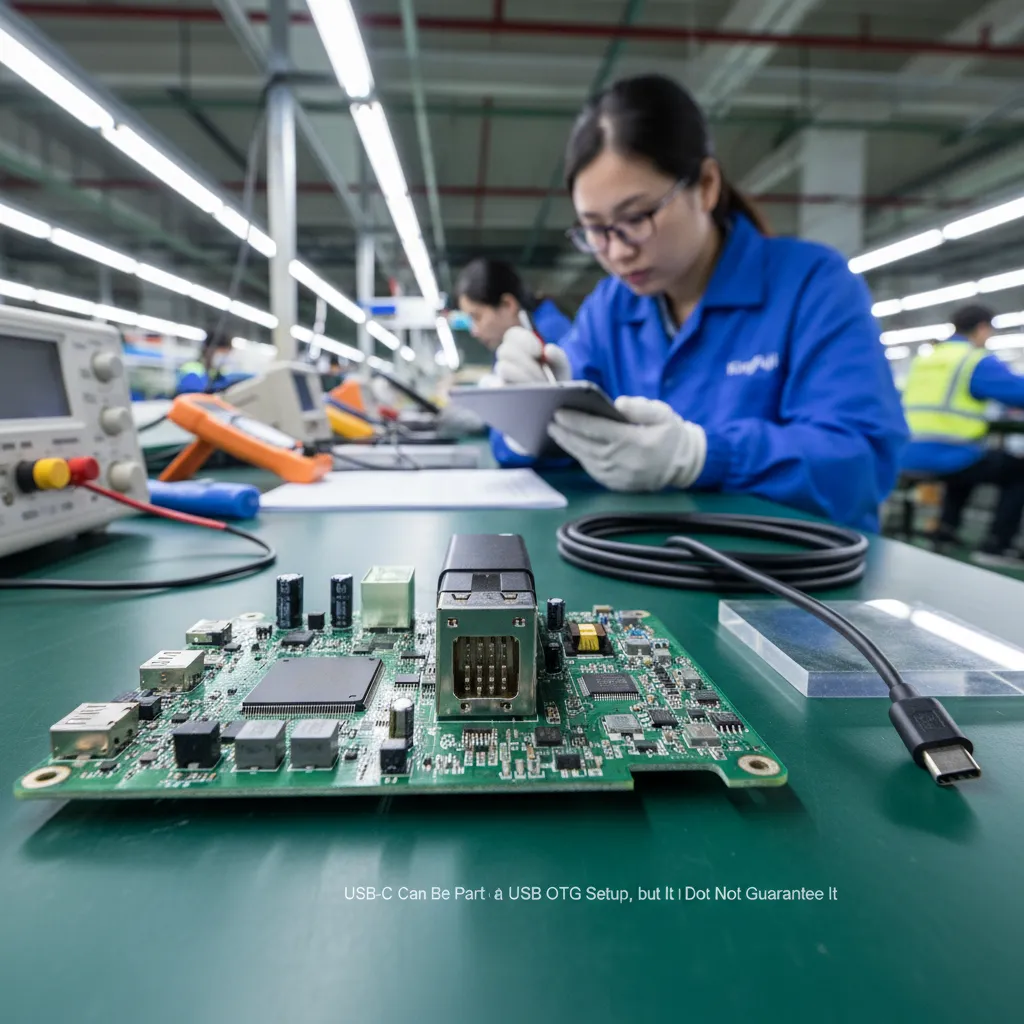
USB-C Can Be Part of a USB OTG Setup, but It Does Not Guarantee It
USB-C is now common across Android phones, tablets, laptops, power banks, chargers, and newer accessories. Its small reversible shape makes it convenient, but it also causes some confusion. Many buyers assume every USB-C port handles data, video, charging, OTG, and high-speed accessories in the same way. That is not a safe assumption.
A USB-C port can support many different functions, but the functions depend on the device design and implementation.[4] Some USB-C ports are primarily intended for charging. Some support data transfer but may have limited host functions. Some devices support USB OTG for basic peripherals but may have restrictions with higher-power accessories.
When we review a USB-C OTG adapter for a retail program, we encourage buyers to identify the intended use first.
| Intended peripheral | Typical buyer expectation | Important compatibility question |
|---|---|---|
| USB flash drive | Read or transfer files | Does the mobile device support USB host mode and the drive’s file system? |
| Keyboard or mouse | Input for tablet or phone | Does the device recognize standard USB HID peripherals?[5] |
| Card reader | Import photos or files | Does the reader require more power or have slot-specific limitations? |
| Wired game controller | Gaming input | Is the controller supported by the device and operating system? |
| USB audio adapter | External audio | Does the device support the required USB audio mode? |
| External SSD or hard drive | Portable storage | Can the host provide enough power for startup and continuous use? |
| USB hub | Multiple accessories | Does the host support the hub and connected devices within its power limits? |
A basic USB-C male to USB-A female OTG adapter is often used to connect a traditional USB-A peripheral to a USB-C phone or tablet. However, the adapter itself is not a promise that every USB-A device will work.
The result can vary because of:
- The target device’s USB host support
- The peripheral’s power draw
- The peripheral’s driver or operating-system needs
- The adapter’s data wiring and USB-C configuration
- The cable quality, length, and construction
- The file format or application needed to access storage
For example, a low-power USB flash drive may work on a supported USB-C phone, while an external hard drive may fail to start. That does not automatically mean the adapter is defective. The hard drive may require more power than the phone can supply.[6]
We also recommend that buyers distinguish between USB-C charging adapters and USB-C data or OTG adapters. A compact adapter can look nearly identical in product photos, yet its internal design and intended function may differ. Product descriptions should state whether the item supports data transfer and OTG use, rather than relying on the connector appearance.
Micro-USB Can Support USB OTG, but Older Devices Need Careful Verification
Micro-USB was widely used on earlier Android phones, tablets, Bluetooth speakers, power banks, and other consumer electronics. Many older mobile devices used Micro-USB OTG cables or Micro-USB-to-USB-A female adapters to connect USB peripherals.
However, Micro-USB should not be treated as an automatic OTG signal.
Some Micro-USB devices support USB OTG, while others do not. The external port shape alone cannot tell a buyer whether the device can become a USB host. The device manufacturer’s specifications, product manual, or documented compatibility information remains the better reference.
For a Micro-USB OTG setup, the cable or adapter plays an important role. A standard Micro-USB charging cable and a Micro-USB OTG cable are not always interchangeable. An OTG cable is designed to signal the intended host role in the relevant setup.[7] That is why a customer may report that a phone charges through one cable but does not recognize a flash drive through another.
In practical sourcing, we suggest that buyers avoid vague listings such as:
- “Micro-USB cable for all phones”
- “Universal Micro-USB OTG”
- “Supports every Android device”
A more controlled description could be:
“Micro-USB OTG adapter for compatible devices that support USB host/OTG function. Compatibility depends on the device model and connected peripheral.”
This language may seem less aggressive from a sales perspective, but it protects the retailer and gives end users a clearer expectation.
We have found that this approach is especially relevant for value-focused assortment lines. Older Micro-USB devices remain present in some channels, but device specifications vary widely across brands, generations, and price levels. A buyer should request product specifications from the supplier and compare them with the target device categories before finalizing an order.
Lightning Requires Device- and Accessory-Specific Checks
We recommend treating Lightning separately from USB-C and Micro-USB in OTG discussions.
It is not accurate to present Lightning as following the same simple connector logic. Lightning devices, operating-system versions, accessory types, and adapter designs can affect whether a particular peripheral works. Some accessories may require device-specific compatibility, authentication, or manufacturer-approved accessory support.[8]
For this reason, we avoid saying that a generic USB adapter will provide universal OTG-style support for Lightning devices. A product may physically connect through a suitable adapter, but that does not confirm that every peripheral, storage device, keyboard, or card reader will operate as expected.
For Lightning-related products, a buyer should verify:
- The exact Apple device models covered
- The intended accessory type
- Any required authentication or approved-accessory requirements
- The device software requirements, if applicable
- The peripheral’s power demand
- The supplier’s stated compatibility scope
This is also an area where listing language matters. If a retailer plans to sell an adapter for Lightning devices, the listing should name tested or documented device categories only when those claims are supported by the relevant product documentation. Broad claims can quickly lead to return requests because users may expect the adapter to behave like a USB-C OTG adapter on every device.
Why a USB-C-to-USB-A Adapter Does Not Work With Every USB Device

A USB-C-to-USB-A female adapter is a useful and popular accessory SKU. It can allow a compatible USB-C host device to connect with traditional USB-A peripherals. Still, the connected USB device matters as much as the adapter.
We often suggest that buyers group peripherals by power and complexity rather than treating all USB-A accessories as equal.
| Peripheral category | Typical power and compatibility risk | Retail planning note |
|---|---|---|
| Basic flash drive | Usually lower risk | Suitable for simple file-transfer use when host support exists |
| Basic keyboard or mouse | Often lower risk | Confirm general host support and expected operating-system behavior |
| Card reader | Medium risk | Reader design, card format, and device support can affect results |
| Wired controller | Medium risk | Device and game compatibility may vary |
| External SSD | Medium to higher risk | Startup power and cable quality can matter |
| External HDD | Higher risk | A mobile device may not provide sufficient power |
| USB hub with several devices | Higher risk | Total power demand and hub behavior need verification |
| Capture device or professional audio device | Higher risk | These may require specific software, drivers, or power arrangements |
A USB 2.0 host port can nominally provide up to 500 mA after configuration, while USB 3.x systems can support higher nominal current levels in appropriate conditions. However, mobile devices do not always provide the same power behavior as desktop or laptop hosts. Their actual output can be limited by product design, battery condition, thermal management, and operating-system controls.
Therefore, we do not recommend promising that one USB OTG adapter will run every external hard drive, hub, audio interface, or multi-device setup.
For higher-power use cases, buyers may consider a powered USB hub or a hub with appropriate pass-through power support. Even then, the target device’s host capability and peripheral compatibility should be checked. External power can solve some power limitations, but it cannot create host support where the device does not provide it.
We Recommend a Better Product-Selection Process for USB OTG SKUs
For retailers and importers, USB OTG accessories are not only technical items. They are also product-listing and support-management items. A low-cost adapter can become expensive when unclear compatibility claims create returns, negative reviews, or repeated customer-service tickets.
We recommend using a simple evaluation process before selecting an OTG adapter, cable, or hub.
1. Define the target devices
Buyers should identify the device categories that matter most:
- USB-C Android phones
- USB-C tablets
- Older Micro-USB Android devices
- Laptops or tablets using USB-C
- Device-specific Lightning accessories, where applicable
A buyer does not need to claim compatibility with every brand and model. It is often better to target a defined use case, such as “USB-C phones and tablets with OTG/USB host support.”
2. Define the intended peripherals
A flash-drive adapter, a keyboard adapter, and an external-drive adapter may look similar, but customer expectations differ.
We suggest asking:
- Will end users connect storage drives?
- Will they connect keyboards or mice?
- Is the product intended for cameras and card readers?
- Will users expect it to support game controllers?
- Will customers connect power-hungry drives or hubs?
This helps a buyer choose between a basic OTG adapter, a reinforced cable, a multiport hub, or a powered solution.
3. Check the adapter or cable specification
Before quotation or purchase confirmation, we recommend asking suppliers for clear information on:
- Connector combination
- USB data specification
- OTG or host-use design intent
- Supported charging or pass-through features, if any
- Cable length and conductor specification for cable products
- Housing material and strain-relief design
- Packaging, barcode, and customization options
- MOQ, lead time, and sample availability
For a Shenzhen-based 3C export company like ours, this specification stage is where we can help buyers compare accessory options before they commit to a larger order. We can discuss product positioning, packaging requirements, and the compatibility language that fits the selected SKU.
4. Plan practical quality-control checks
A commercial quality-control plan should focus on the product’s stated purpose. It should not assume universal compatibility.
For USB OTG products, a buyer may include checks such as:
- Visual inspection of connector finish and housing assembly
- Connector insertion and retention checks
- Basic data-transfer checks with the intended test devices
- Verification of USB peripheral recognition in the defined use case
- Packaging and labeling checks
- Confirmation that the product description matches the supplied specification
We recommend that buyers use qualified technical evaluation when an application involves professional storage, medical equipment, industrial systems, high-value data, or other application-specific requirements. Consumer accessory checks are useful for procurement, but they do not replace engineering validation for specialized use.
5. Use accurate listing language
Clear wording can reduce support cases. We prefer phrases that explain the role of the product without making universal promises.
Examples of more careful USB OTG listing language:
- “USB-C to USB-A adapter for compatible USB-C devices with USB OTG or USB host support.”
- “Supports connection of compatible USB peripherals, including flash drives, keyboards, mice, and card readers.”
- “Actual compatibility may vary by phone, tablet, operating system, peripheral, and power requirement.”
- “High-power peripherals may require an external power source or powered hub.”
- “Please verify USB host/OTG support for your device before purchase.”
Examples we would avoid:
- “Works with every USB-C phone”
- “Universal OTG for all devices”
- “Runs all hard drives”
- “Compatible with all Lightning products”
- “Guaranteed support for every USB accessory”
The goal is not to make the product sound limited. The goal is to set an accurate expectation. In our experience, well-written compatibility guidance can support better conversion quality because customers understand what they are buying.
USB OTG FAQs
Does every USB-C phone support USB OTG?

No. Many USB-C phones can support USB OTG or USB host functions, but USB-C connector shape alone does not guarantee it. We recommend checking the phone manufacturer’s specifications and confirming the intended peripheral type, especially for storage devices, hubs, and higher-power accessories.
Can a Micro-USB phone use a USB OTG adapter?
A Micro-USB phone can use a USB OTG adapter only if the device supports USB host or OTG capability. A standard Micro-USB charging cable is not necessarily an OTG cable. Buyers should verify the target device specification and use an adapter designed for OTG use.
Why does my USB OTG adapter work with a flash drive but not an external hard drive?
An external hard drive may require more power than a phone or tablet can supply through USB OTG. The drive’s startup current, cable condition, and host-device limits can all affect performance. A powered hub may help in some situations, but device support still needs verification.
Does a USB-C-to-USB-A adapter support keyboards and mice?

It can support keyboards and mice when the USB-C phone or tablet provides USB host capability and recognizes the connected peripheral. Standard wired keyboards and mice are often simpler than high-power devices, but actual performance can still vary by device and operating system.
Is Lightning USB OTG the same as USB-C USB OTG?
No. Lightning compatibility should be checked separately because device models, accessory requirements, operating systems, and adapter designs can affect the result. We recommend device- and accessory-specific verification rather than assuming that a Lightning adapter follows the same behavior as USB-C or Micro-USB OTG products.
Conclusion: How Should Buyers Select USB OTG Accessories
USB OTG is not determined by connector shape alone. USB-C and Micro-USB can both be part of a USB OTG setup, but buyers should confirm host capability, adapter specification, peripheral type, and available power before making compatibility claims. Lightning accessories require separate, device-specific verification. For retailers, wholesalers, and e-commerce sellers, accurate listing language and defined use cases can reduce returns and support issues. If you are sourcing OTG adapters, cables, hubs, or related mobile accessories, we can help review the intended application, MOQ, customization needs, and product specification before quotation.
Sources
- USB On-the-Go Basics", The USB On-The-Go specification describes an OTG-capable device as one that can participate in USB communications in host or peripheral roles, subject to the implementation's capabilities
- Universal Serial Bus Type-C Cable and Connector ...", USB standards treat connector configuration and USB data roles as separate matters: a physical USB-C or Micro-USB receptacle does not by itself establish that the product implements USB host functionality
- USB and Peripheral Device Security - STS Lab", USB architecture defines a host as the system that manages the bus and a USB device as a connected function that communicates under host control
- Cables and Connectors", USB Type-C specifications provide a common connector system, while supported data rates, power-delivery features, and alternate modes depend on the capabilities implemented by the particular host, cable, and accessory
- Human Interface Devices (HID) Specifications and Tools", The USB Human Interface Device class specification standardizes communication for input devices such as keyboards and pointing devices; use therefore depends on the host's HID support
- Insufficient power problems with Mobile drives", USB power rules limit the current available to attached devices, while rotating storage devices may require substantial startup current; consequently, an OTG host with limited output may be unable to start a connected hard drive
- USB On-the-Go Basics", The USB On-The-Go and Micro-USB specifications use the connector's ID signal to distinguish the applicable role in an OTG connection, including the host-designating cable configuration
- FAQs - MFi Program", Apple's Made for iPhone/iPad/iPod program documents technical and certification requirements for participating accessories, including authentication-related requirements for applicable Lightning accessory designs