Quick Answer
USB-C hubs are often sold as “driverless,” but that label can create problems when retailers promise more than a customer’s laptop, operating system, or monitor setup can deliver. A failed HDMI connection, missing Ethernet adapter, or limited charging result can quickly become a return. We recommend treating driverless compatibility as a feature-by-feature checklist, not a universal promise.
A USB-C hub can be described as driverless only when its individual functions work with the specific host device and operating environment without separate software installation.[1] Buyers should verify video, Ethernet, USB ports, card readers, audio, and charging pass-through separately against the target Linux distribution or ChromeOS device, intended monitor setup, and usage conditions before making a retail compatibility claim.
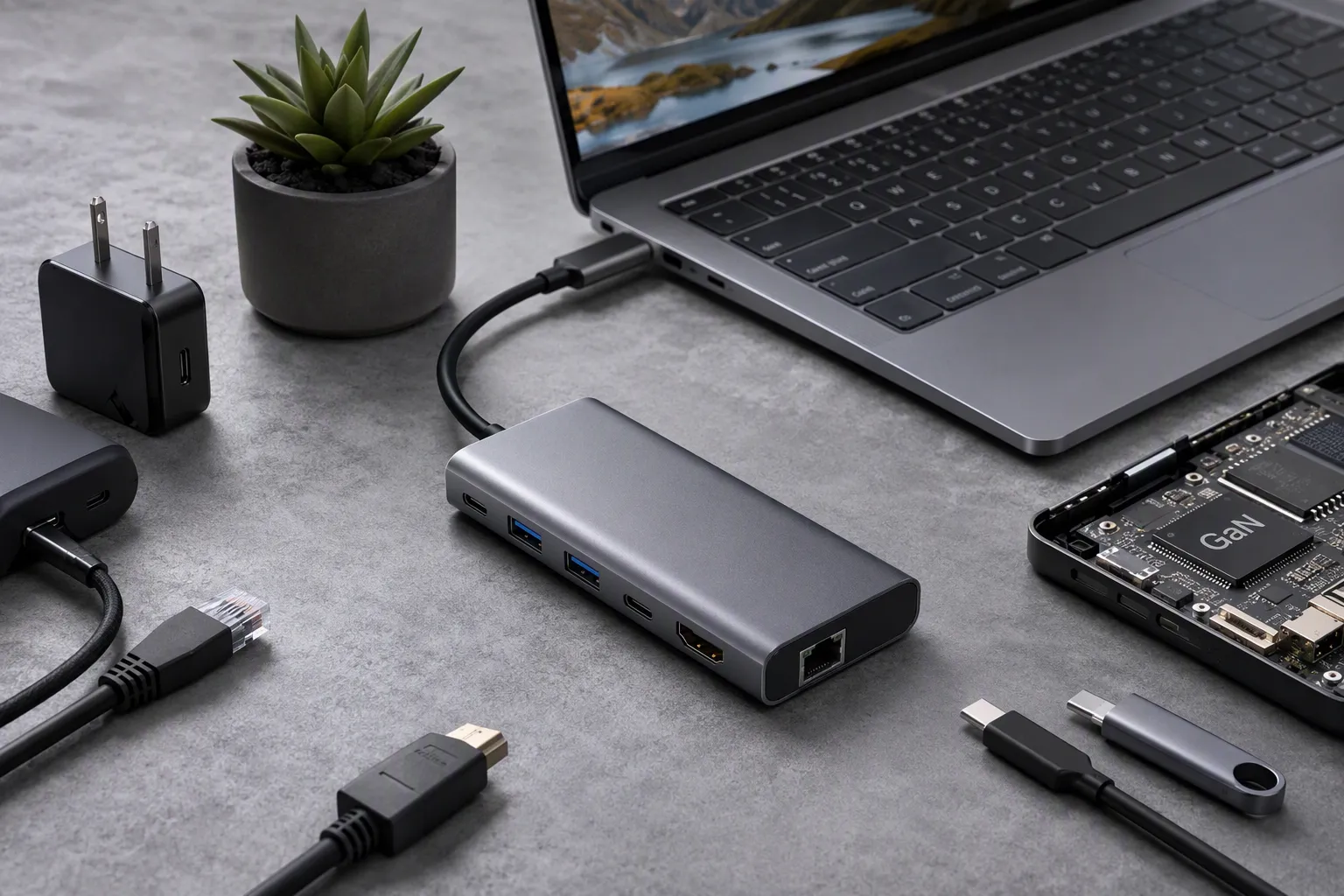
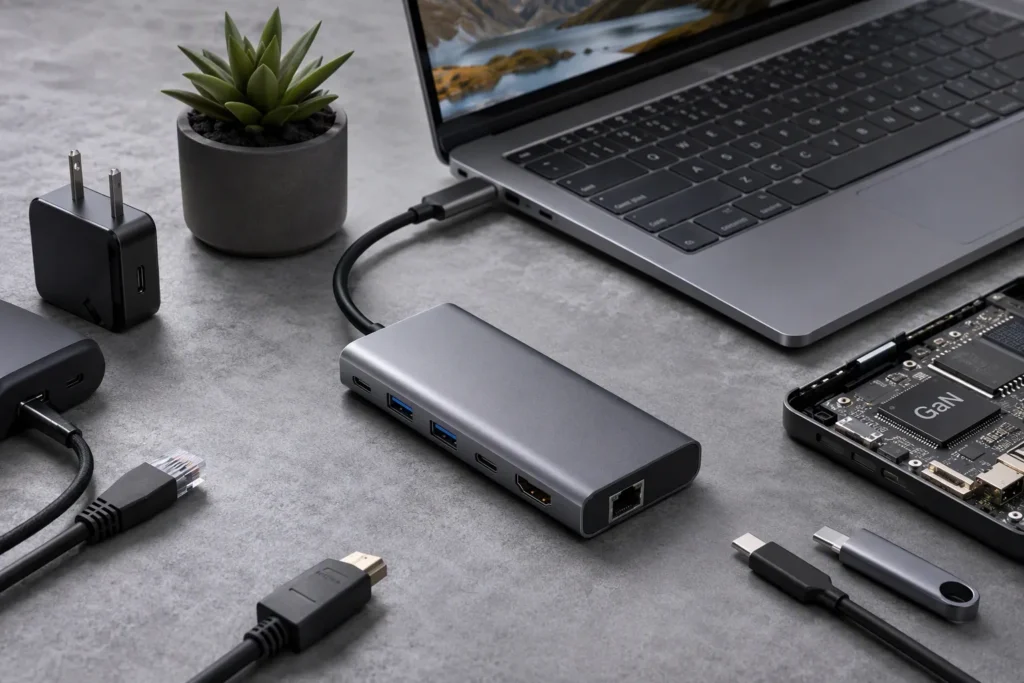
For channel buyers, the question is not simply whether a hub has HDMI, USB-A, Ethernet, and PD charging. The more useful question is: which functions can we safely list, support, and stand behind for Linux and Chromebook users? That answer should come from supplier documents, host-device information, and sample validation.
Why Is “Driverless” Not a Blanket Compatibility Promise for USB-C Hubs for Linux and ChromeOS?
“Driverless” sounds simple, but USB-C hubs combine several functions that depend on different parts of the host device and operating system. A buyer may assume that a hub works because a keyboard connects successfully, only to find that HDMI output or Ethernet behaves differently. That gap creates avoidable support work.
Driverless compatibility is feature-specific. A USB-C hub may work without separate drivers for USB peripherals and charging while video output, Ethernet behavior, display resolution, audio, or multi-monitor use still depends on the host port, OS version, kernel support, monitor configuration, and available bandwidth. Buyers should request confirmation by function rather than accepting a general “Linux supported” statement.
Start With the Meaning of “Driverless”
In product sourcing, “driverless” usually means that the product does not require the end user to download and install separate software before using a basic function. However, that does not mean the product works identically across every computer, Chromebook, Linux distribution, kernel version, display, or workload.
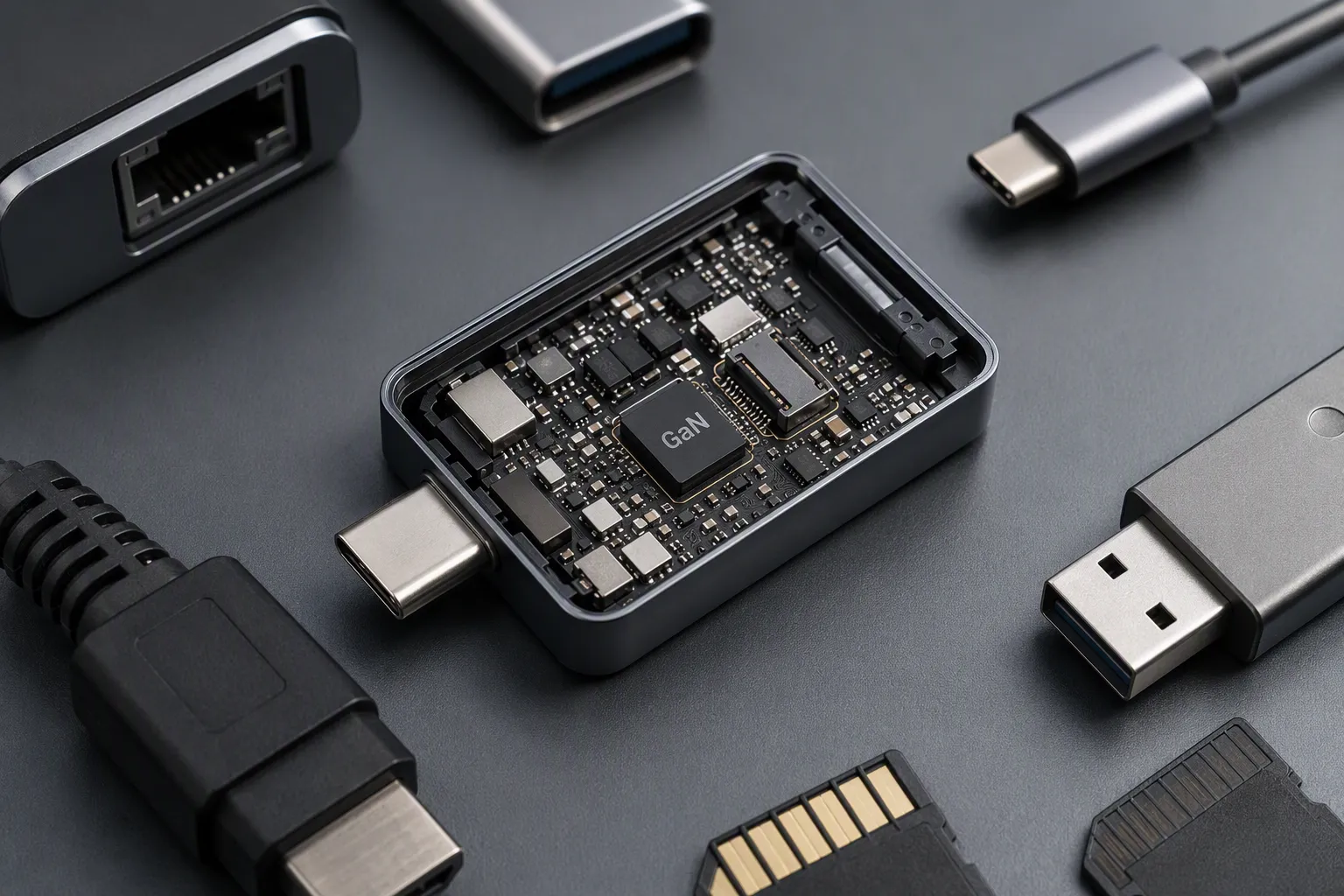
A USB-C hub is not one single function. It is a compact product that may include several electronic components and interfaces. Each interface can have different compatibility conditions.
For example, a customer may connect a USB mouse and keyboard immediately. That result can be genuinely plug-and-play. The same customer may then connect an external monitor and discover that the laptop’s USB-C port does not support video output. The hub itself may have an HDMI port, but the host device may not provide the necessary video signal through USB-C.
This is why we avoid turning the word “driverless” into a blanket promise in product descriptions. In our work as a Shenzhen 3C export trading company, we review specifications and compatibility questions before overseas customers turn product details into retail listings. We have found that the safest commercial approach is to separate the product’s physical ports from the host-dependent functions behind those ports.
A port on the hub is not automatically a capability of every connected laptop or Chromebook.[2]
Buyers should ask suppliers to clarify what “driverless” covers. A useful statement should identify:
- The hub model and hardware revision
- Each supported function
- The host connection requirements
- The operating environments reviewed by the supplier
- Known limitations or conditions
- Whether a feature requires a specific host capability
- Whether the supplier can provide a test record or sample for validation
A broad statement such as “supports Linux” may be useful as a starting point, but it is not enough for a product-page promise. Linux is not one fixed environment. ChromeOS devices also vary in USB-C implementation, display capability, power behavior, and supported accessories.
Build a Feature-by-Feature Driverless Checklist
We recommend that buyers evaluate USB-C hubs by individual functions. This helps procurement teams compare supplier claims and helps marketing teams avoid vague wording.
| Hub Function | What “Driverless” May Mean | What Buyers Should Verify |
|---|---|---|
| USB-A / USB-C data ports | Standard USB keyboard, mouse, storage, or webcam works without extra software | USB version, power availability, high-speed device behavior, host port limitations |
| HDMI / DisplayPort / VGA | Video works through the host USB-C video path | Host supports video over USB-C, monitor resolution, refresh rate, adapter chain, single or multi-display use |
| Ethernet | Network adapter is recognized by the OS | Supplier documentation, target OS environment, network speed claim, managed-network requirements |
| SD / microSD reader | Storage media is detected as removable storage | Card format, read/write conditions, simultaneous device use |
| Audio port | Audio output or headset function is available | Whether the host, OS, and hub design support the intended audio use |
| USB-C PD pass-through | Hub passes power from an external charger to the host | Charger wattage, hub power consumption, cable rating, laptop charging policy |
| Multiport operation | Several functions work together | Bandwidth allocation, heat, power demand, monitor setup, workload conditions |
This checklist matters because different buyer groups have different risk levels.
A wholesaler supplying general office accessories may only need to confirm basic keyboard, mouse, USB drive, and single-monitor use. An e-commerce seller targeting developers, Chromebook schools, remote workers, or Linux laptop users may need stronger documentation because their customers are more likely to use external displays, wired networks, portable SSDs, and charging at the same time.
The product listing should match the evidence available. If the supplier only confirms that HDMI works on selected USB-C video-capable hosts, the listing should not say “works with all USB-C laptops.” If Ethernet is expected to work without a downloadable driver in certain environments, that should not become “universal Linux Ethernet support” unless the seller has suitable evidence for that claim.
Video Output Is Usually the First Compatibility Risk
Display output is one of the most misunderstood areas of USB-C hub sourcing. A hub may be advertised with an output such as 4K HDMI, but the real result depends on the complete chain: host device, USB-C port capability, operating environment, cable, monitor, and display configuration.
The hub cannot create video capability if the host USB-C port does not provide a compatible video signal.[3] Some USB-C ports support charging and data only. Some hosts support one external display but not multiple displays.[4] Some configurations may reduce available display options when other high-bandwidth functions are active.
A responsible procurement review should separate these questions:
-
Does the host USB-C port support video output?
A USB-C connector alone does not answer this question. Buyers should ask for the target laptop or Chromebook documentation. -
What display interface does the hub provide?
HDMI, DisplayPort, and VGA outputs have different use cases. The physical connector does not by itself confirm every resolution or refresh-rate scenario. -
What monitor configuration is planned?
One display at a common office resolution is different from two monitors, a high-refresh display, or a display with unusual timing requirements. -
What else will run through the hub?
External drives, Ethernet traffic, card readers, webcams, and charging can all form part of the real-world use case. Bandwidth allocation can matter.[5] -
What does the target OS environment support?
A supplier’s generic hardware specification should not replace testing on the intended Linux distribution or ChromeOS device.
For Linux buyers, it is especially important not to collapse all operating environments into one statement. Different distributions can use different software stacks, desktop environments, kernels, and update schedules.[6] A result on one laptop with one distribution should not automatically become a claim for every Linux user.
For ChromeOS, buyers should also avoid assuming that every Chromebook has identical external-display behavior. A Chromebook’s processor platform, USB-C implementation, display policy, system version, and manufacturer design can influence the user experience.
We suggest that retail product copy uses careful wording such as:
- “External display functionality requires a USB-C host port with video output capability.”
- “Supported resolution and refresh rate depend on the host device, operating environment, monitor, and connection setup.”
- “Please verify your laptop or Chromebook’s USB-C display capability before purchase.”
- “For multi-display requirements, confirm the target host configuration before ordering.”
These statements are not weak marketing. They are practical expectation-setting. They reduce the chance that a customer assumes the hub’s maximum stated display capability is guaranteed on every device.
Ethernet, USB Peripherals, and Card Readers Need Separate Review
Many buyers focus on HDMI first, but Ethernet and USB peripheral behavior can also affect returns. A hub may be physically well made and still cause support issues if the product description treats all operating systems as identical.
For standard USB peripherals, the lowest-risk use cases are usually common keyboards, mice, and basic storage devices. Even then, buyers should consider the intended workload. A low-power mouse is not the same as a bus-powered external SSD, a high-resolution webcam, or several devices operating together.
When reviewing USB-C hubs, we encourage buyers to define the actual bundle of devices their customers may connect. A hub with multiple USB ports does not mean every port can supply unlimited power or that every combination of high-speed peripherals will perform in the same way.[7]
Questions for USB Peripheral Use
Ask the supplier:
- Which ports are intended for data only, charging only, or both?
- What USB data standard is specified for each port?
- Are there stated conditions for connecting external SSDs or hard drives?
- Is there a documented total power or bandwidth limitation across ports?
- Can the supplier provide a sample for a representative device mix?
- Are the product instructions clear about host power and cable requirements?
Ethernet deserves its own compatibility statement. A wired network port can be valuable for office users, retail back offices, installers, and users who want a stable connection. However, buyers should not assume that “Gigabit Ethernet” on a product specification automatically means identical results in every network and OS environment.[8]
A good supplier record should state the Ethernet function in practical terms and identify the operating environments reviewed. Buyers may also need to consider enterprise networks, security policies, managed devices, VPN requirements, and customer-side network equipment. Those conditions are outside a simple retail hub specification, but they can affect the final user experience.
Card readers are often straightforward, yet they still deserve accurate wording. Buyers should verify supported card formats, expected read/write use, whether simultaneous card use is supported, and any stated limitations. A retailer should avoid promising professional media workflow performance unless the supplier provides appropriate evidence and the seller validates the relevant use case.
Charging Pass-Through Is Not the Same as Guaranteed Laptop Charging
USB-C PD pass-through is another area where product listings can become too broad. A hub may accept power from an external USB-C charger and pass part of that power to the connected host. That does not mean every laptop will charge at its original charger’s full rating.
The final charging result can depend on several factors:
- The power rating of the external charger
- The power required by the hub itself
- The USB-C cable rating and quality
- The host laptop or Chromebook charging policy
- The number and type of connected peripherals
- The host’s battery state and active workload
- Whether the device accepts charging through that specific USB-C port
For example, a laptop may require more power during demanding work than during idle office use. A hub can also consume power for its own electronics and attached devices. If an external drive, Ethernet port, card reader, and monitor are all active, available power conditions may differ from a basic desktop setup.
We recommend that buyers distinguish between these terms:
| Listing Term | Safer Meaning |
|---|---|
| PD pass-through | The hub is designed to receive power from a compatible external USB-C PD charger and pass power to the host under stated conditions |
| Supports charging | Charging may be available, subject to charger, cable, host, and connected peripheral conditions |
| Includes charger | A charger is supplied in the package; buyers should still verify its rating and market-plug requirements |
| Full laptop charging | This should only be used when the supplier documentation and sample validation support a clearly defined host scenario |
A clear product page should encourage customers to use a suitable PD charger and cable. It should also explain that a hub is not a substitute for confirming the host device’s own charging requirements.
For B2B buyers, this is important when selecting a bundle. A low-cost hub can appear competitive until customer service teams start handling complaints about slow charging, battery drain during heavy use, or incompatibility with certain laptops. A slightly better-defined offer, supported by clearer documentation, can be easier to sell long term.
“Supports Linux” Needs Platform-Specific Evidence
The phrase “supports Linux” is useful only when it leads to more specific information. Linux users may run different distributions, kernel versions, desktop environments, and hardware platforms. They may also connect very different monitors, networks, storage devices, and power adapters.
We do not believe suppliers should make universal Linux claims without evidence. Instead, buyers should request a structured compatibility statement.
A practical request could include the following fields:
| Verification Item | Example of What to Request |
|---|---|
| Hub model | Exact model number, color or configuration, and hardware revision where applicable |
| Host type | Laptop, desktop, Chromebook, tablet, or other target device category |
| Host USB-C capability | Whether the host port supports charging, data, and video output |
| OS environment | Linux distribution and version, kernel information if available, or ChromeOS version/device family |
| Function tested | HDMI, Ethernet, USB storage, keyboard/mouse, card reader, audio, PD pass-through |
| Test conditions | Monitor type, resolution, refresh rate, charger rating, cable type, connected peripherals |
| Result | Working, limited, not tested, or not recommended |
| Known limitations | Conditions where the result may differ |
| Evidence | Supplier test record, product manual, host documentation, photos, or sample results |
This format gives buyers a much better basis for decisions than a generic compatibility badge. It also makes internal communication easier. Procurement teams can compare suppliers, product managers can set listing boundaries, and customer-service teams can prepare useful pre-sale questions.
In our experience reviewing product materials for export customers, unclear compatibility language creates problems later in the sales chain. The purchasing team may believe a product is suitable because the supplier used broad wording. The e-commerce listing may then repeat that wording. Finally, the end user may interpret it as a guarantee for a specific laptop and monitor setup.
The solution is not to avoid Linux or ChromeOS customers. These are valuable user groups. The solution is to sell to them with better qualification.
Use Samples Before You Make Retail Promises
Supplier documents are important, but samples are the practical next step when a claim matters to your assortment. This is especially true for USB-C hubs positioned for Linux users, Chromebook users, office deployment, education channels, or multi-monitor workstations.
A sample review does not need to become a huge laboratory program. It should focus on the specific claims that will appear in the listing and the customer scenarios most likely to generate returns.
For example, a retailer could create a simple internal validation plan:
-
Select two or three target host categories.
Include a Linux laptop with documented USB-C video capability, a Chromebook type relevant to the assortment, and a mainstream USB-C laptop if it is part of the broader target market. -
Define the claimed functions.
Test the functions the listing will mention: single monitor output, USB keyboard and mouse, USB storage, Ethernet, card reader, and charging pass-through. -
Use realistic accessories.
Connect a common office monitor, a known charger, a typical cable, and a standard keyboard or mouse. If the intended customer may use an SSD, include one. -
Record the exact setup.
Note the host model, OS environment, monitor, resolution, charger, cable, and connected peripherals. -
Record limitations honestly.
If a result depends on host video capability or a certain charger rating, keep that information for the listing and support team. -
Compare the result with supplier claims.
If the documentation is vague or inconsistent, ask the supplier to clarify before the product goes live.
This process does not prove every possible combination. It does give buyers a defensible basis for limited, accurate claims. It also helps buyers identify whether a product is suitable for a broad consumer listing or better positioned for a narrower, clearly defined user group.
Select Suppliers Based on Documentation Quality, Not Port Count Alone
A hub with more ports can look stronger in a catalog, but port count is only one part of supplier selection. For Linux and ChromeOS-oriented products, documentation quality can be a commercial advantage.
When we assess USB-C hub opportunities for overseas channel customers, we look beyond the front-page specification. We want to know whether the supplier can explain operating conditions in a way that a reseller can use.
A qualified supplier should be willing to discuss:
- The intended host connection requirements
- The difference between a physical USB-C port and USB-C video capability
- Stated display conditions and known limitations
- Charging pass-through conditions
- Function-specific compatibility information
- Product manuals and packaging language
- Quality-control checkpoints for production consistency
- Sample availability before mass purchasing
- MOQ, lead time, warranty handling, and customization options
- Relevant compliance documents for the destination market, which buyers should review and verify independently
Documentation is also important for quality control. If a supplier changes a component, controller, cable specification, enclosure process, or power design, the buyer may need to understand whether the product behavior could change. This does not mean every small production detail must appear in a retail listing. It means the buyer should have a clear supplier communication channel and a defined approval process for changes that affect advertised functions.
For retailers and wholesalers, this approach supports better commercial decisions:
- Lower return risk: Listings set realistic expectations.
- Better customer support: Teams can ask customers the right pre-sale questions.
- More reliable assortment planning: Buyers can separate basic hubs from higher-demand workstation products.
- Clearer supplier accountability: Feature claims are tied to records and samples.
- Stronger long-term positioning: Customers trust brands that explain compatibility honestly.
The best USB-C hubs for a Linux or Chromebook-oriented assortment are not necessarily the products with the longest port list. They are the products with claims that your business can explain, document, and support.
Frequently Asked Questions
Do USB-C hubs work with all Linux laptops?
No. USB-C hubs may work with many Linux laptops, but results depend on the laptop’s USB-C capabilities, Linux distribution, kernel version, connected devices, monitor setup, and hub function. Buyers should verify critical functions with supplier documentation and samples before making broad compatibility claims.
Do USB-C hubs work with Chromebooks?
Many USB-C hubs can provide useful functions on Chromebooks, but compatibility is not universal. Buyers should confirm the Chromebook’s USB-C capabilities, external display support, charging behavior, ChromeOS environment, and intended accessories. A single successful connection does not confirm every hub function or monitor configuration.
Does driverless mean HDMI will work automatically?
No. Driverless does not guarantee HDMI output. The host USB-C port must support video output, and the result can depend on the operating system, monitor, resolution, refresh rate, cable, and available bandwidth. The hub’s maximum display specification is not a guaranteed result for every host.
Can a USB-C hub charge any laptop through pass-through charging?
No. Charging pass-through depends on the charger, cable, hub power consumption, connected devices, and laptop charging requirements. Some laptops may charge slowly, may not charge under heavy load, or may require a higher-rated charger. Buyers should verify the intended host and charger combination.
What should a retailer ask a USB-C hub supplier about Linux compatibility?
A retailer should request feature-by-feature information for video, Ethernet, USB ports, card readers, audio, and PD pass-through. The request should identify the hub model, host type, OS environment, test conditions, known limitations, and available evidence. Samples should validate claims that will appear in product listings.
Conclusion
USB-C hubs for Linux and ChromeOS should be sourced and marketed with careful, feature-specific compatibility language. “Driverless” can be useful, but it does not guarantee that every port will work the same way across every laptop, Linux distribution, Chromebook, monitor, charger, or workload. We recommend asking suppliers for structured compatibility records, reviewing available documents, and validating critical functions with samples before making retail promises. If you are sourcing USB-C hubs for European or US channels, we can help you review specifications, MOQ options, lead times, customization requirements, and practical product documentation.
Sources
- Defined Class Codes", USB-IF class specifications describe separate standardized device classes and interface behaviors, supporting the distinction between a multiport hub's individual functions rather than treating “driverless” operation as a universal property
- What is USB-C DisplayPort (DP Alt Mode) and Why it Matters", USB Type-C technical documentation explains that capabilities such as Alternate Mode video transport are optional implementations; consequently, a USB-C connector alone does not establish that every connected host can use every hub port
- VESA Releases Updated DisplayPort™ Alt Mode Spec ...", VESA's DisplayPort Alt Mode materials state that DisplayPort signals can be transported through USB Type-C only through a supported Alt Mode implementation, supporting the conclusion that a passive multiport hub cannot add native video-output capability absent from the host
- Connect your Chromebook to a monitor - Google Help", Official device-support documentation commonly specifies external-display configurations by model or hardware platform, supporting the statement that some hosts can support only one external display while others may support different configurations
- VESA Releases Updated DisplayPort™ Alt Mode Spec ...", USB Type-C and DisplayPort Alt Mode technical materials describe configurations in which available high-speed lanes are assigned to display and USB data transport, supporting the statement that simultaneous hub functions can be affected by bandwidth allocation
- Linux Distribution - an overview", Reference descriptions of Linux distributions document variation in their bundled software, desktop environments, package management, kernel choices, and release practices, providing context for treating a result on one Linux environment as non-universal
- Understanding USB Hubs: The Backbone of USB Connectivity", USB hub specifications describe upstream and downstream ports, power-control requirements, and finite bus resources, supporting the conclusion that multiple physical ports do not provide unlimited power or independent maximum-speed performance in every simultaneous-device configuration
- and Implications for Fiberoptic - and Copper Connections", Networking performance literature distinguishes an interface's nominal link rate from achieved throughput, which is influenced by host processing, protocol overhead, network configuration, and path conditions; this supports cautious interpretation of a “Gigabit Ethernet” product label