Desktop GaN charging stations can look similar on a product page, but office buyers can face returns and complaints when the real multi-device output does not match the sales promise. A high total wattage number alone does not show what happens when two laptops, phones, and accessories connect at the same time.1 I recommend buyers start with actual office charging scenarios, then verify port power, power-sharing rules, thermal design, and applicable compliance documents.
A desktop GaN charging station is a multi-port power device designed to charge laptops, phones, tablets, and accessories from one desk-based unit. For office sourcing, buyers should select a model based on simultaneous device demand rather than total wattage alone. They should verify each USB-C port’s output, the manufacturer’s power-allocation table, temperature-control design, target-market certification documents, and production quality-control process before placing a bulk order.
From my discussions with overseas importers, the first question is often, “How many watts is it?” I usually suggest a different starting point: Which devices will charge at the same time? That simple change helps buyers compare desktop charging stations more accurately and avoid making claims that a specific SKU cannot support in real office use.
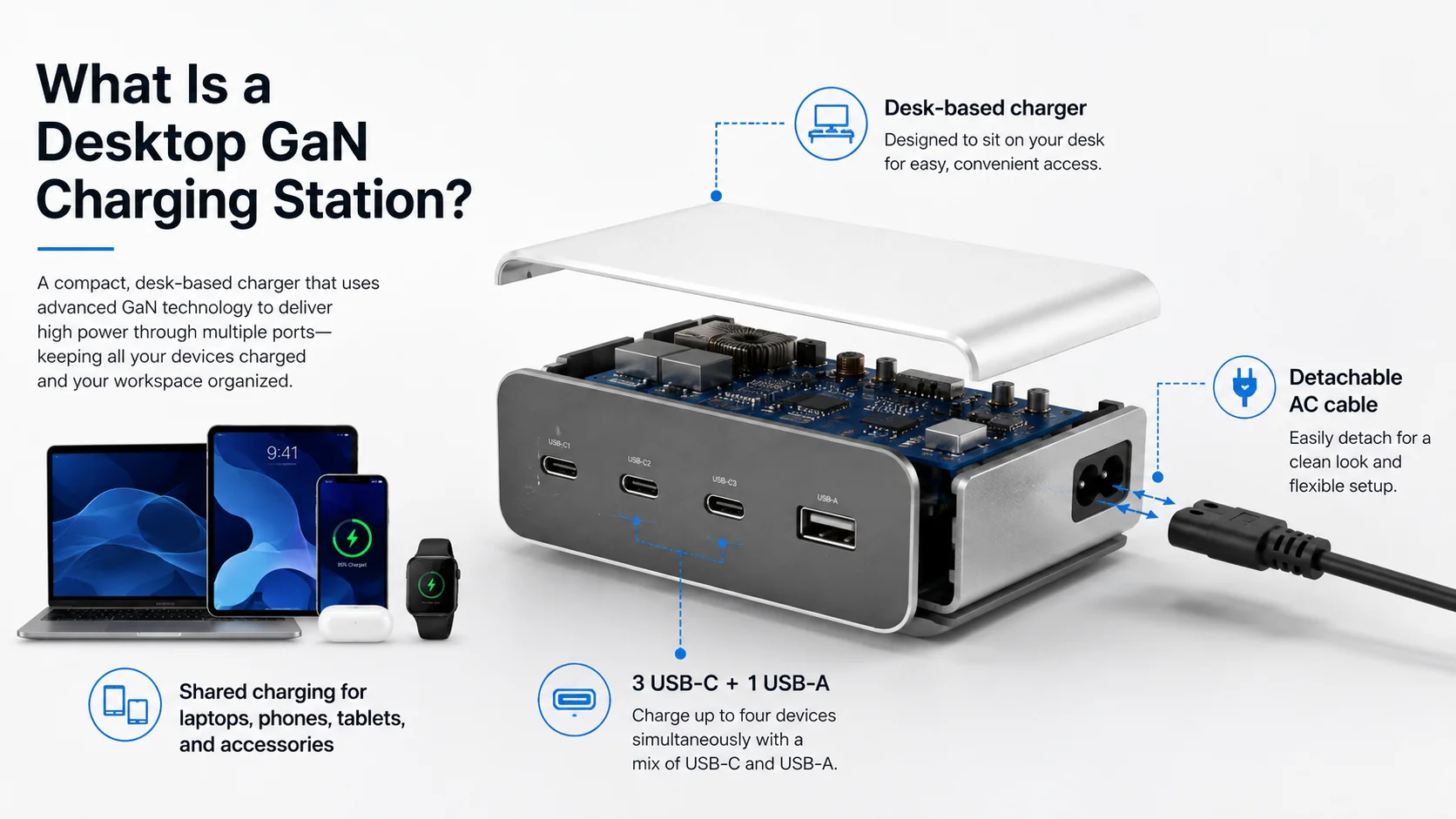
What Is a Desktop GaN Charging Station for Offices?
Office buyers often need a cleaner way to power laptops and personal devices, but standard wall chargers create cable clutter and consume too many outlets. This can become more frustrating in shared desks, meeting rooms, and flexible workspaces. A desktop GaN charging station can centralize USB charging, provided that its usable output matches the intended devices.
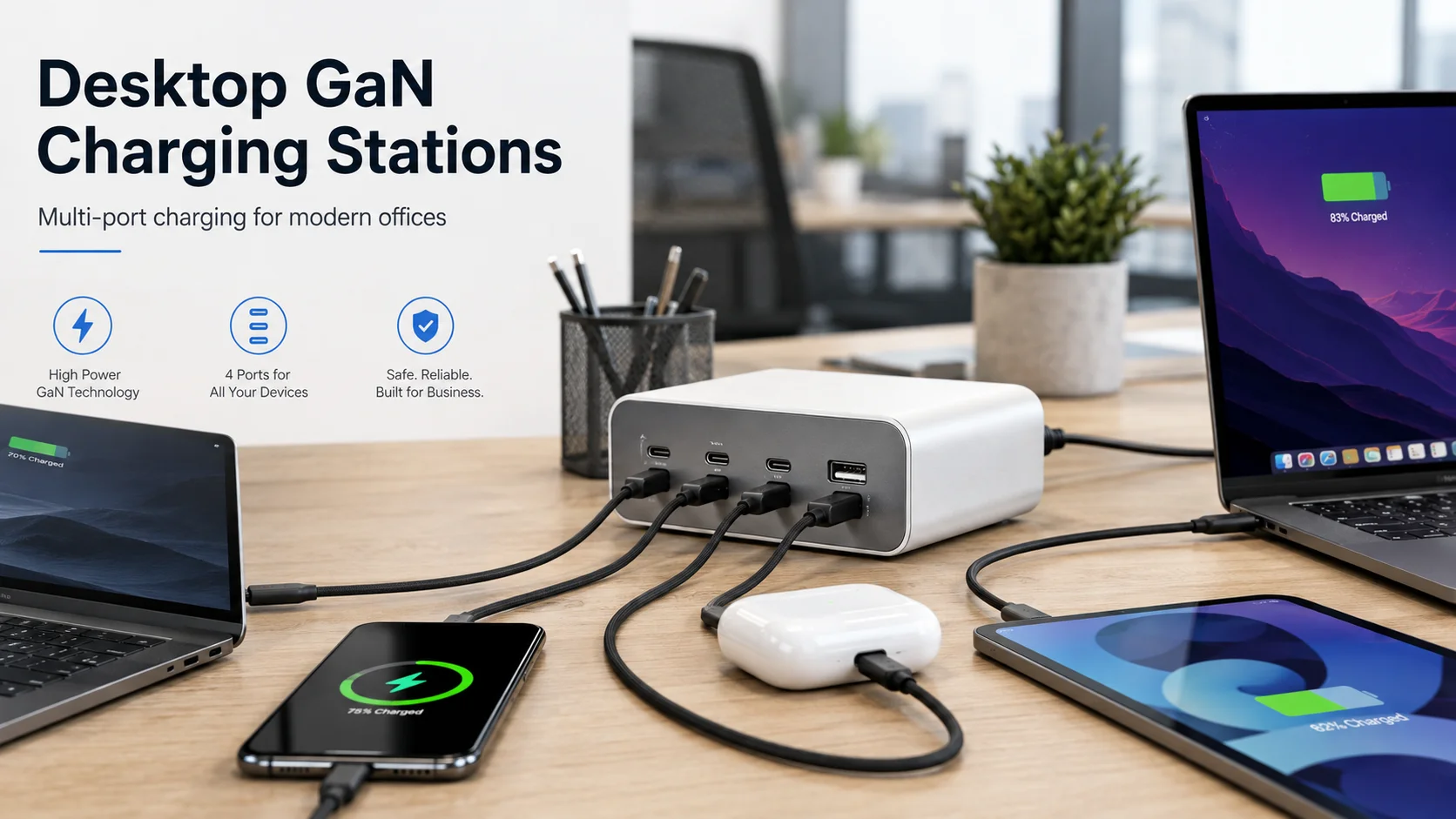
A desktop GaN charging station is a desk-based charger with multiple USB-C and USB-A ports, usually powered by a detachable AC cable.2 It can charge several devices from one unit, but buyers should check both total output and simultaneous per-port output. A desktop model is typically more suitable than individual chargers when offices need shared, organized charging access.
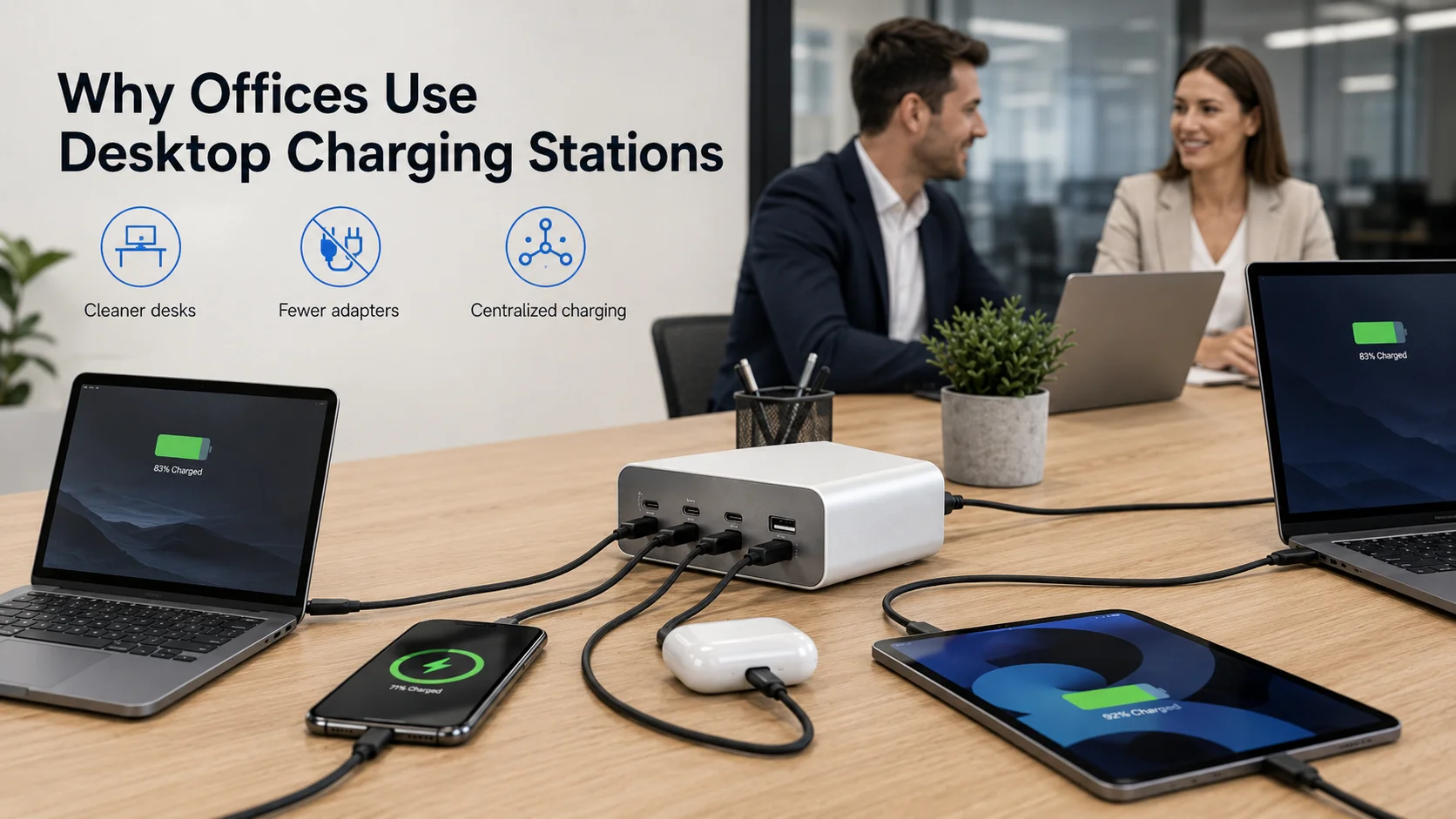
Why offices use desktop charging stations
I see several common office-use scenarios when buyers ask us about desktop charging products:
- Individual workstations with a laptop, phone, earbuds, and tablet
- Shared hot desks for hybrid teams
- Conference-room tables where visitors need quick charging
- Reception areas and customer waiting spaces
- Retail display zones for charging-compatible electronics
- Small offices where outlet access is limited
A desktop unit usually stays on the table rather than hanging from a wall socket. This placement can improve convenience because users can reach ports without bending under a desk or unplugging another device.
However, “multi-port” does not automatically mean “suitable for every office.” A four-port product may be ideal for one laptop, one phone, and two low-power accessories. The same product may not be appropriate for two power-hungry laptops at the same time.
For procurement teams, I recommend defining a simple user profile before comparing models:
| Office User Profile | Typical Simultaneous Devices | Recommended Evaluation Focus |
|---|---|---|
| Standard desk user | Laptop + phone + earbuds | USB-C laptop output and accessory power sharing |
| Shared desk | Two laptops + phones | Dual USB-C simultaneous output |
| Meeting room | Several phones/tablets | Port count, cable accessibility, shared total power |
| Executive desk | Laptop + tablet + phone | Higher USB-C output, finish, display, cable management |
The best office charging station is not necessarily the model with the largest wattage label. It is the one that supports the buyer’s real device mix with clear specifications.
Why Are Desktop GaN Charging Stations Growing in Modern Offices?
Many offices now support laptops, mobile phones, tablets, wireless earbuds, and other USB-powered accessories. Multiple wall chargers can make desks look messy and complicate outlet management. A desktop GaN charging station gives buyers a way to offer centralized charging while reducing the number of separate adapters used at a workstation.
Desktop GaN charging stations are growing because modern offices charge more USB-C devices at each desk. They can combine several charging ports in one compact product, support laptop charging on selected USB-C ports, and improve desk organization. Buyers still need to verify real multi-port performance rather than relying on a general “high-power” claim.
The shift toward USB-C office charging
USB-C has become more common across laptops, smartphones, tablets, and accessories.3 This shift gives retailers and wholesalers a clearer opportunity to offer charging products for professional environments rather than only travel or home use.
In buyer selection discussions, I often hear that offices want fewer adapters on each desk. A single desktop charger can help simplify the setup, but the benefit depends on the charger’s layout and specifications.
For example, a useful office-oriented design may include:
- Two or more USB-C ports with Power Delivery support
- One or two USB-A ports for older accessories
- A stable desktop housing that does not move easily
- A long enough AC cable for desk placement
- Clearly marked ports and output information
- Optional LCD or digital power display, where appropriate
Cable management also matters. A compact charger with ports on the front or top may be easier to use than a unit with ports positioned awkwardly at the back. Retail buyers should consider packaging, cable inclusion, plug options, and desk aesthetics as well as electrical specifications.
GaN technology helps manufacturers create higher-power designs in relatively compact housings.4 Still, I would not describe GaN as automatic proof of quality or safety. Product quality depends on the complete design, component selection, assembly control, thermal approach, documentation, and inspection process.
For a wholesale buyer, the commercial question is simple: can this model serve a real office need without encouraging exaggerated product claims? Clear port labeling and realistic marketing language can reduce confusion after sale.
How Does GaN Technology Improve Desktop GaN Charging Stations?
Traditional charger designs can become larger as power output and heat-management demands increase. Buyers want compact products, but they also need enough output for laptops and multiple connected devices. GaN technology can support higher power density, which is why it is widely discussed in modern charging products.
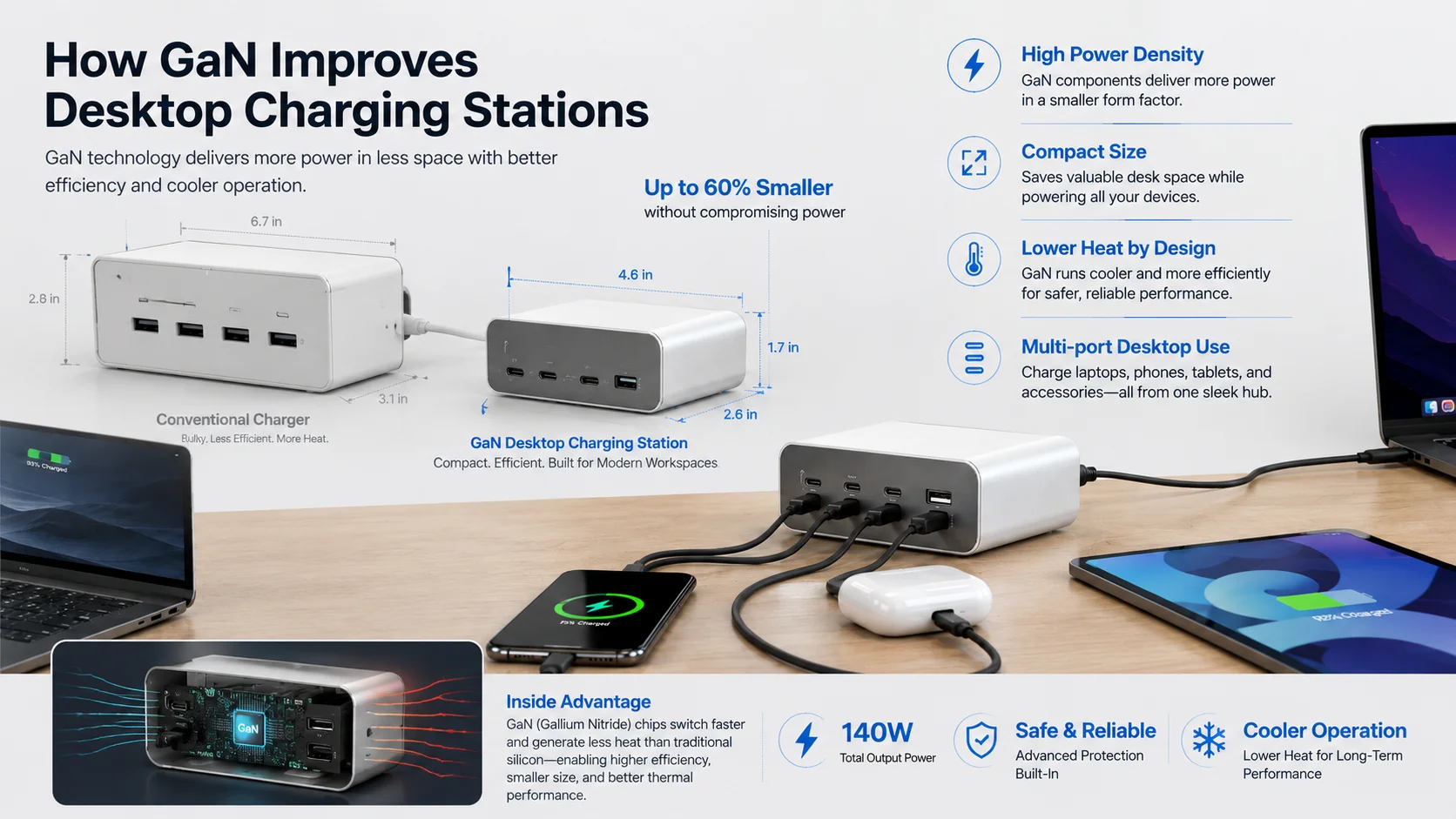
GaN, or gallium nitride, is a semiconductor technology used in some charging designs to help achieve compact size and high power density.5 In desktop GaN charging stations, it may support 100W, 140W, 200W, or higher total-output designs. Buyers should evaluate the complete product design, not treat the word “GaN” as a guarantee of performance or compliance.
What GaN does—and does not—tell a buyer
A GaN charger often gives product developers more flexibility in compact, higher-power charger formats. This can be valuable for desktop products because the charger may need to support several ports while remaining practical for office desks.
Potential buyer-facing advantages may include:
- A more compact housing than some conventional designs
- Higher power-density potential
- A product format suitable for multi-device charging
- Better positioning for modern USB-C laptop users
- Opportunities for premium office and travel-product ranges
However, I advise buyers to avoid using “GaN” as a shortcut for every quality claim. A product can include GaN technology and still require careful evaluation of its output behavior, thermal design, enclosure materials, internal build quality, and documentation.
Total output is only the first number
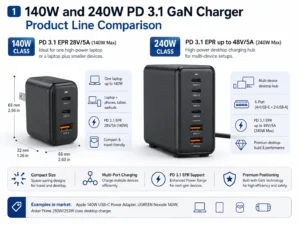
Desktop models commonly appear in ranges such as 100W, 140W, 200W, and 240W total output. These figures are useful for initial comparison, but they do not tell the whole story.
A 200W GaN charger may have several different allocation patterns depending on the supplier’s design. One unit may prioritize a 140W USB-C port. Another may prioritize two 100W USB-C ports. These products can have the same total rated wattage but serve different customers.
For this reason, I ask suppliers and buyers to discuss the intended SKU in terms of connected-device combinations, not only headline wattage. That is especially important for European and North American retailers selling to laptop users.
How Does Power Distribution Work in Desktop GaN Charging Stations?
A buyer may see “200W” on a product listing and assume every port can deliver its maximum rating at the same time. That assumption can lead to incorrect sales copy and disappointed end users. Multi-port charging depends on the product’s internal power-sharing logic.
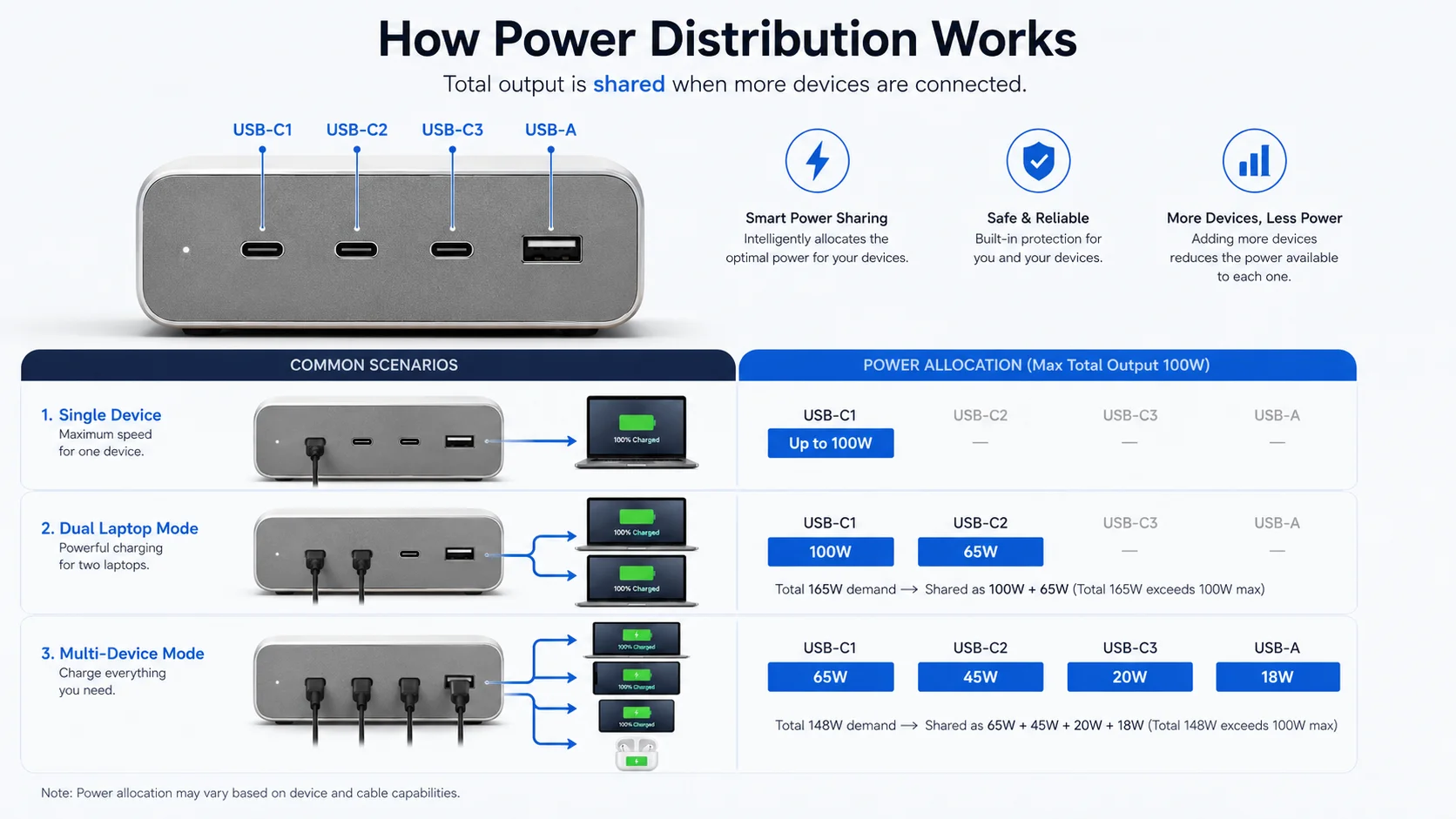
Power distribution in desktop GaN charging stations determines how total available power is divided when multiple devices connect. A charger may provide high output through one USB-C port when used alone, then reduce or redistribute output when additional ports are active.6 Buyers should request a port-combination power table before approving a wholesale order.
Total wattage versus per-port wattage
These are different specifications:
- Total output: The maximum combined power the charger can provide across all ports.
- Single-port output: The maximum power available from one port when conditions allow.
- Simultaneous output: The available power when two or more ports are in use.
- Power allocation table: The manufacturer’s chart showing output under specific port combinations.
For example, a charger may be labeled as 200W total output. It could potentially support:
| Connected Ports | Example Allocation Pattern | Buyer Interpretation |
|---|---|---|
| USB-C1 only | Up to 140W | Suitable for compatible higher-power laptop use |
| USB-C1 + USB-C2 | 100W + 100W | Potentially suitable for two laptops |
| USB-C1 + USB-C2 + USB-A | 100W + 65W + 18W | Suitable if this exact allocation is documented |
| All ports active | Shared output varies | Buyers must confirm the table, not assume maximum output per port |
These figures are examples, not universal standards. Actual allocation depends on the specific charging station design and firmware logic.
What happens when another device connects?
When a phone or tablet is plugged into a new port, the charger may renegotiate output with connected USB-C devices. Some laptops may briefly pause charging or show a changed charging status during renegotiation.7 This behavior can vary by device and charger design.
I recommend that buyers test the combinations they expect their customers to use. A practical sample review might include:
- One laptop on the main USB-C port
- One laptop plus one phone
- Two laptops
- Two laptops plus accessories
- All ports occupied
- Extended charging under the highest intended load
This review protects retailers from describing a charger as “dual laptop charging” without confirming the simultaneous output specification.
How Does a Desktop GaN Charging Station Compare With Wall Chargers and Power Strips?
Buyers may be deciding among individual wall chargers, USB power strips, and desktop charging stations. Each solution can fit a different office layout. The best choice depends on desk location, device mix, user behavior, cable-management needs, and the intended sales channel.
A desktop GaN charging station is generally better for centralized USB charging at shared desks and office workstations, while wall chargers suit individual users and power strips provide broader AC outlet access. Buyers should compare usable USB-C power, number of devices, heat-management design, and desk convenience rather than selecting only by price.
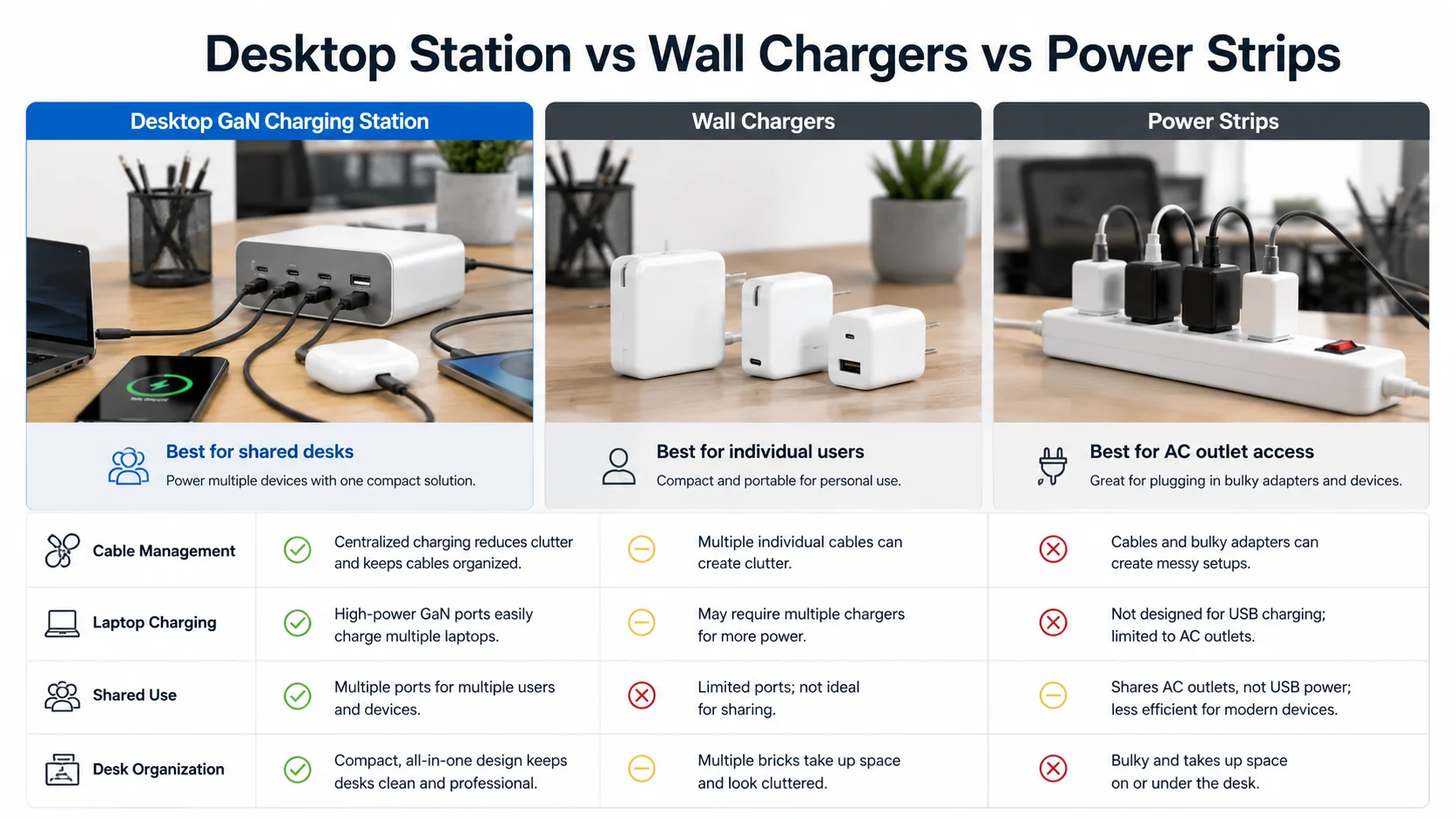
| Charging Solution | Power Output | Number of Devices | Desk Convenience | Laptop Charging | Cable Management | Heat Management | Best Use Case |
|---|---|---|---|---|---|---|---|
| Desktop GaN charging station | Often 100W–240W+ total | Usually 3–6 USB devices | High | Strong on selected USB-C ports | Good when positioned on desk | Requires product-specific evaluation | Shared desks, meeting rooms, professional setups |
| Wall charger | Often 20W–140W+ | Usually 1–4 devices | Medium | Good on suitable USB-C models | Can create hanging cables | Depends on specific design | Individual users, travel, home office |
| AC power strip | Varies by AC and USB design | Many AC and USB devices | Medium | Depends on USB output | Can become cluttered | Depends on full strip design | General office outlet expansion |
| Mixed AC + USB desktop station | Varies widely | AC devices plus USB devices | High | Depends on USB-C specification | Good for mixed device environments | Requires careful validation | Reception desks, meeting rooms, flexible workspaces |
Choosing by office deployment
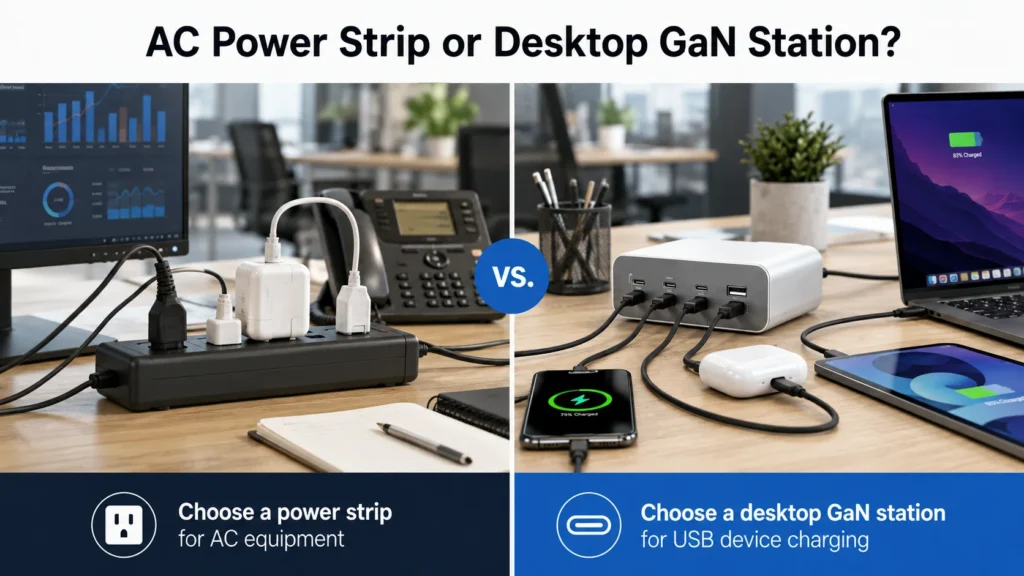
A wall charger works well when each employee has a dedicated outlet and only one or two devices. A power strip may work better when users need AC sockets for monitors, lamps, or other office equipment.
A desktop GaN charger is more focused. It is designed for direct USB charging and can reduce the need for several separate adapters. It may be especially practical where laptops, phones, and tablets are the primary devices.
I suggest that buyers avoid positioning a USB charger as a replacement for all office power strips. A USB charging station and an AC extension product solve different problems. Clear product positioning helps wholesalers create better listings and reduces end-user confusion.
Can a Desktop GaN Charging Station Charge Two Laptops at the Same Time?
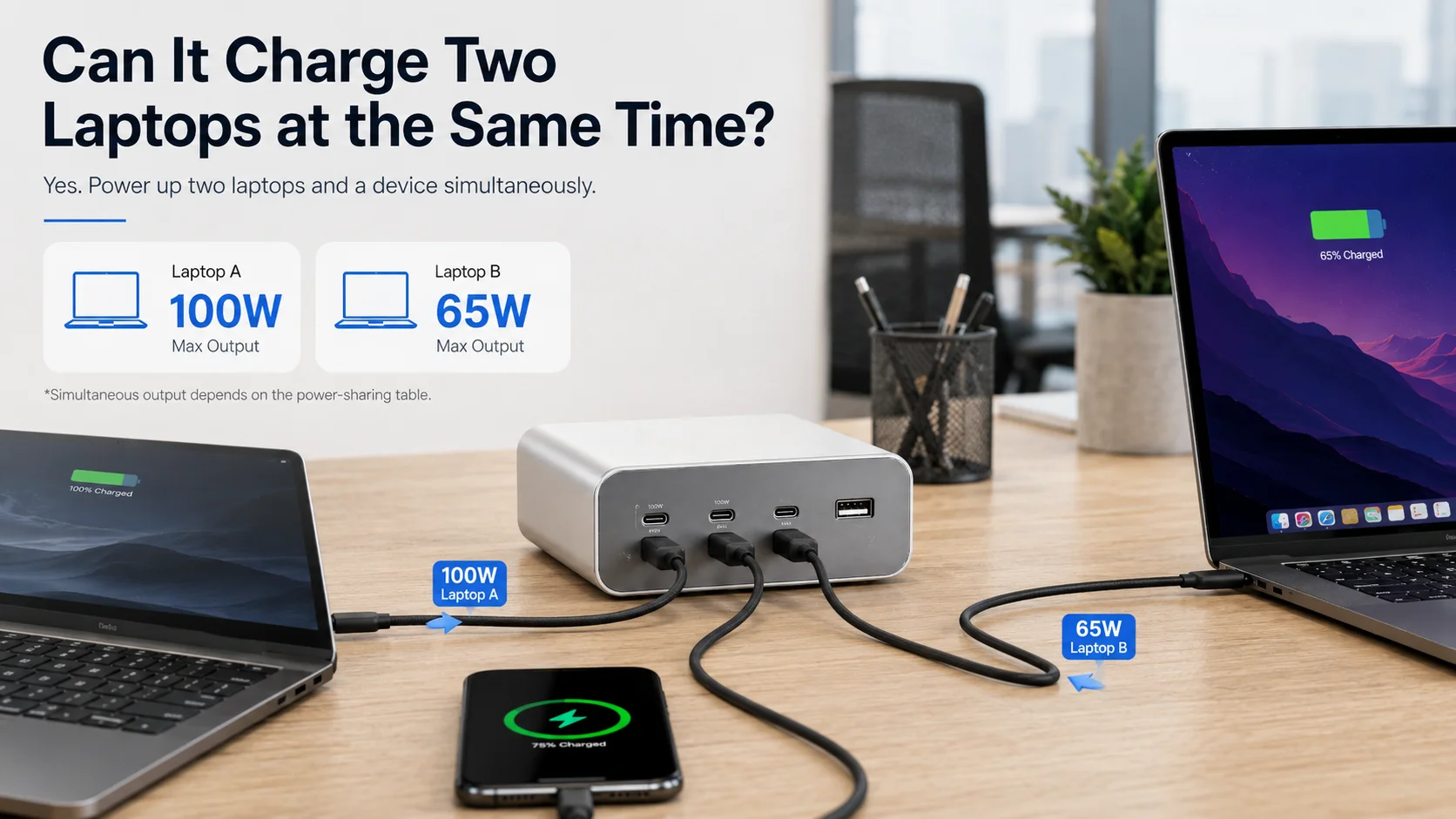
Two-laptop charging is one of the most valuable office claims, but it is also one of the easiest claims to overstate. A high total wattage does not automatically mean two USB-C ports can each provide adequate laptop power simultaneously. Buyers should review the actual dual-port allocation.
A desktop GaN charging station can charge two laptops at the same time only when its USB-C ports and documented power-sharing table provide sufficient simultaneous output for both devices. A 140W or 200W+ model may support dual-laptop charging, but buyers must confirm the available wattage on each port when both laptops are connected.
Start with laptop requirements
Laptop charging needs vary widely. Some compact laptops may work well with 45W or 65W charging. Other notebooks may require higher USB-C PD power for normal charging behavior under heavier workloads.8 Some laptops may not accept USB-C charging at all.9
Before sourcing, I recommend that buyers identify:
- The laptop categories their customers use
- Typical adapter wattages for those devices
- Whether customers expect charging while working
- Whether USB-C PD compatibility is confirmed
- Whether 100W, 140W, or higher USB-C capability is relevant
- Which two-laptop combinations should be tested
A 100W desktop charger may be suitable for one laptop plus mobile devices. It may not be the best choice for two laptops if each needs meaningful power at the same time.
Avoid vague claims
Instead of writing “charges two laptops” without detail, buyers can use more responsible wording when supported by verified specifications, such as:
“Supports dual USB-C charging according to the documented port-combination output table.”
This wording directs attention to the real specification. It also gives sales teams a clear source for answering customer questions.
I have found that this approach is more useful than a simple wattage headline. It helps buyers select an office charging station that matches their actual retail promise.
Is an AC Power Strip or Desktop GaN Charging Station Better for Offices?
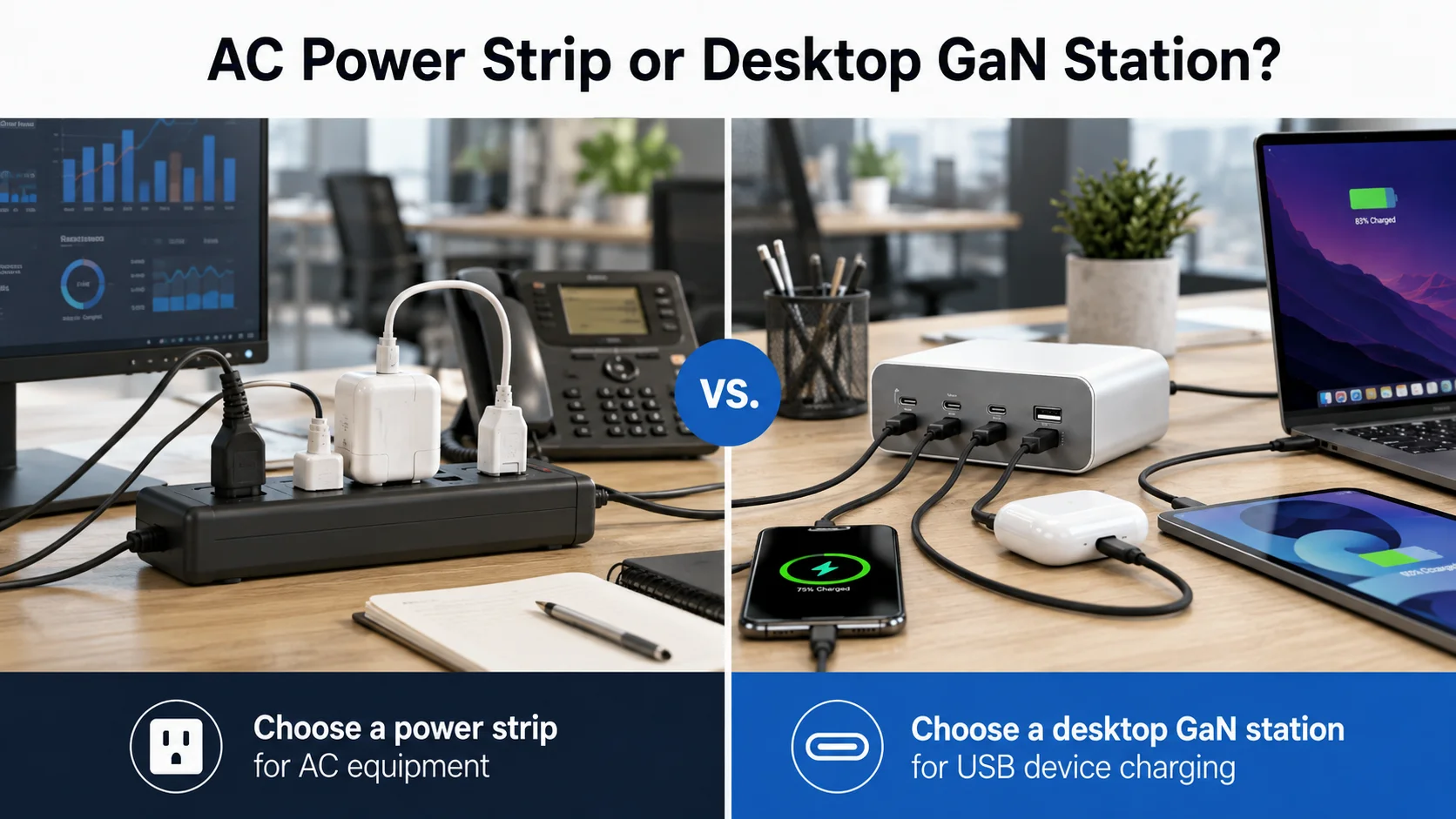
Office buyers may want AC outlets and USB ports in one product, especially in meeting rooms or shared work areas. Yet a mixed AC-and-USB station is not always the right answer. A direct USB-C desktop charger can be simpler when most devices already charge through USB-C.
An AC power strip is better when users need mains outlets for equipment such as monitors or adapters, while a desktop GaN charging station is better for direct USB-C and USB-A device charging. Mixed designs can suit some offices, but buyers should assess outlet standards, safety documentation, internal layout, and target-market requirements carefully.
Direct USB charging versus AC expansion
A pure USB-C and USB-A desktop charger usually has a clearer role: charging portable electronics directly. It can be easier to position as a laptop-and-device charging solution.
An AC power strip has a broader role because it supplies mains power.10 This can be useful, but it may introduce more sourcing variables, including plug style, socket configuration, rated current, switch design, cable requirements, and market-specific standards.
For many B2B buyers, the decision can follow this simple logic:
| Requirement | Better Starting Point |
|---|---|
| Charge laptops, phones, and tablets | Desktop USB-C GaN charger |
| Power monitors, lamps, and adapters | AC power strip |
| Support both USB devices and AC equipment | Mixed AC + USB design, with deeper evaluation |
| Create a compact shared-desk charging point | Desktop GaN charging station |
Sourcing considerations for mixed products
Mixed AC-and-USB products can create stronger visual appeal, but buyers should not assume that every feature is equally suitable for every market. They should verify the exact plug, socket format, rated specifications, applicable documentation, labels, and instructions.
I recommend that buyers keep their product claims specific. If the product is intended mainly for USB-C laptop charging, it is often better to market it around that core use rather than adding unnecessary AC features that complicate procurement.
What Features Matter in Wholesale Desktop GaN Charging Stations?
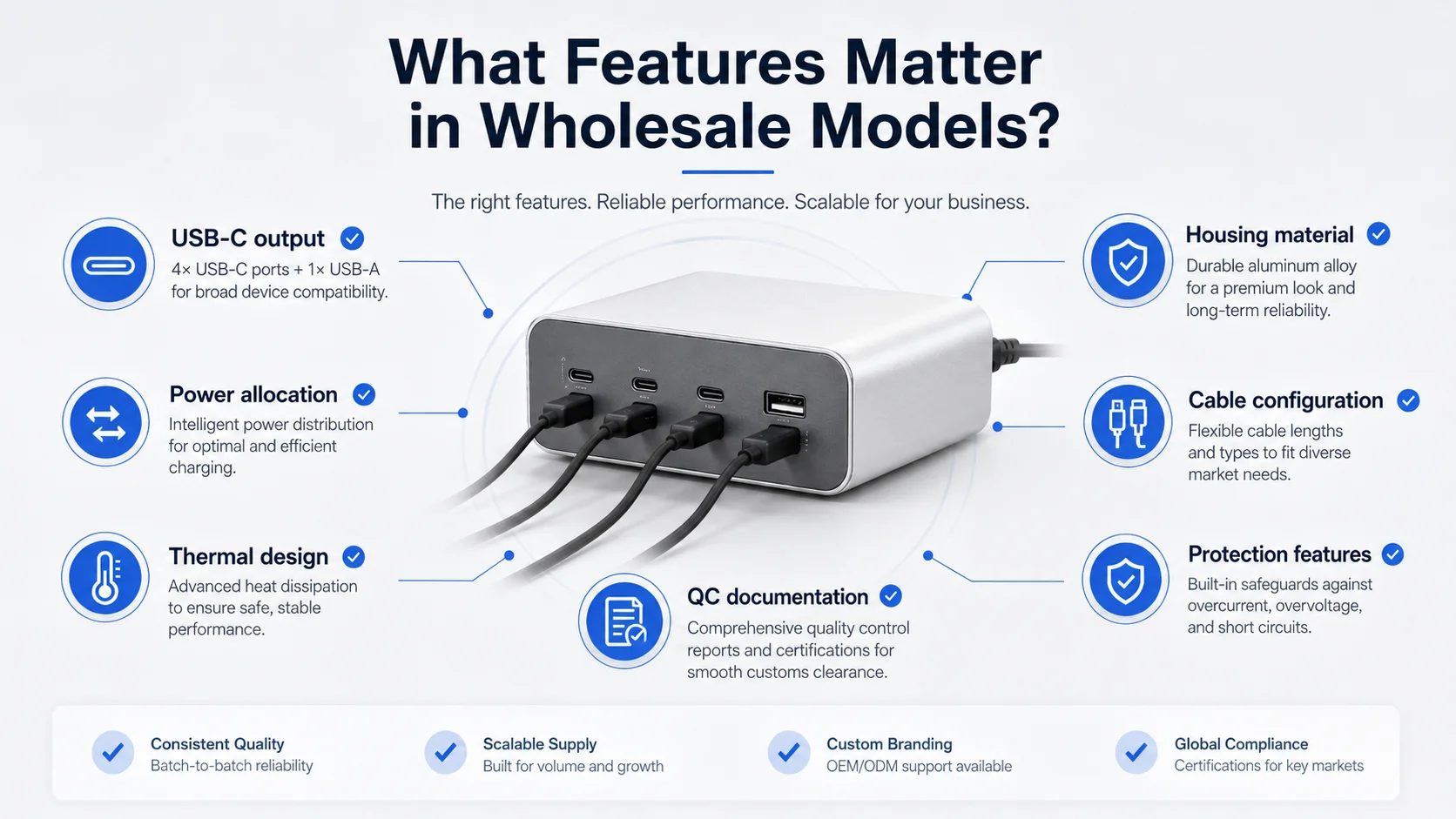
A charger may have an attractive shell and a large wattage number, but buyers need to assess the features that affect usability, product positioning, and return risk. The right feature set depends on the target retail price, office scenario, and expected device mix.
Wholesale desktop GaN charging stations should be evaluated by USB-C port capability, PD and PPS support where documented, power allocation, cable configuration, thermal design, housing materials, and protection-related documentation. Buyers should prioritize features that support their real office users rather than selecting every available feature.
Core specification checklist
I suggest using a comparison sheet that includes the following items:
- Total rated output: For example, 100W, 140W, 200W, or higher
- USB-C port count: Important for laptop and modern-device use
- USB-A port count: Useful for legacy cables and accessories
- Single-port USB-C output: Especially for the main laptop port
- Multi-port allocation table: Essential for accurate sales claims
- PD and PPS support: Verify the claimed protocols by model
- AC cable type and length: Important for office installation
- Plug options: Relevant for US, EU, UK, and other markets
- Display options: LCD power displays may add value but should be checked for readability and accuracy claims
- Housing material: Buyers may request material information and fire-resistance documentation where applicable
- Port spacing and access: A practical factor for daily use
Safety and documentation review
Terms such as over-current protection, over-voltage protection, short-circuit protection, and temperature protection are common in charger marketing.11 Buyers should ask what evidence supports those claims for the specific model.
I recommend reviewing:
- Product specifications
- Product labels
- User manual statements
- Applicable test reports or certification documents
- Factory quality-control records available for the order
- Consistency between all documents and the physical sample
Certification marks should not be treated as sufficient by themselves.12 Buyers should verify whether the documents apply to the exact product model, target market, factory information, plug version, and sales destination. Qualified compliance professionals can help evaluate market-specific obligations.
How Can Buyers Source Reliable Desktop GaN Charging Stations From China?
Importers may find many similar-looking chargers from China, but product similarity does not remove the need for supplier verification. Differences in components, power allocation, assembly control, packaging, and documentation can affect the commercial suitability of a desktop charger.
To source reliable desktop GaN charging stations from China, buyers should compare suppliers, request samples, test real multi-port charging combinations, review temperature and aging-test procedures, verify applicable documents, and conduct production inspection. OEM buyers should also confirm branding, packaging, MOQ, lead time, and approved specifications before mass production.
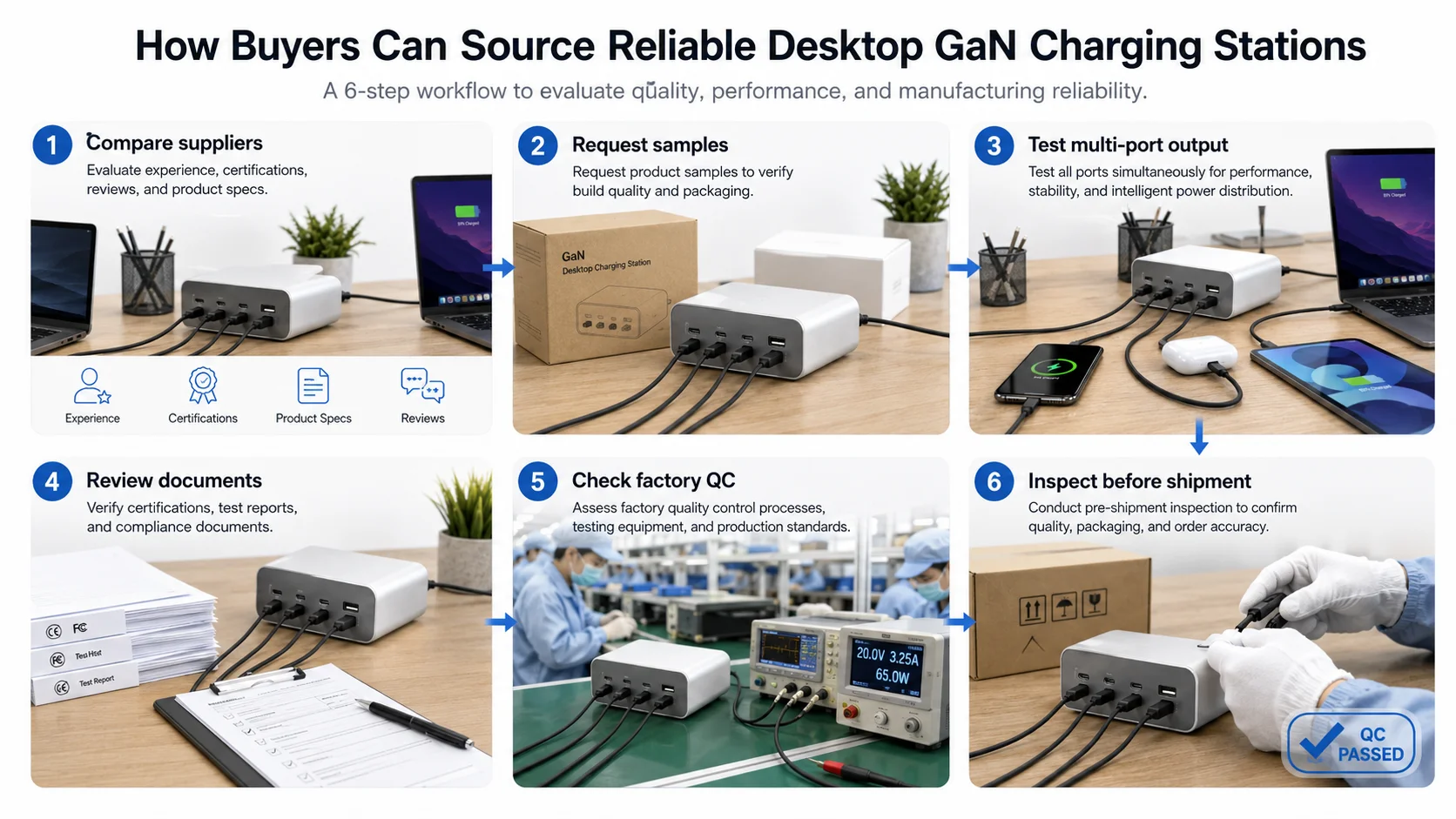
A practical sourcing workflow
As a Shenzhen-based charging-product supplier, I have seen that the strongest buyer inquiries are usually specific. They describe the intended users, target market, expected order quantity, and required port combinations.
A practical sourcing process can include:
- Define the office scenario. List the devices that will charge simultaneously.
- Shortlist suppliers. Compare product ranges, communication quality, export experience, and available documentation.
- Request the power-allocation table. Do not rely only on the total output rating.
- Order samples. Compare charging behavior, port layout, housing finish, cable quality, packaging, and labels.
- Test intended combinations. Include two-laptop use if that is part of the product claim.
- Review thermal and aging procedures. Ask suppliers how they manage these checks during production.
- Verify documentation. Cross-check model numbers, product labels, certificates, reports, and destination-market requirements.
- Approve a golden sample. Lock the agreed product appearance and specification before production.
- Arrange production inspection. Confirm workmanship, labeling, packaging, accessories, and functional checks.
OEM and private-label preparation
For private-label desktop charging station projects, buyers should confirm more than the logo placement. They should approve:
- Brand artwork and logo method
- Packaging language and compliance markings
- Manual content
- Plug configuration
- Included AC cable
- Color and surface finish
- Barcode and carton markings
- MOQ and lead time
- Spare-part or after-sales policy
At KingSourcing, we can help buyers compare desktop charging station suppliers, verify power specifications, evaluate samples, and manage production and quality control in China. I recommend treating each model as a separate product-validation project rather than assuming that two similar chargers perform the same way.
Frequently Asked Questions
What is the best wattage for an office desktop charging station?
The best wattage depends on simultaneous device use. A 100W model may suit one laptop plus phones and accessories. A 140W, 200W, or higher model may be more appropriate for dual-laptop scenarios, but buyers should verify the exact multi-port power-allocation table.
Can a 200W GaN charger deliver 200W from every port?
No. A 200W rating usually refers to total combined output, not the output from every port at once. Each port has its own maximum capability, and the available output can change when multiple devices are connected. Buyers should request the supplier’s port-combination chart.
Is GaN safer than a normal charger?
GaN is a semiconductor technology, not an automatic safety guarantee. Buyers should assess the complete charger design, manufacturing controls, applicable documents, product labels, test information, and target-market requirements. Product-specific evidence is more meaningful than a general GaN claim.
What should wholesalers test before ordering desktop charging stations?
Wholesalers should test the charging combinations their customers will use, such as one laptop plus a phone or two laptops plus accessories. They should also review port output, power renegotiation behavior, temperature during extended use, cable quality, labels, packaging, and documentation consistency.
Can I order a private-label desktop GaN charger from China?
Yes, many suppliers can offer OEM or private-label options, subject to MOQ and project requirements. Buyers should confirm the approved sample, logo method, packaging, power specifications, plug type, lead time, and market-appropriate documentation before mass production.
Conclusion
Sourcing desktop GaN charging stations for offices is not simply a matter of choosing the highest wattage product. I recommend that buyers begin with simultaneous device demand, then verify USB-C port capability, multi-port power allocation, thermal design, product labeling, and applicable compliance documentation. A clear sourcing process can reduce return risk and support more accurate sales claims. If you are sourcing an office charging station from China, KingSourcing can help you compare suppliers, evaluate samples, confirm specifications, and manage quality control for your order.
Related sourcing terms: desktop charging station wholesale, desktop GaN charger, multi-port GaN charger, office charging station, 200W GaN charger, wholesale charging station, GaN charger supplier China, office electronics sourcing, China charger sourcing
"USB hardware - Wikipedia", https://en.wikipedia.org/wiki/USB_hardware. USB Power Delivery uses negotiated power contracts, and in multi-port implementations the available output for each device may depend on the charger's total power budget and active port configuration. Evidence role: mechanism; source type: institution. Supports: USB Power Delivery charging output is negotiated per connected port and may be constrained by a charger's shared power budget.. Scope note: The exact allocation behavior remains model-specific and must be established from the individual charger's documented port-combination ratings. ↩
"USB", https://en.wikipedia.org/wiki/USB. A USB charger is an external power-supply device that delivers charging power through USB interfaces; desktop units may provide several ports, although cable arrangements vary by product design. Evidence role: definition; source type: encyclopedia. Supports: USB chargers are external power-supply devices that provide DC charging power through USB connectors.. Scope note: This category-level description does not establish that every desktop GaN charger includes a detachable AC cable or both USB-C and USB-A ports. ↩
"USB-C", https://en.wikipedia.org/wiki/USB-C. European Union common-charger rules identify USB Type-C as the required common charging interface for multiple categories of portable electronic devices, reflecting its broad use across the covered product categories. Evidence role: historical_context; source type: government. Supports: USB-C has been adopted as a common charging interface across specified categories of portable electronic devices.. Scope note: The regulatory scope and implementation dates vary by device category and jurisdiction, so this does not show universal adoption in every market. ↩
"[PDF] High-Frequency Oriented Design of Gallium-Nitride (GaN ... - VTechWorks", https://vtechworks.lib.vt.edu/bitstream/handle/10919/85054/Sun_B_D_2018.pdf?isAllowed=y&sequence=1. Research on GaN power devices reports that their high-frequency switching capability and reduced switching losses can support higher-power-density power converters than comparable conventional silicon implementations. Evidence role: mechanism; source type: paper. Supports: GaN power devices can operate at high switching frequencies with lower switching losses than conventional silicon devices in relevant applications, supporting higher power-density converter designs.. Scope note: Device-level advantages do not by themselves determine the size, thermal behavior, reliability, or safety of a finished charger. ↩
"Gallium nitride", https://en.wikipedia.org/wiki/Gallium_nitride. Gallium nitride is a wide-bandgap semiconductor used in power electronics, where its material properties can enable high-frequency and high-power-density converter designs. Evidence role: definition; source type: research. Supports: Gallium nitride is a wide-bandgap semiconductor material used in electronic and power-device applications.. Scope note: Whether GaN is used in a particular charger, and the resulting product performance, must be confirmed for the specific model. ↩
"[Datapoints Welcome] List of USB-C GaN Chargers that renegotiates ...", https://www.reddit.com/r/UsbCHardware/comments/1c0ljdm/datapoints_welcome_list_of_usbc_gan_chargers_that/. USB Power Delivery provides mechanisms for a source and sink to negotiate and revise charging power contracts, so a multi-port source may change available output as its active-port conditions change. Evidence role: mechanism; source type: institution. Supports: USB Power Delivery permits source and sink devices to negotiate and revise power contracts as connection conditions change.. Scope note: The standard permits negotiation behavior but does not prescribe a single redistribution policy for all multi-port chargers. ↩
"USB-C Power Output Limits on Dell Laptops", https://www.dell.com/support/kbdoc/en-gm/000493572/usb-c-power-output-limits-on-dell-laptops?lang=en. USB Power Delivery supports renegotiation of source–sink power contracts when conditions change, which can alter the charging state observed by a connected device during the transition. Evidence role: mechanism; source type: research. Supports: USB Power Delivery devices may renegotiate their power contract when power capabilities or connection conditions change.. Scope note: A visible pause, notification, or status change depends on the laptop, operating system, cable, charger firmware, and implementation details. ↩
"What Watt Charger Do You Need? HP Laptop Charging Guide (45W vs ...", https://www.hp.com/us-en/tech-takes/laptops/buyers-guide/what-watt-charger-do-you-need-hp-laptop.html. Laptop charging requirements vary by model because the USB-C input power accepted by the system and the system's power consumption under load determine whether an external charger can charge the battery, maintain charge, or supply only partial power. Evidence role: general_support; source type: education. Supports: Laptop charging capability depends on the computer's supported USB-C input power and its operating power demand.. Scope note: Specific 45 W, 65 W, or higher requirements must be verified against the individual laptop manufacturer's specifications. ↩
"USB Charger (USB Power Delivery)", https://www.usb.org/usb-charger-pd. USB Type-C defines a connector system, whereas USB Power Delivery is an optional protocol capability; therefore, the presence of a USB-C port alone does not establish that a laptop accepts charging through that port. Evidence role: general_support; source type: institution. Supports: USB Type-C describes a connector and cable system, while USB Power Delivery support is a separate capability that must be implemented by the device.. Scope note: Device-specific documentation is required to determine whether a particular USB-C port supports power input. ↩
"Power strip - Wikipedia", https://en.wikipedia.org/wiki/Power_strip. Electrical-safety terminology defines a power strip, or relocatable power tap, as a device that distributes AC mains power through multiple receptacles for connected equipment. Evidence role: definition; source type: institution. Supports: A power strip or relocatable power tap distributes AC mains power through multiple receptacles.. Scope note: Features such as USB charging ports, surge protection, switching, and rated capacity differ among individual power-strip products. ↩
"[PDF] UL letter UL 2056 proposal October 2023-6b final.pdf", https://www.cpsc.gov/s3fs-public/UL-letter-UL-2056-proposal-October-2023-6b-final.pdf?VersionId=MANz61lpYfq.EmqujjkQJvakjSywOjt2https://www.cpsc.gov/s3fs-public/UL-letter-UL-2056-proposal-October-2023-6b-final.pdf?VersionId=MANz61lpYfq.EmqujjkQJvakjSywOjt2. Safety standards and power-supply engineering guidance address protection against conditions including overcurrent, overvoltage, short circuit, and excessive temperature in relevant electrical equipment. Evidence role: general_support; source type: institution. Supports: Overcurrent, overvoltage, short-circuit, and abnormal-temperature conditions are recognized safety considerations in power-conversion equipment.. Scope note: The existence of these protection categories does not verify that a particular charger implements them, meets a specified threshold, or has passed applicable testing. ↩
"Testing & Certification | CPSC.gov", https://www.cpsc.gov/Business--Manufacturing/Testing-Certification. Regulatory guidance on product conformity explains that markings such as CE are associated with specified conformity-assessment and documentation obligations; the mark alone is not independent proof that a particular product model meets every applicable requirement. Evidence role: expert_consensus; source type: government. Supports: Market-access compliance requires applicable conformity assessment, technical documentation, and responsible-party obligations in addition to product markings.. Scope note: Applicable marking, testing, documentation, and responsible-party requirements depend on the product type and destination market. ↩