Tired of a drawer full of different Apple chargers? You think there should be one cable for everything. But mixing them up can damage your expensive devices and confuse customers.
Apple devices use different chargers due to evolving technology (like the move to USB-C), varying power needs (a MacBook needs more power than an iPhone), and specific designs (like the Apple Watch's magnetic charging). It's a mix of performance, history, and deliberate product choices.
I've been exporting 3C accessories for 15 years, and this question comes up all the time with my B2B clients. They want to stock the right products, but the Apple ecosystem can be confusing. To really understand why things are the way they are, you need to see the bigger picture. Let's break down the reasons one by one so you can make smarter buying decisions for your business.
Why Don’t Apple Products All Use the Same Charger?
Confused by the mix of Lightning, USB-C, and magnetic chargers? It feels messy and expensive for your customers. But stocking the wrong type could mean slow charging or even device damage.
It's not just about the plug shape. Different devices need different amounts of power. Also, Apple's technology has changed over time. They moved from the old 30-pin connector to Lightning, and now to USB-C for many devices. Each choice served a specific purpose.
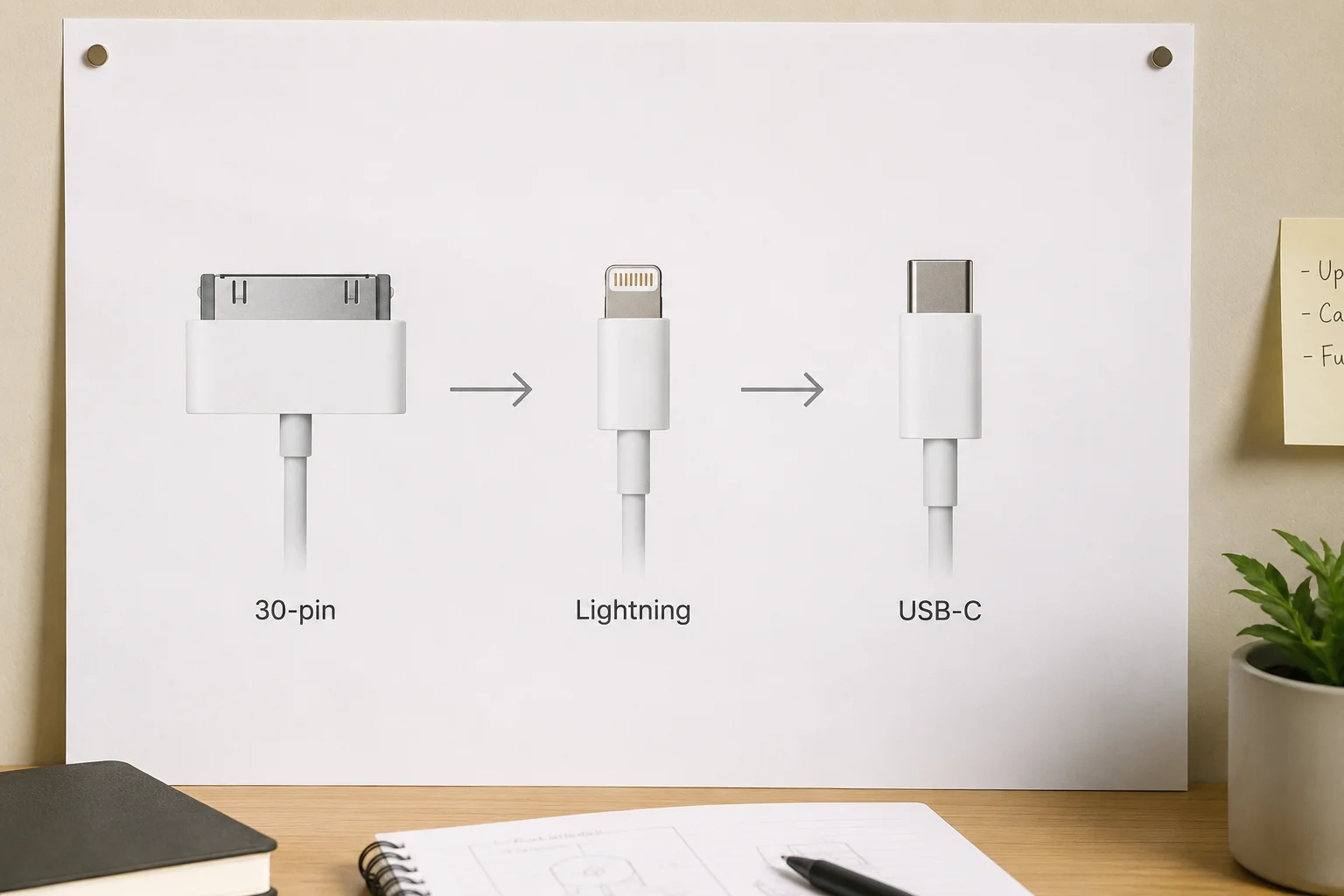
From my experience talking to buyers, there are three main reasons for the variety. First is power delivery. A large MacBook Pro needs a lot more power (watts) than a small iPhone.1 If Apple made a single, small charger for all devices, it would charge a MacBook incredibly slowly, leading to a bad user experience. Second is technology evolution. The old 30-pin connector was huge. Lightning was a huge step up—smaller and reversible. Now, USB-C is the new industry standard, offering faster data speeds and more power, which is why the EU even mandated it for phones2. Third is product-specific design. The Apple Watch is so small and sealed for water resistance that a physical port is a bad idea. Magnetic charging is the perfect solution for it. It's a constant balancing act between what's technically best for each product and the dream of universal compatibility.
What Was the Evolution from Lightning to USB-C?
Remember when the Lightning cable felt revolutionary? Now, it's being replaced by USB-C, creating confusion. You might wonder why Apple held on for so long and why they finally switched.
Apple introduced the proprietary Lightning port in 2012 as a smaller, digital replacement for the bulky 30-pin connector.3 The recent shift to USB-C on the iPhone was driven by new laws, especially in the EU, and the fact that USB-C offers much faster charging and data transfer speeds.
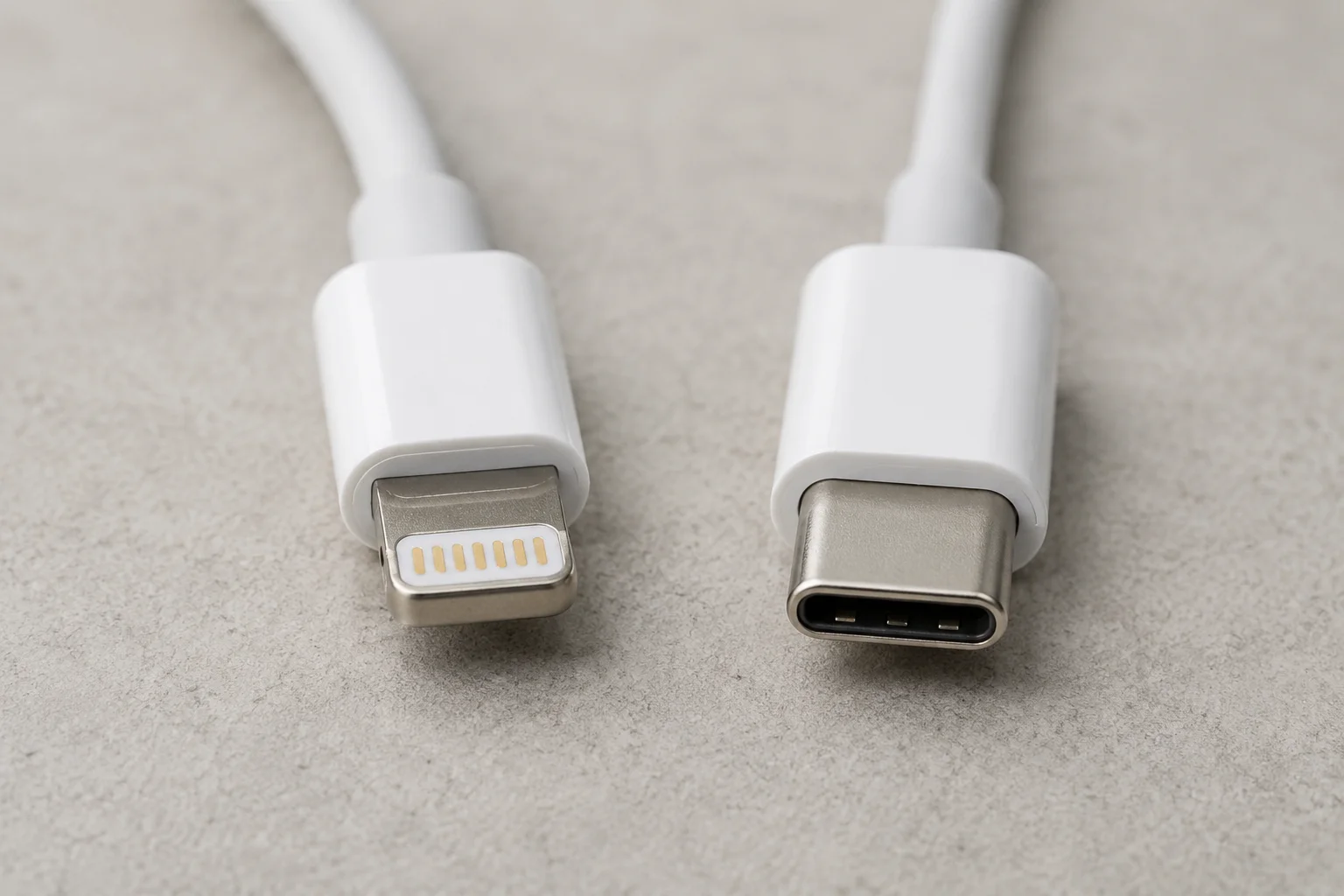
I remember when the first iPhones with Lightning came out. Our factory partners were scrambling to get MFi certification. For a decade, Lightning was great for Apple. It was small, sturdy, and reversible. Apple also controlled the standard through its MFi (Made for iPhone/iPad) program, ensuring a certain level of quality and earning licensing fees. But the rest of the tech world moved on. USB-C became the universal standard for everything from Android phones to laptops—including Apple's own MacBooks and iPads. It can handle more power and transfer data way faster. The final push came from regulators. The European Union passed a law requiring a common charging port to reduce e-waste, forcing Apple's hand with the iPhone 15. For my B2B clients, this shift opened up a huge new market for USB-C accessories targeting millions of new iPhone users.
Why Do Different Apple Devices Need Different Power Levels?
You plugged your iPhone charger into your MacBook, and nothing happened. It's frustrating when chargers aren't interchangeable. This is because of their very different power requirements.
It's all about the battery size and the processor's needs. A MacBook has a massive battery and a powerful chip, so it needs a high-wattage charger (e.g., 67W or 96W) to fill up. An iPhone has a much smaller battery and can fast-charge with just a 20W charger.4
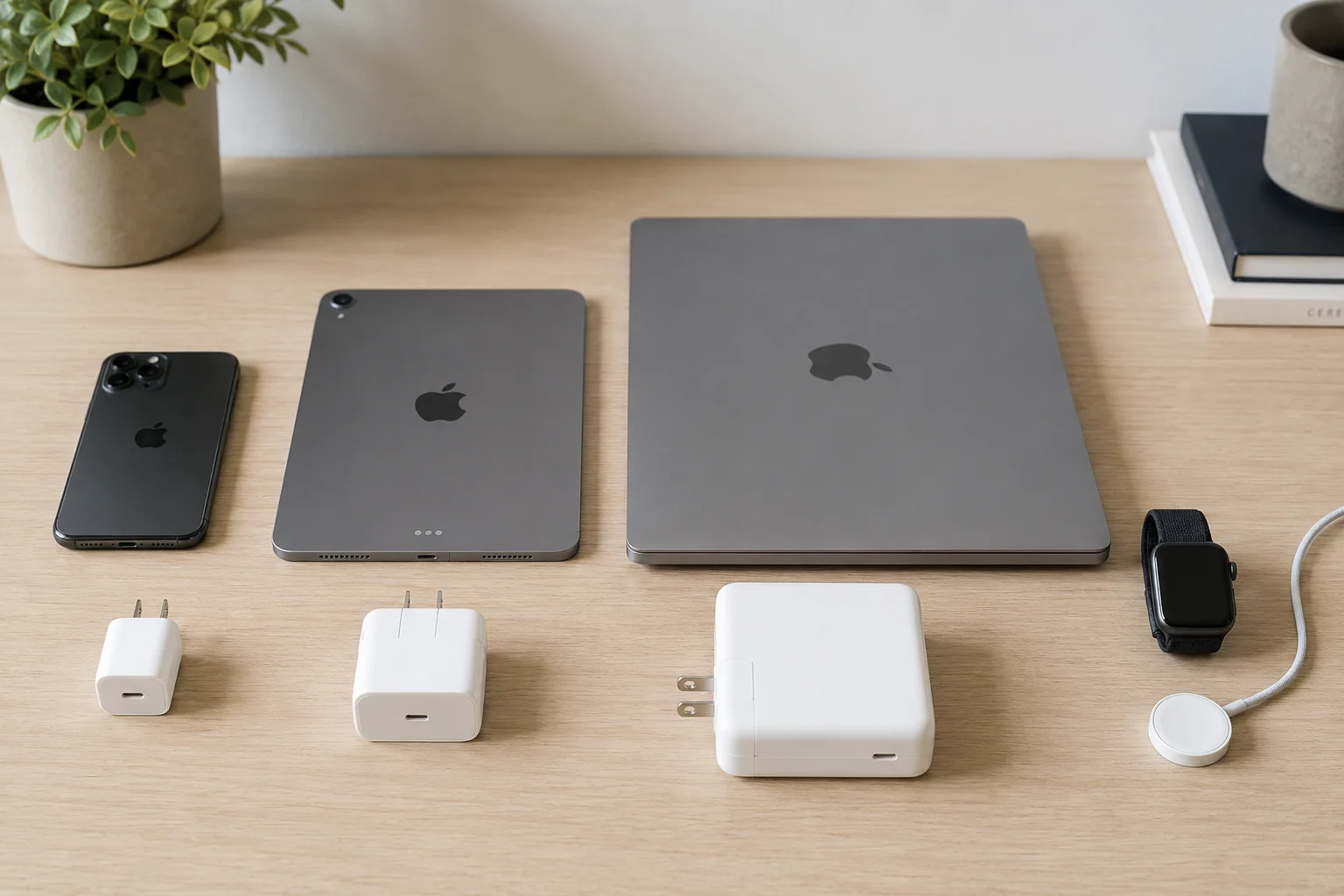
A question I often get from retailers is, "What wattage chargers should I stock?" It's a great question because the answer directly impacts customer satisfaction. Think of wattage (W) like water pressure. You need high pressure to fill a huge swimming pool (a MacBook battery) quickly. Low pressure (an iPhone charger) will eventually get the job done, but it might take all day. Using a high-wattage MacBook charger on an iPhone is generally safe, as modern devices only draw the power they need.5 But the reverse just doesn't work well. Here's a simple breakdown I share with clients:
| Device | Typical Battery Size | Recommended Charger Wattage |
|---|---|---|
| iPhone | Small | 20W for fast charging |
| iPad / iPad Air | Medium | 20W - 30W |
| MacBook Air | Large | 30W - 67W |
| MacBook Pro | Extra Large | 67W - 140W |
Stocking a range of chargers is smart, but a 20W or 30W USB-C PD charger is the most versatile option for most retailers, as it covers fast charging for all iPhones and iPads.
Why Does the Apple Watch Still Use Magnetic Charging?
Annoyed that your Apple Watch needs its own special charger? It's another cable to carry around. But this unique design is actually a key feature, not a flaw.
The Apple Watch uses magnetic charging for two main reasons: water resistance and convenience. Having no open port helps keep the device sealed from water and dust. The magnetic connection is also effortless to use, as it simply snaps into place without any fiddling.
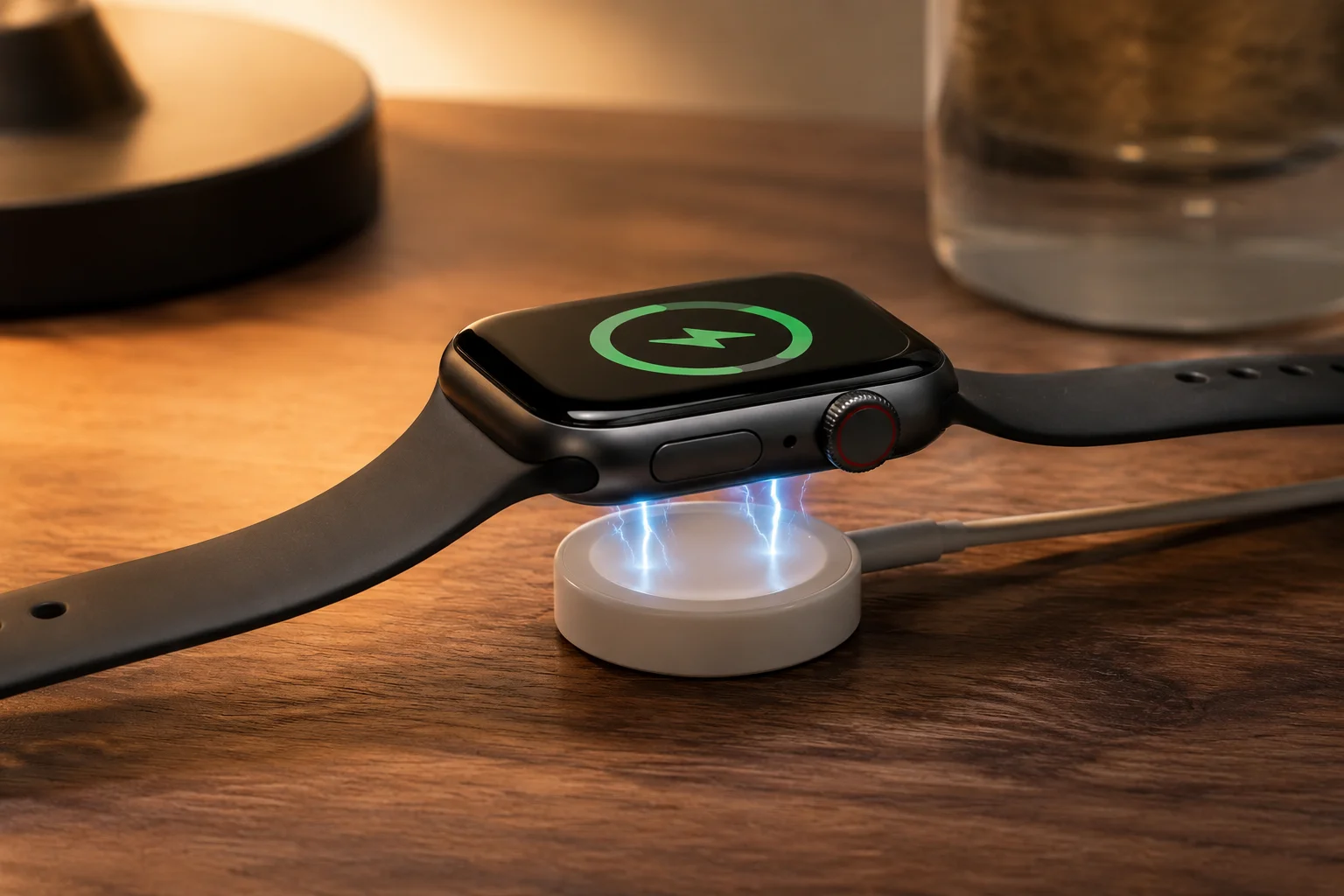
When we first started sourcing Apple Watch-compatible chargers, the design seemed inconvenient. But it makes perfect sense from an engineering and user-experience perspective. First, water resistance. The Apple Watch is designed to be worn while swimming and showering.6 A USB-C or Lightning port would be a major weak point for water, dust, and sweat to get in and cause damage. By removing the port, Apple makes the watch far more durable for daily activities. Second, size and simplicity. The watch itself is tiny. A physical port would take up valuable internal space that's better used for a bigger battery or more health sensors. From a user's point of view, the magnetic "puck" is incredibly easy to use. You don't have to struggle to plug in a tiny cable, especially on your nightstand in the dark. It just clicks on. This is a classic case of Apple prioritizing the product's core function over universal compatibility.
What Are the Charging Differences Between iPhone, iPad, MacBook, and Apple Watch?
iPhone, iPad, MacBook, Apple Watch—so many devices, so many chargers. It's confusing to know what works with what. Understanding the key differences is crucial for your business inventory.
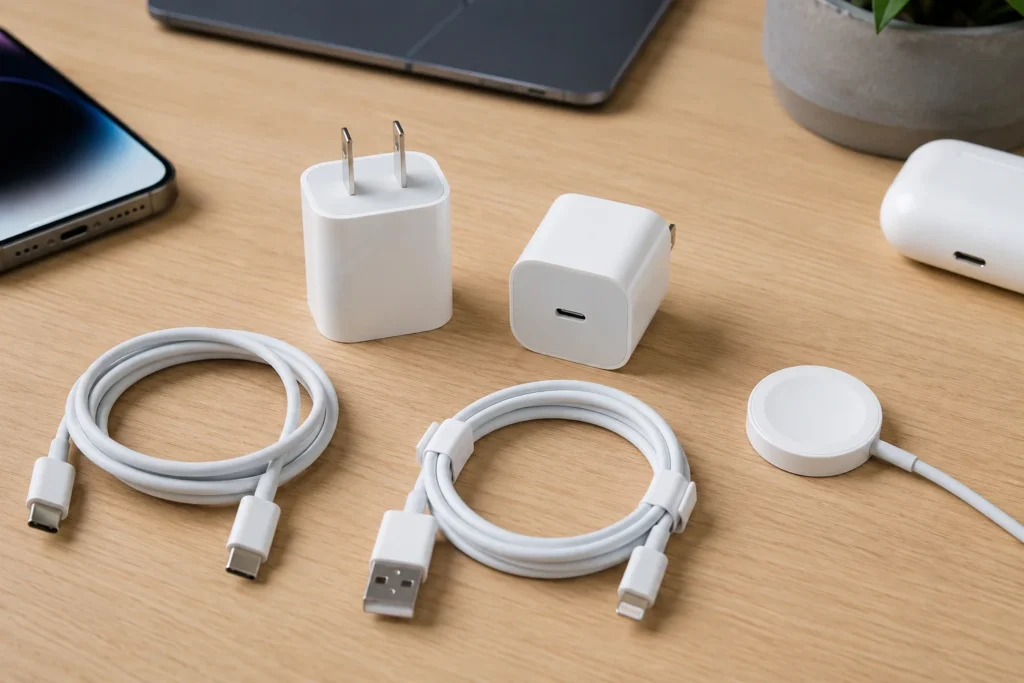
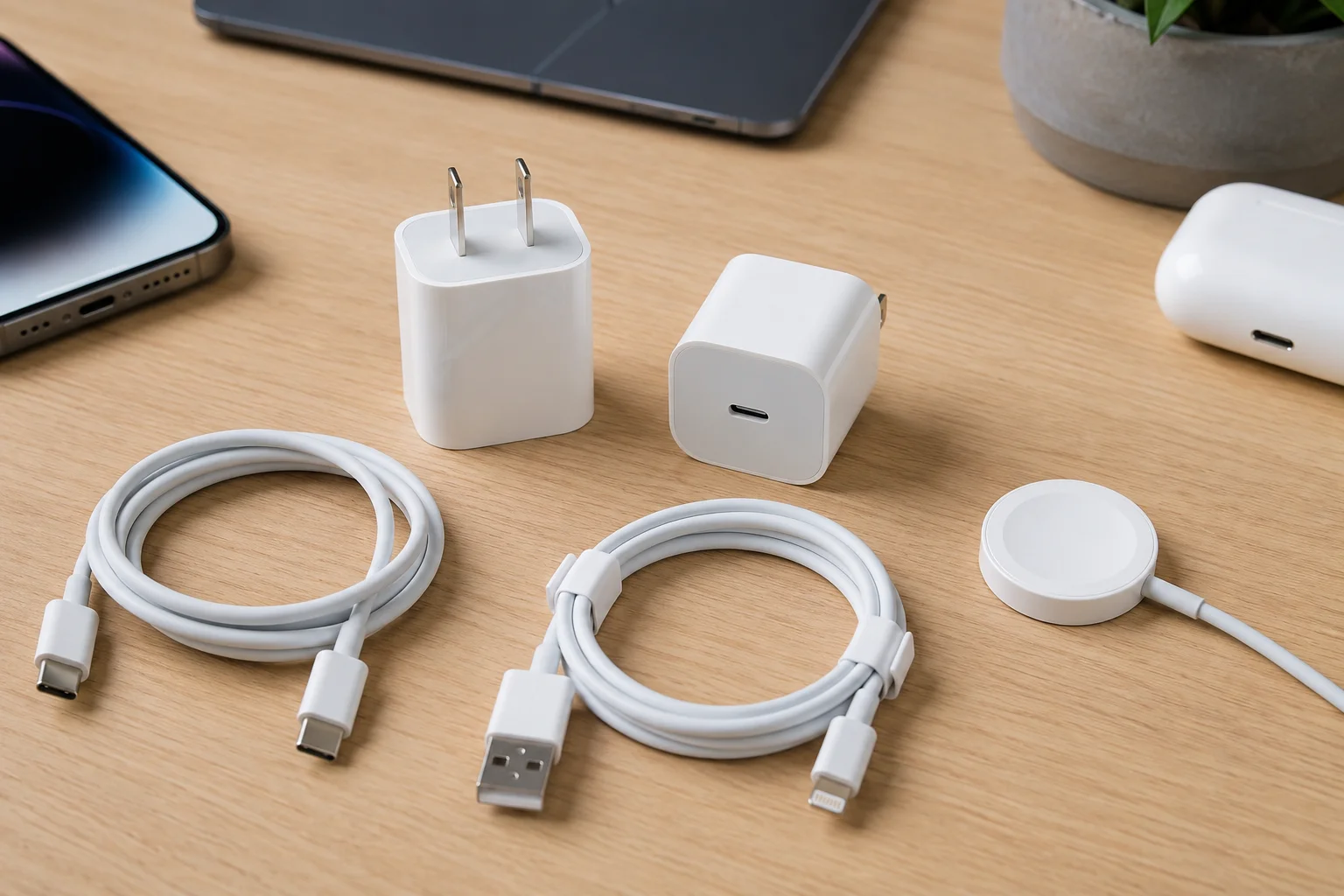
The main differences are the port type and the power (wattage) required. Newer iPhones and most iPads use USB-C, like MacBooks. Older iPhones use Lightning. The Apple Watch uses its unique magnetic charger. MacBooks need the most power, followed by iPads, then iPhones.
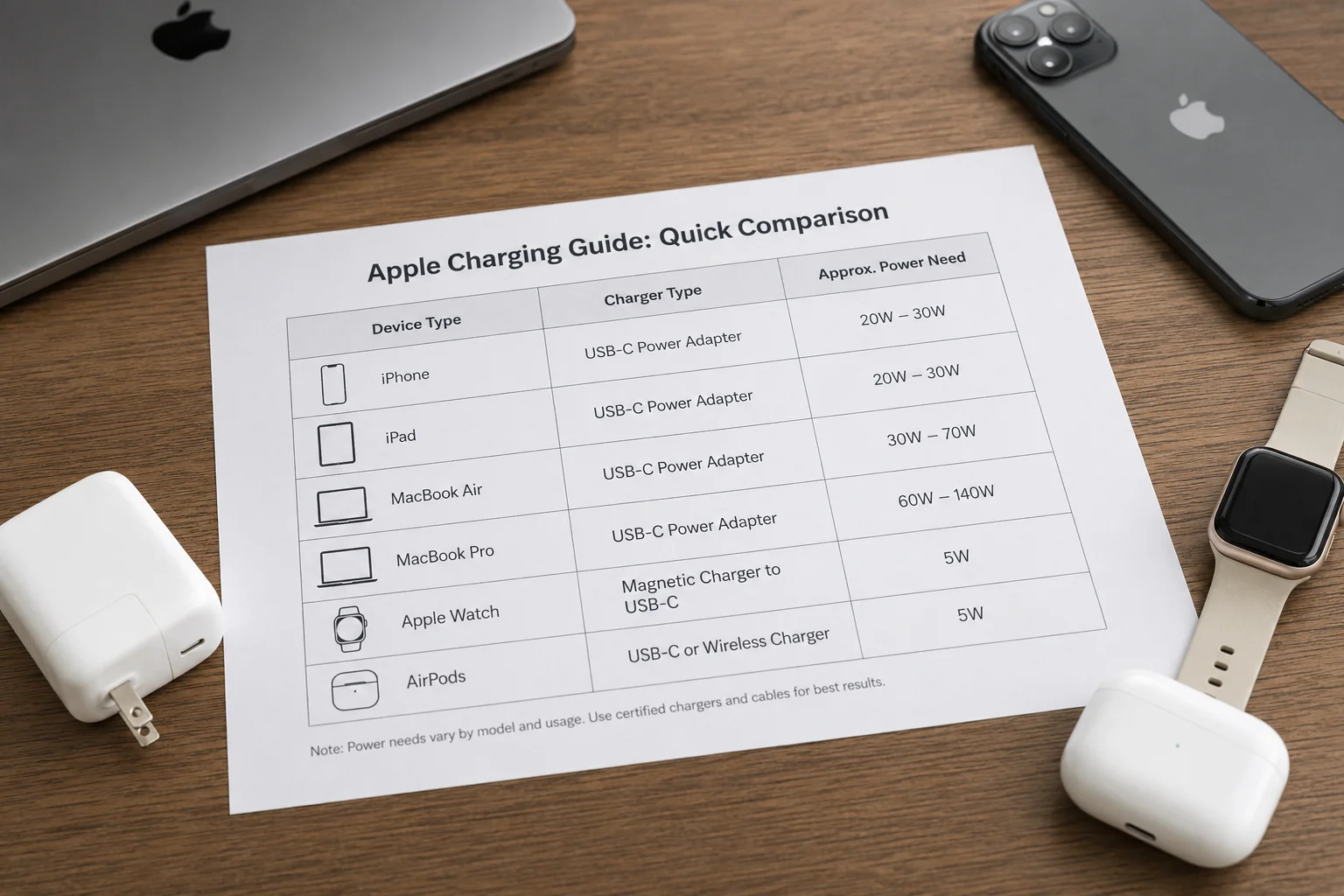
I often create a simple cheat sheet for my clients to help them explain this to their customers. It's a framework for thinking about their inventory. The two key factors are the connector and the power.
1. Connector Type:
This is the physical plug.
- Lightning: iPhones up to the 14 series, some older iPads, and accessories like AirPods. The market is still large but shrinking.7
- USB-C: All modern MacBooks, most iPads, and iPhones from the 15 series onwards. This is the present and future standard.
- Magnetic: Exclusively for the Apple Watch. It has its own dedicated ecosystem of accessories.
2. Power (Wattage):
This is how fast it charges.
- Low Power (5W-12W): Old-style USB-A chargers. Very slow for new devices; I advise against stocking these.
- Medium Power (20W-30W): The sweet spot for fast-charging iPhones and iPads. A great "universal" option for these handheld devices.
- High Power (60W+): Necessary for MacBooks. A 100W+ charger is for power-hungry MacBook Pros and can also charge smaller devices.
Understanding this matrix helps my clients decide where to invest. For most, a strong inventory of 20W+ USB-C chargers is the safest and most profitable bet.
Can One USB-C GaN Charger Really Charge Most Apple Products?
You want to offer a simple, one-charger solution for your customers. GaN chargers promise this, but can they deliver? There are important details to know before you invest in them.
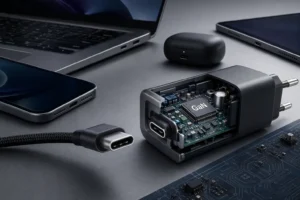
Yes, a multi-port USB-C GaN charger is the closest you can get to a "one-charger-for-all" solution. GaN technology allows chargers to be much smaller and more efficient. A good one can charge a MacBook, iPad, and iPhone simultaneously, delivering the right power to each.
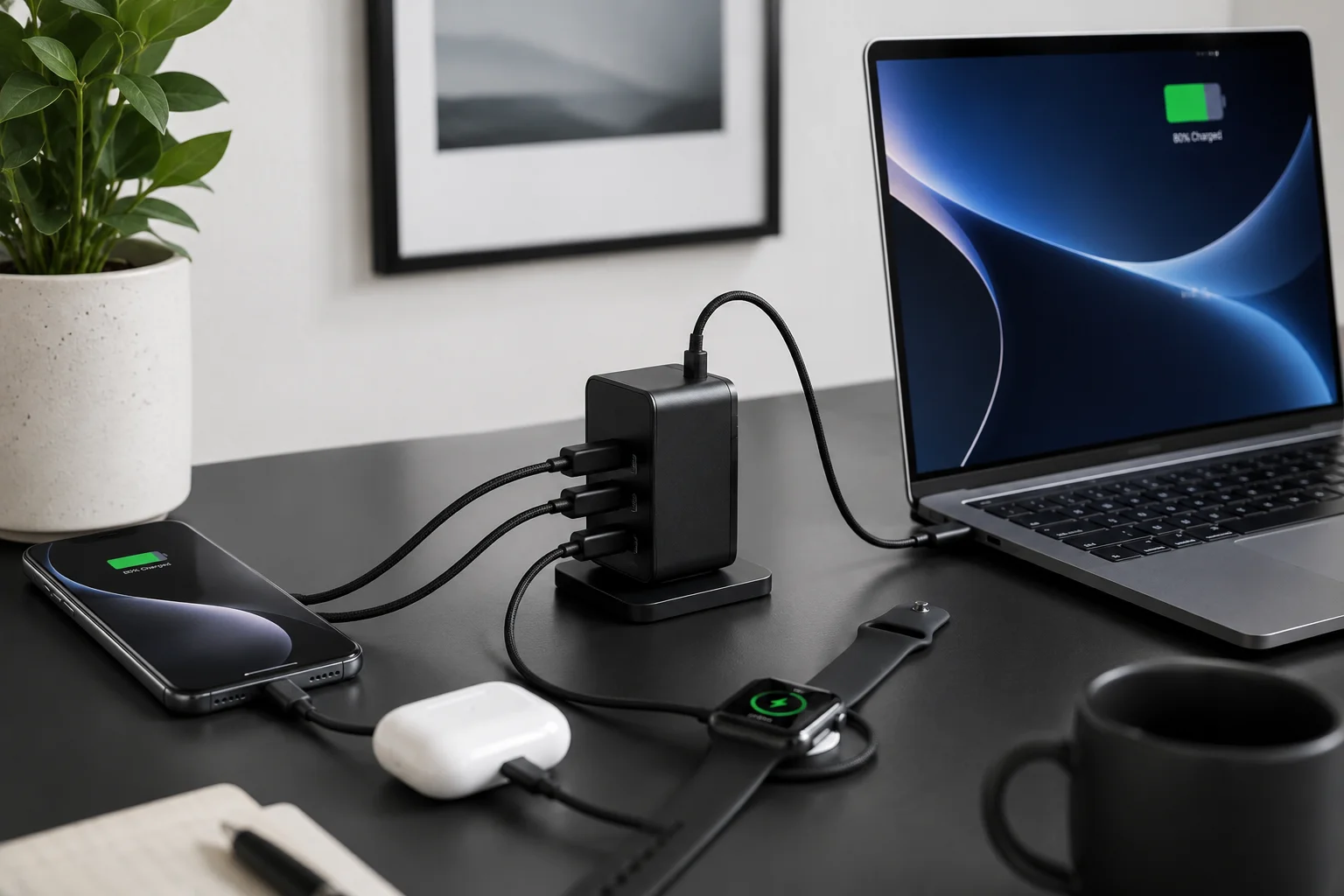
GaN (Gallium Nitride) chargers have been a game-changer for my export business. My clients in Europe and the US love them. GaN is a semiconductor material that produces far less heat than the traditional silicon in old chargers.8 This means you can build a much smaller, lighter charger that still delivers a huge amount of power. For example, a modern 100W GaN charger can be the same size as an old 30W Apple brick. So, can one charge everything? Almost. A multi-port GaN charger with at least two USB-C ports and maybe a USB-A port is incredibly versatile.
- A high-power USB-C port (65W-100W) can power a MacBook Pro.9
- A second USB-C port (20-30W) can fast-charge an iPhone or iPad.
- A USB-A port can handle the Apple Watch magnetic cable or other accessories.
When multiple ports are used, the total power is shared between them, and a smart charger manages this automatically. This is the solution I recommend most often to e-commerce sellers who want to offer a high-value, problem-solving accessory.
What Should You Check Before Buying a Universal Apple Charger?
Sourcing "universal" chargers seems like a great idea. But a bad batch can lead to fried devices, returns, and angry customers. You need to know what to look for to avoid this.
Check for three key things: safety certifications (like CE, FCC, RoHS), support for the Power Delivery (PD) protocol for smart charging, and the true wattage output per port. Don't just trust the marketing; check the fine print on the product and packaging.
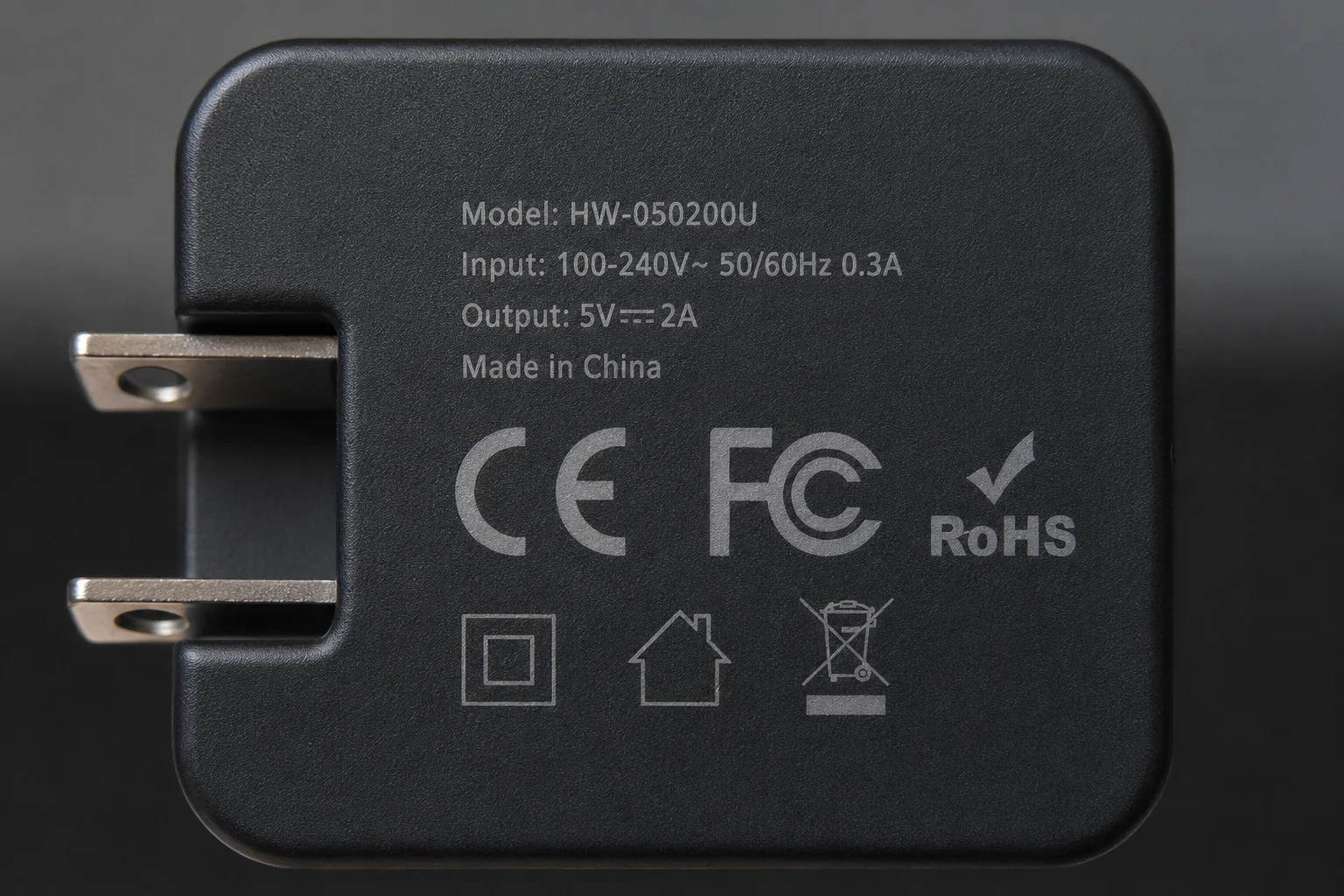
This is where my 15 years of experience really comes in. I've seen clients make costly mistakes by focusing only on price. Here is the personal checklist I use when evaluating a new charger from a supplier.
- Safety Certifications: This is non-negotiable. For the European market, you need CE and RoHS. For the US market, you need FCC.10 These prove the product has been tested and is safe. Always ask the supplier for the actual certificate documents, not just a picture.
- Power Delivery (PD): A good USB-C charger must have the PD protocol.11 This is the "brain" that lets the charger and your device talk to each other to agree on the fastest safe charging speed. Without PD, a 100W charger might only give an iPhone 5W of power.
- Accurate Wattage Claims: Many suppliers advertise "100W," but that's the total output shared across four ports. A single port might only deliver 60W, which may not be enough for a large laptop. Check the specs for the max output of each individual port.
- MFi for Lightning Cables: If you are still sourcing Lightning cables, MFi certification is crucial. Uncertified cables can stop working after an Apple software update, leading to a flood of customer complaints.12
What Are Some Wholesale Buying Tips for Apple-Compatible Chargers?
You're ready to place a wholesale order for chargers. It's a big investment. How do you make sure you get quality products at a good price without getting burned?
Focus on suppliers with proven experience in your target market (e.g., EU or US). Start with a small test order to check the quality yourself. Prioritize chargers with modern tech like GaN and Power Delivery (PD), as they have higher value and a longer sales life.

I talk to B2B buyers every single day. Here's the practical advice I give them when they're ready to source chargers from us or any other supplier in China.
- Tip 1: Look for a specialist. Don't buy chargers from a supplier that sells everything from phone cases to toys. Find a company that specializes in power accessories. They will understand the technology, quality control, and certifications much better. Our company, for example, has focused on chargers and cables for over 15 years.
- Tip 2: Balance Cost and Quality. The cheapest option is almost never the best. A faulty charger can damage a $1000 smartphone and destroy your brand's reputation overnight. Pay a little more for a supplier with good quality control, verifiable certifications, and a clear warranty policy.
- Tip 3: Focus on the Future. While there's still a market for Lightning, the future is USB-C and GaN. I advise my clients to invest most of their budget in a range of USB-C PD chargers (20W, 30W, 65W) and multi-port GaN models. They solve more problems for the end consumer and will be in demand for years to come.
Conclusion
To sum up, Apple's charging system is complex for good reasons like performance and design. By understanding ports, power, and certifications, you can confidently stock the right chargers for your customers.
"Does it make a difference if I charge via my MacBook charger or The ...", https://www.reddit.com/r/iPhone16ProMax/comments/1leh94h/does_it_make_a_difference_if_i_charge_via_my/. A source, such as Apple's official support documents, could show the difference in power requirements. For example, while an iPhone can fast-charge with a 20W adapter, a 16-inch MacBook Pro may be bundled with a 96W or 140W adapter to charge effectively under load. Evidence role: statistic; source type: education. Supports: The claim that MacBook Pros require much higher wattage chargers than iPhones.. ↩
"Radio Equipment Directive (2022) - Wikipedia", https://en.wikipedia.org/wiki/Radio_Equipment_Directive_(2022). A source could confirm the European Parliament's directive to make USB-C the common charging port for a range of electronic devices sold in the EU by the end of 2024, with the stated goal of reducing e-waste and making consumers' lives easier. Evidence role: historical_context; source type: government. Supports: The claim that the European Union passed a law mandating a common charging port (USB-C) for certain electronic devices.. ↩
"Lightning (connector) - Wikipedia", https://en.wikipedia.org/wiki/Lightning_(connector). A source could verify that the 8-pin Lightning connector was introduced by Apple on September 12, 2012, as a replacement for the 30-pin dock connector, debuting with the iPhone 5. Evidence role: historical_context; source type: encyclopedia. Supports: The claim that Apple introduced the Lightning connector in 2012 with the iPhone 5.. ↩
"Fast charge your iPhone - Apple Support", https://support.apple.com/en-us/102574. A source, such as an Apple support document, could confirm that to fast charge an iPhone 8 or later, a USB-C power adapter of 20W or higher is required, which can charge the battery to around 50% in approximately 30 minutes. Evidence role: general_support; source type: education. Supports: The claim that a 20W power adapter is required to fast charge recent iPhone models.. ↩
"USB hardware - Wikipedia", https://en.wikipedia.org/wiki/USB_hardware. A source from an organization like the USB Implementers Forum or a technical publication could explain that the USB Power Delivery (PD) specification allows a device and charger to communicate, negotiating the optimal voltage and current to ensure the device only draws the power it can safely handle. Evidence role: mechanism; source type: institution. Supports: The claim that modern devices only draw the power they need from a charger.. ↩
"About Apple Watch water resistance", https://support.apple.com/en-us/109522. A source, such as an Apple support page, could specify that Apple Watch models (Series 2 and later) have a water resistance rating of 50 meters under ISO standard 22810:2010, making them suitable for shallow-water activities like swimming in a pool or ocean. Evidence role: general_support; source type: other. Supports: The claim that the Apple Watch is designed for use while swimming.. Scope note: The source would likely note that not all activities (like scuba diving or water skiing) are recommended and that water resistance is not a permanent condition. ↩
"Lighting connectors Market Share, Growth & Forecast by 2034", https://www.theinsightpartners.com/reports/lighting-connectors-market. A source from a market analysis firm or tech industry publication could provide data showing the decline in sales or production forecasts for Lightning-based accessories, contrasted with the growth in the USB-C accessory market, particularly after Apple's switch on the iPhone 15. Evidence role: statistic; source type: research. Supports: The claim that the market for Lightning connector accessories is shrinking following the adoption of USB-C.. Scope note: Market data can vary between sources and is often based on estimates and projections. ↩
"Gallium nitride - Wikipedia", https://en.wikipedia.org/wiki/Gallium_nitride. A source from an engineering journal or university research could explain that GaN has a wider bandgap and higher electron mobility than silicon, allowing GaN-based power devices to operate at higher frequencies and temperatures with greater efficiency, thus generating less waste heat. Evidence role: mechanism; source type: research. Supports: The claim that Gallium Nitride (GaN) produces less heat and is more efficient than silicon in power applications.. ↩
"What's the minimum wattage for charging a MacBook Pro (late 2021 ...", https://www.reddit.com/r/macbookpro/comments/y9hw2d/whats_the_minimum_wattage_for_charging_a_macbook/. A source, such as Apple's support documentation, could confirm the power requirements for various MacBook Pro models. For instance, while a 13-inch or 14-inch MacBook Pro might charge effectively with a 67W adapter, a 16-inch model under heavy load may require a 96W or 140W adapter to charge optimally. Evidence role: general_support; source type: education. Supports: The claim that a 65W-100W charger can power a MacBook Pro.. Scope note: The effectiveness of a given wattage depends on the specific MacBook Pro model and its current power consumption. ↩
"Equipment Authorization | Federal Communications Commission", https://www.fcc.gov/engineering-technology/laboratory-division/general/equipment-authorization. A source, such as official guidance from the European Commission and the U.S. Federal Communications Commission, could define these marks. CE indicates conformity with EU health, safety, and environmental standards; RoHS restricts hazardous substances; and FCC certifies that electronic products do not cause harmful electromagnetic interference. Evidence role: definition; source type: government. Supports: The claim that specific certifications like CE, RoHS, and FCC are required for electronics in the EU and US markets.. ↩
"USB hardware - Wikipedia", https://en.wikipedia.org/wiki/USB_hardware. A source from the USB Implementers Forum or a technical standards body could define the USB Power Delivery (PD) protocol as a specification that enables dynamic, high-speed charging by allowing a device and charger to negotiate power levels up to 240W, ensuring both speed and safety. Evidence role: definition; source type: institution. Supports: The claim that the Power Delivery (PD) protocol is a crucial feature for a good USB-C charger.. ↩
"MFi Program", https://en.wikipedia.org/wiki/MFi_Program. A source from a technical publication could explain that Apple's MFi (Made for iPhone/iPad/iPod) program requires accessories to include a small authentication chip. iOS updates can improve the detection of counterfeit or uncertified cables lacking this chip, causing them to stop functioning and display an error message. Evidence role: mechanism; source type: other. Supports: The claim that uncertified Lightning cables can be disabled by Apple software updates.. ↩