Quick Answer
A USB 3.0 Micro-B connector can be confusing because many product listings use similar names, blurry images, or generic “Micro-USB” labels. A buyer may order a replacement cable that looks close enough, only to find that it does not fit the device port. I recommend identifying the physical connector shape before comparing price, length, or shipping options.
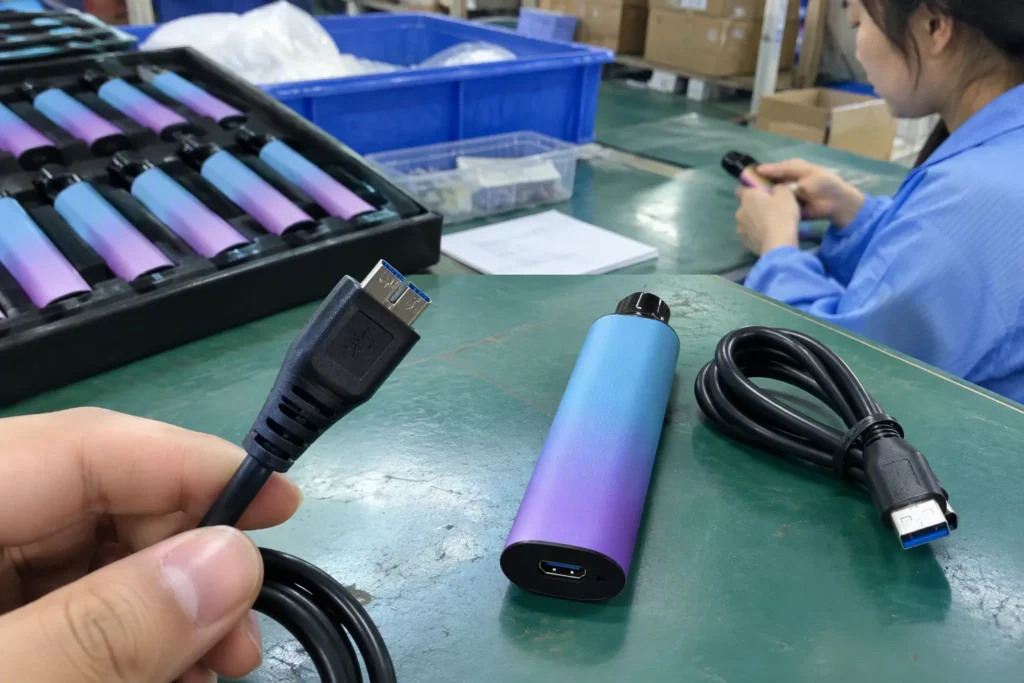
A USB 3.0 Micro-B connector looks wider than a standard Micro-USB connector because it has an extra side section beside the familiar Micro-B-shaped portion[1]. This creates a distinctive two-part, wider plug and matching port. Buyers should check the actual device port, compare it with the original cable, and inspect real product photos before ordering a replacement cable or accessory.
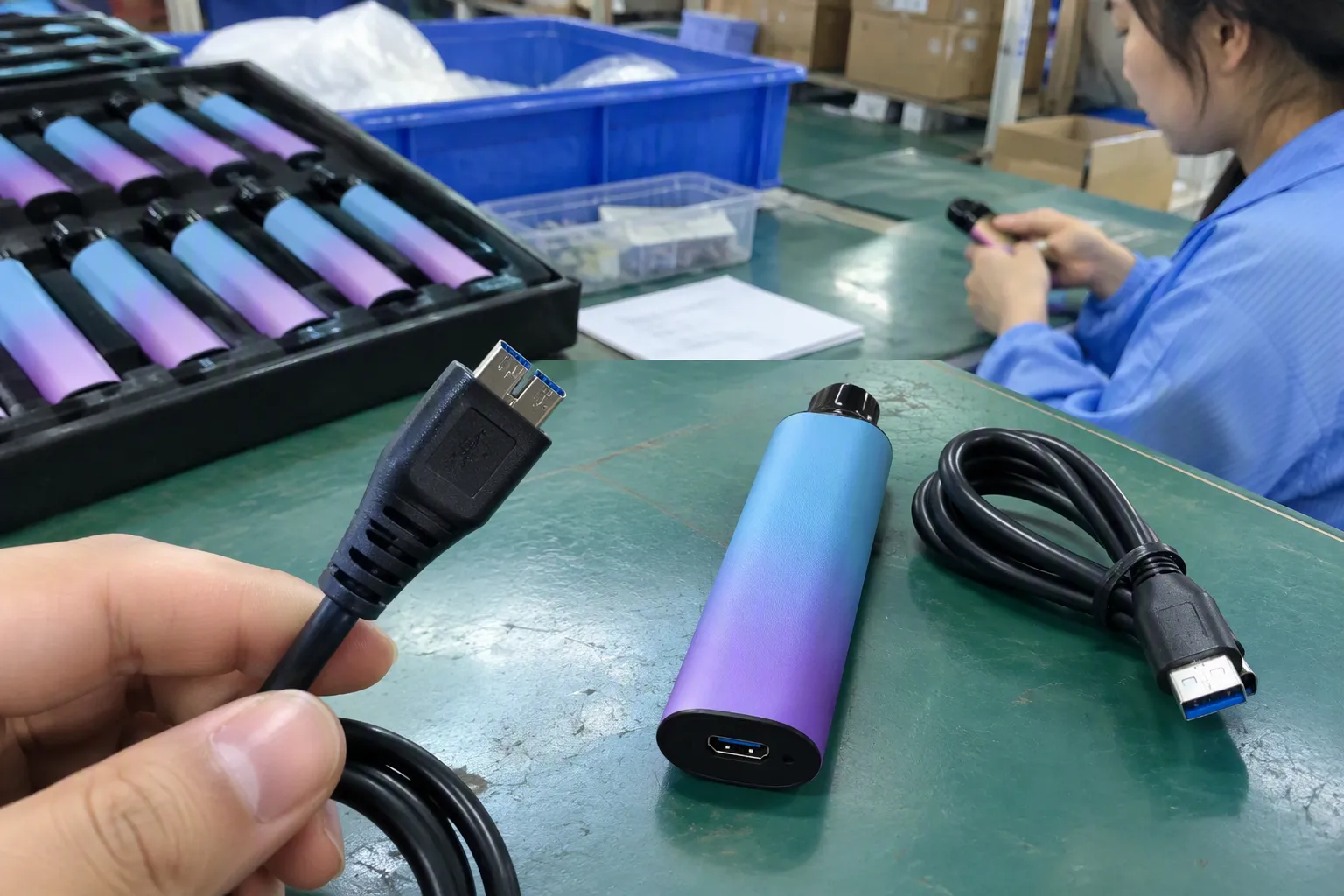
The visual difference is simple once you know what to look for, but purchasing decisions still need more than a quick glance. In our sourcing conversations, I often see buyers assume that “Micro-B,” “Micro-USB,” and “USB 3.0” always mean the same connector. They do not. The next step is to inspect the port and verify the cable specification.
Why should a USB 3.0 Micro-B connector be identified not by a product title alone, but by its physical shape and device port?
A product title can create false confidence. Many cables are listed with broad terms such as “USB 3.0 cable,” “Micro-B cable,” or “external hard drive cable,” while the listing image may show only one end of the cable. This can lead to a wrong purchase, delayed replacement, unnecessary returns, or a cable that simply cannot connect.
A USB 3.0 Micro-B connector should be identified by its visibly wider body and additional adjacent section, not by a listing title alone. The connector usually has a familiar Micro-B-shaped main section plus a separate extension on one side. I recommend checking the actual device receptacle, comparing it with the original cable, and requesting clear photos of the connector before placing an order.
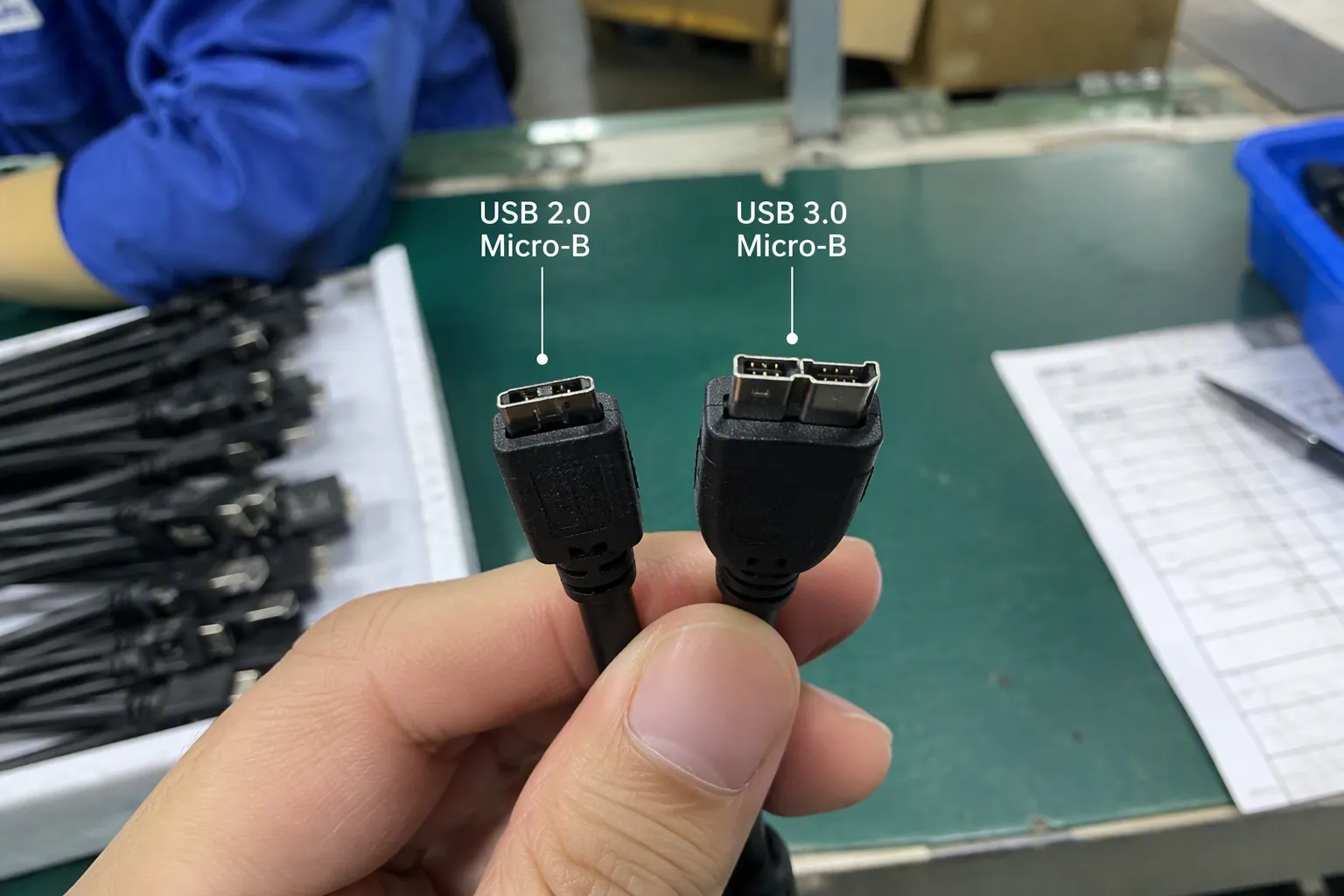
What makes the USB 3.0 Micro-B shape different?
The easiest way to identify this connector is to look at the width and two-part profile.
A standard Micro-USB connector, often called USB 2.0 Micro-B in technical contexts, has a narrow and compact single-section shape. A USB 3.0 Micro-B plug is noticeably wider because it includes extra contacts in an adjacent side section[2]. From the front or back, it can look like a standard Micro-B connector with an added “wing” or rectangular extension attached beside it.
This wider design was commonly used on older external hard drives, drive enclosures, docking accessories, and some cameras or industrial devices[3] that needed a SuperSpeed USB connection. However, I do not recommend identifying a cable based only on the type of device. Manufacturers may use different ports across product generations.
Here is a practical visual comparison:
| Feature | Standard Micro-USB / USB 2.0 Micro-B | USB 3.0 Micro-B |
|---|---|---|
| Overall width | Narrow | Wider |
| Visual profile | One main connector section | Two adjacent sections |
| Extra side portion | No | Yes |
| Common listing descriptions | Micro-USB, Micro-B, charging cable | USB 3.0 Micro-B, SuperSpeed Micro-B, external HDD cable |
| Common device examples | Older phones, Bluetooth devices, small accessories | Older external hard drives, drive cases, some cameras |
| Safe buying method | Verify the port and cable end | Verify the port, original cable, and connector photos |
The important point is that the USB 3.0 Micro-B connector is not simply a standard Micro-USB plug with a different name. The wider physical design is the main visual clue.
In our procurement work, I find that buyers often send a device model number but no port photo. A model number can be useful, but the physical port image is usually faster to evaluate. Product revisions, regional versions, replacement housings, and incomplete marketplace information can all create confusion.
I usually suggest that buyers take a close photo of the port with good lighting. The photo should show:
- The full width of the port opening
- The shape of the lower and upper edges
- Any extra side section next to the main Micro-B portion
- The original cable plug, if available
- The device brand and model label when practical
A clear photo is more useful than a vague description such as “small USB port” or “old Android cable port.”
Procurement note: I treat connector identification as a physical fit question first. Transfer speed, charging behavior, and software compatibility are separate questions that require device and cable specification review.
How does the extra side section affect physical fit?
The added side section is not only a visual detail. It changes the size and profile of the plug. This is why a USB 3.0 Micro-B replacement cable may not fit a device that has only a standard Micro-USB port.
The wider plug needs a matching wider receptacle. If a device has a narrow, single-section Micro-USB port, a full-width USB 3.0 Micro-B plug will generally not be the correct physical match[4]. For this reason, a buyer should not rely on a listing that says only “Micro-B cable” without showing the actual connector end.
There is also a source of confusion on some older equipment: certain USB 3.0 Micro-B receptacles were designed to accept a standard Micro-B plug for backward-compatible USB 2.0 use[5]. That design does not mean every Micro-B cable will provide the same functionality, speed, or charging result as the original cable. It also does not mean a USB 3.0 Micro-B plug can fit every standard Micro-USB port.
I recommend using this simple rule:
- Start with the device port. Look for the wide two-part opening.
- Check the original cable. Match its plug shape, not just its label.
- Review both cable ends. The other end may be USB-A, USB-C, USB-B, or another connector.
- Confirm the device model. This helps when a port photo is unclear.
- Request real photos. Do not accept only a rendered product image for a bulk purchase.
For small consumer purchases, this process takes a few minutes. For importers, e-commerce sellers, and wholesalers purchasing hundreds of cables, it can prevent a larger inventory problem.
Why are marketplace titles and generic images unreliable?
Many sellers use broad listing language because it captures more search traffic. A cable may be titled “USB 3.0 Micro USB cable,” even when the image, dimensions, or connector description is incomplete[8]. Other listings use “Micro-B” as a short label without clearly stating whether the cable has a standard Micro-B plug or the wider USB 3.0 Micro-B format.
I do not assume that a title is technically precise. In supplier communication, I prefer to turn a vague request into a measurable specification.
For example, instead of asking a supplier for “a Micro USB 3.0 cable,” I would ask for:
- Connector A: USB Type-A male, USB Type-C male, or another specified interface
- Connector B: USB 3.0 Micro-B male, with a clear close-up photo
- Cable length: for example, 0.3 m, 1 m, or 1.8 m
- Intended use: data connection, charging, external storage, camera connection, or another application
- Jacket material and color
- Packaging type and private-label requirements
- Quantity and target market
- Sample approval requirement before mass production
This wording makes it easier for a supplier to quote the correct product. It also gives the buyer a written record to compare against sample photos and final inspection findings.
A practical sourcing checklist for USB 3.0 Micro-B cables
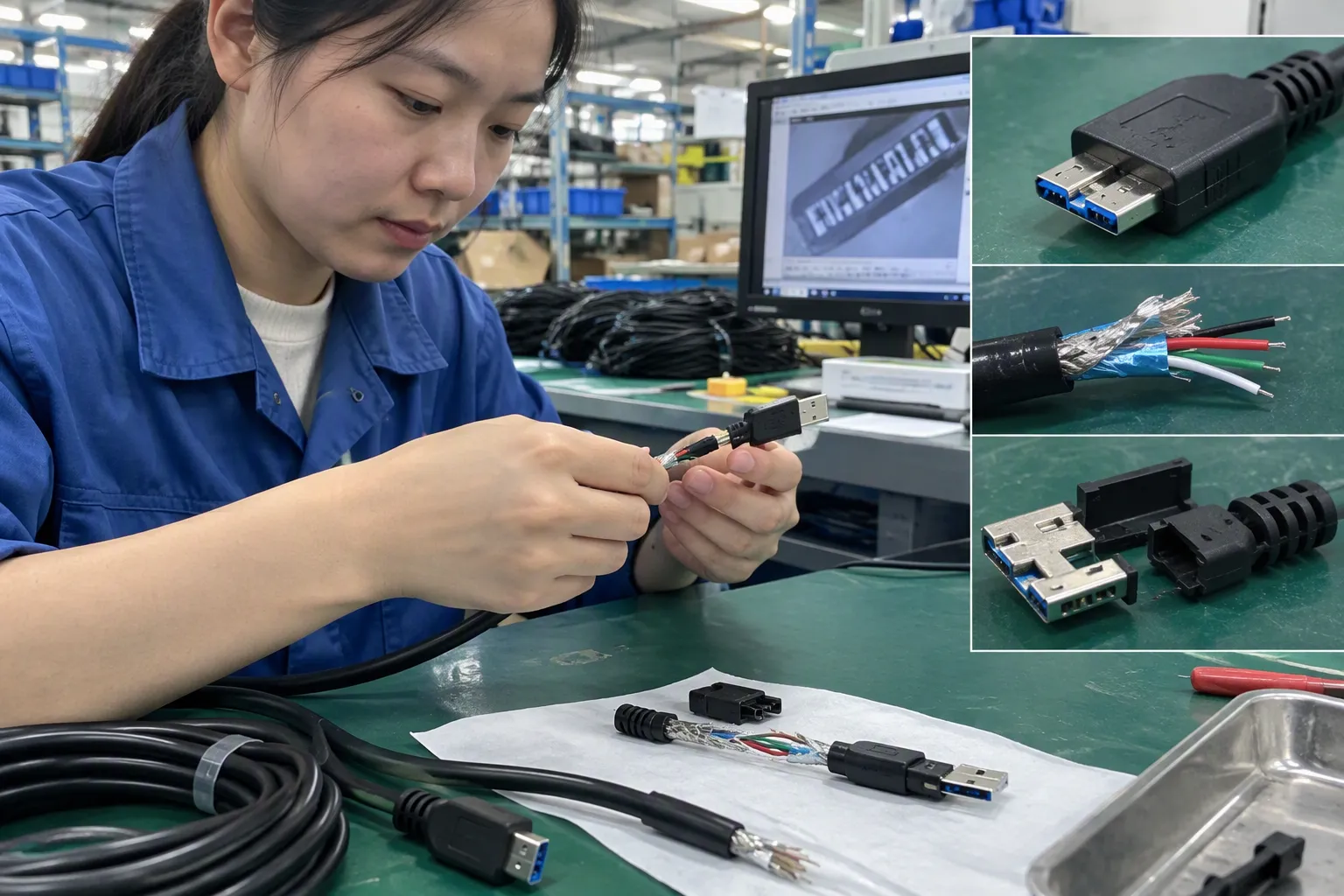
When I help buyers confirm cable and accessory specifications, I focus on preventing obvious mismatches before production or shipment. Connector errors are especially expensive when a product is bundled with electronics, sold in retail packaging, or shipped internationally.
Use this checklist before ordering a USB 3.0 Micro-B connector cable or accessory:
1. Inspect the actual device port
A photo of the port is the starting point. The port should appear wider than a standard Micro-USB opening and should show the extra adjacent section.
If the port is recessed deeply into a device housing, check whether the cable plug has enough clearance around it. A connector may have the correct internal shape but an oversized molded housing that cannot enter a narrow recess[7].
2. Compare the replacement cable with the original cable
The original cable is often the best visual reference. Compare:
- Plug width
- Plug shape
- Position of the wider side section
- Molded connector housing size
- Cable orientation
- Cable length
- The connector at the opposite end
I recommend taking side-by-side photos if the replacement is being sourced remotely.
3. Ask for real photos, not only catalog pictures
A supplier’s catalog image may be accurate, but it may also be reused across several similar listings. Real photos should show:
- The front of the plug
- The rear of the plug
- The full connector width
- The cable label, if present
- The plug beside a ruler or caliper when dimensions matter
- The product packaging for retail orders
For a customized program, I would also ask for a pre-production sample photo after packaging, labeling, and cable length are confirmed.
4. Verify cable construction separately from connector shape
A correct-looking plug does not automatically mean the cable meets your required use case. Buyers should separately verify the stated cable version, conductor construction, shielding approach, length, and intended application through supplier documentation or manufacturer specifications.
The connector shape alone does not prove[6]:
- A specific transfer speed
- Stable performance with every device
- A particular charging current
- Compatibility with every external hard drive or enclosure
- Suitability for high-volume data transfer
- Compliance with a buyer’s technical or market requirements
This distinction matters for distributors and private-label sellers. A product can look correct in a photo but still be poorly specified for the intended device category.
5. Approve a sample for repeat or bulk purchases
For a one-off replacement cable, a clear photo and device-port comparison may be enough. For a business order, I recommend approving a physical sample before full production whenever the cable will be resold, bundled, or used in a commercial system.
A useful sample review can include:
| Review area | What to confirm |
|---|---|
| Connector fit | The plug enters the intended device port without forcing |
| Housing clearance | The molded end fits recessed or narrow device openings |
| Cable length | The length matches the listing, packaging, and end-use plan |
| Labeling | SKU, barcode, warning text, and branding match approved artwork |
| Packaging | The cable is protected and packed as agreed |
| Appearance | Color, mold finish, strain-relief shape, and visible defects are acceptable |
| Quantity control | Carton pack quantity and inner-pack arrangement are defined |
For application-specific performance decisions, I recommend qualified technical evaluation and review of relevant manufacturer or standards documentation. A sourcing agent can help collect samples and supplier documents, but we should not replace product engineering validation.
What should buyers verify beyond the connector appearance?
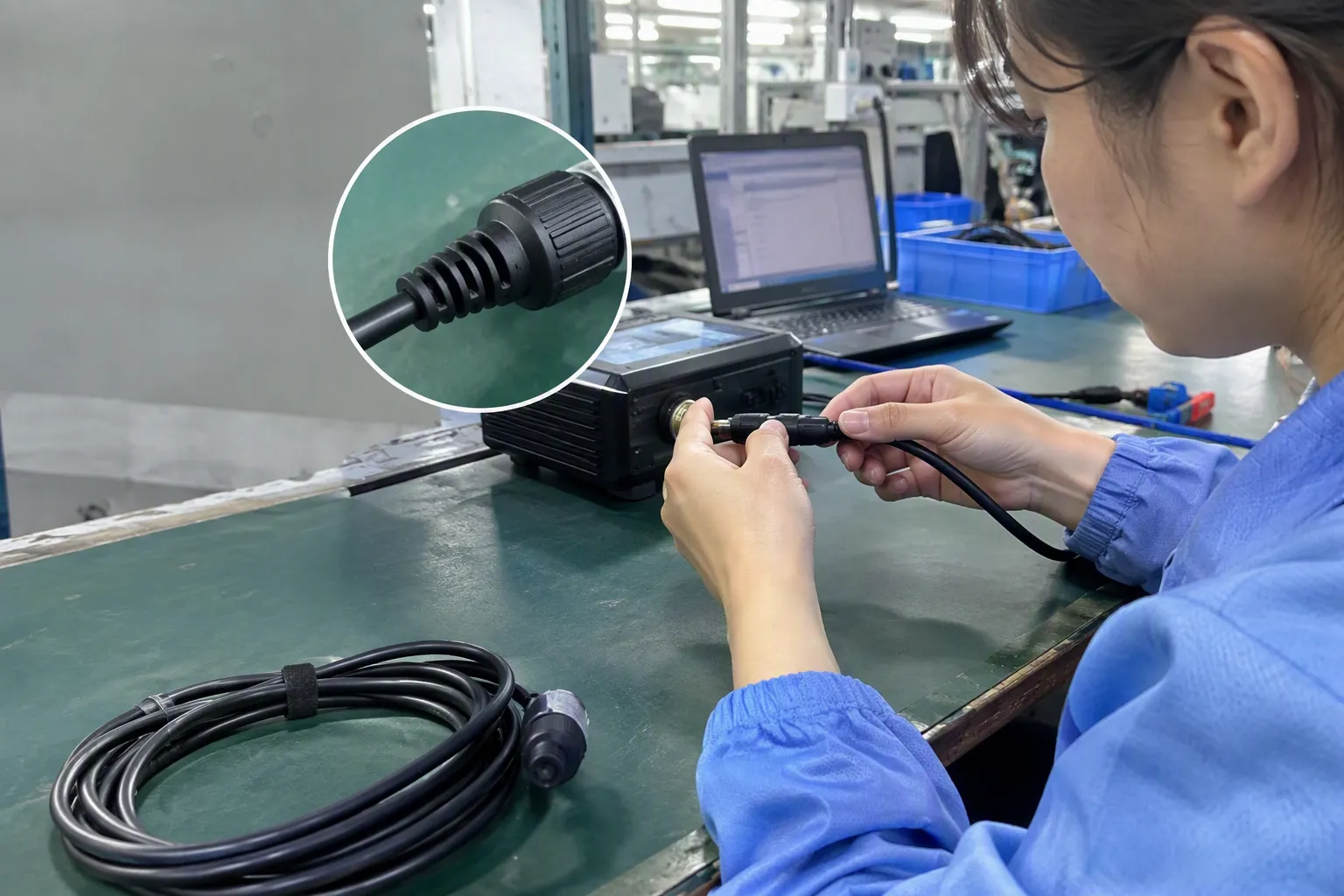
The physical plug answers one important question: Will this cable likely fit the port? It does not answer every question that matters after the connection is made.
A buyer who needs a cable for an external drive, camera, test instrument, or specialized accessory should also verify the device’s own requirements. The device model, supported USB mode, power behavior, operating environment, and original accessory specification may all matter.
For example, an external hard drive may use a USB 3.0 Micro-B-shaped port, but the buyer still needs to confirm:
- Whether the device expects data transfer only or also receives operating power through the cable
- Whether the host device has a compatible USB port
- Whether a longer cable is appropriate for the installation
- Whether the cable needs to fit a protective case or recessed enclosure
- Whether the replacement is for occasional use, retail resale, or continuous commercial use
- Whether the supplier’s stated specification can be supported by documentation
I have seen buyers focus on “USB 3.0” as if it guarantees a result. It does not. The term can describe a family of interfaces, while the actual cable and device combination determines what can be used in practice.
For bulk procurement, I recommend creating a short approval sheet that combines the physical and commercial requirements:
| Requirement | Example approval detail |
|---|---|
| Product name | USB 3.0 Micro-B to USB-A cable |
| Plug confirmation | Wide two-part Micro-B plug shown in approved sample photo |
| Length | 1 meter, with agreed tolerance if required |
| Color | Black PVC jacket |
| Packaging | Individual polybag with barcode label |
| Inspection standard | Visual connector check, cable length check, packaging review |
| Documentation | Supplier quotation, sample confirmation, approved artwork |
| Shipping plan | Consolidated with related accessories or shipped separately |
This approach gives purchasing teams, suppliers, inspectors, and warehouse staff the same reference point. It also makes disputes easier to resolve because the expected connector shape is documented before shipment.
How can importers reduce wrong-cable and return risk?
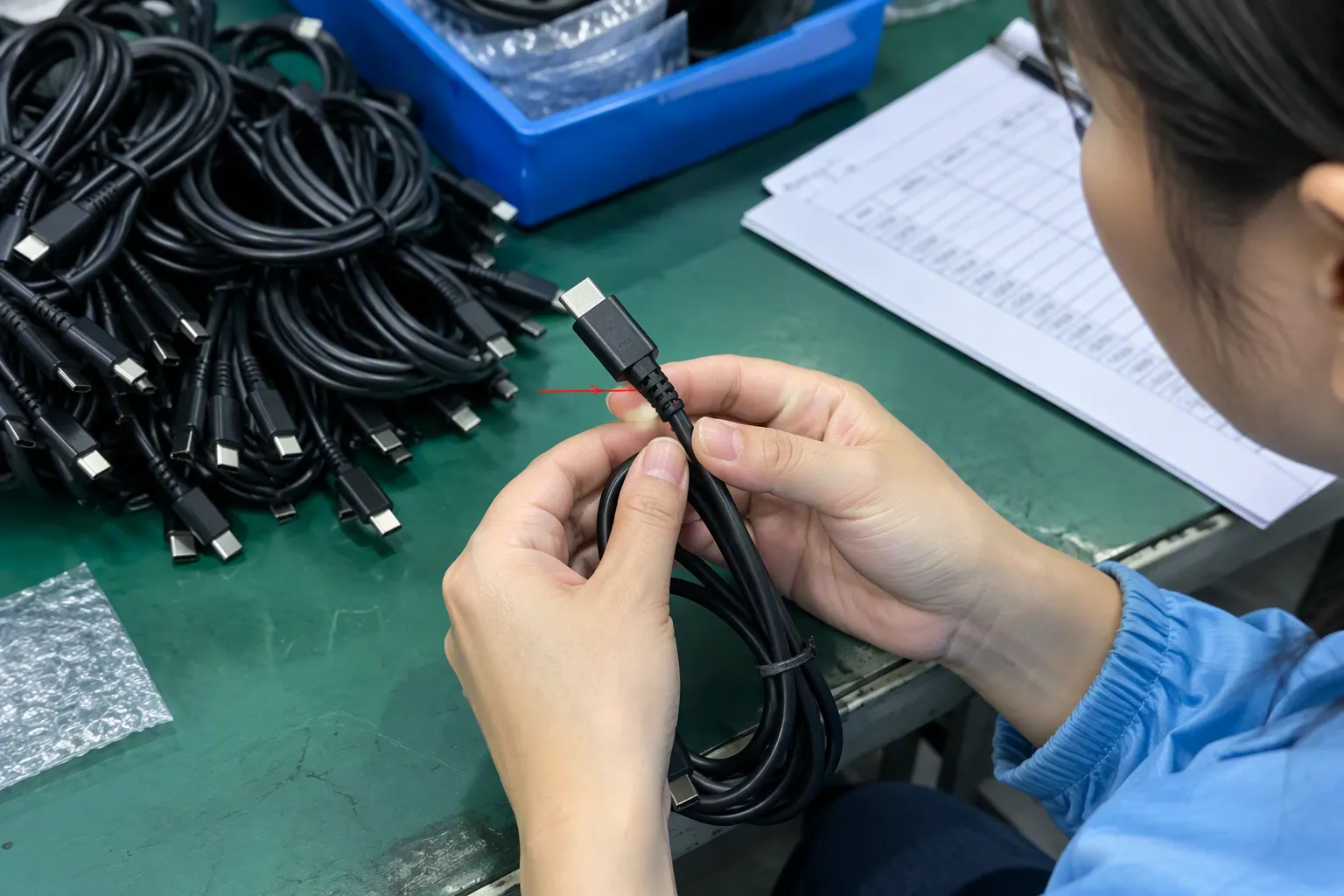
For e-commerce sellers, a wrong connector can lead to negative reviews, avoidable return costs, and customer-support workload. For wholesale buyers, the same error can affect many downstream customers. I recommend treating connector identification as part of product data management, not as a last-minute packing detail.
A clear product listing should include:
- A close-up image of the USB 3.0 Micro-B connector
- A side-by-side comparison with standard Micro-USB where appropriate
- A statement that buyers should check their device port
- The cable’s two connector types in the title and bullets
- Exact cable length
- A note that physical fit does not independently guarantee every device function
- Device-model examples only when they have been properly verified
Avoid claims such as “fits all Micro-USB devices” or “works with every external hard drive.” Those statements are too broad and can create preventable expectations.
For private-label and marketplace sellers, I also recommend checking the product packaging before shipment. The packaging should not use a generic “Micro USB Cable” label if the product is actually a USB 3.0 Micro-B cable. Accurate labeling helps warehouse teams pick the right SKU and helps customers identify the connector before opening the package.
At KingSourcing, we can help buyers collect supplier photos, compare quotations, coordinate samples, inspect packaging and labels, and check that the shipped product matches the approved connector specification. We can also consolidate cables with related accessories from multiple factories, which is useful for multi-SKU orders.
Frequently Asked Questions
Is USB 3.0 Micro-B the same as Micro-USB?
No. A USB 3.0 Micro-B connector is wider than a standard Micro-USB connector and has an additional side section. Some USB 3.0 Micro-B ports may accept a standard Micro-B plug for limited backward-compatible use, but buyers should not assume that the connectors are universally interchangeable.
How can I tell whether my device has a USB 3.0 Micro-B port?
I recommend looking for a wider, two-part port opening. It usually appears like a standard Micro-B-shaped opening with an extra section attached beside it. Compare the port with the original cable and request technical support from the device manufacturer if the shape remains unclear.
Will a USB 3.0 Micro-B cable work with every external hard drive?
No. Many older external hard drives use this connector type, but not every drive uses the same port or has the same cable requirements. The connector must physically fit, and the device model, host connection, cable construction, and intended use should also be checked.
Does the USB 3.0 Micro-B connector shape guarantee transfer speed?
No. The connector shape alone does not guarantee a specific transfer speed. Actual performance depends on the device, host port, cable specification, cable quality, and system configuration. Buyers should review verifiable manufacturer specifications when performance is important.
What should I send a supplier before ordering USB 3.0 Micro-B cables?
I recommend sending a clear port photo, the original cable photo if available, the device model, required cable length, connector type at the other end, packaging requirements, quantity, and target use. For a bulk order, buyers should approve a sample before production.
Conclusion
A USB 3.0 Micro-B connector is recognizable by its wider, two-part shape: a familiar Micro-B section plus an extra adjacent section. Still, appearance is only the first check. I recommend confirming the actual device port, comparing the original cable, reviewing real supplier photos, and validating the cable specification for the intended application. If you are sourcing replacement cables, private-label accessories, or multi-SKU electronics products from China, KingSourcing can help you verify suppliers, approve samples, inspect goods, and consolidate shipment before delivery.
Sources
- Universal Serial Bus Micro-USB Cables and Connectors ...", USB 3.0 connector specifications illustrate the Micro-B interface as a wider composite form with an added SuperSpeed contact section beside the USB 2.0 Micro-B portion
- USB3 Cables and Connectors Compliance Document", The USB 3.0 connector specification identifies additional SuperSpeed signal contacts in the Micro-B extension, supplementing the contacts used for USB 2.0 operation
- USB Types and Connectors Guide", Technical documentation for USB SuperSpeed peripherals records USB 3.0 Micro-B as an interface used by external storage devices and related equipment during the interface's earlier adoption period
- USB Types and Connectors Guide", Standard connector drawings show that the USB 3.0 Micro-B plug includes an extended section not accommodated by a standard USB 2.0 Micro-B receptacle
- SuperSpeed Micro-B", USB 3.0 interoperability documentation specifies that the Micro-B receptacle preserves the USB 2.0 Micro-B mating portion, enabling backward-compatible USB 2.0 connections with an appropriate standard Micro-B plug
- How to easily tell whether a USB-C cable is data-only, ...", USB standards separate mechanical connector definitions from the electrical, protocol, power, and certification requirements that determine a cable assembly's supported capabilities
- USB-C Mid Mount Connector Design Guide", Connector design guidance notes that mating clearance depends on the complete plug assembly, including its housing or overmold, rather than on contact geometry alone
- What Third Party Sellers Need to Know About the INFORM ...", Consumer-protection guidance recognizes that online advertising and product descriptions may omit or misrepresent material information, making verification of product characteristics important before purchase