Are you confused by all the numbers on USB cables? Choosing the wrong one can mean slow charging or even angry customers. Here is what you need to know.
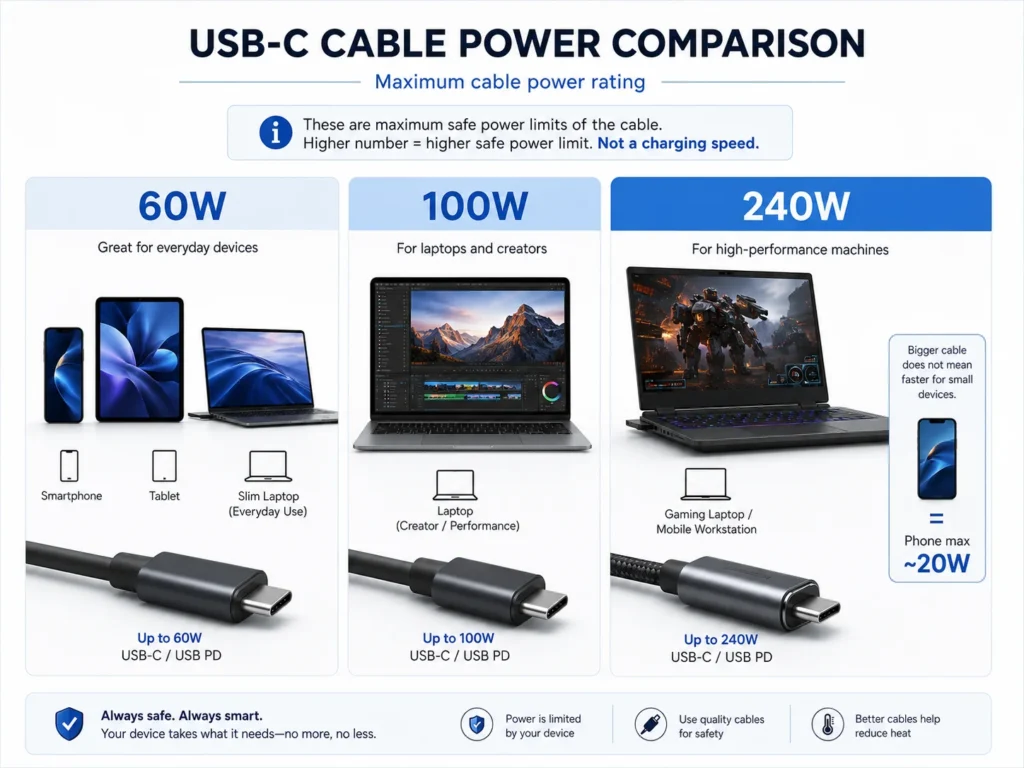
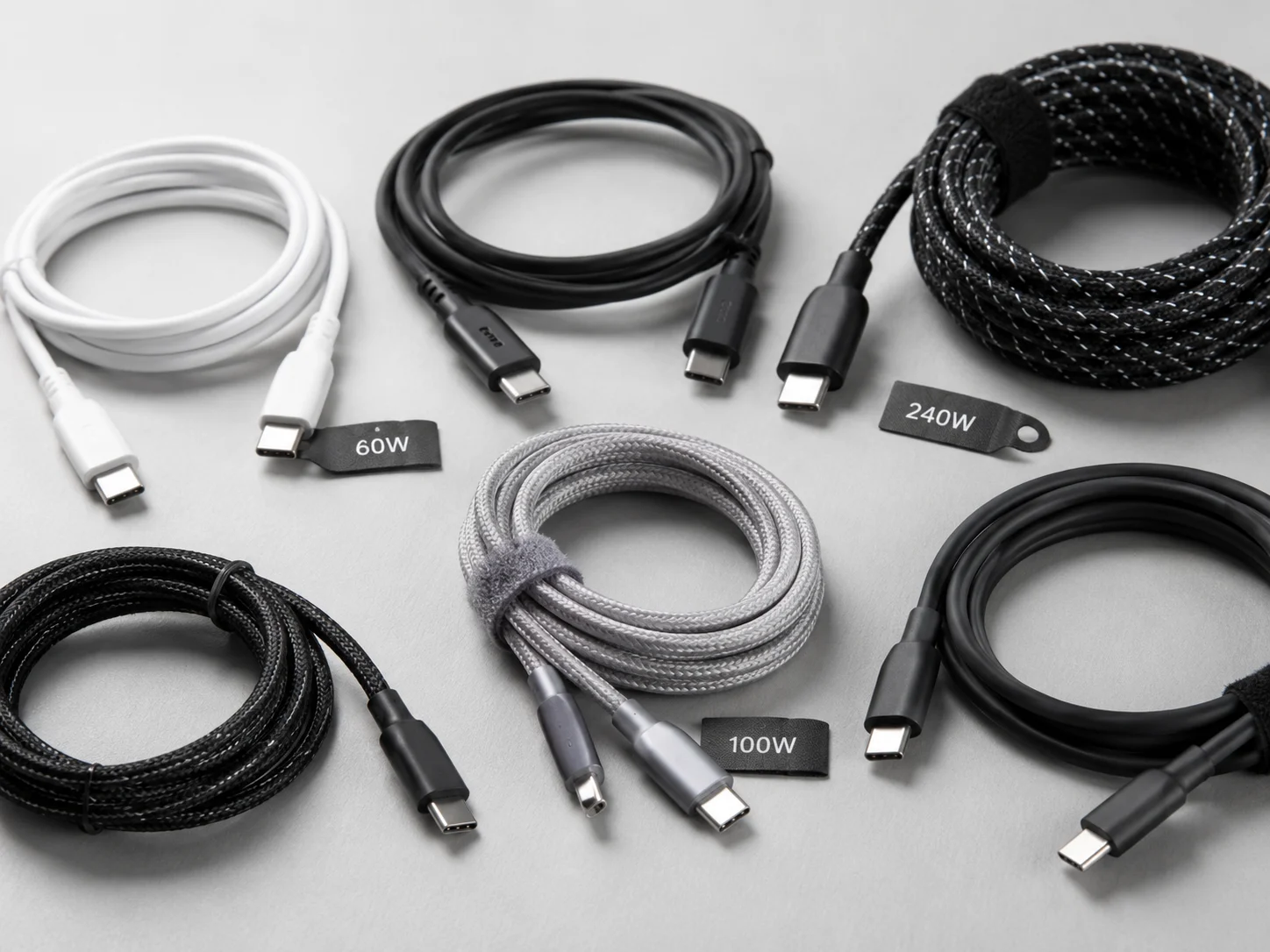
The simple answer is that you must match the cable to the device. A 60W USB-C cable is perfect for most phones, tablets, and many laptops.1 You only need 100W or 240W2 cables for powerful devices like gaming laptops or specific professional workstations.
I have been exporting electronics from Shenzhen for 15 years. Every day, I talk to buyers from Europe and the US. They are smart business people, but the world of USB cables can be very confusing. They want to know what to stock, what to sell, and how to avoid problems. This guide is built on the real questions they ask me. My goal is to help you make better buying decisions, save money, and keep your customers happy. Let's break it down together.
What Is a USB PD Cable, and Why Does It Matter?
Are you still thinking all USB chargers are the same? This old thinking can hurt your business with slow charging complaints. Understanding Power Delivery (PD) is key to modern electronics.
A USB PD cable is a smart cable. It works with a PD charger and a PD-compatible device to negotiate the fastest and safest charging speed. It is not just about power; it is about intelligent power.
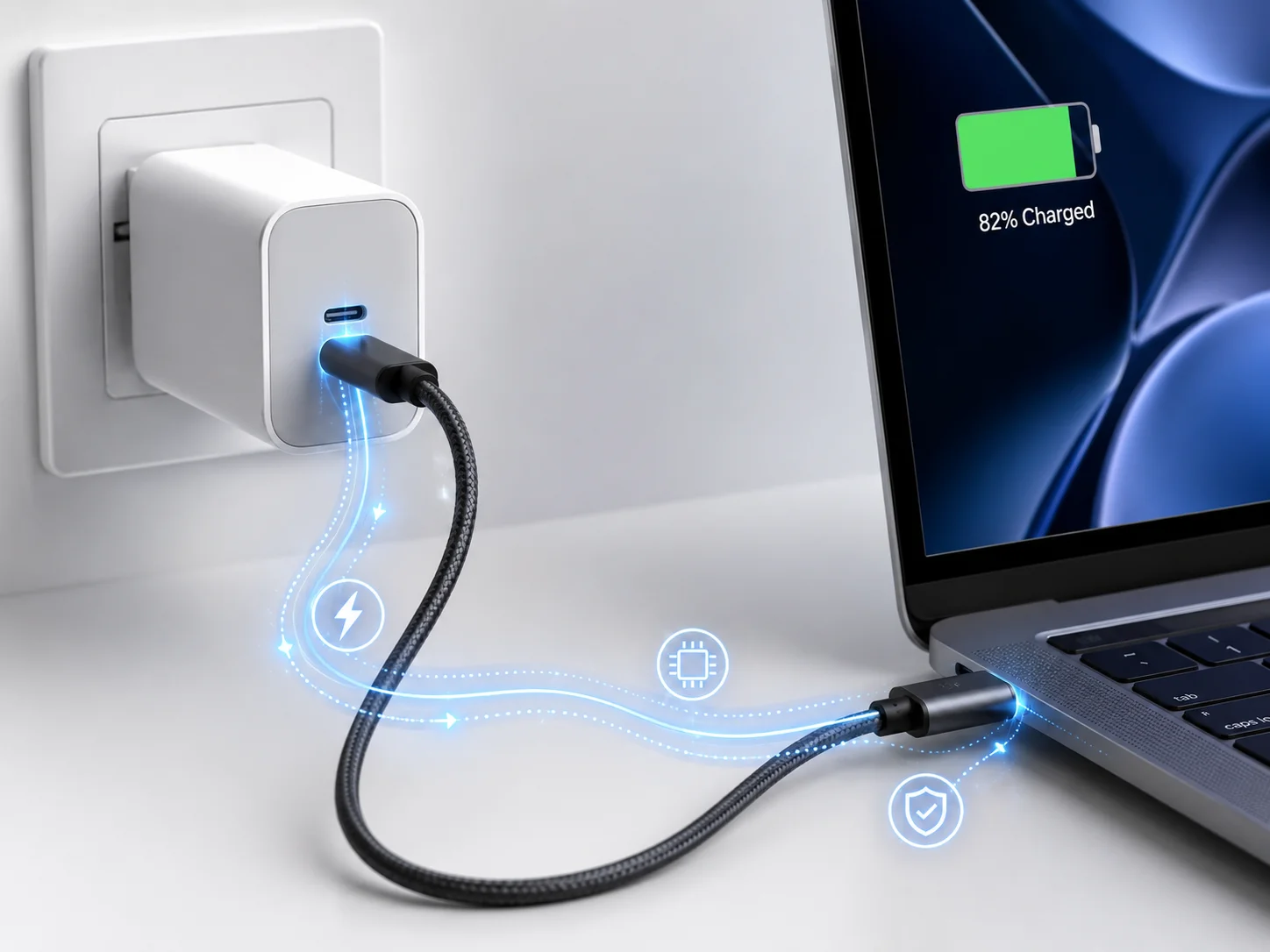
In my early days of exporting, a USB cable was simple. It just sent power one way. But today, our devices are much more powerful and complex. USB Power Delivery, or PD, is the solution. Think of it like a conversation. When you plug in a PD cable, the charger, cable, and your device all talk to each other.3 The charger says, "I can offer this much power." The device says, "I need this much power." The PD cable makes sure this conversation happens and that the power flows safely. This matters because it allows for much faster charging than old USB standards. For your business, this means offering products that meet modern customer expectations for speed and safety. It prevents a powerful charger from sending too much current to a small device, protecting it from damage.
60W vs 100W vs 240W: What Do These Numbers Actually Mean?
Do you see big numbers like 100W or 240W and think bigger is always better? This is a common mistake that can cost you money. The numbers are a limit, not a force.
These numbers represent the maximum power, measured in watts (W), that the cable is rated to handle safely. A 240W cable will not charge a 20W phone any faster, but a 60W cable will limit a 100W laptop.
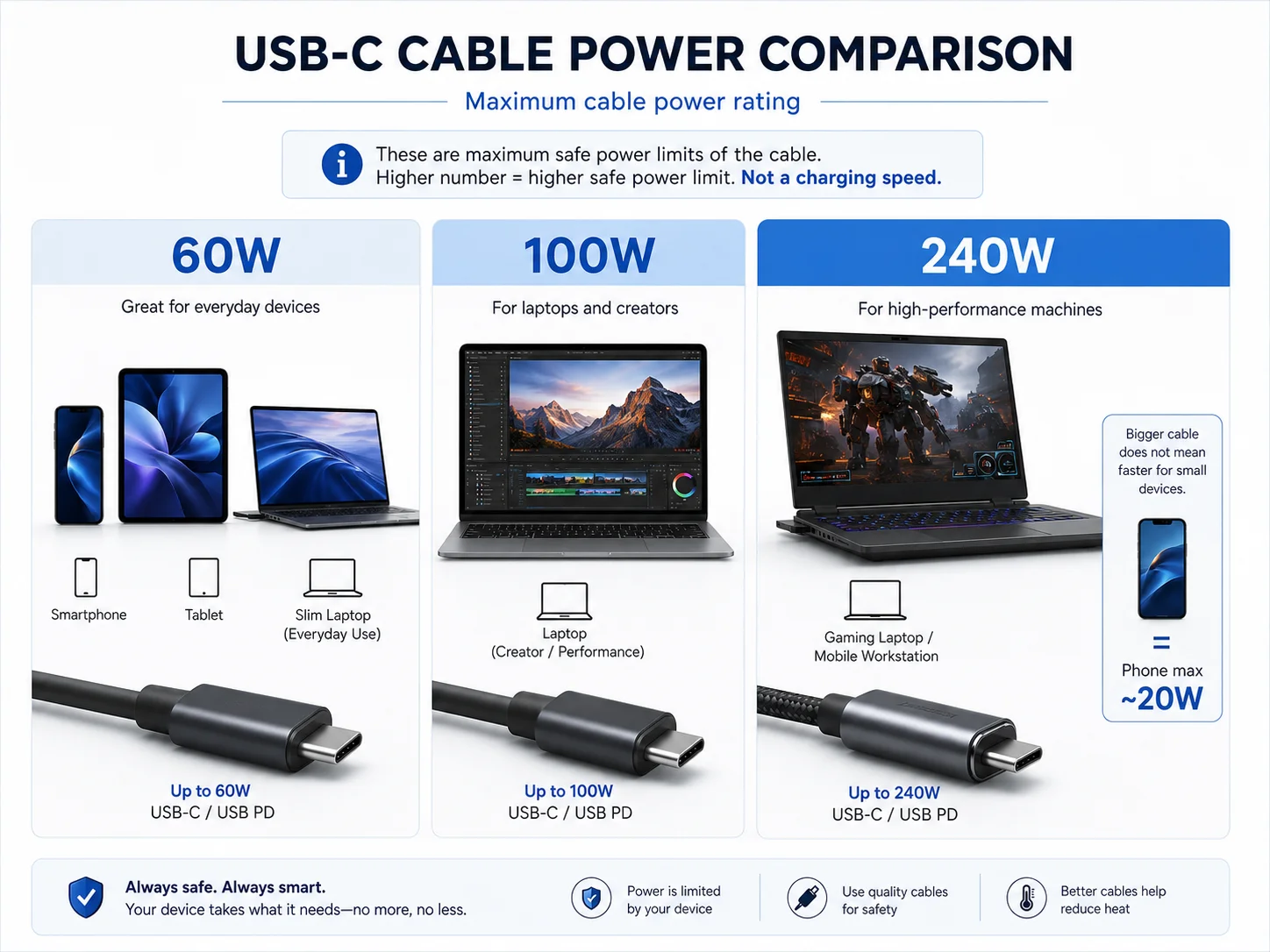
I often get requests from buyers asking for "the most powerful cable." My first question is always, "What will your customers use it for?" Power is calculated as Volts (V) multiplied by Amps (A). A cable's wattage rating tells you the maximum power it can safely pass without overheating or failing.
Here's how to think about it:
| Max Power | Standard Voltage/Amps | Typical Use Case |
|---|---|---|
| 60W | 20V / 3A | Phones, Tablets, Ultrabooks (e.g., MacBook Air) |
| 100W | 20V / 5A | More powerful laptops (e.g., MacBook Pro 14") |
| 240W | 48V / 5A | High-performance gaming laptops, future devices |
The cable itself does not "push" the power. The device "pulls" what it needs. A 240W cable connected to an iPhone will only deliver the ~27W the iPhone asks for. The important part is that the cable's rating must be equal to or higher than the power the device needs.
Why 60W Is Enough for Most Phones, Tablets, and Light Laptops?
Are you thinking about stocking only 240W cables to cover all uses? This strategy might seem simple, but you will overpay and your customers will not see any benefit for most of their devices.
A 60W Power Delivery cable safely and quickly charges the vast majority of consumer electronics. This includes all iPhones, Samsung Galaxy phones, iPads, and popular laptops like the MacBook Air and Dell XPS 13.
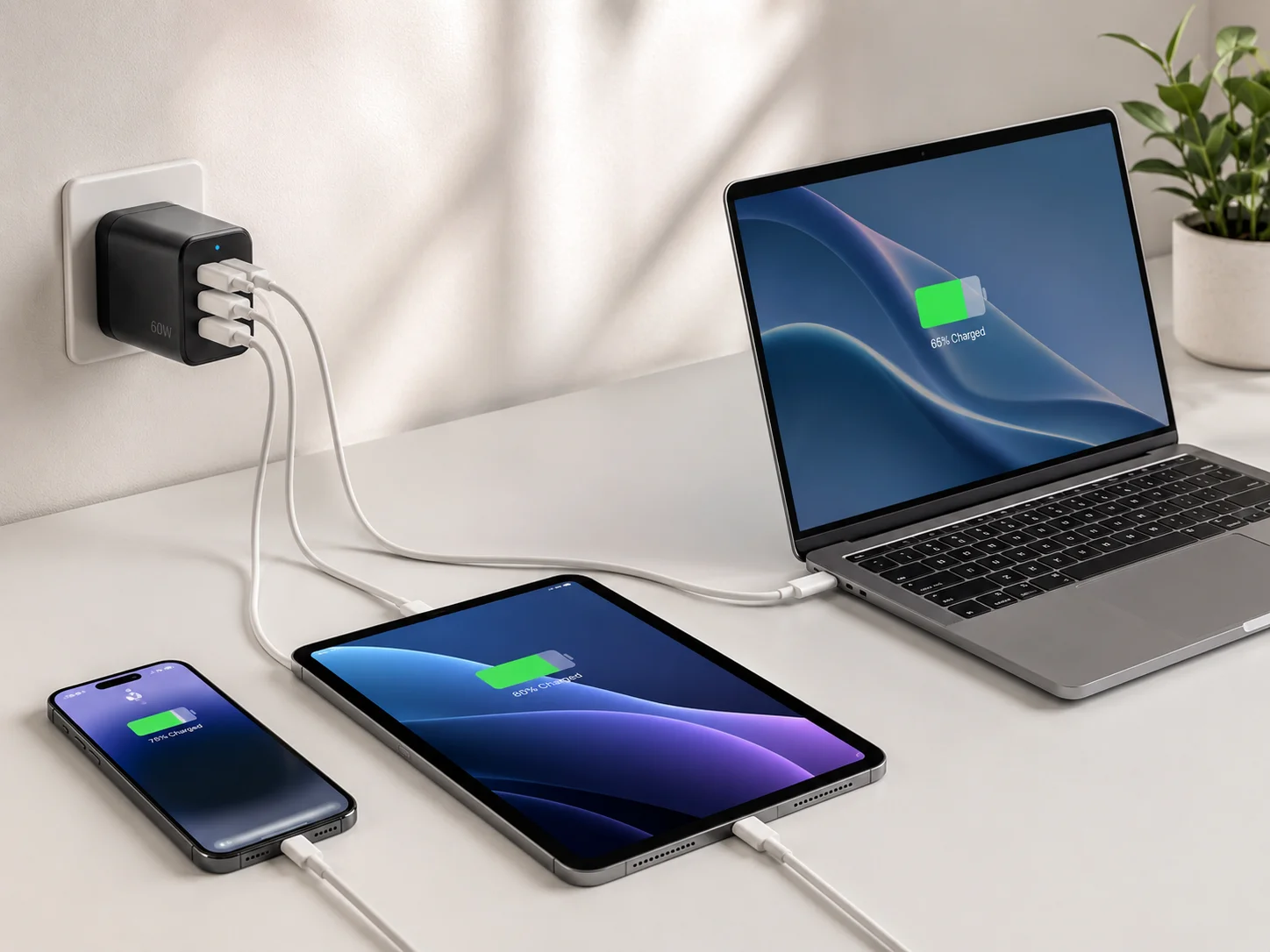
Let’s look at the real-world needs of popular devices. I check these specs for my clients all the time. An iPhone 15 Pro Max charges at a maximum of around 27W.4 A Samsung S24 Ultra can use up to 45W.5 A standard iPad or a MacBook Air needs about 30-45W. A 60W cable (which supports up to 20V/3A) handles all of these devices perfectly with plenty of headroom. For a retailer or an e-commerce seller, a high-quality 60W USB-C to USB-C cable is the most versatile and cost-effective product to stock. It meets the needs of probably 90% of your customers. Focusing your main inventory on this spec means you can invest in better quality for a lower price, instead of paying for a high power rating that will never be used by most people.
When Buyers Really Need 100W or 240W USB-C Cables?
So if 60W is enough for most people, who is buying the high-power cables? Your customers with serious power needs will look for these, and they are willing to pay for quality.
You need a 100W or 240W cable for high-performance devices. This includes 15/16-inch laptops like the MacBook Pro, powerful workstation PCs, and especially modern gaming laptops that require a lot of power.
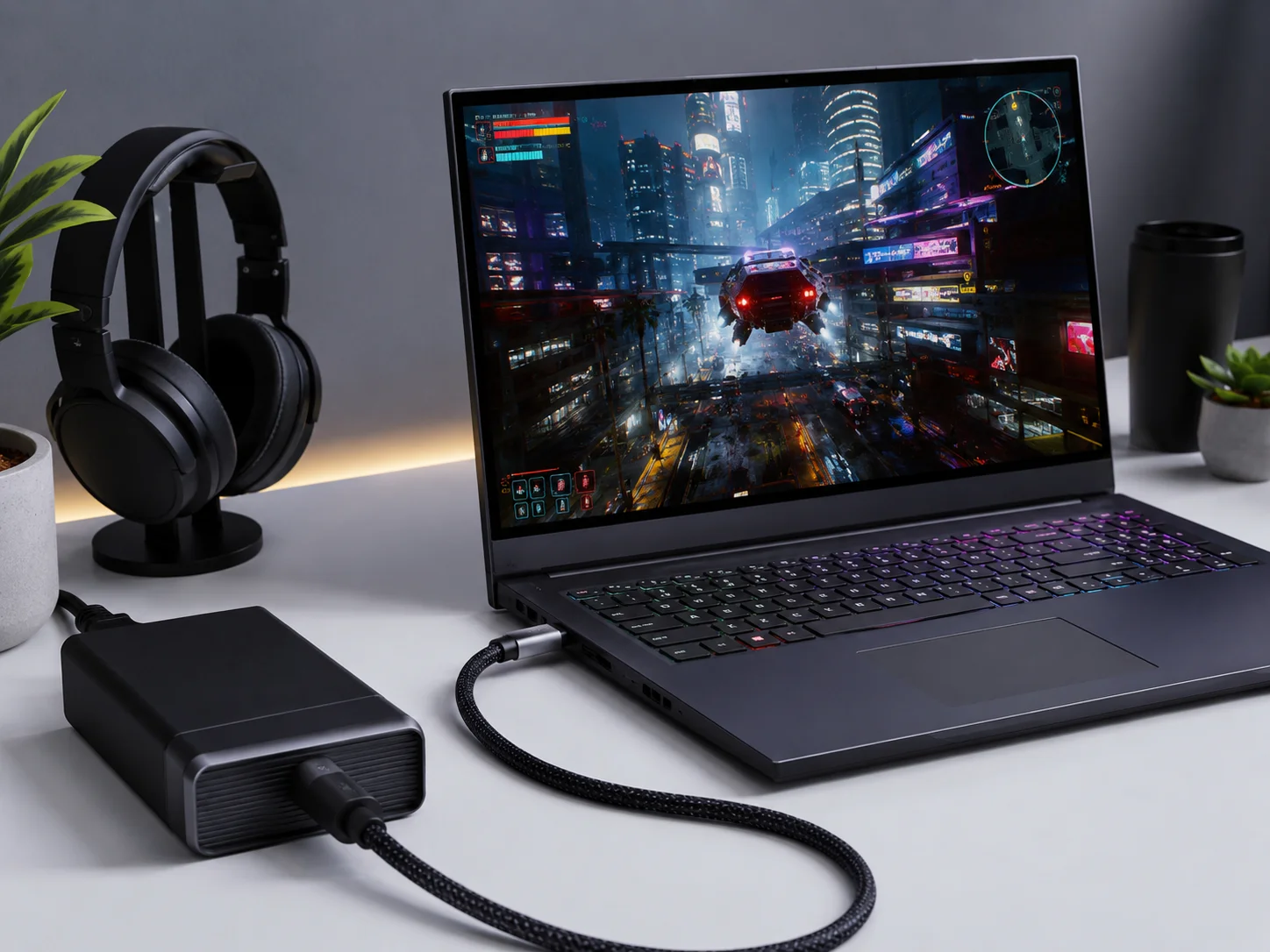
When a client tells me they serve a market of gamers, video editors, or engineers, my recommendation changes. That is when we start talking about 100W and 240W cables. A 16-inch MacBook Pro, for example, comes with a 96W or 140W charger. Using a 60W cable with it will result in very slow charging, or even the battery draining while plugged in under heavy use. This creates a bad user experience. The new 240W Extended Power Range (EPR) standard is designed for the most demanding machines. These are devices that used to need a big, proprietary barrel connector for power. Now, USB-C can handle it. Offering these cables positions you as a specialist who understands high-performance gear. It's a smaller market, but the margins are better and the customers are very knowledgeable.
The Biggest Misunderstanding: Charging Power Is Not Data Speed?
Do you assume a cable that charges fast also transfers data fast? This is one of the most common and costly mistakes I see buyers make. Your customers will notice.
A cable’s power rating (e.g., 240W) and its data transfer speed (e.g., USB 2.0 or USB4) are two completely separate specifications.6 A very fast-charging cable can be very slow for transferring files.
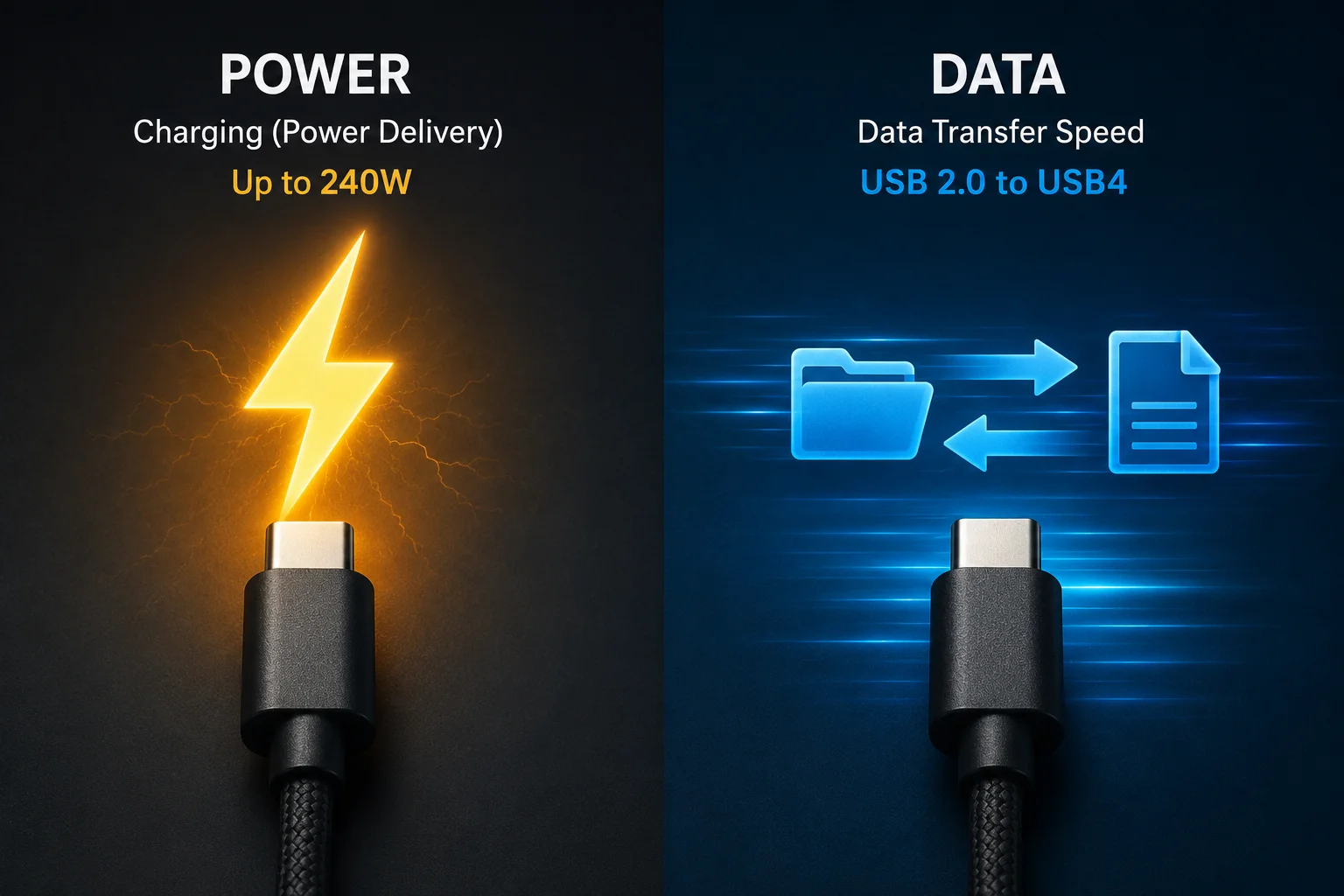
Many factories in China produce cables that support 100W or even 240W charging but only have USB 2.0 data transfer speeds. Why? Because it is much cheaper. USB 2.0 technology is old, with a maximum speed of 480Mbps. This is fine for connecting a keyboard or mouse, but it is painfully slow for transferring a large video file from a phone or an external SSD. For comparison, USB 3.2 can be 10Gbps, and USB4 can be 40Gbps—over 80 times faster than USB 2.0. When you source cables, you must ask about both specs. A customer who buys a "premium" 100W cable for their new laptop will be very unhappy if it takes an hour to back up their photos. You need to decide: is this cable for charging only, or for high-speed data too? The answer changes the price and your marketing.
E-Marker Chips: The Small Component That Changes Everything?
Have you ever wondered how a charger knows not to fry your phone? A tiny, smart chip is responsible, and its absence in cheap cables is a huge red flag for any serious buyer.
An E-Marker chip is a small integrated circuit inside the USB-C connector. For any cable to deliver more than 60W of power (above 3A), it must have an E-Marker to tell the charger and device its capabilities.7
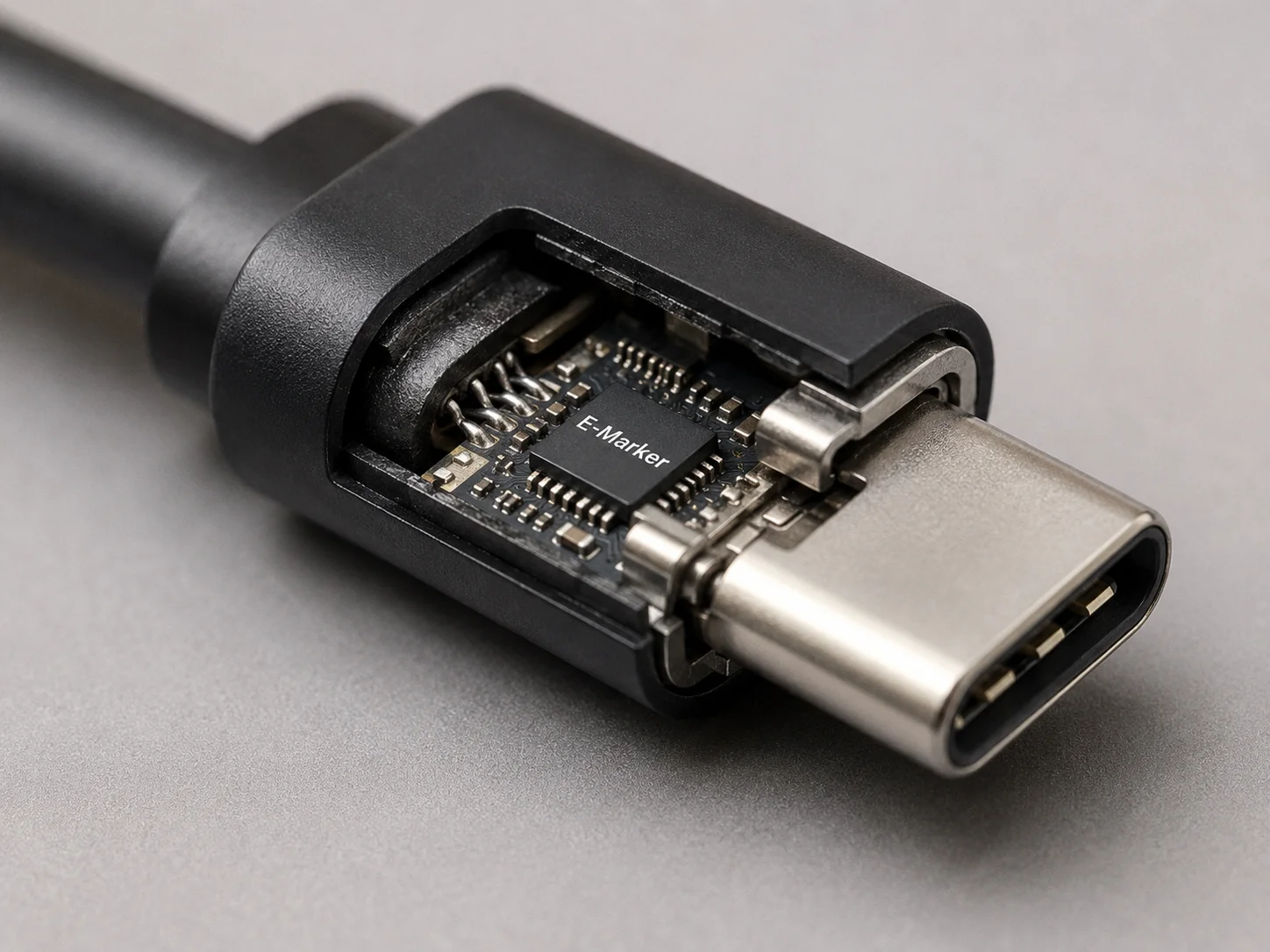
This is a non-negotiable safety feature. If you order a 100W or 240W cable, it must have an E-Marker chip. This chip stores the cable's specifications, like its maximum power rating and data speed. When you plug it in, the Power Delivery system reads this chip. If the chip says "I am a 100W cable," the system trusts it and allows up to 100W to be delivered. If a cable has no E-Marker, the system will, by default, limit the power to 60W (20V/3A) to be safe.8 Some cheap factories will sell a "100W" cable that is just thick wire with no E-Marker. It will never charge above 60W. When I vet a new supplier for my clients, I always ask to see the E-Marker chip they use. It tells me if they understand and follow the USB-C specification.
Cable Thickness, Copper Quality, and Heat Control?
Do you think all cables that look the same on the outside are the same on the inside? The materials used inside the cable are what separate a safe, durable product from a dangerous one.
Thicker copper wires (measured by a lower AWG number) carry power more efficiently with less resistance and heat.9 High-quality, pure copper is essential for safety and performance, especially in high-wattage cables.
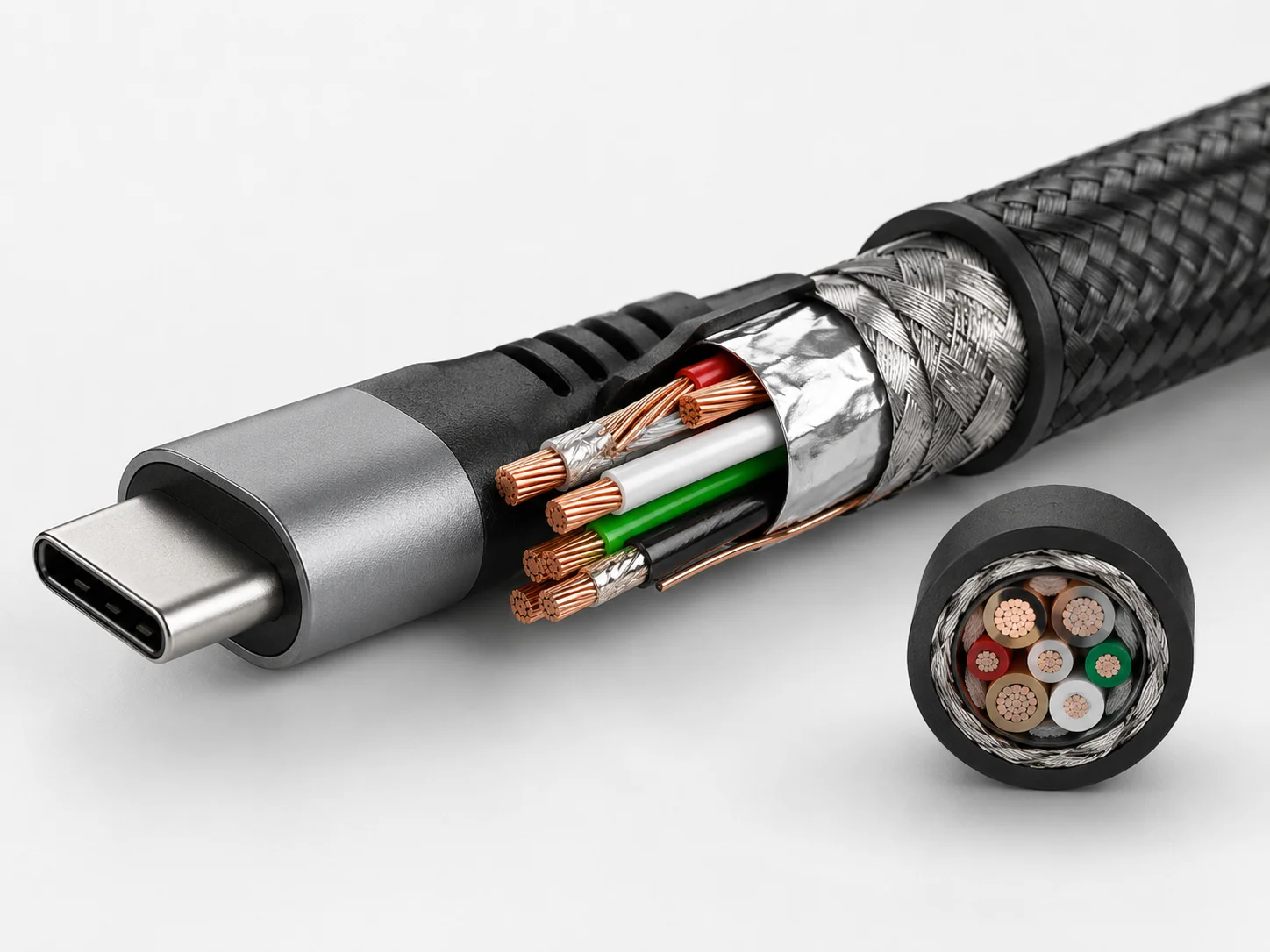
Physics does not lie. Pushing a lot of power through a thin wire is like trying to force water through a tiny straw. It creates resistance, which generates heat. This is why power cables for your house are thick. The same applies to USB-C cables. A proper 100W or 240W cable needs thicker internal copper conductors to handle the current safely. The quality of the copper also matters. Pure copper is a better conductor than copper-clad aluminum or other cheap alloys. Poor materials lead to more heat, potential melting of the connector, voltage drops over the length of the cable, and a serious fire risk. This is why I always check the wire gauge (AWG) specification and material composition when sourcing cables for my B2B clients. Their reputation depends on it.
Why Cheap “240W” Cables Can Be Risky?
Have you found a supplier offering 240W cables for an incredibly low price? If it seems too good to be true, it is. These cheap cables carry significant risks for you and your customers.
Cheap, unverified "240W" cables are risky because they often lie about their specs. They may use thin wires, poor-quality copper, or lack the mandatory E-Marker chip, creating a fire hazard and a risk of damaging expensive devices.
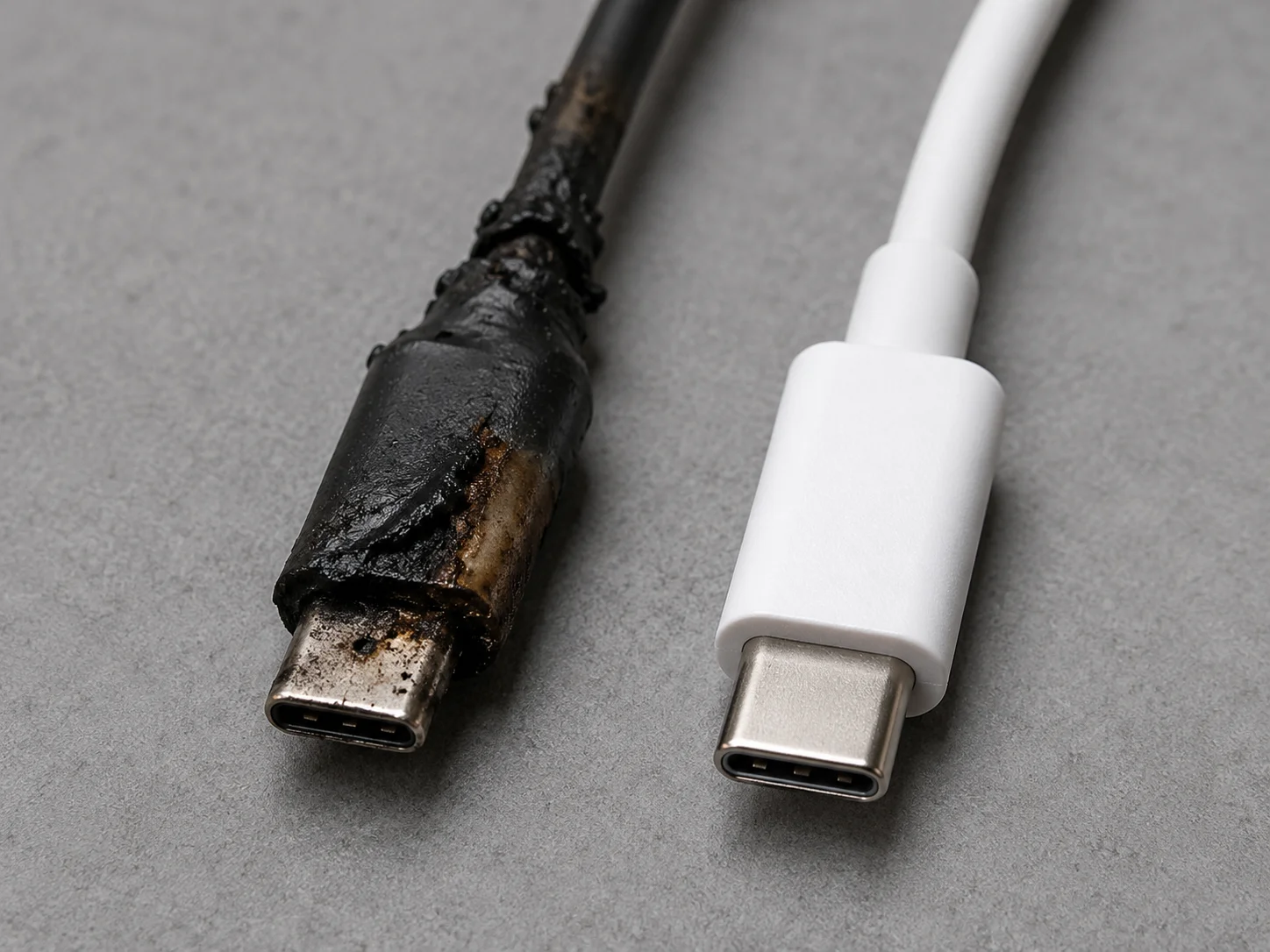
I have seen the results of these cheap cables firsthand. A buyer in Germany once sent me a photo of a melted charging port on a brand-new laptop. The cause was a cheap "100W" cable they bought from an online marketplace to save a few euros. The cable didn't have a proper E-Marker, the wires were too thin, and it overheated, damaging a €2000 machine. When you sell a cable, you are taking on liability. Selling a cable that is not properly constructed for its advertised power rating is irresponsible and dangerous. It can lead to product returns, bad reviews, and potentially even legal action. It is always better to pay a little more for a cable from a reputable supplier who can prove its specifications and safety features.
USB 2.0, USB 3.2, USB4: Which Data Spec Should Buyers Choose?
Are you unsure which data speed to offer your customers? Choosing the right spec depends entirely on the customer's needs, and matching it correctly can create a better product bundle.
For cables primarily for charging, USB 2.0 is cheap and effective. For external hard drives and fast file transfers, USB 3.2 is needed.10 For high-resolution displays and docking stations, only USB4 will do.
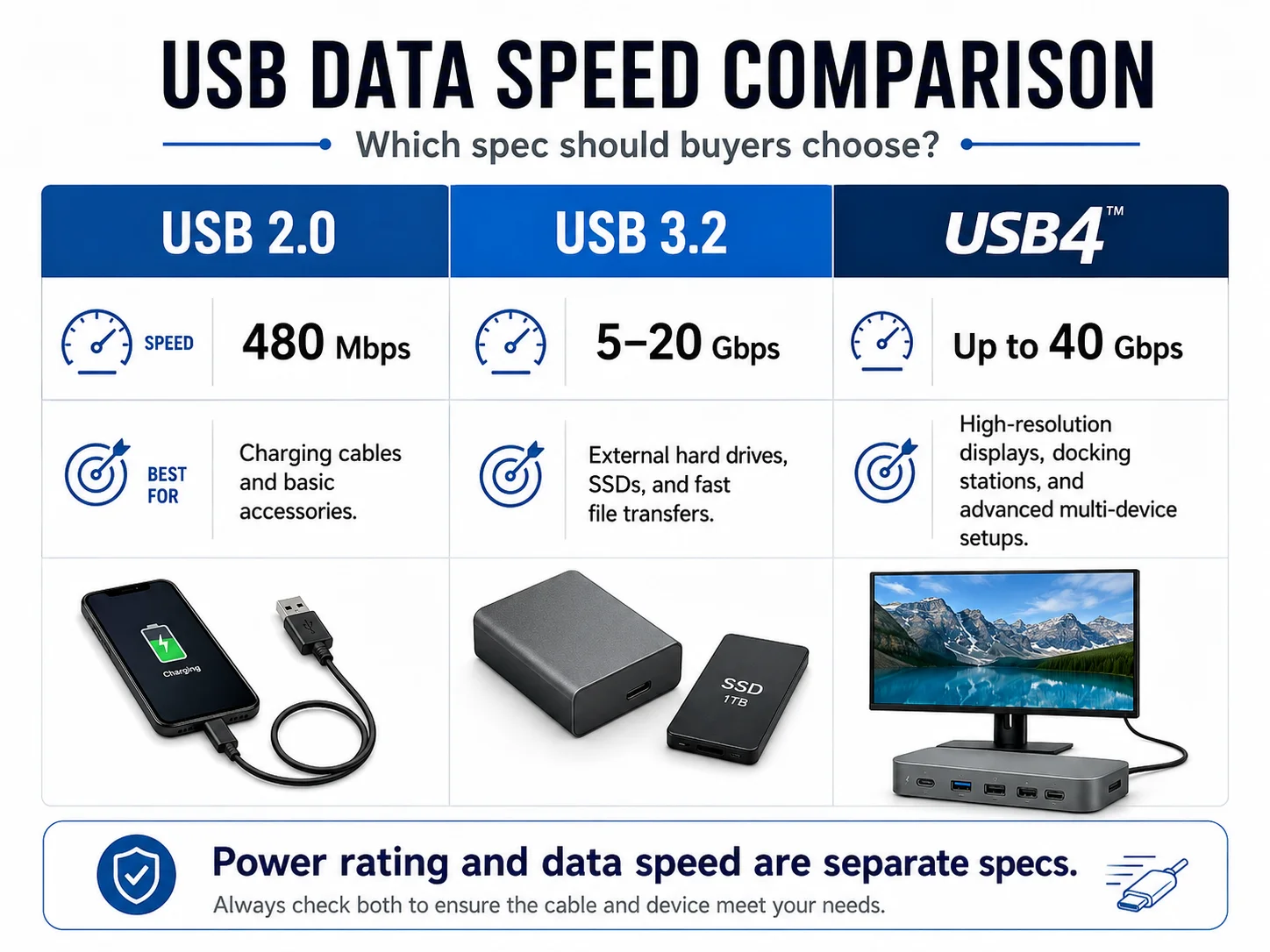
As a buyer, you need to think about your target customer's use case. Building the right product catalog is about offering clear choices, not just one "best" option. Here is a simple guide I share with my clients:
| USB Spec | Speed | Best For |
|---|---|---|
| USB 2.0 | 480 Mbps | Charging, keyboards, mice. Very slow for file transfers. |
| USB 3.2 Gen 1/2 | 5-10 Gbps | External SSDs, fast phone backups. Good all-rounder. |
| USB4 | 40 Gbps | Connecting 4K/8K monitors, high-speed docks, eGPUs. |
Most of the time, a cable with a good power rating (like 60W or 100W) and USB 2.0 data is a perfect, low-cost option for charging. Then, you can offer a premium cable, perhaps a 100W/USB 3.2 or a 240W/USB4 cable, for power users. This strategy allows you to serve different market segments effectively.
Length Matters: Why Longer Cables Are Harder to Make Well?
Do your customers ask for long 2-meter or 3-meter cables? Be careful. As cables get longer, maintaining both power and data performance becomes much more difficult and expensive.
Longer cables suffer from voltage drop and signal degradation.11 To compensate, they must be made with thicker, higher-quality copper wires and better shielding, which significantly increases their cost and complexity.
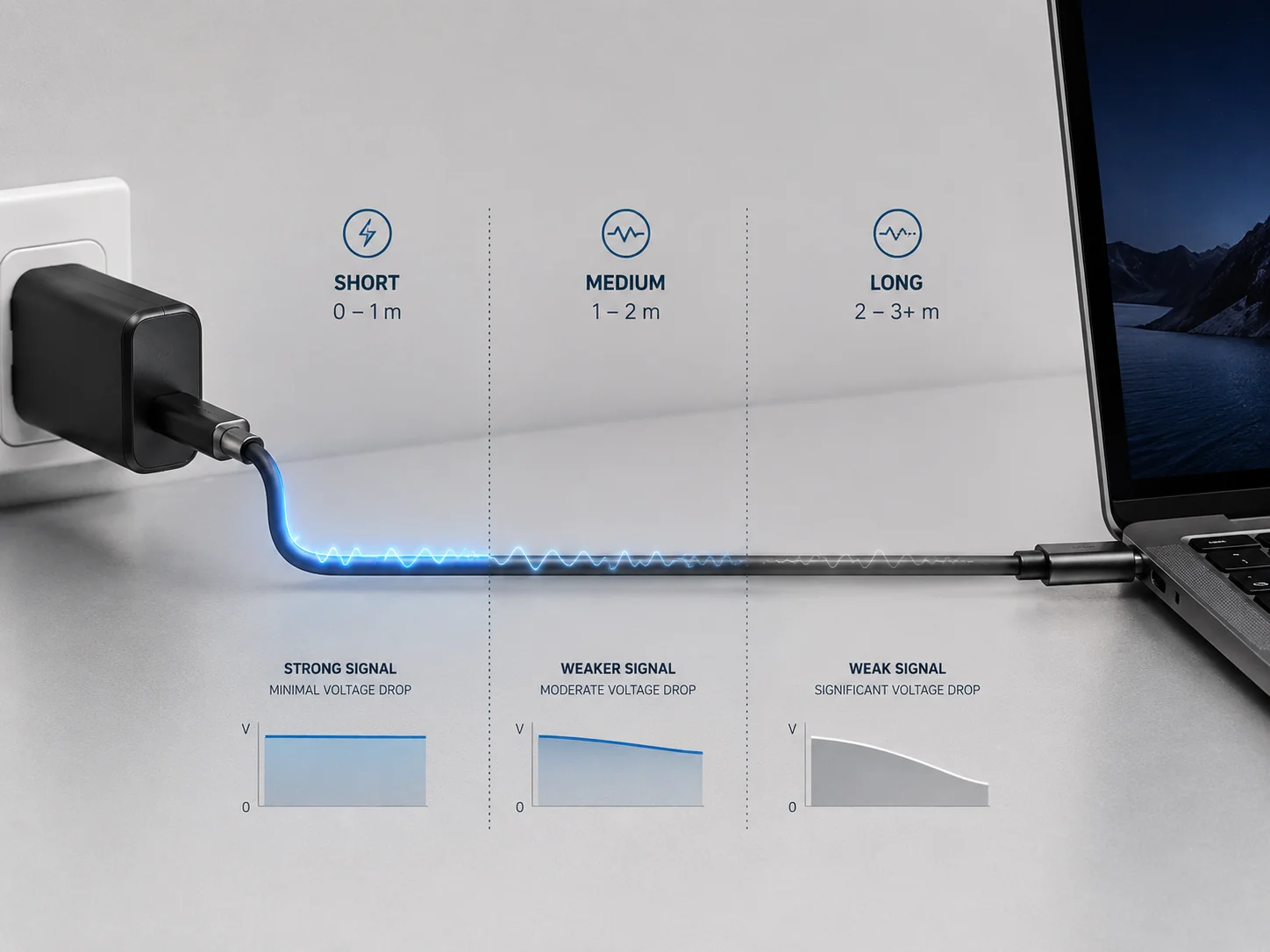
I often get requests for 3-meter cables that support 100W charging and 40Gbps data speeds. While these are technically possible to make, they are very expensive. There is a reason why the high-performance cables included with laptops are often only 1 meter long. Resistance increases with length. Over a 3-meter cable, a significant amount of power can be lost as heat if the wire is not thick enough. This is called voltage drop. Similarly, high-speed data signals can become corrupted over longer distances without proper shielding. When a factory offers a very cheap 3-meter, high-spec cable, they have cut corners somewhere. The cable will likely fail to charge at full speed or will not support the advertised data rate. For your inventory, it is safest to stock 1m and 2m lengths.
Certifications, Testing, and What Serious Buyers Should Ask Suppliers?
How can you trust that a cable from a supplier is actually as good as they claim? You need to ask the right questions and know what to look for. This separates professional buyers from amateurs.
While official USB-IF certification is the best proof of quality, it is expensive. At a minimum, you should ask your supplier for internal test reports, wire gauge (AWG) specs, and details on the E-Marker chip used.
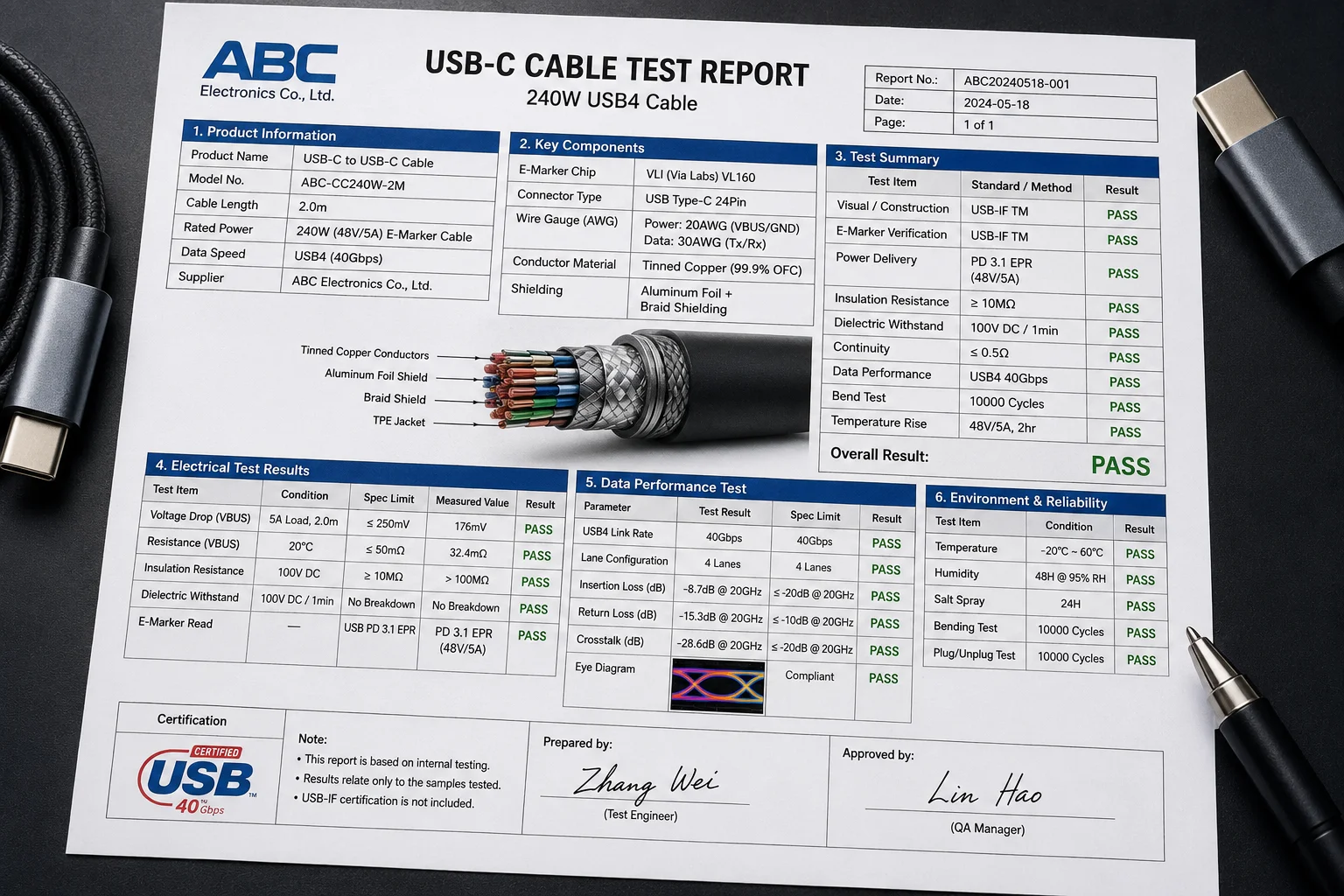
USB-IF certification means the cable has been independently tested to meet all official specifications.12 It's the gold standard. However, many excellent factories produce non-certified but fully compliant cables to save costs. As a 15-year veteran in this business, I know what to ask to verify quality without just relying on a certificate. When you talk to a supplier, ask them:
- What is the AWG (American Wire Gauge) of the power and data conductors?
- Can you provide a spec sheet for the E-Marker chip you are using for this 100W/240W cable?
- Do you have internal reports from your own testing equipment showing the voltage drop and data signal integrity? A good supplier will have these answers ready. A supplier who cannot answer these questions is a major risk.
Final Buying Advice: Do Not Overpay for Specs Your Customers Do Not Need?
So, after all this information, what should you actually buy? My advice after thousands of conversations with buyers is simple: focus on the sweet spot and do not get distracted by big numbers.
For most retail and e-commerce businesses, a high-quality 60W USB-C to C cable with USB 2.0 data is the most profitable and versatile product. It serves the largest part of the market perfectly.
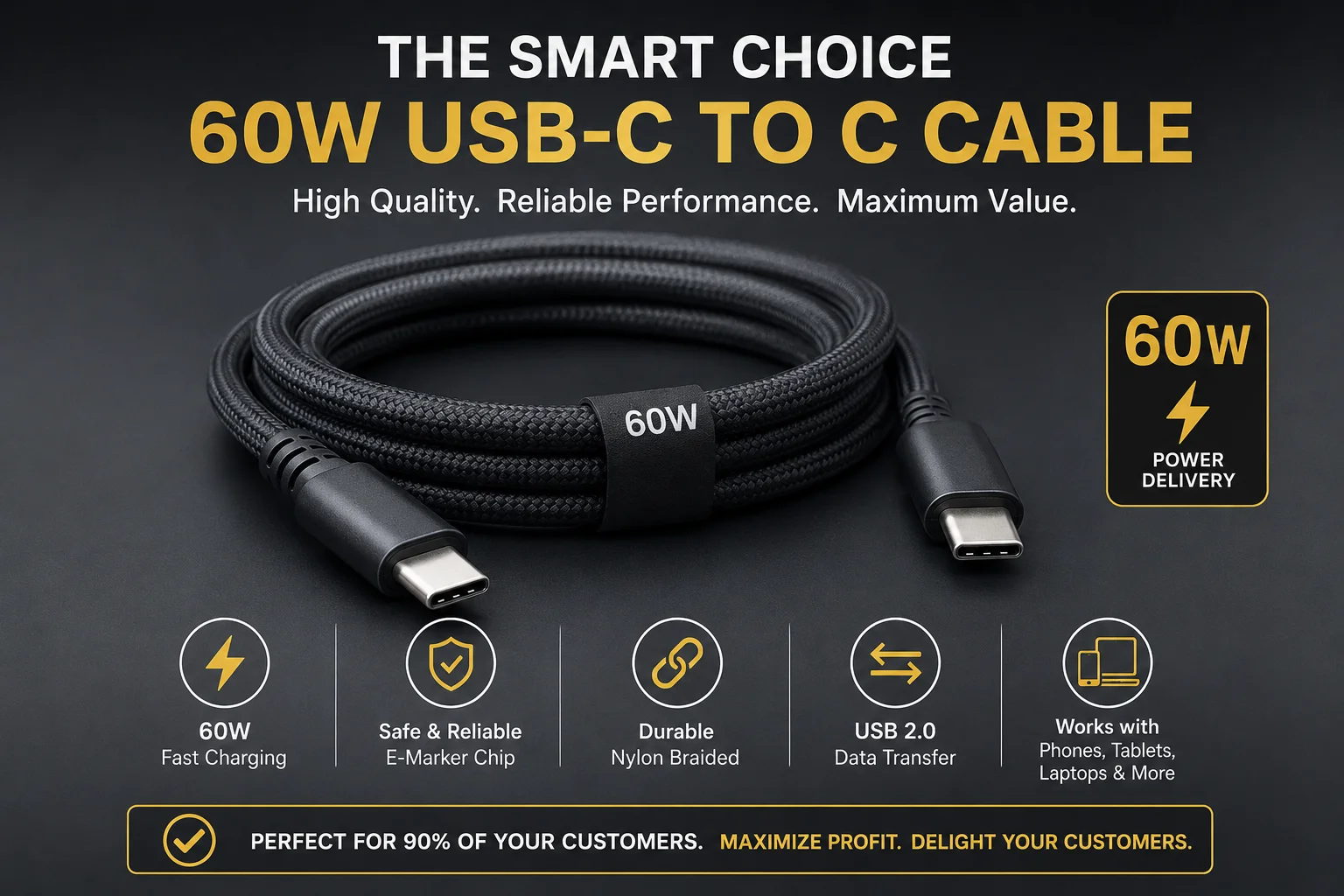
Your goal is to provide value to your customers and make a profit. Stocking a high-quality, reliable 60W cable allows you to do that. It will charge every phone, tablet, and most laptops quickly and safely. You can compete on quality and reliability in this category instead of on price alone for a spec nobody uses. Then, you can add a 100W cable as your "Pro" option for laptop users, and maybe a single 240W cable for the niche gaming market if that fits your brand. By understanding what the numbers really mean, you can build a smarter, more profitable product lineup. You will avoid overpaying for specs and reduce the risk of customer complaints. That is the path to growing your business.
Conclusion
Understanding USB-C cables is not about chasing the highest number. It is about matching the right, reliable product to your customer's real needs to build trust and grow your business.
"USB hardware - Wikipedia", https://en.wikipedia.org/wiki/USB_hardware. The USB Power Delivery specification defines multiple power levels. The standard power range includes profiles up to 100W, with 60W (20V at 3A) being a common implementation for charging laptops and other consumer electronics. Evidence role: general_support; source type: institution. Supports: The claim that 60W is a standard power tier in the USB-PD specification suitable for many devices like laptops.. ↩
"[PDF] USB Type-C PD3.1 extended power range, and the benefits of Type ...", https://www.ti.com/lit/pdf/slyp853. The USB Power Delivery (USB PD) specification revision 3.1 introduced the Extended Power Range (EPR) feature, which defines a 240W power level using a new 48V profile at 5A. Evidence role: definition; source type: institution. Supports: The claim that 240W charging is achieved with a 48V/5A power profile.. ↩
"The Basics of USB Power Delivery Negotiations - Acroname Inc", https://acroname.com/blog/basics-usb-power-delivery-negotiations?srsltid=AfmBOop9Wp3Q3rwelT3K9esK50QPgxsYdy0cqDnfDRyXuVzPIQMH8byf. The USB Power Delivery protocol facilitates a negotiation between the source (charger) and sink (device) to determine the optimal voltage and current. This communication, which happens over the USB-C cable's CC line, ensures that the device receives power at the fastest rate it can safely handle. Evidence role: mechanism; source type: encyclopedia. Supports: The claim that USB PD devices communicate to negotiate power levels.. ↩
"iPhone 15 Pro - Wikipedia", https://en.wikipedia.org/wiki/IPhone_15_Pro. Independent testing by technology publications has shown that the iPhone 15 Pro Max can draw a maximum of approximately 27 watts when charging with a compatible USB-PD adapter. Evidence role: statistic; source type: other. Supports: The claim that the iPhone 15 Pro Max's charging peaks at around 27W.. Scope note: This figure is based on third-party testing, as Apple does not officially publish this specific charging wattage. ↩
"Charging Review of Samsung S24 Ultra - Chargerlab", https://www.chargerlab.com/charging-review-of-samsung-s24-ultra/. Samsung's official specifications and independent tests confirm that the Galaxy S24 Ultra supports 'Super Fast Charging 2.0', which allows the device to charge at a rate of up to 45 watts with a compatible charger and cable. Evidence role: statistic; source type: other. Supports: The claim that the Samsung S24 Ultra is capable of 45W charging.. ↩
"USB hardware - Wikipedia", https://en.wikipedia.org/wiki/USB_hardware. According to the USB-C specifications, a cable's power delivery capability (e.g., 60W, 100W, or 240W) and its data transfer performance (e.g., USB 2.0, USB 3.2, or USB4) are defined independently. Therefore, a cable can be rated for high power delivery while only supporting low data transfer speeds, and vice versa. Evidence role: general_support; source type: institution. Supports: The claim that power and data capabilities are separate specifications in a USB-C cable.. ↩
"USB hardware - Wikipedia", https://en.wikipedia.org/wiki/USB_hardware. The USB Type-C specification mandates that any cable designed to support more than 3A of current must contain an Electronically Marked (E-Marker) integrated circuit. This chip communicates the cable's characteristics, including its maximum supported current and voltage, to the connected devices. Evidence role: definition; source type: institution. Supports: The claim that E-Marker chips are required for cables carrying more than 3A of current.. ↩
"USB hardware - Wikipedia", https://en.wikipedia.org/wiki/USB_hardware. As a safety measure defined in the USB Power Delivery specification, if a cable does not have an E-Marker chip to advertise its capabilities, the power source will not provide more than 3A of current. At the common 20V level, this effectively limits power delivery to 60W. Evidence role: mechanism; source type: institution. Supports: The claim that power is limited to 3A for cables without an E-Marker.. ↩
"Electrical Wire Gauges - HyperPhysics", http://hyperphysics.phy-astr.gsu.edu/hbase/Tables/wirega.html. The American Wire Gauge (AWG) standard defines wire diameters, where a lower gauge number corresponds to a thicker wire. According to the principles of electrical resistance, a thicker conductor has a larger cross-sectional area and thus lower resistance, leading to less power loss in the form of heat when transmitting current. Evidence role: definition; source type: education. Supports: The claim that a lower AWG number means a thicker wire with less resistance.. ↩
"USB 2.0 vs USB 3.2 Gen 1 Real Speed Test ... - YouTube",
. The USB 3.2 standard offers data transfer rates of 5 Gbps (Gen 1) to 20 Gbps (Gen 2x2), significantly faster than the 480 Mbps rate of USB 2.0. This higher bandwidth is essential for time-efficient transfers of large files to and from external storage devices like SSDs. Evidence role: general_support; source type: encyclopedia. Supports: The claim that USB 3.2 is necessary for fast file transfers compared to older standards.. ↩"Resistance in Wires of Different Length and Diameter", https://pirt.asu.edu/demos/5D10.20. The electrical resistance of a conductor is directly proportional to its length. Consequently, longer cables exhibit a greater voltage drop for a given current, reducing the power delivered to the device. Similarly, high-frequency data signals attenuate over longer distances, which can lead to data errors and reduced transfer speeds. Evidence role: mechanism; source type: education. Supports: The claim that longer cables experience increased voltage drop and signal degradation.. ↩
"USB Implementers Forum - Wikipedia", https://en.wikipedia.org/wiki/USB_Implementers_Forum. The USB Implementers Forum (USB-IF) runs a certification program where products are submitted for independent compliance testing. Products that pass this testing are confirmed to meet the relevant USB specifications for performance, safety, and interoperability, and are permitted to use the official USB certified logos. Evidence role: definition; source type: institution. Supports: The claim that USB-IF certification involves independent testing against official specifications.. ↩