Struggling with slow-charging cables and unhappy customers? You're not alone. The wrong USB cable can cause major headaches, but understanding the differences can protect your business and reputation.
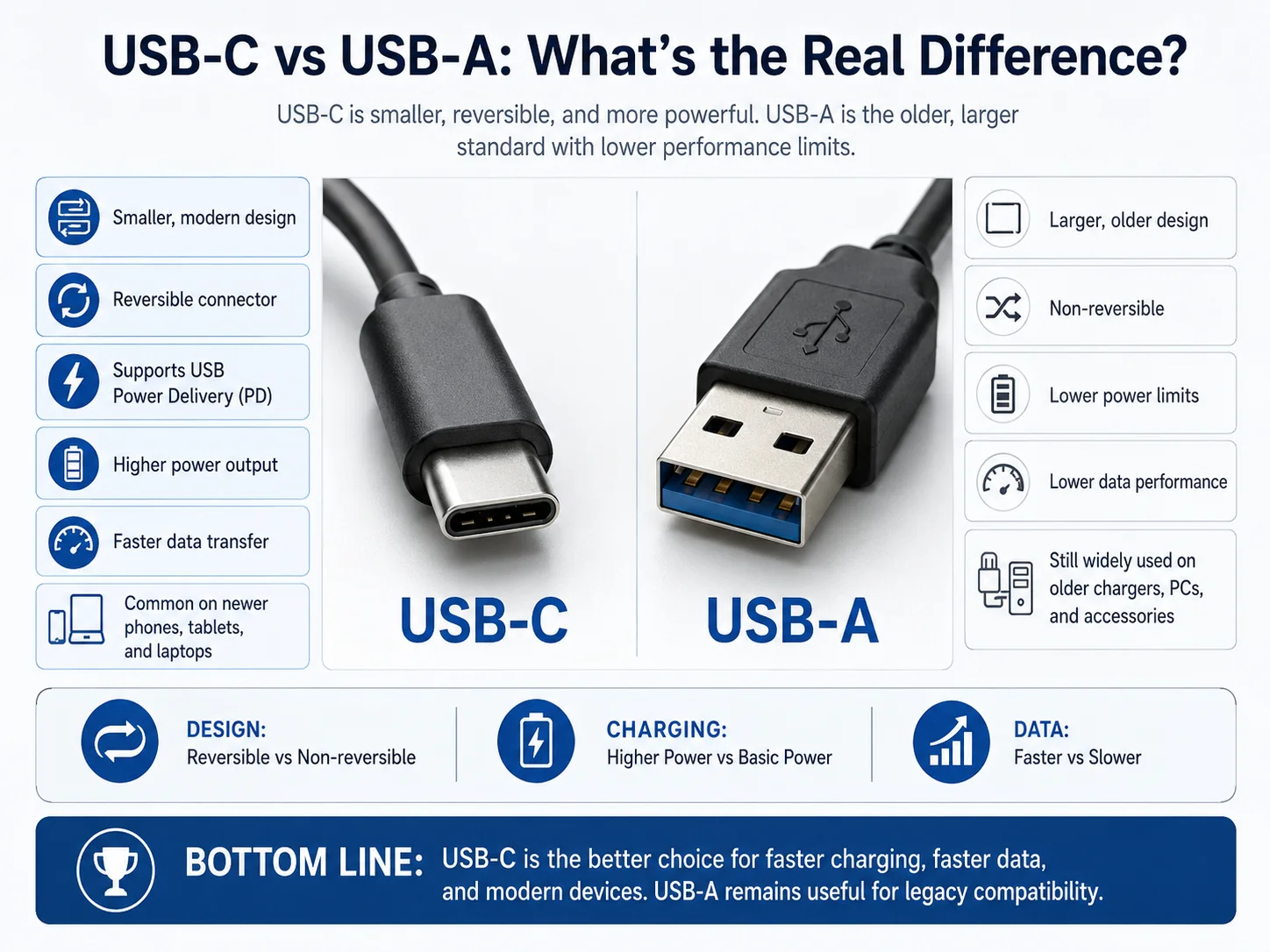
The main difference between USB-C and USB-A is their design and capability. USB-C is a smaller, reversible connector that supports faster data transfer and higher power output through standards like USB Power Delivery (PD). USB-A is the older, larger, non-reversible standard with lower performance limits.
You see USB cables everywhere. They seem so simple. But in my 15 years of exporting electronics, I've learned that this simple product is a big source of problems for many wholesalers and retailers. A bad batch of cables can destroy customer trust. The key is knowing exactly what you are buying. This guide will break down the real differences between USB-C and USB-A, so you can make smarter choices for your business. Let's get into the details that truly matter.
What Is USB-C and What Is USB-A?
Confused by all the different USB plugs? It's a common problem that can lead to buying the wrong stock. Understanding the basics is the first step to avoiding costly mistakes.
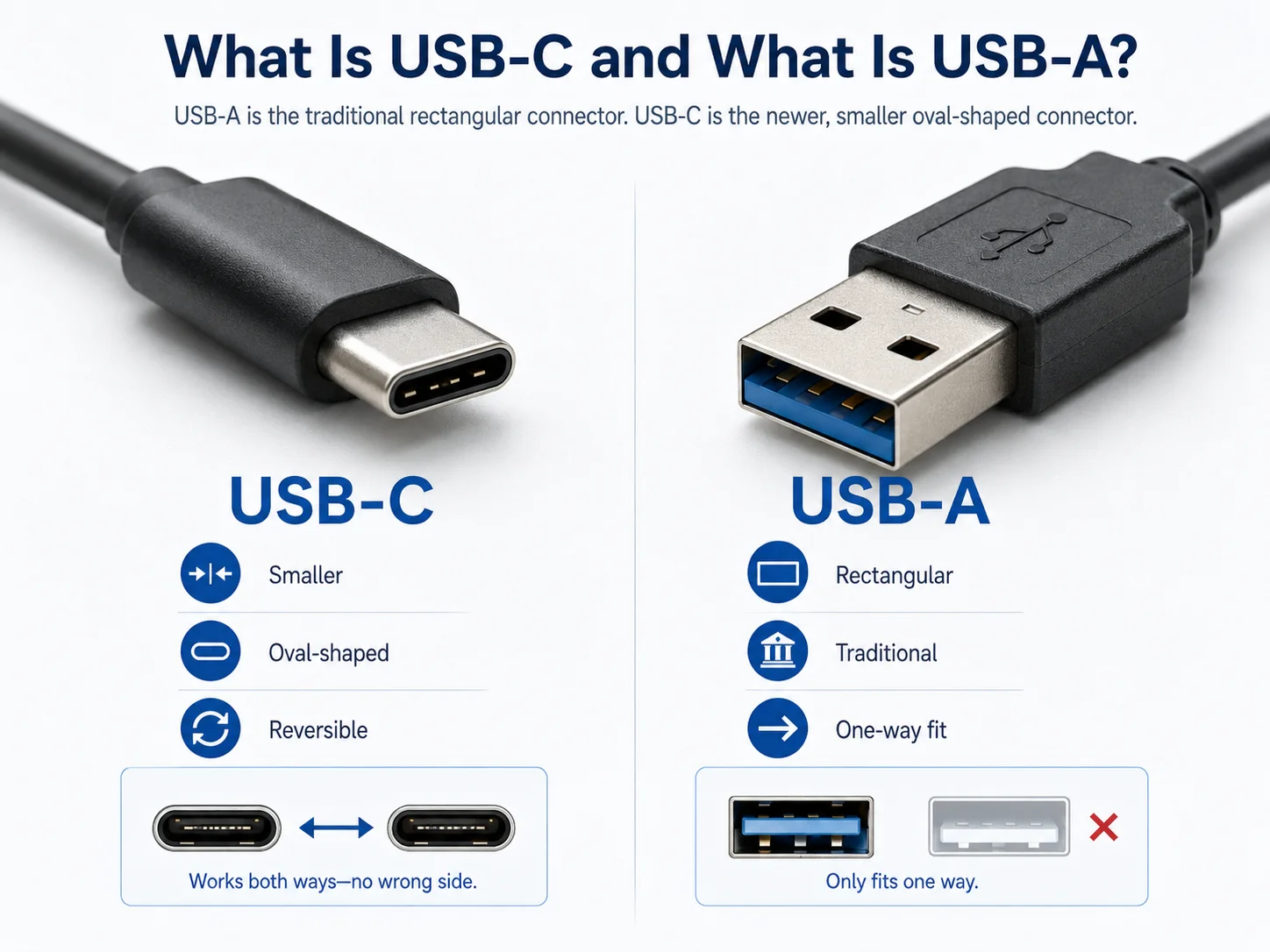
USB-A is the traditional, rectangular USB connector we've used for years. USB-C is the newer, smaller, oval-shaped connector. The key difference is that USB-C is reversible, meaning you can plug it in upside down, while USB-A only fits one way.
Let's break this down further. Think of USB-A as the classic port you find on computers, wall chargers, and power banks. It's been the standard for a long time. USB-C is the new kid on the block. You'll find it on most new smartphones (including the iPhone 151), laptops, and tablets.
As a manufacturer, we see the market shifting fast. When a buyer asks us for cables, the first question is always about the connector type. It determines everything else.
Here’s a simple breakdown:
- USB-A: The large, rectangular connector. It's durable but older. It only works when plugged in the right way up.
- USB-C: The small, oval-shaped connector. It is reversible, so it's much more user-friendly. It's designed for modern, high-performance devices.
Understanding this basic difference is crucial. It impacts which devices your cables can connect to and is the first step in choosing the right inventory for your customers.
Why Do USB-C and USB-A Look Different?
Have you ever wondered why the new USB-C plug is so much smaller and easier to use? The design change wasn't just for looks. It was made to solve real-world frustrations.
USB-C and USB-A look different because USB-C was designed to be a more user-friendly and powerful universal standard. Its small, symmetrical, oval shape allows it to be reversible. The older, larger rectangular USB-A design is not reversible and contains fewer pins, limiting its performance.
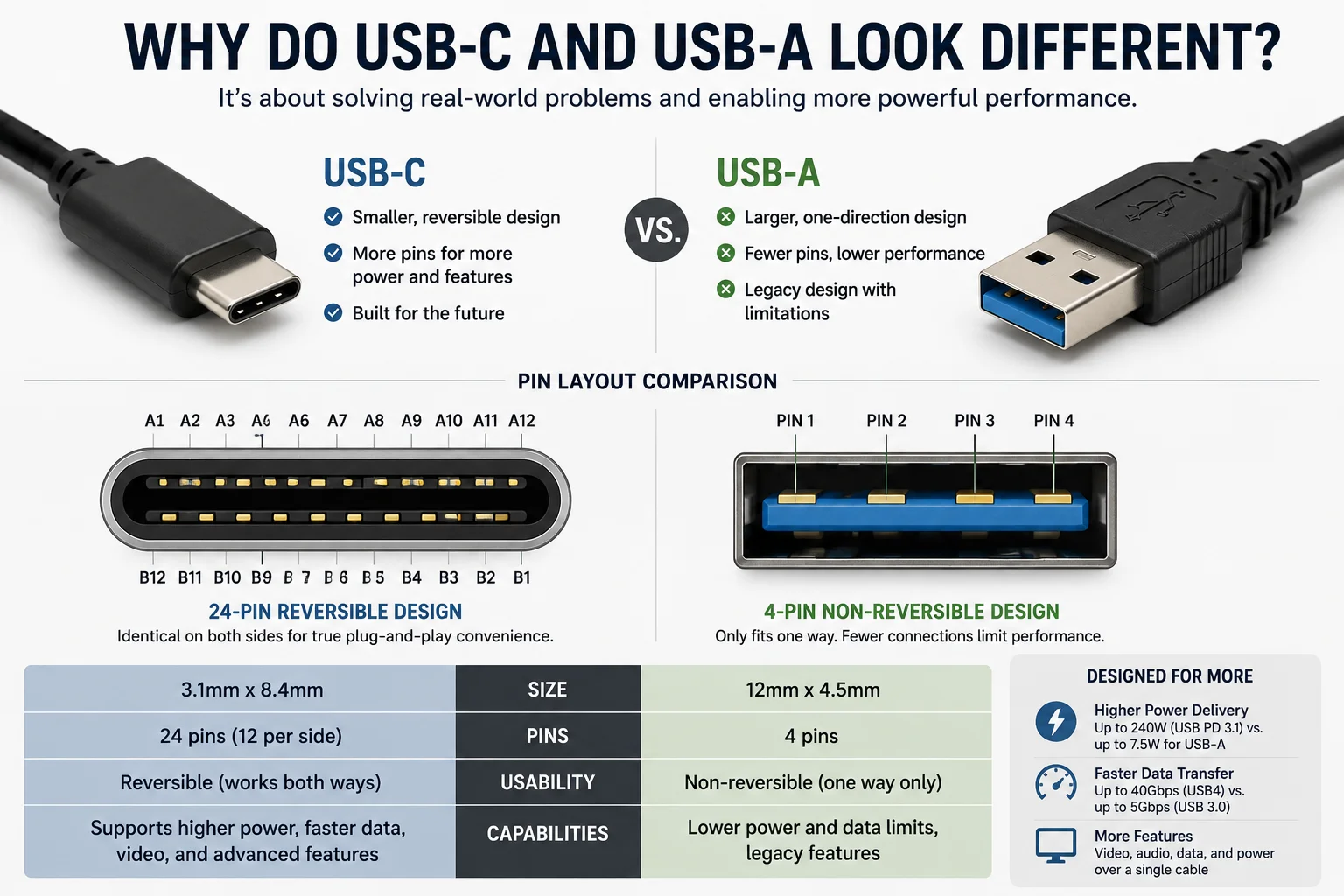
The design difference is all about function. The frustration of trying to plug in a USB-A cable the wrong way is something everyone has experienced. USB-C solves this with its symmetrical design. It has 24 pins, compared to the 4 pins in a standard USB-A connector.2 This isn't just a minor detail.
Those extra pins are the secret to USB-C's power.
- More Pins, More Power: They allow for higher power delivery, which is essential for fast charging laptops and other large devices.
- More Pins, More Speed: They enable much faster data transfer speeds and can even carry video signals (like DisplayPort and HDMI)3.
- Reversible Design: The symmetrical pin layout on both sides makes the plug reversible, ending the plug-in struggle.
I remember when we first started producing USB-C cables. The feedback from buyers was immediate. Their customers loved not having to fumble with the connector. This small change in design created a huge improvement in user experience, which is a major selling point for any retailer. The look is different because the purpose is different: USB-C was built for the future.
Is USB-C Faster Than USB-A?
Customers often complain that their new cable doesn't transfer files quickly. This is a common issue when the difference between USB-C and USB-A isn't clear. Speed is a major selling point.
Yes, USB-C can be significantly faster than USB-A, but the connector type itself doesn't guarantee speed. The speed is determined by the USB protocol, such as USB 3.1, USB 3.2, or USB4. USB-C connectors are required for these faster protocols, while most USB-A cables use older, slower standards.
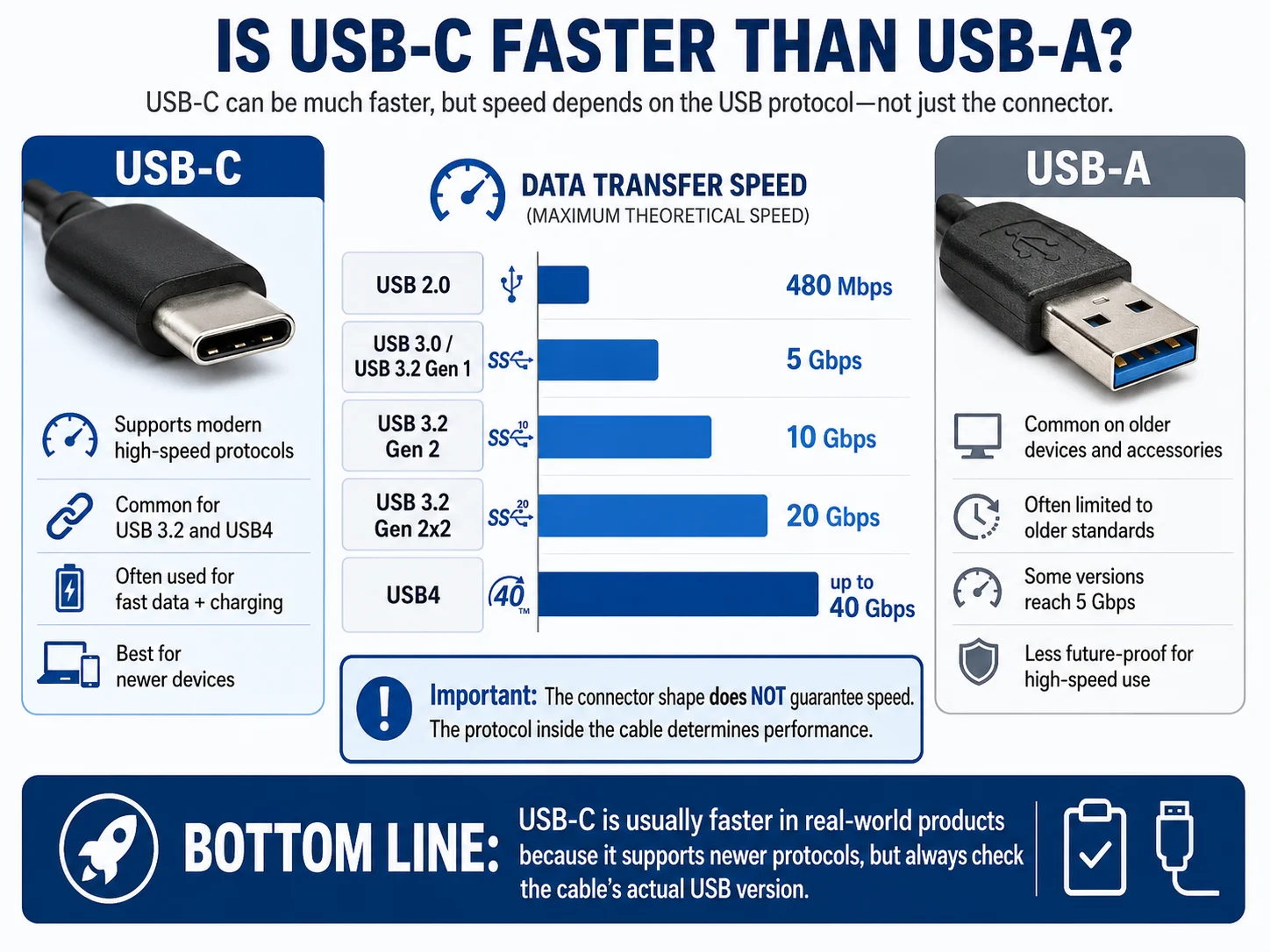
This is a point that causes a lot of confusion for buyers. You can have a USB-C cable that is very slow. It's important to understand that "USB-C" refers to the plug shape, while the speed is defined by the technology inside the cable.
| Here’s what you need to know: | Protocol | Common Connector | Typical Speed | Best For |
|---|---|---|---|---|
| USB 2.0 | USB-A, USB-C | 480 Mbps | Basic charging, mice, keyboards | |
| USB 3.0/3.1 Gen 1 | USB-A, USB-C | 5 Gbps | External hard drives, fast data sync | |
| USB 3.1/3.2 Gen 2 | USB-C | 10 Gbps | High-speed SSDs, 4K monitors | |
| USB4 / Thunderbolt 3/4 | USB-C | 40 Gbps4 | Professional video editing, multiple 4K displays |
When a wholesale buyer asks me for a "fast" cable, I always ask, "How fast?" Do you need it just for charging, or for data transfer? If it's for data, what kind of devices will your customers use? A cable for transferring photos from a phone is different from a cable for editing 4K video from an external drive. A USB-C cable that supports USB 3.2 is much more valuable (and expensive) than one that only supports USB 2.0. Always check the data transfer speed specification, not just the connector type.
Does USB-C Charge Faster Than USB-A?
"My phone is not fast-charging!" This is a top complaint from end-users. It often happens because retailers sell cables that look right but don't have the right technology inside.
Yes, USB-C can charge devices much faster than USB-A. This is because USB-C supports the USB Power Delivery (PD) standard, which can deliver significantly more power (up to 240W5). USB-A is generally limited to much lower power outputs.
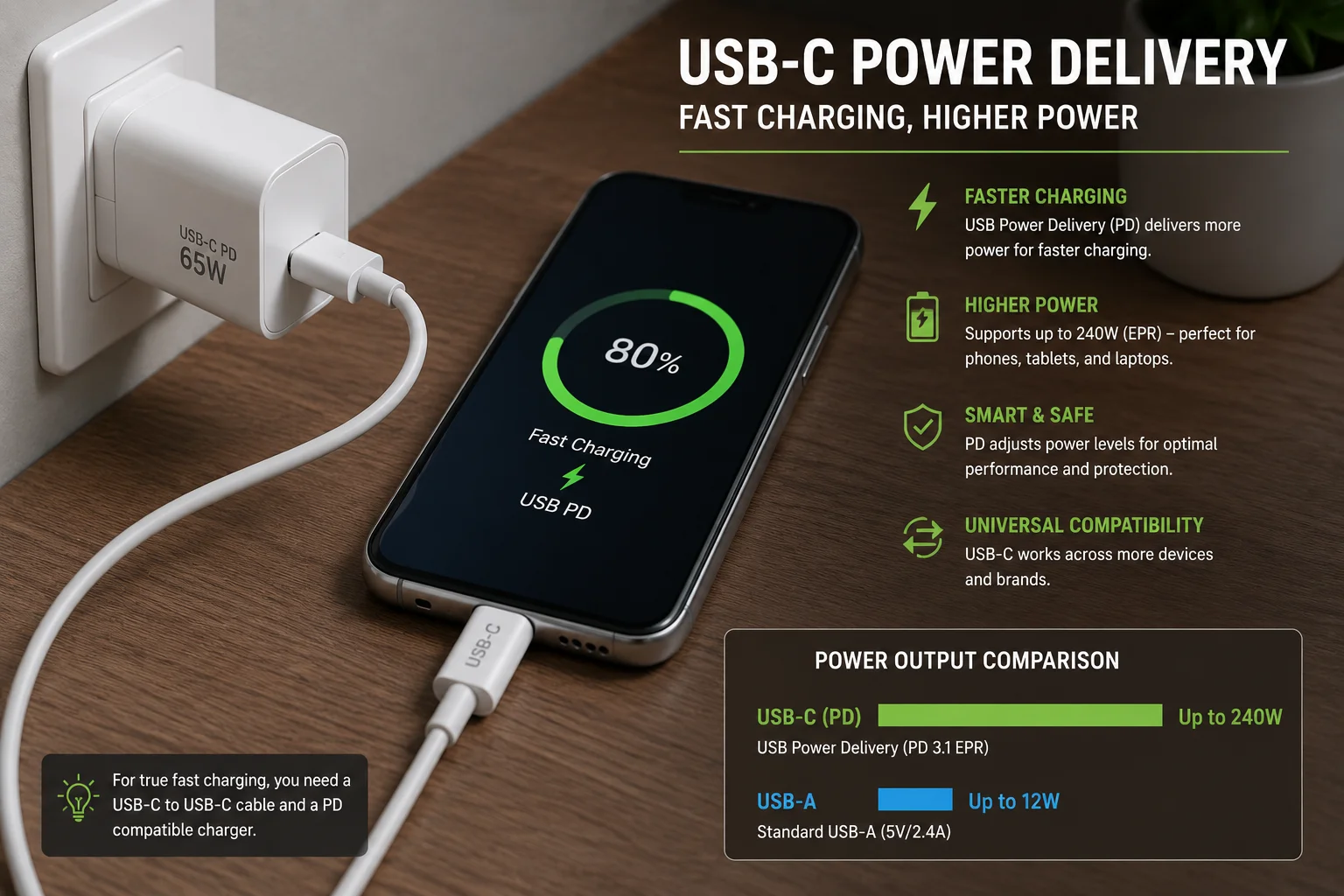
This is one of the biggest selling points for USB-C, but it's also where many buyers make mistakes. Just because a cable has a USB-C connector does not automatically mean it supports PD fast charging.
I've seen suppliers put "fast charging" on the package without specifying the wattage. This is a red flag. True fast charging requires three things to work together:
- A device that supports PD (like a new smartphone or laptop).
- A charger that supports PD.
- A USB-C cable that is rated for PD.
The cable is the critical link. A cheap USB-C cable might only handle a low current and won't enable fast charging, even with the right device and charger. An experienced buyer will ask, "Does this cable support 60W, 100W, or 240W PD?" They know that different wattages require different internal components, like thicker copper wires and special e-marker chips6. Don't just sell a "USB-C cable." Sell a "100W PD Fast Charging Cable" to meet customer expectations and avoid complaints.
Why Are More Devices Switching to USB-C?
You've probably noticed it yourself. Your new phone, laptop, and even your headphones all use the same small, oval plug. This isn't a coincidence. The industry is moving to USB-C for very good reasons.
Devices are switching to USB-C because it is a more powerful, versatile, and user-friendly standard. It supports faster charging, higher data speeds, and video output all in one cable. Plus, regulatory pushes, like in the EU, are mandating it as the common charger.
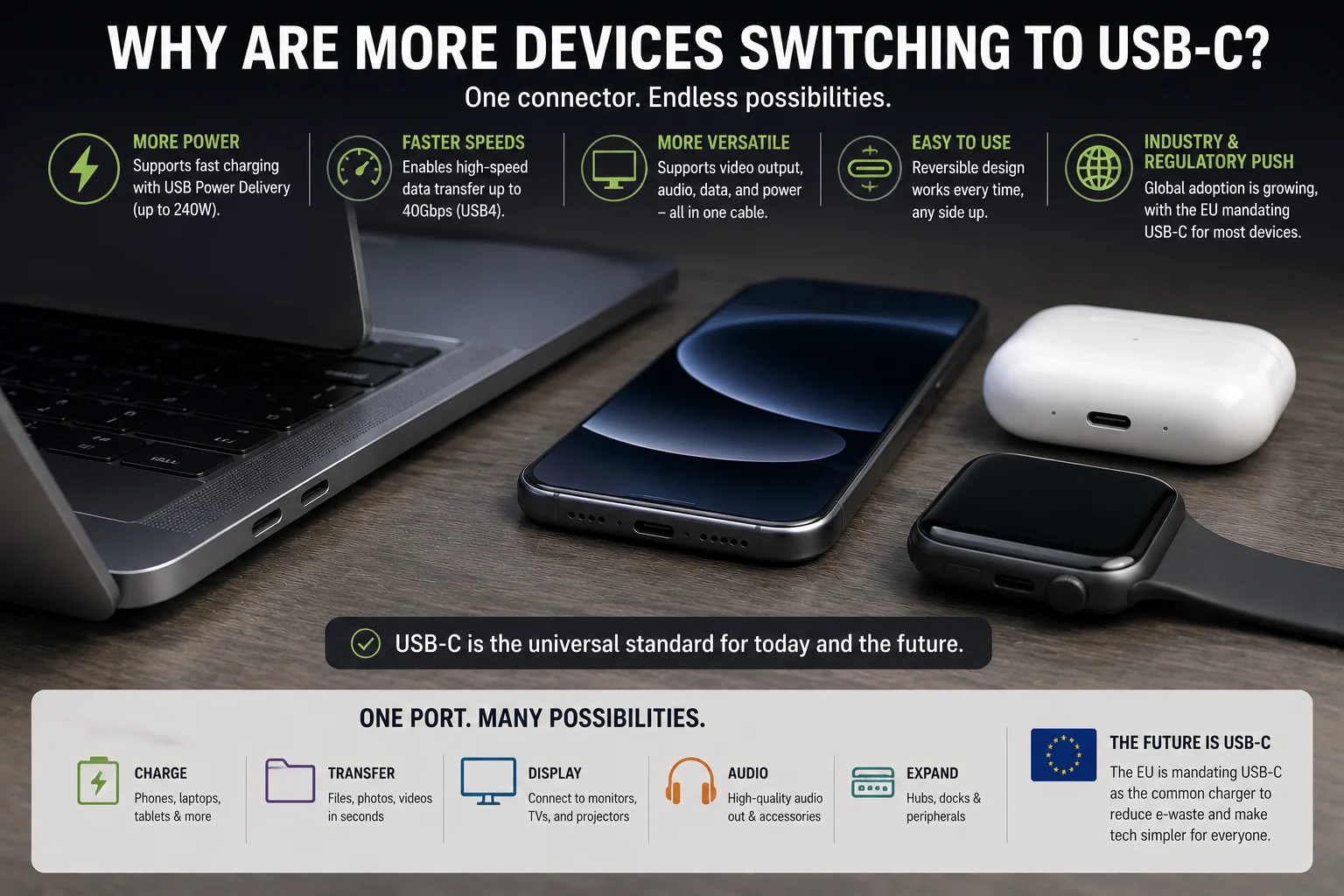
From our perspective as a manufacturer, the demand for USB-C has exploded. Wholesalers and retailers who are slow to adapt will be left with outdated stock. The switch is happening because USB-C solves multiple problems at once.
Key Reasons for the Switch:
- One Cable for Everything: USB-C can handle power, data, and video. A user can charge their laptop, connect to an external monitor, and transfer files all with the same type of cable. This simplicity is a huge selling point.
- Higher Performance: As devices become more powerful, they need more power and faster data transfer. Laptops need more than the 15W that USB-A can typically provide7. USB-C with Power Delivery can supply up to 240W, making it suitable for even high-performance laptops.
- Smaller and Reversible: As devices get thinner and lighter, they need smaller ports. The reversible nature of USB-C is also a significant quality-of-life improvement that customers now expect.
- Industry Standardization: The European Union has mandated that most new electronic devices must have a USB-C charging port.8 This is forcing global brands like Apple to adopt USB-C, creating a single, universal standard. This makes life easier for consumers and is a clear signal to retailers about what to stock.
When Should You Still Use USB-A Cables?
With all the hype around USB-C, is there still a place for the classic USB-A? Absolutely. Ignoring USB-A completely can mean missing out on a large and stable market segment.
You should still use and stock USB-A cables because countless devices, especially wall chargers, car chargers, computers, and power banks, still use USB-A ports. They are a cost-effective solution for charging and connecting to these legacy devices, which remain extremely common.
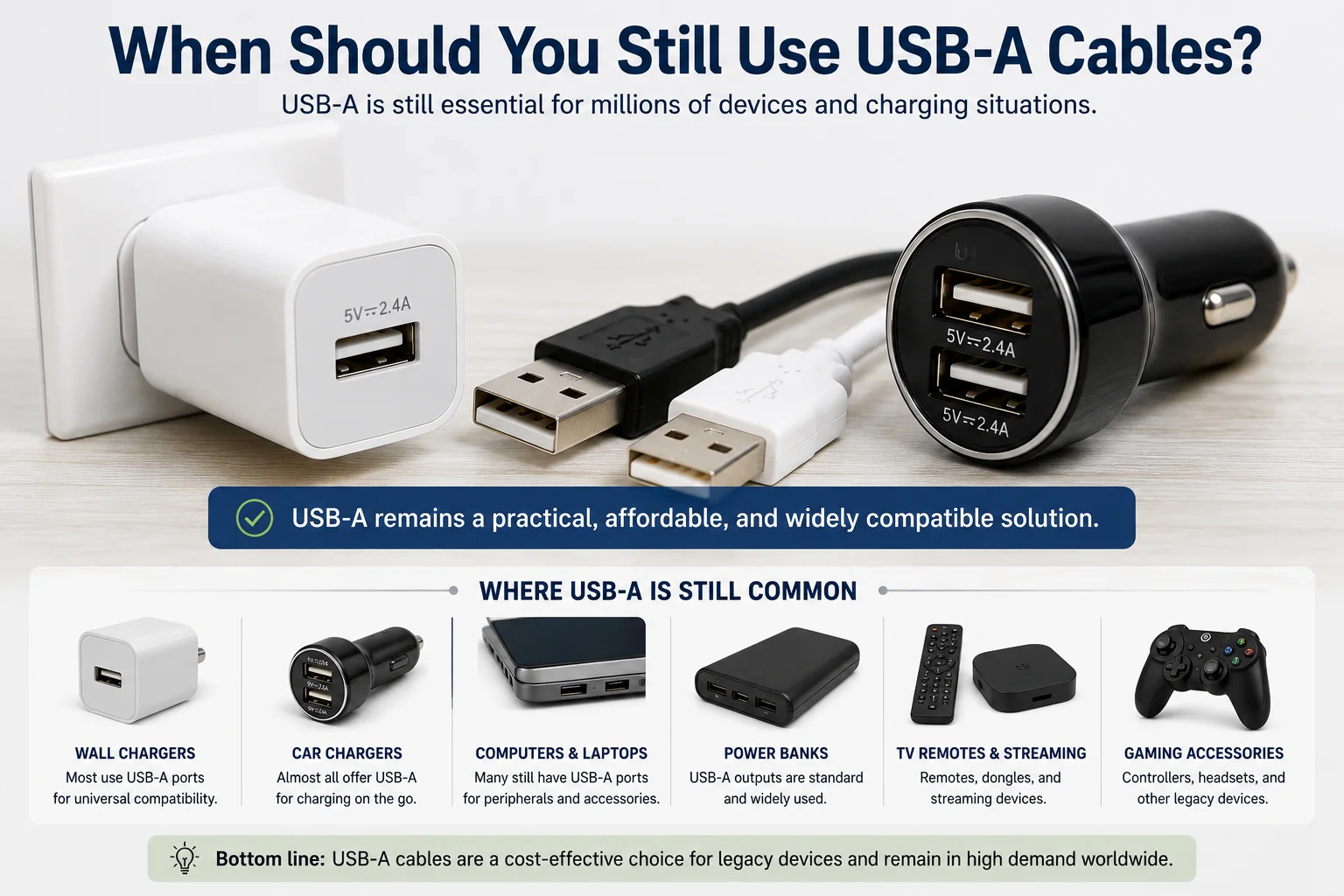
I often advise new buyers not to put all their money into USB-C to USB-C cables right away. The reality is that millions of your customers still have their old chargers at home, in their cars, and at their offices. They aren't going to replace all of them overnight.
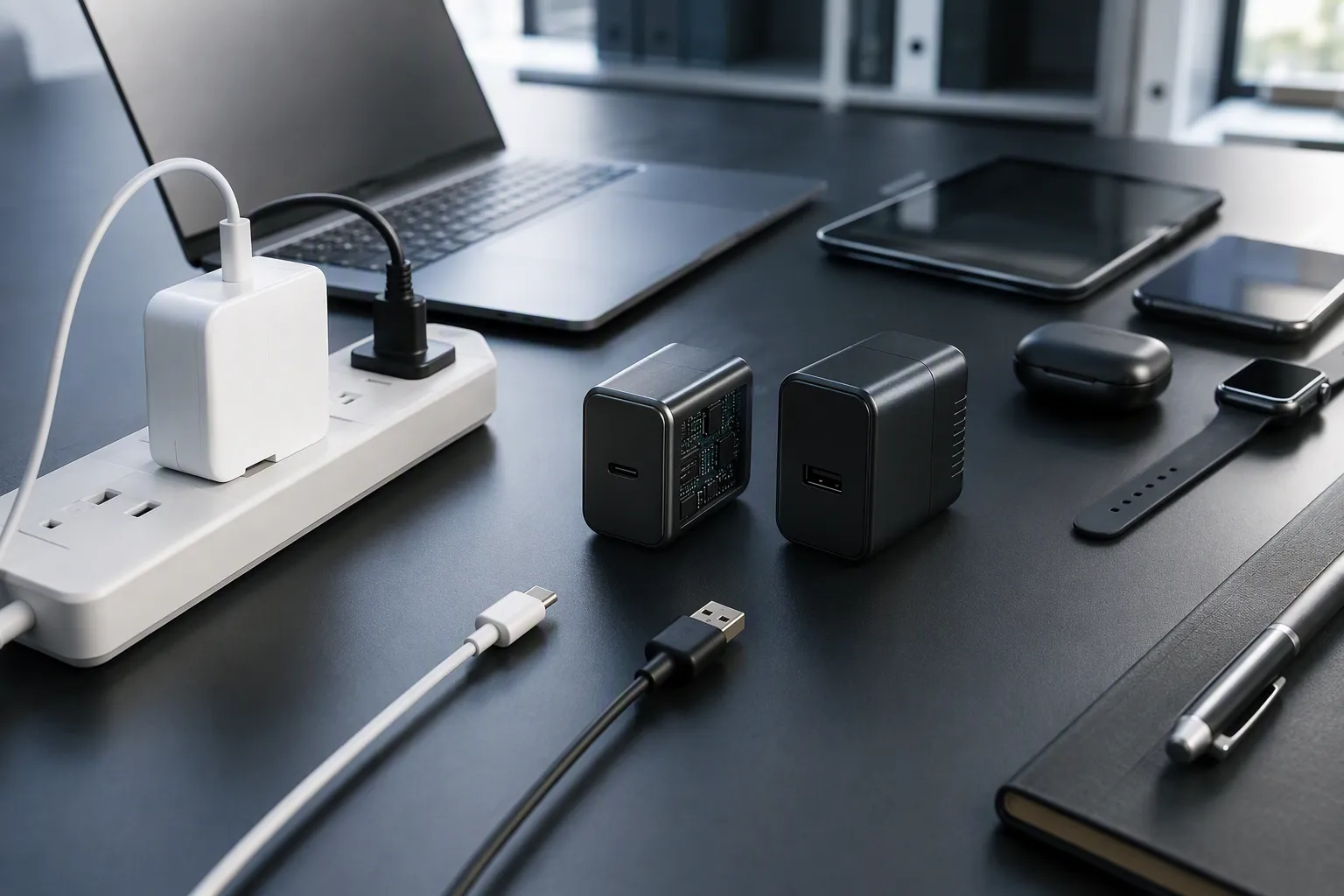
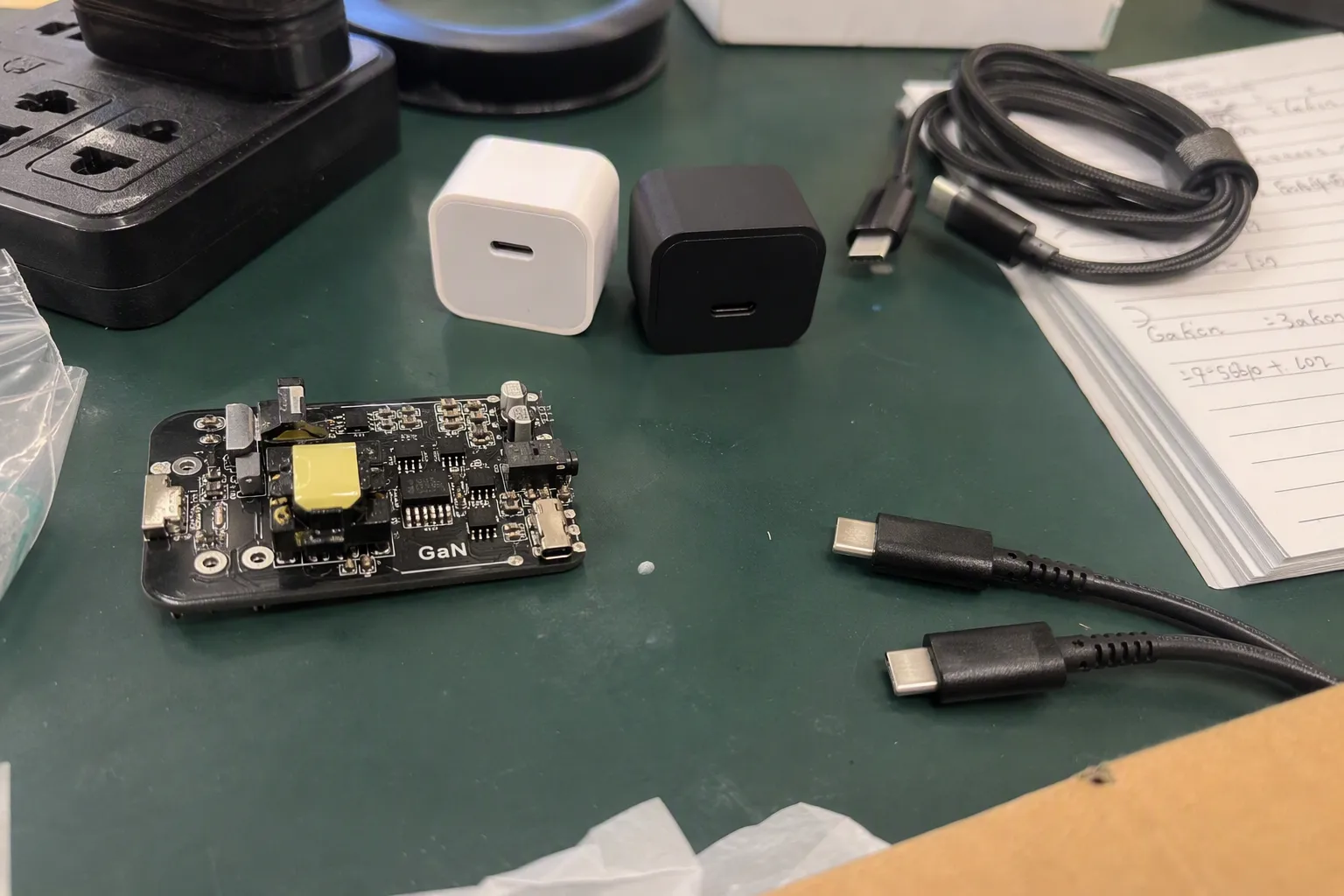

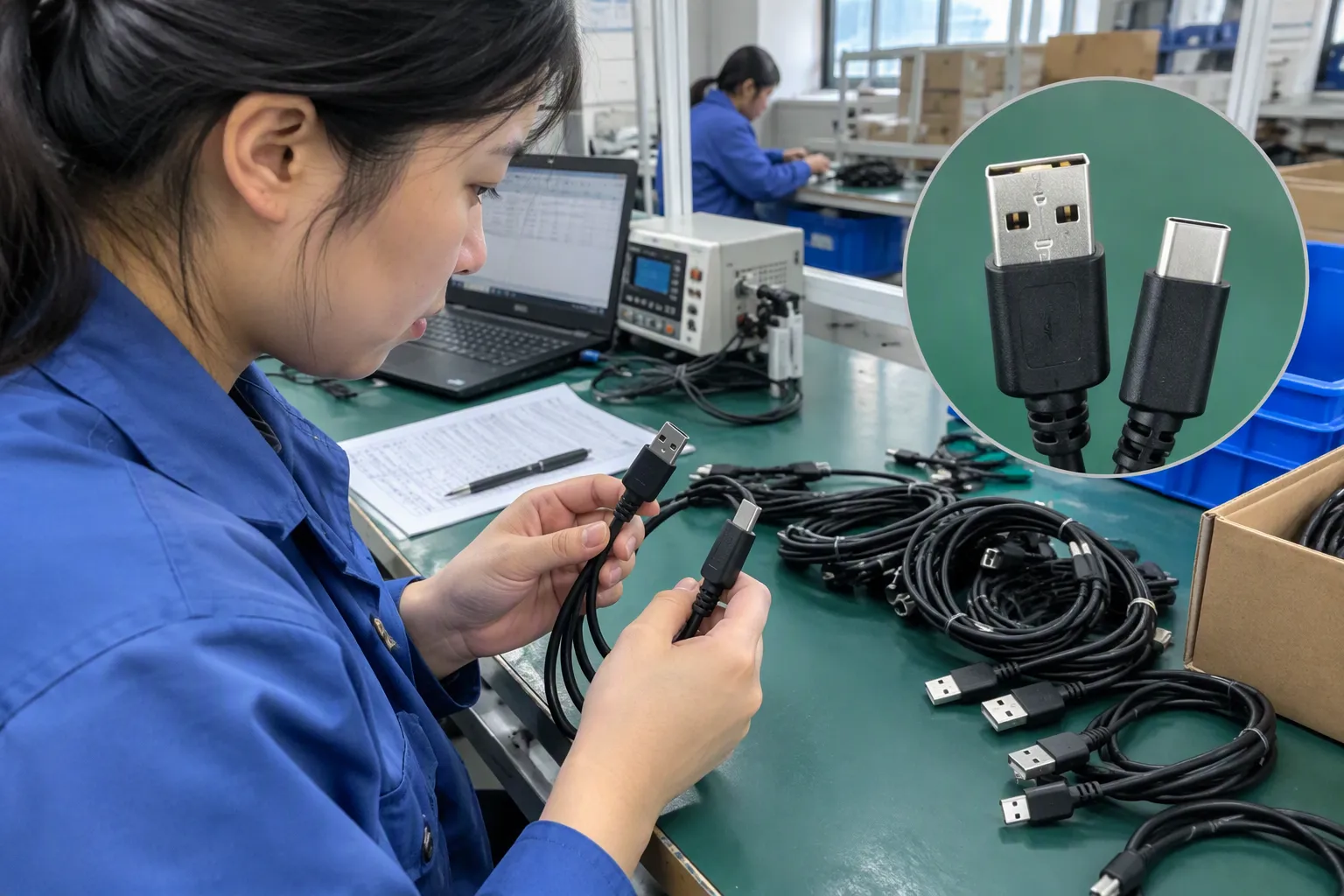
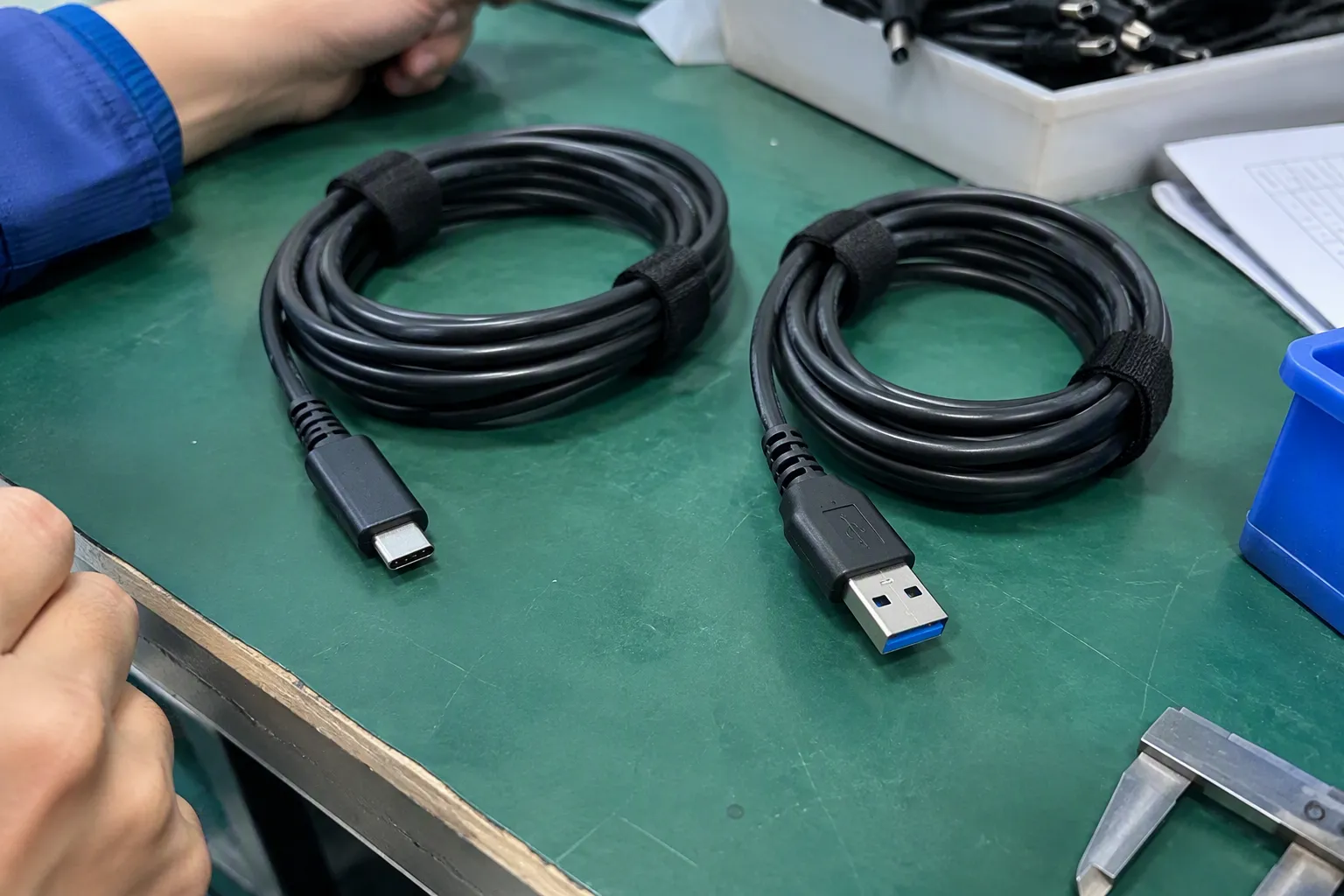

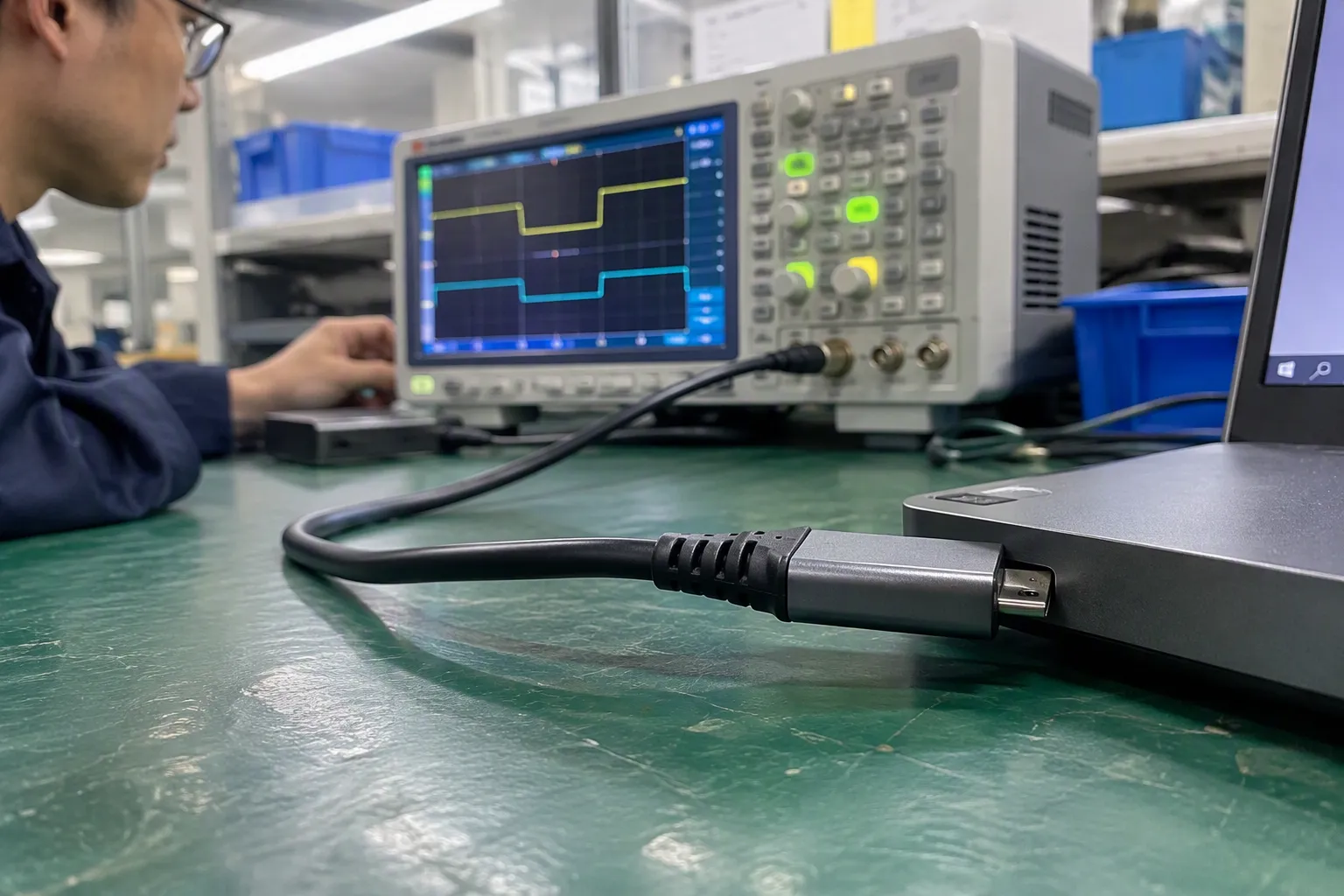
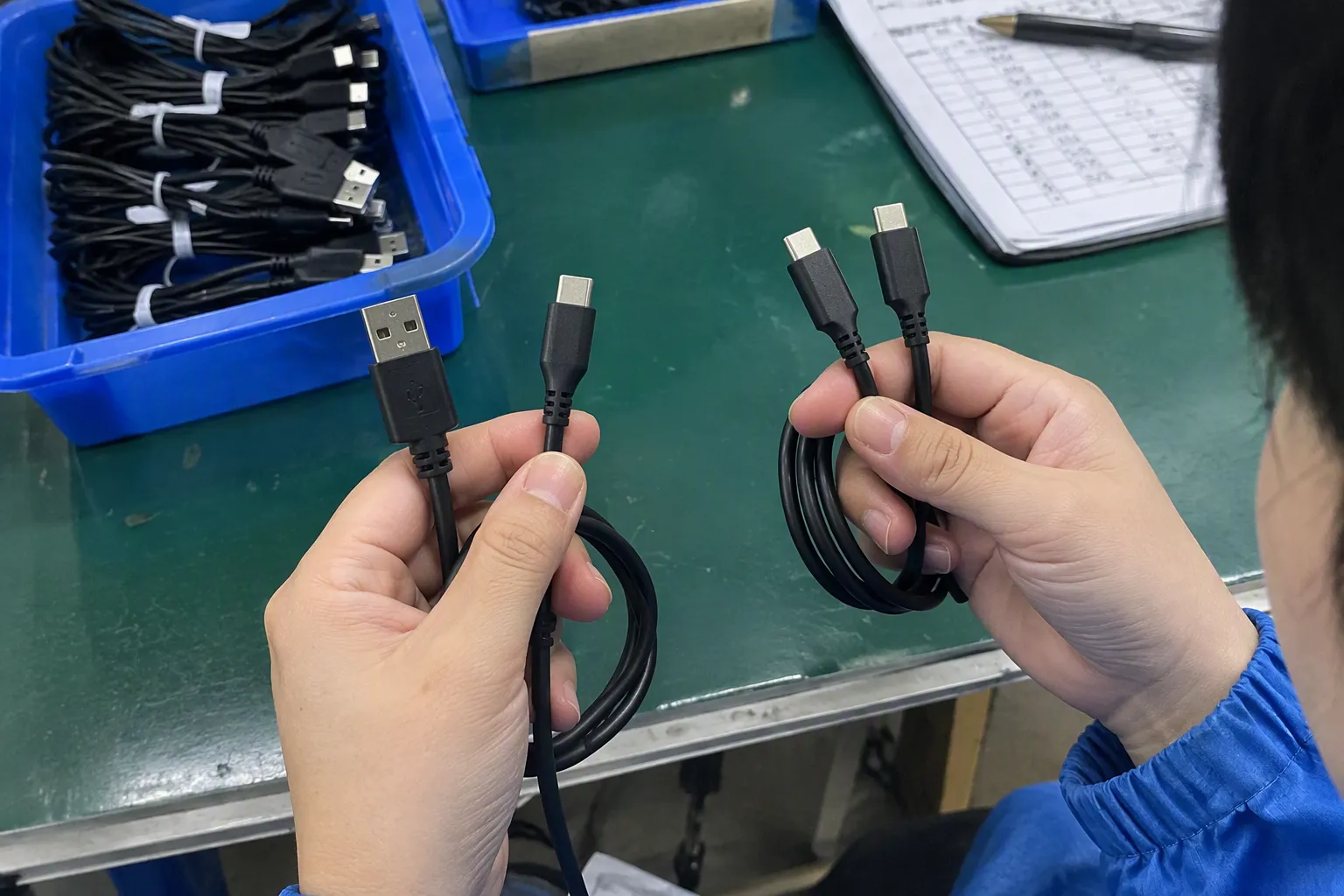
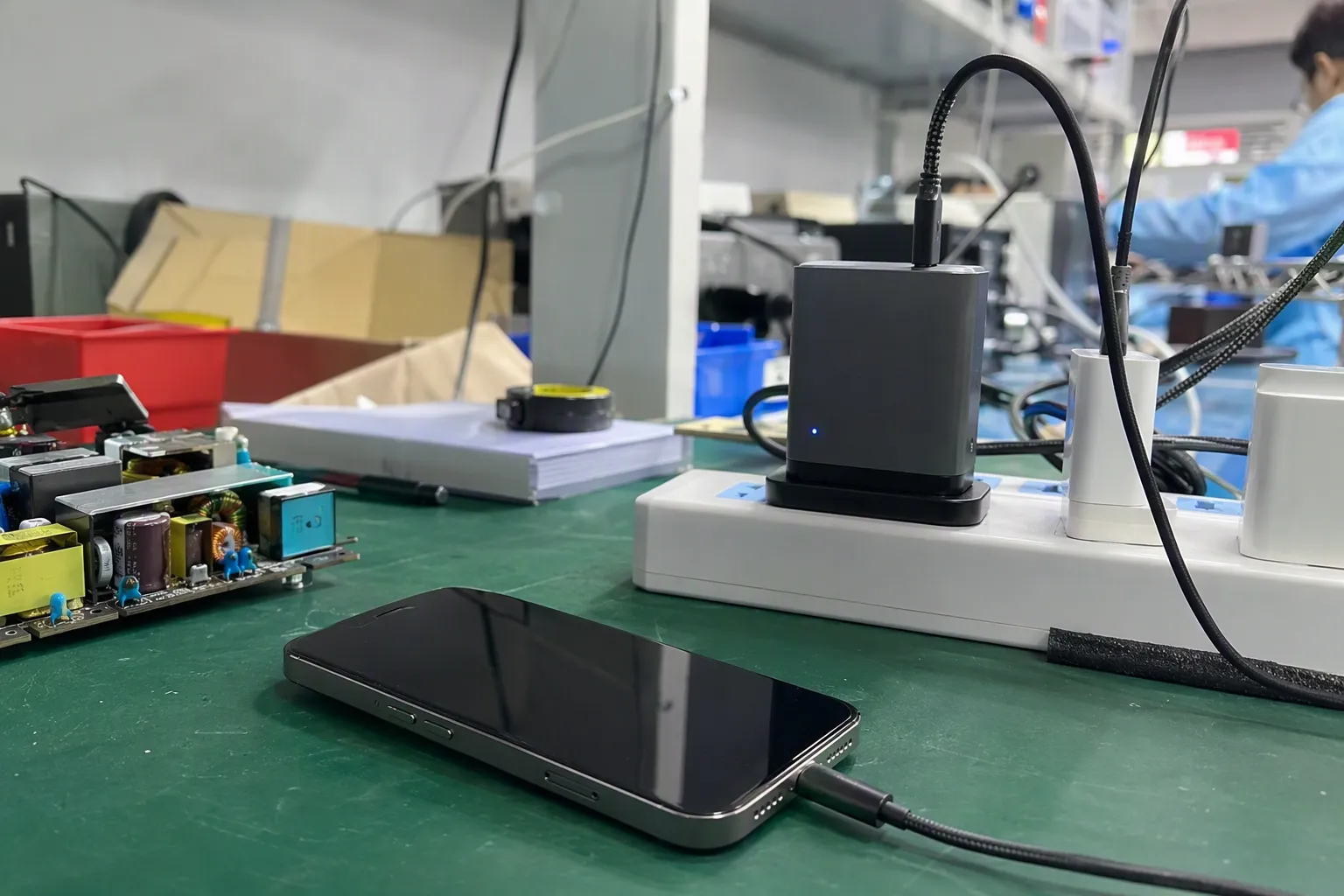
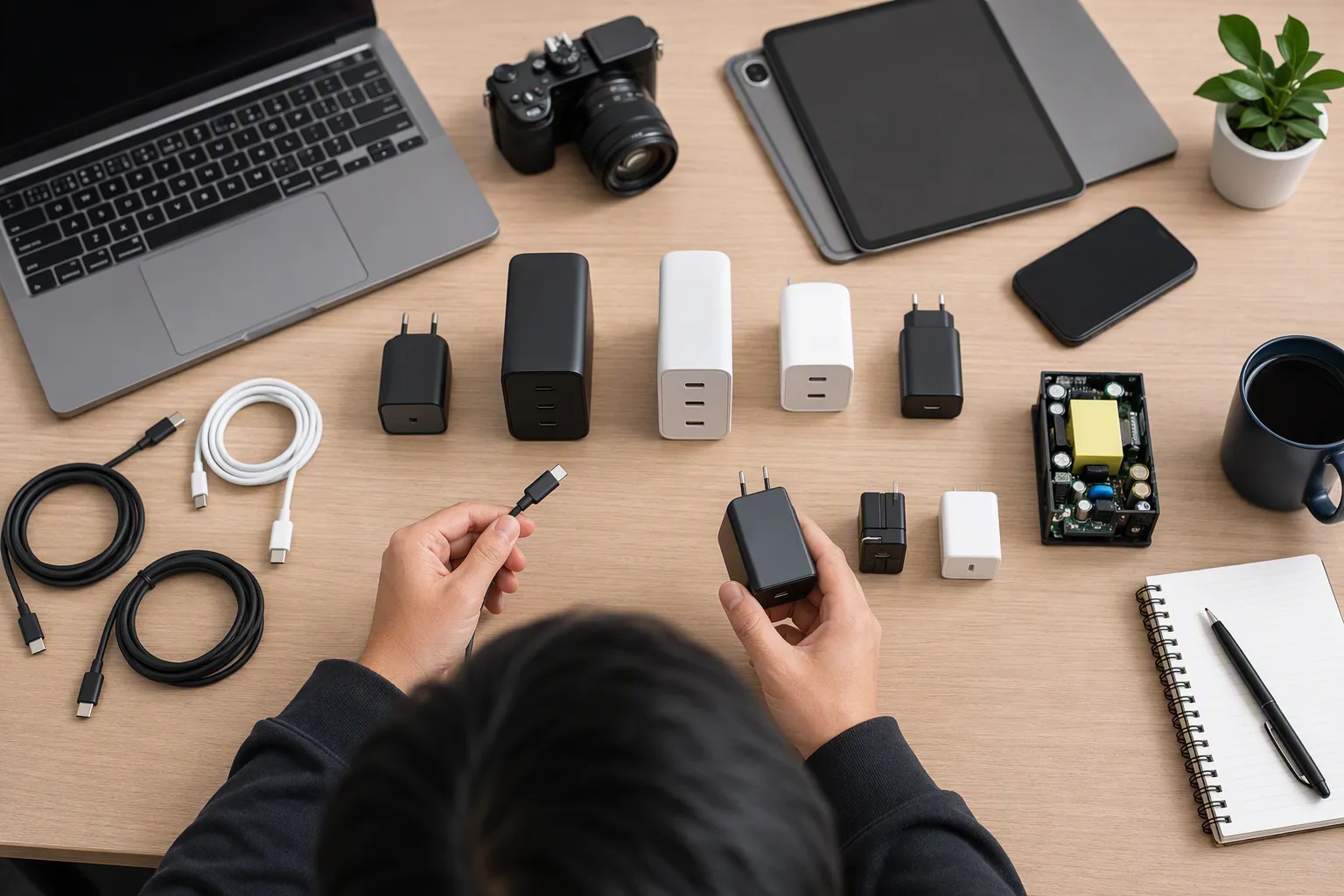
Here are key situations where USB-A is still the right choice:
- Charging with Older Adapters: The most common charging cable for many people is still USB-A to USB-C or USB-A to Lightning. This is because their existing power bricks have USB-A ports.
- Cost-Sensitive Markets: USB-A cables are generally cheaper to produce and sell. For convenience stores, gift shops, or budget-focused retailers, they offer a reliable, low-cost option that customers still need.
- Data Connection to Computers: Most desktop PCs and many laptops still have more USB-A ports than USB-C ports. For connecting keyboards, mice, printers, or external hard drives, USB-A is often required.
- Car Chargers: The vast majority of cars on the road today have built-in USB-A ports9 for charging.
So, while USB-C is the future, USB-A is the present. A smart inventory strategy includes both. You need USB-A to Type-C cables to serve the massive existing market.
Which Cable Types Should Wholesalers Stock?
Planning your inventory feels overwhelming when technology changes so fast. Stocking the wrong cables means your money is tied up in products that won't sell. So what is the smart choice right now?
Wholesalers should stock a balanced mix of cables to cover both new and old devices. The essential types are: USB-A to USB-C, USB-C to USB-C (in 60W and 100W versions), USB-C to Lightning, and 3-in-1 multi-charging cables.
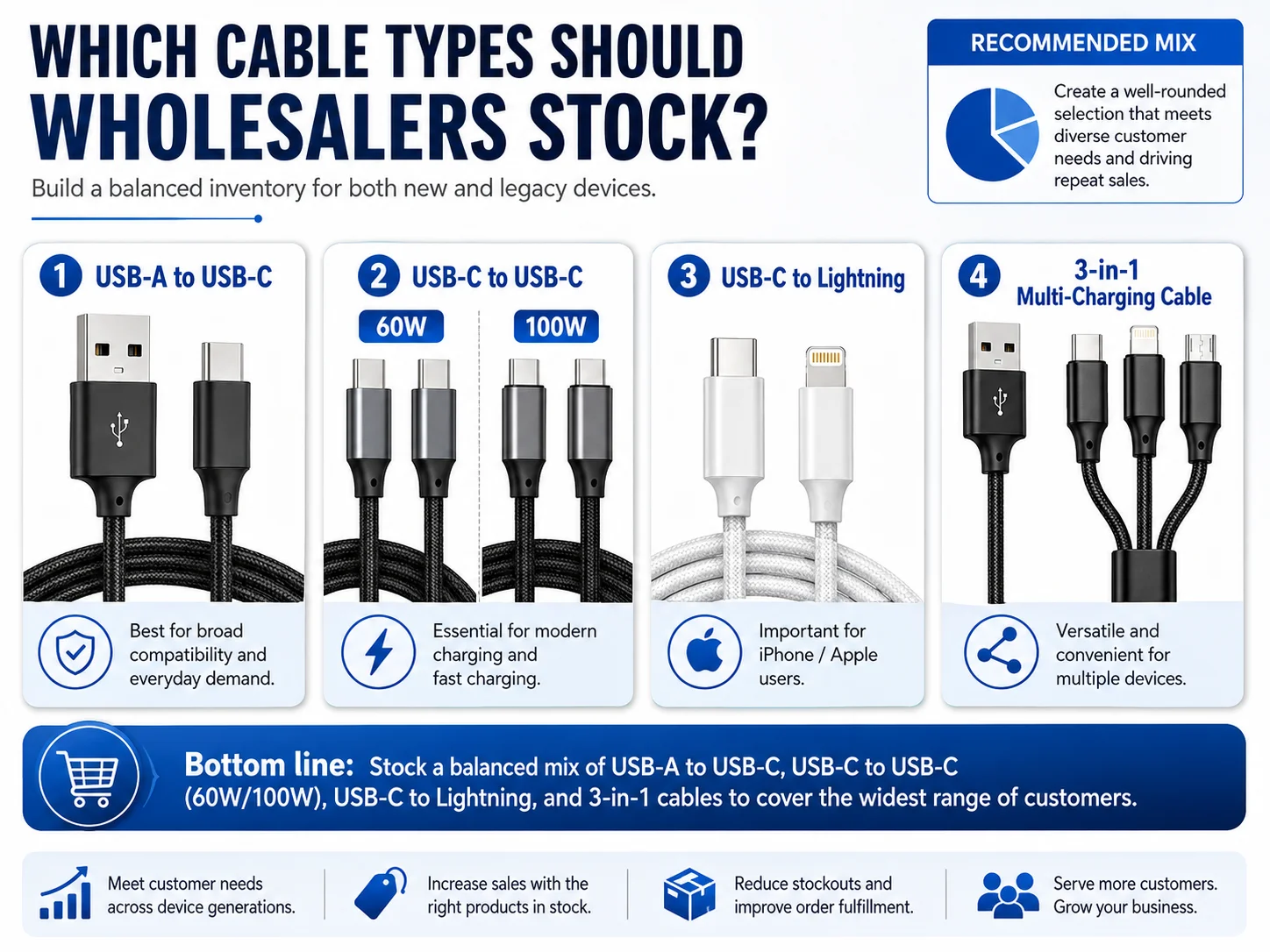
Based on what we see shipping out of our factory every day to Europe and the US, a good mix is the key to success. Don't go all-in on one type. Here’s the "starter pack" I recommend for most wholesalers.
The Essential Wholesale Inventory:
- USB-A to USB-C: This is the workhorse.10 It connects new Android phones to older chargers and computers. Demand is still massive.
- USB-C to USB-C: This is the future. You need at least two versions. A standard 60W PD cable is great for phones and tablets. A 100W PD cable is necessary for customers who want to charge their laptops. This is a high-growth category.
- USB-C to Lightning: With the iPhone 15 switching to USB-C, you might think Lightning is dead. It's not. Millions of older iPhones are still in use. However, the demand is shifting towards USB-C to Lightning for fast charging with new PD chargers11.
- 3-in-1 or 4-in-1 Multi-Cables: These are perfect for retail and promotional markets. A single cable with USB-C, Lightning, and Micro-USB connectors is incredibly convenient and a great impulse buy for customers.
My advice to new buyers is to start with standard stock of these types. See what sells best in your market, then double down on the winners. This approach minimizes risk and helps you adapt quickly.
How Do You Choose Between USB-C to USB-C and USB-A to USB-C?
A customer wants a cable for their new Samsung phone. Do you sell them a USB-C to USB-C cable or a USB-A to USB-C cable? The wrong choice can lead to a bad experience.
Choose a USB-C to USB-C cable for customers who want the best performance, including fast charging (PD) and high-speed data transfer. Choose a USB-A to USB-C cable for customers who need compatibility with older chargers, computers, and car chargers.
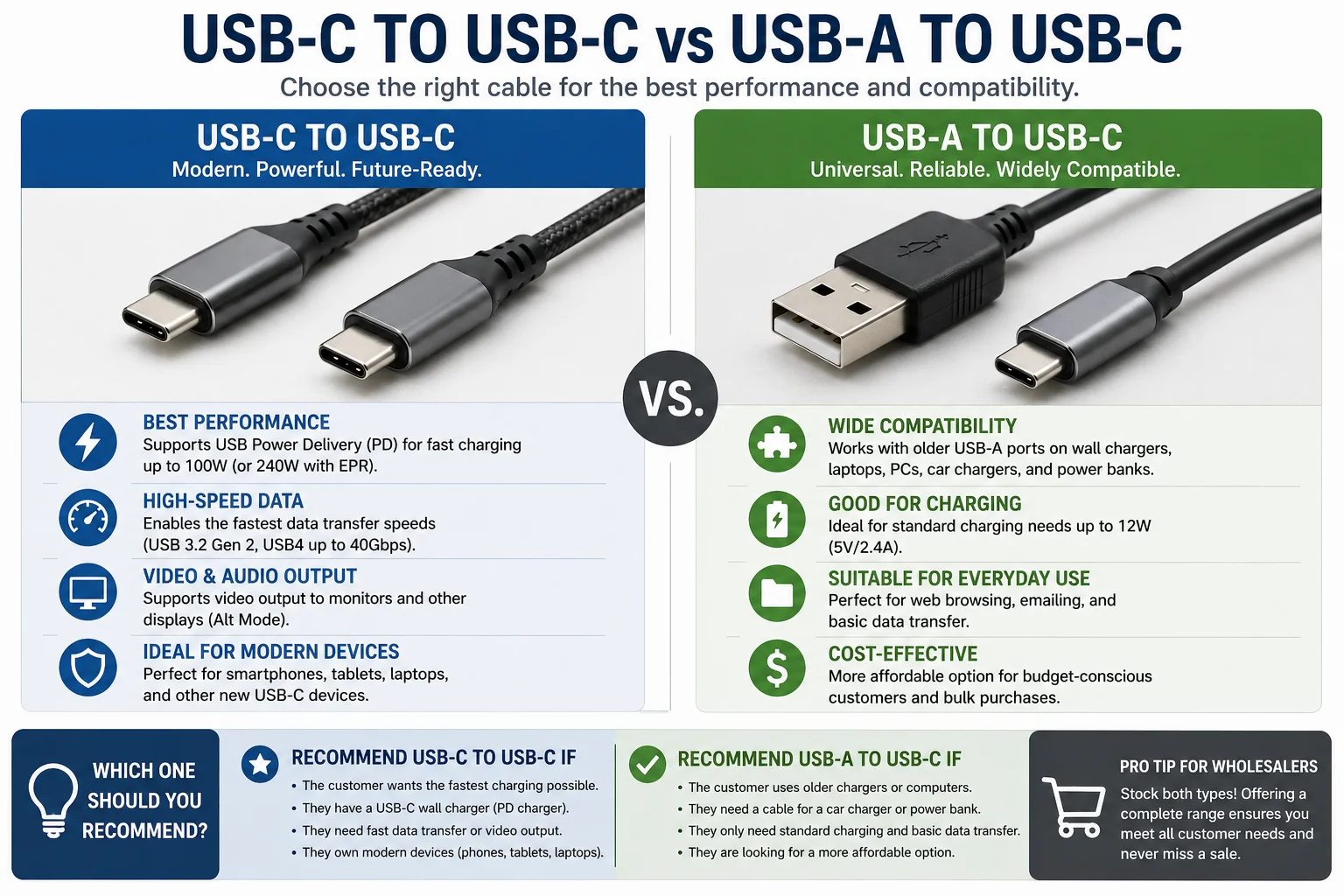
This choice comes down to one question: what will the customer plug the other end of the cable into? As a wholesaler, you need to stock both, but it's helpful to guide your retail clients on how to sell them.
I always explain it to my buyers this way:
| Feature | USB-C to USB-C Cable | USB-A to USB-C Cable |
|---|---|---|
| Primary Use Case | Fast charging new phones, tablets, & laptops with PD chargers. | Charging with older USB-A wall/car chargers & power banks. |
| Charging Speed | Highest potential (up to 240W with PD). | Limited, typically no PD support. |
| Data Speed | Can be very high (up to 40 Gbps). | Typically slower (USB 2.0 or 3.0 speeds). |
| Target Customer | Tech-savvy user with modern devices and chargers. | Anyone with existing USB-A chargers. |
| Future-Proofing | Yes, this is the new standard. | No, this is for legacy compatibility. |
The market is in a transition period. Many households have a mix of devices. For example, a family might have a new MacBook with only USB-C ports, but an older car with only USB-A ports. They need both types of cables. Your job as a seller is to have both options available and be able to explain the difference simply, so the customer gets the right tool for their needs.
What Mistakes Do Buyers Make When Comparing USB-C and USB-A?
I've been in this business for 15 years, and I see new buyers make the same mistakes. They focus only on price, and it costs them more in the long run through customer returns and complaints.
The biggest mistake buyers make is asking "how much is a cable?" instead of defining the specifications. They compare cables that look the same on the outside but are completely different on the inside, leading them to buy low-spec products that fail to perform.
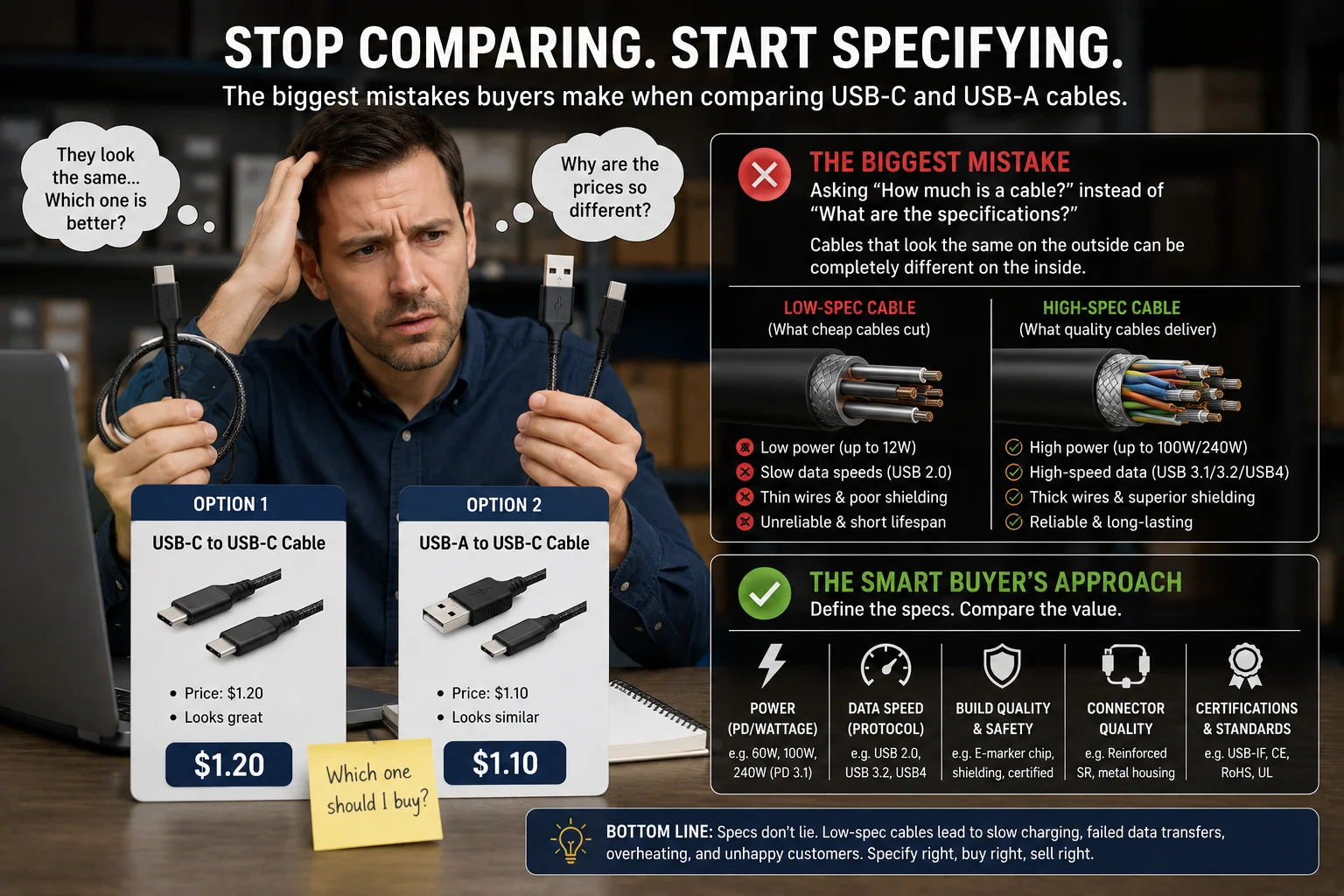
A new buyer often sends me an email that just says, "How much for a 1-meter Type-C cable?" An experienced buyer asks different questions. They ask:
- What charging current does it support? Is it 3A, 5A, or 100W PD?
- What is the wire gauge? Are you using real copper?
- Is the connector housing reinforced for durability?
- Can you do private label packaging with clear specs listed?
- Most importantly: Can you guarantee the same quality on my repeat orders?
These are the questions that matter in the wholesale business. A cheap cable might use thin, aluminum-clad wires that heat up and charge slowly. The connector might be poorly welded and break after a few uses. It might be advertised as "fast charging" but lack the PD chip needed for true performance. These are the things that lead to 1-star reviews and kill repeat business. The real cost of a cable isn't the purchase price; it's the price of handling angry customers and a damaged reputation. Never compare prices without first comparing the detailed specifications.
Final Buying Advice: Which Connector Is Better for Your Market?
So, after all this, which cable should you bet on? USB-C or USB-A? It's not about which one is "better" in a vacuum, but which one is better for your specific customers and business strategy.
USB-C is technically superior and the future standard, making it essential for growth. However, USB-A provides compatibility with billions of existing devices12, ensuring steady sales. A successful strategy requires a smart mix of both, tailored to your target market.
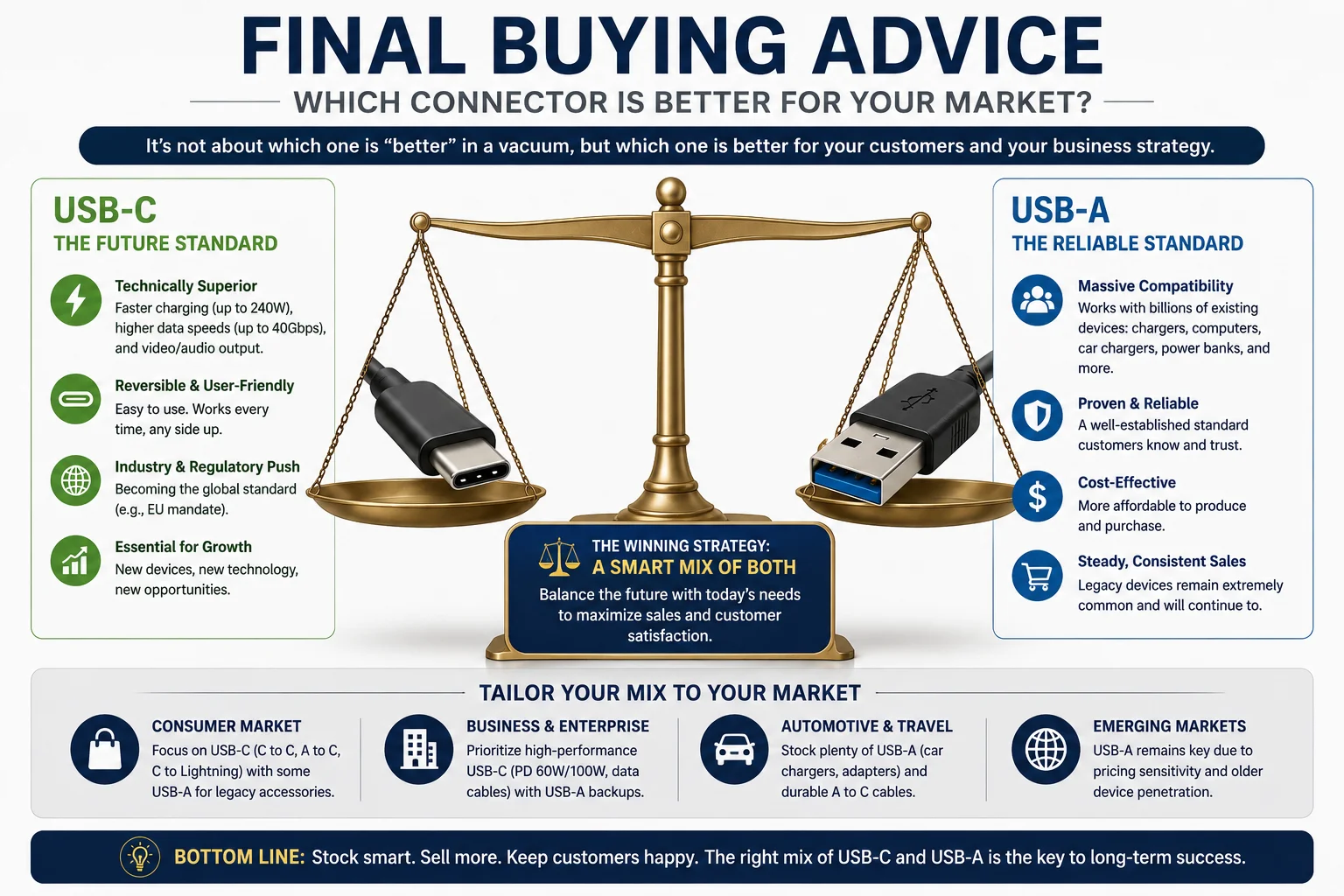
Here is my final advice, distilled from over a decade of experience.
For Most Retailers and Wholesalers:
Start with a Private Label strategy on a core set of cables. This gives you brand identity without the high costs and MOQs of full OEM.
Your essential product mix should be:
- The Volume Seller: USB-A to USB-C (1m, TPE or braided). This is your bread and butter. It's for everyone with an old charger.
- The Performance Option: USB-C to USB-C (1m, 60W PD, braided). Market this for "Fast Charging" for new phones and tablets.
- The Pro-Level Option: USB-C to USB-C (1.5m or 2m, 100W PD, braided). This is for laptop users and tech enthusiasts. It’s a higher-margin item.
- The Apple User Cable: USB-C to Lightning. Focus on fast charging for iPhone 12/13/14 users with PD chargers.
My biggest takeaway is this: the most profitable USB cable business is not built on selling the cheapest product. It’s built on providing reliable quality, clear specifications, and building trust so that customers come back to you again and again. Focus on that, and you will succeed.
Conclusion
Understanding the difference between USB-C and USB-A is key. USB-C offers superior speed and power, while USB-A ensures compatibility. Stocking a smart mix is crucial for meeting market demand.
"iPhone 15 - Wikipedia", https://en.wikipedia.org/wiki/IPhone_15. A source from Apple's official technical specifications or a major technology news outlet can confirm that the iPhone 15 series was released with a USB-C port for charging and data transfer, marking a shift from the company's previous use of the Lightning connector. Evidence role: case_reference; source type: other. Supports: Apple's iPhone 15 models were the first iPhones to feature a USB-C port instead of the proprietary Lightning connector.. ↩
"USB-C - Wikipedia", https://en.wikipedia.org/wiki/USB-C. A technical encyclopedia or engineering resource can provide pinout diagrams that confirm the standard USB 2.0 Type-A connector contains 4 pins, while the USB-C connector contains 24 pins to support its reversible design and expanded functionality. Evidence role: definition; source type: encyclopedia. Supports: The USB-C connector specification includes 24 pins, whereas the standard USB 2.0 Type-A connector has 4 pins.. Scope note: The citation should note that this comparison applies to standard USB 2.0 Type-A connectors, as USB 3.0 Type-A connectors contain 9 pins. ↩
"USB-C - Wikipedia", https://en.wikipedia.org/wiki/USB-C. A source from the USB Implementers Forum (USB-IF) or VESA (Video Electronics Standards Association) can explain the 'DisplayPort Alt Mode' specification, which allows a USB-C connector to transmit DisplayPort video and audio signals. Evidence role: mechanism; source type: institution. Supports: The USB-C standard includes 'Alternate Modes' that allow the connector to transmit non-USB data protocols, such as DisplayPort and HDMI video signals.. Scope note: The source should clarify that this functionality requires support from the host device, cable, and display, and is not inherent to all USB-C ports or cables. ↩
"USB4 - Wikipedia", https://en.wikipedia.org/wiki/USB4. A source from the USB Implementers Forum (USB-IF) or a detailed technical specification sheet can verify the maximum theoretical data transfer rates for different USB protocols, including USB4 at 40 Gbps. Evidence role: statistic; source type: institution. Supports: The USB4 specification, which uses the USB-C connector, supports data transfer rates of up to 40 Gbps.. Scope note: The source would likely note that 40 Gbps is a theoretical maximum speed and real-world performance depends on the capabilities of the host device, cable, and peripheral. ↩
"USB hardware - Wikipedia", https://en.wikipedia.org/wiki/USB_hardware. A source from the USB Implementers Forum (USB-IF) can confirm that the USB Power Delivery Specification Revision 3.1 introduced an Extended Power Range (EPR) feature, enabling power delivery up to 240 watts for compatible devices and cables. Evidence role: definition; source type: institution. Supports: The USB Power Delivery (PD) specification was updated to support up to 240W of power, a feature known as Extended Power Range (EPR).. ↩
"Do USB-C to USB-C cables need an emarker chip to ... - Reddit", https://www.reddit.com/r/UsbCHardware/comments/13j0gev/do_usbc_to_usbc_cables_need_an_emarker_chip_to/. A source from the USB Implementers Forum (USB-IF) can confirm that the USB Power Delivery standard mandates that full-featured USB-C cables, particularly those rated for currents above 3A (i.e., more than 60W of power), must be electronically marked with a chip that reports the cable's capabilities to the connected devices. Evidence role: mechanism; source type: institution. Supports: The USB Power Delivery specification requires that cables supporting currents above 3A or advanced features like USB4 must contain an 'e-marker' chip.. ↩
"USB 3.0 - Wikipedia", https://en.wikipedia.org/wiki/USB_3.0. A source detailing the USB Battery Charging (BC) 1.2 specification can show that a standard USB-A port configured as a Dedicated Charging Port (DCP) can supply up to 1.5A at 5V (7.5W). While some proprietary protocols pushed this higher, 15W represents a common practical limit for many USB-A charging applications before the advent of USB-C. Evidence role: statistic; source type: institution. Supports: The power output of USB-A ports is defined by various standards, with the USB Battery Charging (BC) 1.2 specification allowing for up to 7.5W, while some proprietary standards offer higher outputs.. Scope note: The citation should note that the 15W figure is a general representation, as official USB specifications have lower limits (e.g., 4.5W for USB 3.0, 7.5W for BC 1.2), and higher wattages were often achieved through proprietary, non-standard methods. ↩
"EU common charger rules: Power all your devices with a single ...", https://commission.europa.eu/news-and-media/news/eu-common-charger-rules-power-all-your-devices-single-charger-2024-12-28_en. A source from the European Parliament or the European Commission can confirm the adoption of the directive mandating USB Type-C as a common charging port for a range of electronic devices sold in the EU, with the rules applying from the end of 2024 for most devices. Evidence role: historical_context; source type: government. Supports: The European Union passed legislation requiring many new portable electronic devices to be equipped with a USB-C port by a specific deadline.. ↩
"Connected Vehicles (CV) - Bureau of Industry and Security", https://www.bis.gov/connected-vehicles. A source from an automotive industry analysis firm or a technology market research report can support the claim that the installed base of vehicles on the road is overwhelmingly equipped with USB-A ports for media and charging, with USB-C ports only becoming common in newer models. Evidence role: statistic; source type: research. Supports: Market analysis of in-car technology shows a high prevalence of USB-A ports in vehicles manufactured over the last decade, with USB-C adoption being a more recent trend.. Scope note: The data would be an estimate and will change over time as newer cars with USB-C ports replace older models on the road. ↩
"USB Cable Market Size, Share | Industry Growth to 2031", https://www.kbvresearch.com/usb-cable-market/. A source from a market research firm analyzing the mobile accessory market can provide data showing that USB-A to USB-C cables remain a high-volume product category, bridging the gap between legacy power sources and modern devices with USB-C ports. Evidence role: statistic; source type: research. Supports: Market data indicates that USB-A to USB-C cables represent a significant portion of the charging cable market due to the large installed base of USB-A chargers and the prevalence of USB-C devices.. Scope note: Sales figures and market share are dynamic and can vary by region and retailer. ↩
"Fast charge your iPhone - Apple Support", https://support.apple.com/en-us/102574. A source from Apple's official support documentation can confirm that fast charging on compatible iPhone models (prior to the iPhone 15) requires the use of a USB-C to Lightning cable connected to a USB Power Delivery (PD) charger of 18W or higher. Evidence role: mechanism; source type: education. Supports: To enable fast charging on iPhone models from the iPhone 8 up to the iPhone 14, a USB-C to Lightning cable must be used with a compatible USB-C Power Delivery adapter.. Scope note: This applies only to specific iPhone models and requires a separate purchase of a USB-C PD charger for users who only have older USB-A chargers. ↩
"USB - Wikipedia", https://en.wikipedia.org/wiki/USB. A source from a technology market research firm can provide estimates on the cumulative shipments of devices featuring USB-A ports, which number in the billions, establishing the vast size of the legacy market. Evidence role: statistic; source type: research. Supports: The cumulative number of devices shipped with USB-A ports over the past two decades is estimated to be in the many billions.. Scope note: The number is an estimate of total devices shipped over many years, not necessarily the number of devices currently in active use. ↩