Are you tired of a drawer full of chargers and cables? It’s a mess. This clutter makes it hard to find the right one, especially when you're in a hurry.
No, you do not need a different charger for every Apple product. Most modern iPhones, iPads, and MacBooks can share a single USB-C charger1. This is possible thanks to a technology called USB Power Delivery (USB-PD), which safely adjusts the power output for each device.
I’ve been in the electronics export business for 15 years, and this is one of the most common questions I get from my clients, who are mostly retailers and importers in Europe and the US. They see their customers struggling with this exact problem. They want to offer a simple solution, but they are worried about safety and compatibility. It’s a valid concern. You want to simplify your life, but you don't want to risk damaging your expensive devices. Let's walk through what you need to know to confidently choose one charger for all your Apple gear. It’s simpler than you think.
What are the charging requirements for different Apple products?
Do you find Apple's charging standards confusing? First, there was the 30-pin, then Lightning, and now USB-C. It feels like you constantly need to buy new accessories for your devices.
Apple devices have different power needs. An iPhone needs about 20W for fast charging2. An iPad might need 30W. A MacBook Air requires around 30-45W, while a MacBook Pro can demand 67W, 96W, or even 140W3. The connector type, Lightning or USB-C, is also crucial.
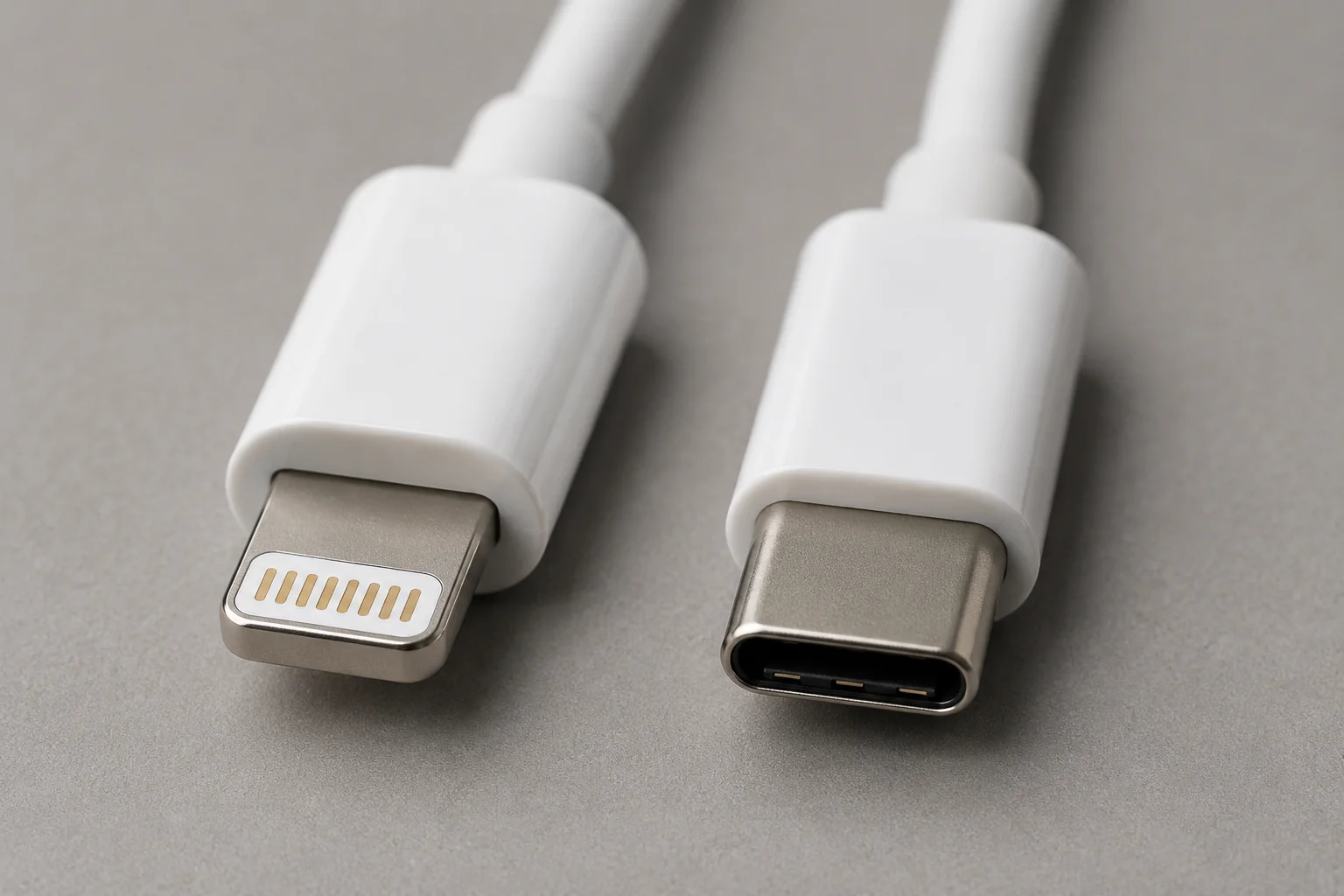
In my experience dealing with importers, the constant changes from Apple create both challenges and opportunities. A buyer from Germany once told me, "My customers are frustrated. They just want something that works." This is the core issue. The key is to understand power, measured in watts (W). A higher wattage charger can power devices that need less power, but not the other way around. A 96W MacBook charger can safely charge an iPhone, but a 20W iPhone charger will be extremely slow, or won't work at all, for a MacBook Pro. Here is a simple breakdown of typical power needs.
Power Requirements for Common Apple Devices
| Device | Connector | Recommended Power (for fast charging) |
|---|---|---|
| iPhone 12 and later | Lightning/USB-C | 20W or more |
| iPad Air / Pro | USB-C | 30W or more |
| MacBook Air | USB-C | 30W - 45W |
| MacBook Pro | USB-C | 67W - 140W |
Understanding this table is the first step. It helps our B2B clients decide what kind of chargers to stock. They need products that cover the most common use cases for their customers.
USB-C vs Lightning: what do you need to know?
Are you confused about why your new iPhone uses a different cable than your old one? Apple's switch to USB-C has left many people wondering which cable and charger they really need.
Lightning is Apple's proprietary connector, used on most iPhones before the 15. USB-C is a universal standard now on new iPhones, iPads, and MacBooks. USB-C offers faster charging and data transfer speeds and is becoming the new standard for almost all electronics, not just Apple products.
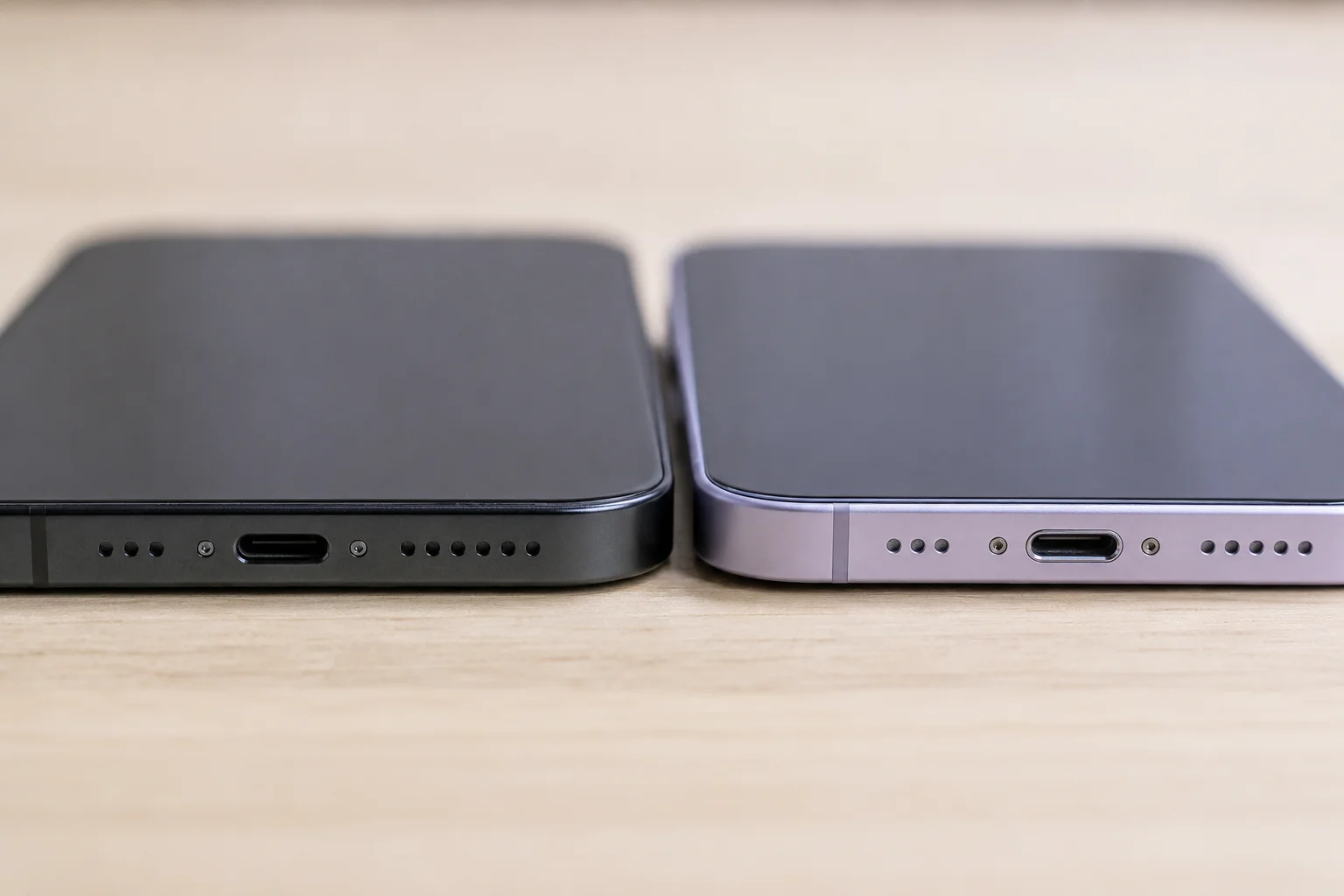
A client who runs a chain of electronic stores in the UK recently asked me, "What does the EU mandate on USB-C mean for my inventory?" It’s a great question. The European Union's decision to standardize on USB-C4 is pushing the entire industry forward. For consumers, it means more convenience in the long run. For businesses, it means adjusting the product mix.
Key Differences: USB-C vs. Lightning
- Shape: USB-C is a small, reversible oval. You can plug it in either way up. Lightning is also reversible but is thinner and has a different pin structure.
- Performance: USB-C supports much higher power delivery for fast charging (over 240W in theory)5 and faster data speeds (up to 40Gbps with Thunderbolt 3/4). Lightning is more limited, topping out around 27W for charging.
- Universality: This is the big one. USB-C is used by Android phones, Windows laptops, cameras, and more. Lightning is only for Apple devices. The move to USB-C means you're closer than ever to needing just one type of cable.
This shift is why many of our clients are now heavily stocking USB-C chargers and cables. They are preparing for a future where one cable truly can charge everything.
Can one charger work for an iPhone, iPad, and MacBook?
Do you dream of carrying just one charger for all your Apple devices on a trip? The idea sounds great, but you might worry if it's safe or effective for all your gadgets.
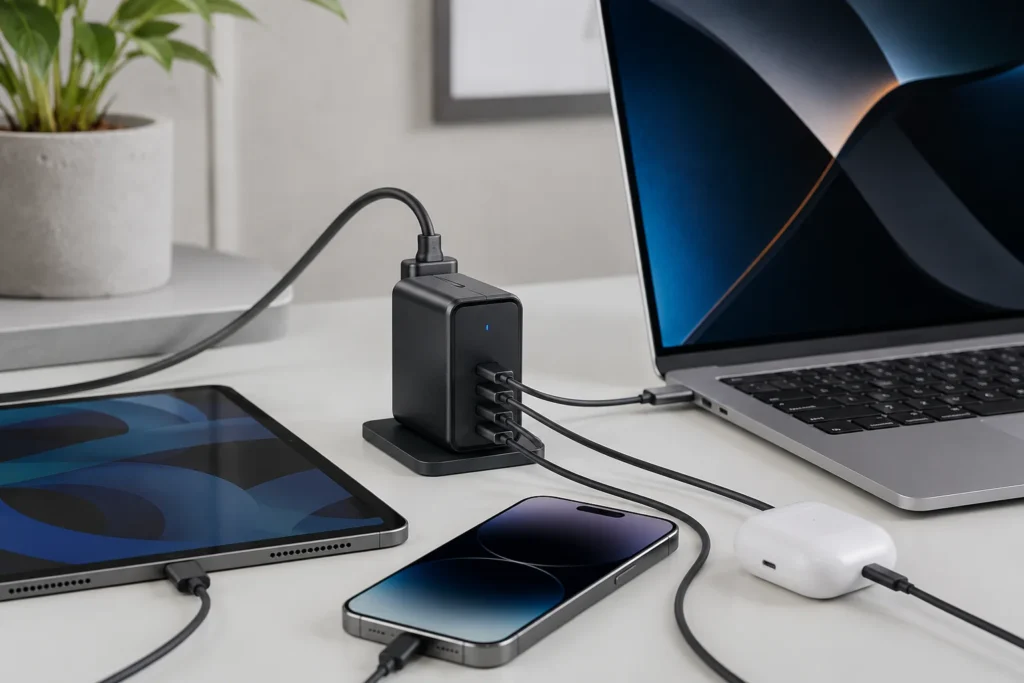
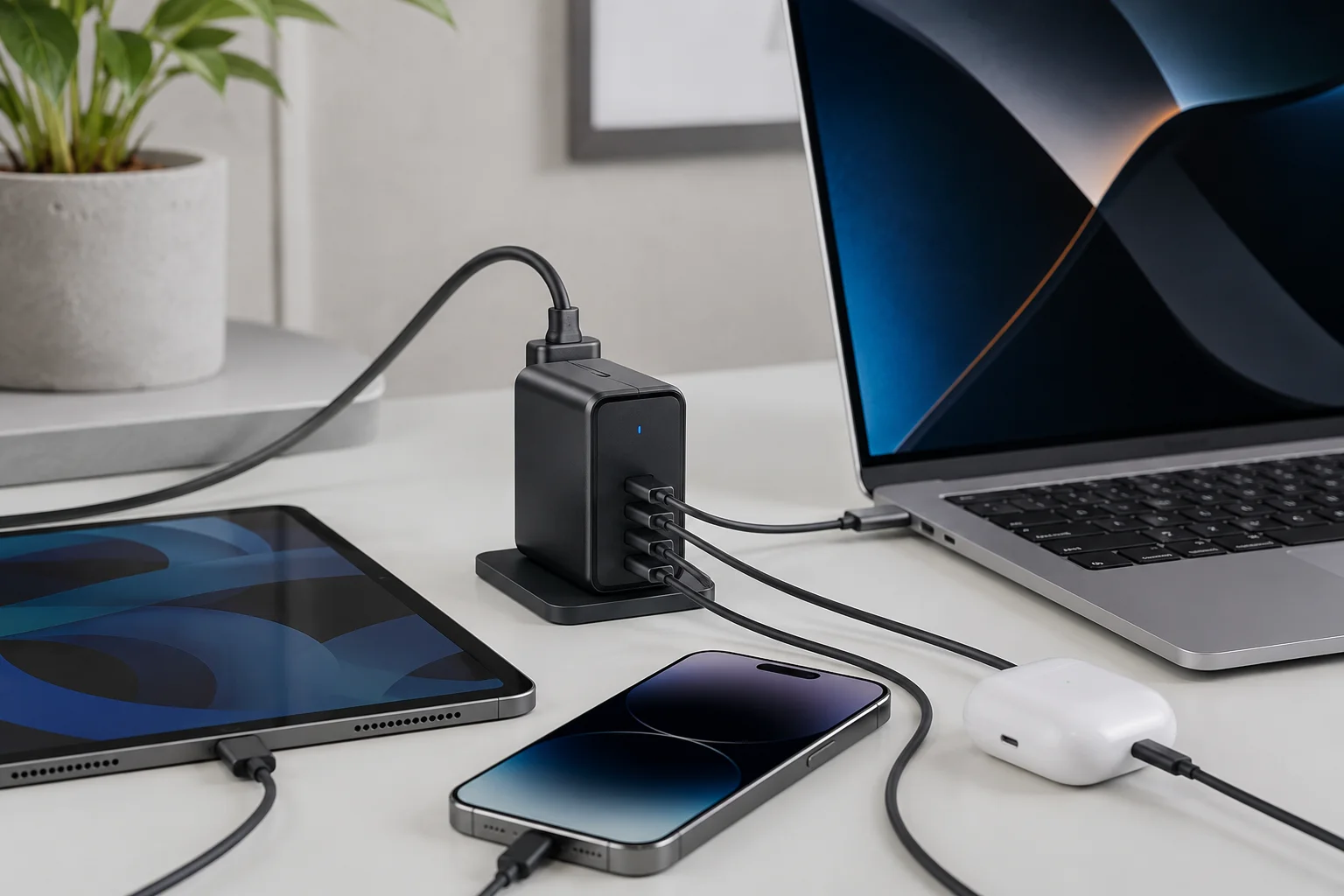
Yes, you can absolutely use one charger for your iPhone, iPad, and MacBook. The best option is a USB-C charger with at least 65W of power. This charger will be powerful enough for your MacBook and will safely fast-charge your iPad and iPhone.
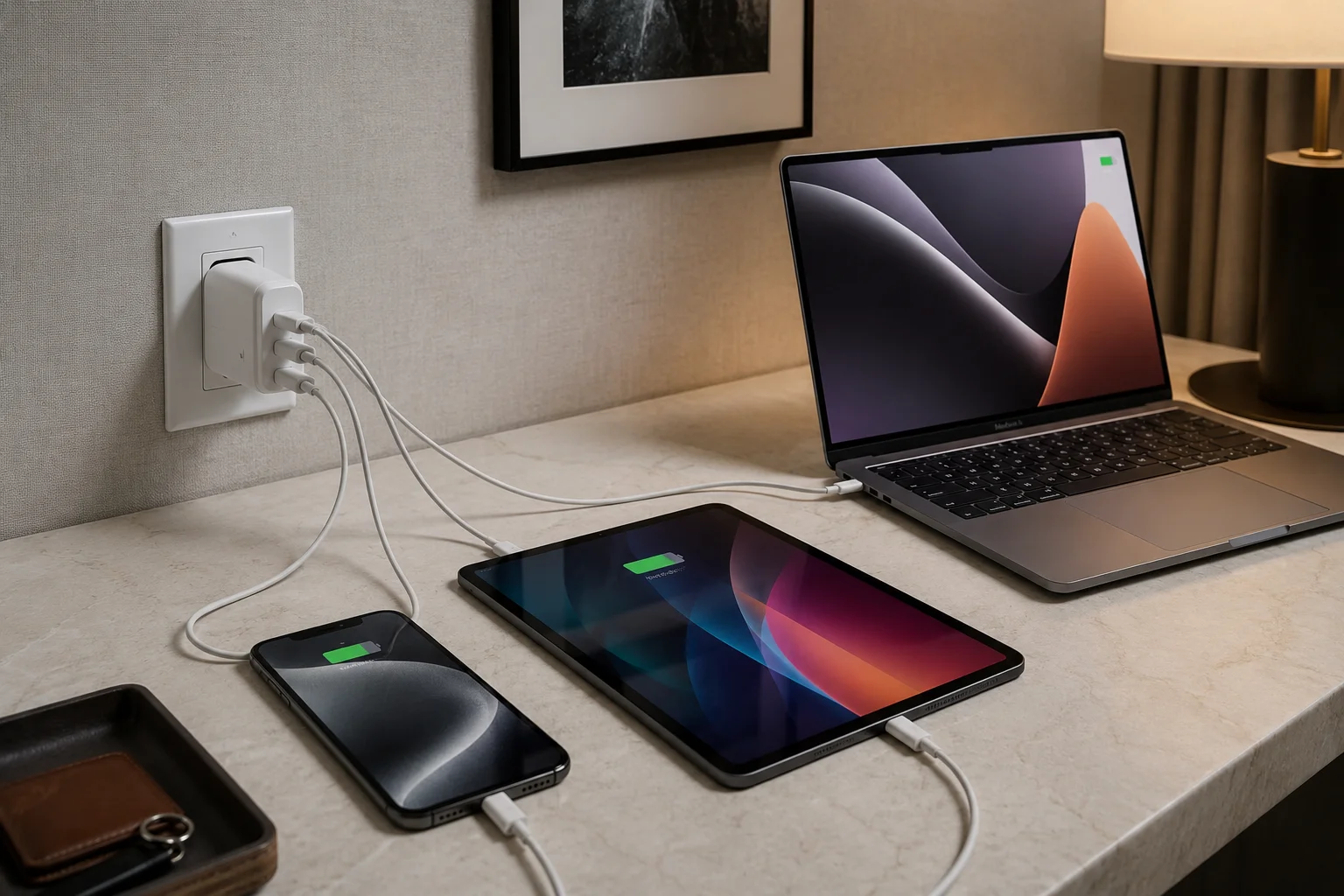
I often explain the concept of USB Power Delivery (USB-PD) to my customers. It’s the magic behind this solution. Think of it as a smart conversation between your charger and your device6. The charger says, "I can offer up to 65W of power." The iPhone replies, "I only need 20W, thanks." The charger then provides exactly 20W. Then you plug in your MacBook, and it says, "I need all 65W," and the charger delivers it. This smart negotiation ensures each device gets the fastest, safest charge it can handle without being overpowered.
Choosing Your "One" Charger
To make this work, you need to pick a charger that meets the needs of your most power-hungry device.
- Check Your MacBook's Needs: Look at the original charger that came with your MacBook. It will have the wattage printed on it (e.g., 30W, 67W, 96W).
- Buy a Charger with Equal or Higher Wattage: If your MacBook needs 67W, buy a charger that is at least 67W. A 96W or 100W charger will work perfectly fine and will also charge your other devices.
- Ensure it has USB-PD: Look for "USB-PD" or "Power Delivery" on the product description. This is non-negotiable.
This is the exact advice I give to e-commerce sellers looking to bundle products. A powerful USB-PD charger paired with a USB-C to USB-C cable and a USB-C to Lightning cable is a killer combo that solves a real customer problem.
Apple Watch charging: why is it different?
Have you ever tried to charge your Apple Watch with your iPhone cable and wondered why it doesn't work? The Apple Watch has a unique charging system that sets it apart from other devices.
The Apple Watch uses a special magnetic inductive charger7. It does not have a physical port like an iPhone or iPad. This proprietary system means you cannot use a standard USB-C or Lightning cable to charge it. You must use the specific magnetic puck it came with.
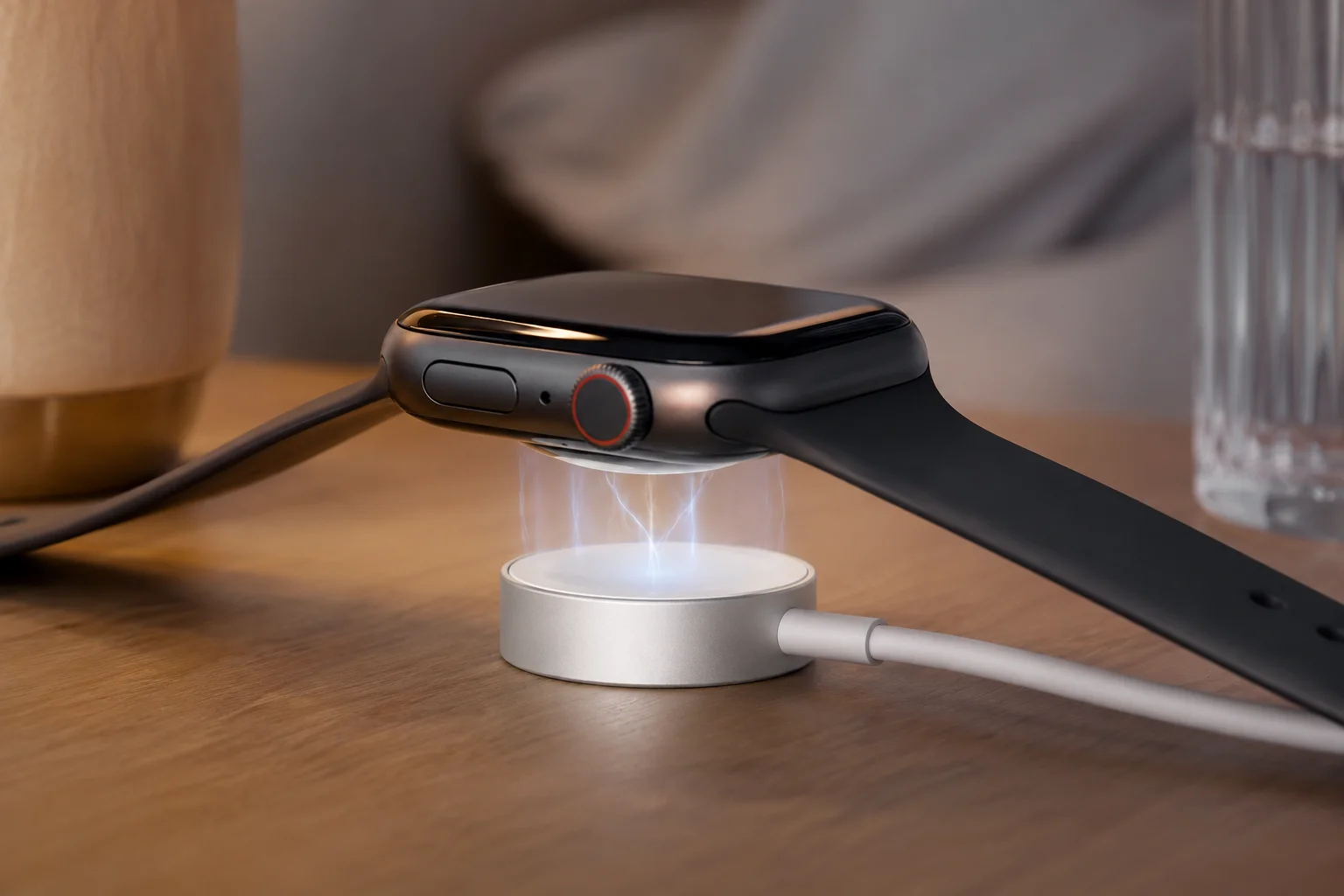
This is a point of confusion I often clarify for wholesalers. They want to source "all-in-one" solutions, but the Apple Watch is the exception to the rule. The charging puck uses magnetic induction to transfer power wirelessly over a very short distance. It’s designed for convenience and water resistance, as it removes the need for an open port on the watch itself. While the other end of the watch's charging cable is now USB-C (on newer models), the watch end remains a proprietary magnetic connector.
So, How Do You Simplify Watch Charging?
While you can't use an iPhone charger directly on the watch, you can still simplify your setup.
- Multi-port Chargers: You can plug your Apple Watch's USB-C charging cable into a multi-port wall charger alongside your iPhone and MacBook cables.
- 3-in-1 Charging Stands: Many companies, including some we work with, manufacture charging stations. These stands have a built-in spot for your iPhone (often MagSafe), AirPods, and a magnetic puck for the Apple Watch. They are powered by a single cable to the wall.
For our retail clients, these 3-in-1 stands are very popular products. They sell well because they solve the "messy nightstand" problem perfectly. They offer a clean, organized way to charge the one device that doesn’t play by the universal USB-C rules.
GaN and multi-port chargers: are they universal solutions?
Are you looking for a single charger that is small, powerful, and can charge everything at once? Gallium Nitride, or GaN, technology might be the perfect answer you've been searching for.
Yes, GaN multi-port chargers are the best universal solution available today. GaN technology allows chargers to be much smaller, more efficient, and run cooler than old silicon chargers. A single GaN charger with multiple USB-C ports can replace all your other power bricks.
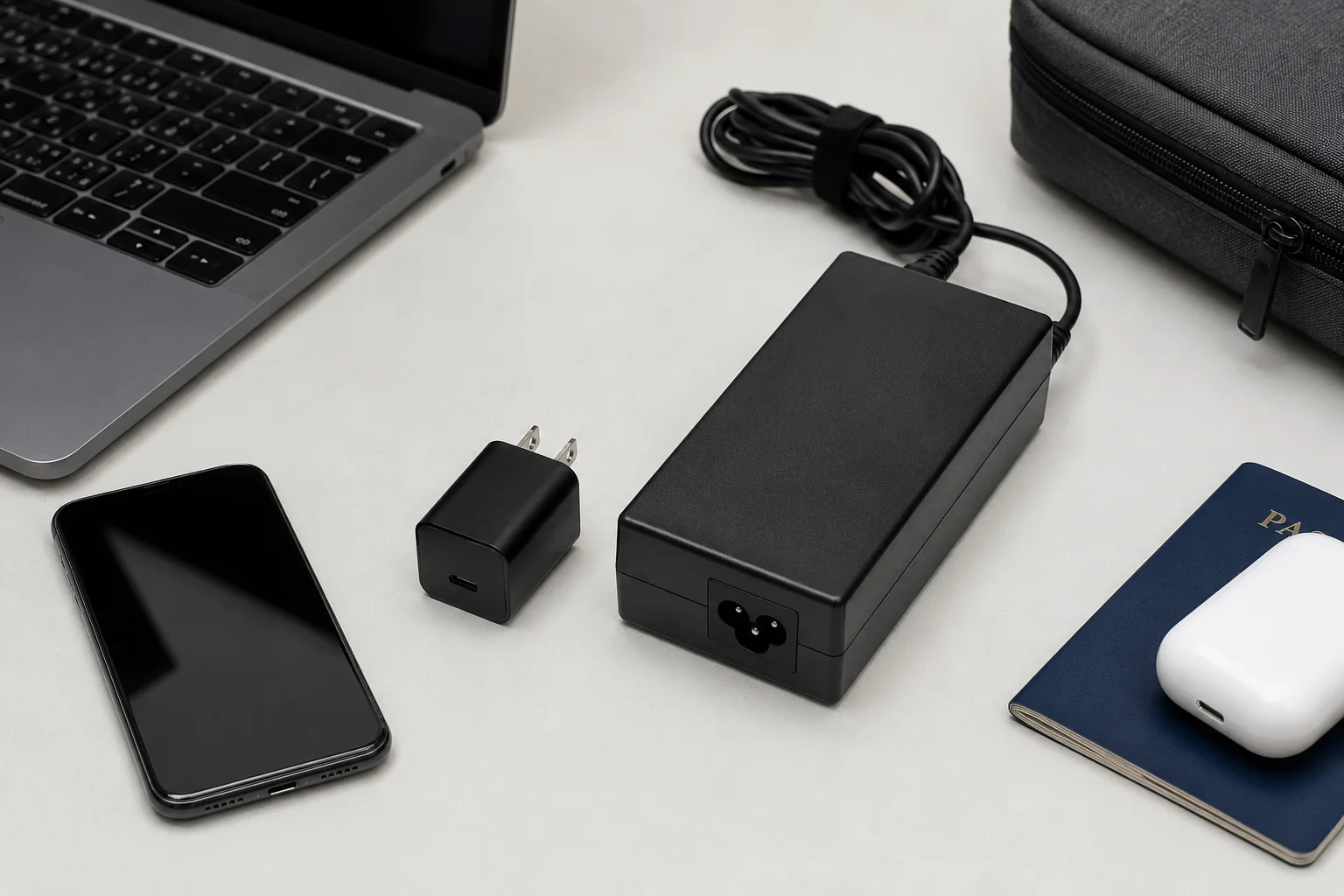
The rise of GaN has been a revolution for the 3C accessories market. I remember when we first started showing GaN chargers to our European clients about five years ago. They were amazed by the size. A 100W charger was suddenly the size of an old 30W model. How is this possible? GaN is a semiconductor material that is far more efficient than the traditional silicon used in chargers8. It wastes less energy as heat, so the components can be packed much closer together.
Why GaN is a Game-Changer for You
- Size & Portability: A 100W GaN charger can fit in your pocket. This is huge for travelers and mobile workers. It replaces three or four separate chargers.
- Power & Speed: You can get GaN chargers with two, three, or even four ports. A single 100W charger can intelligently split its power9. For example, it could give 65W to your MacBook and 20W to your iPhone, charging both at high speed simultaneously.
- Future-Proof: As I tell my B2B buyers, investing in GaN is investing in the future. These chargers almost always feature USB-C and USB-PD, which are the standards for all modern electronics.
When an importer asks me what the "hottest" product in charging is, my answer is always GaN. It solves the core problems of power, size, and convenience all at once.
What are the safety considerations when sharing chargers?
Are you worried that using one charger for multiple devices might be unsafe? It’s a smart question. Using the wrong charger can, in the worst cases, damage your devices or even pose a fire risk.
Sharing chargers is perfectly safe if you use a certified, high-quality charger with USB Power Delivery (USB-PD). This technology ensures the charger only sends the amount of power the device can handle. The biggest risk comes from cheap, uncertified chargers that lack these safety features.
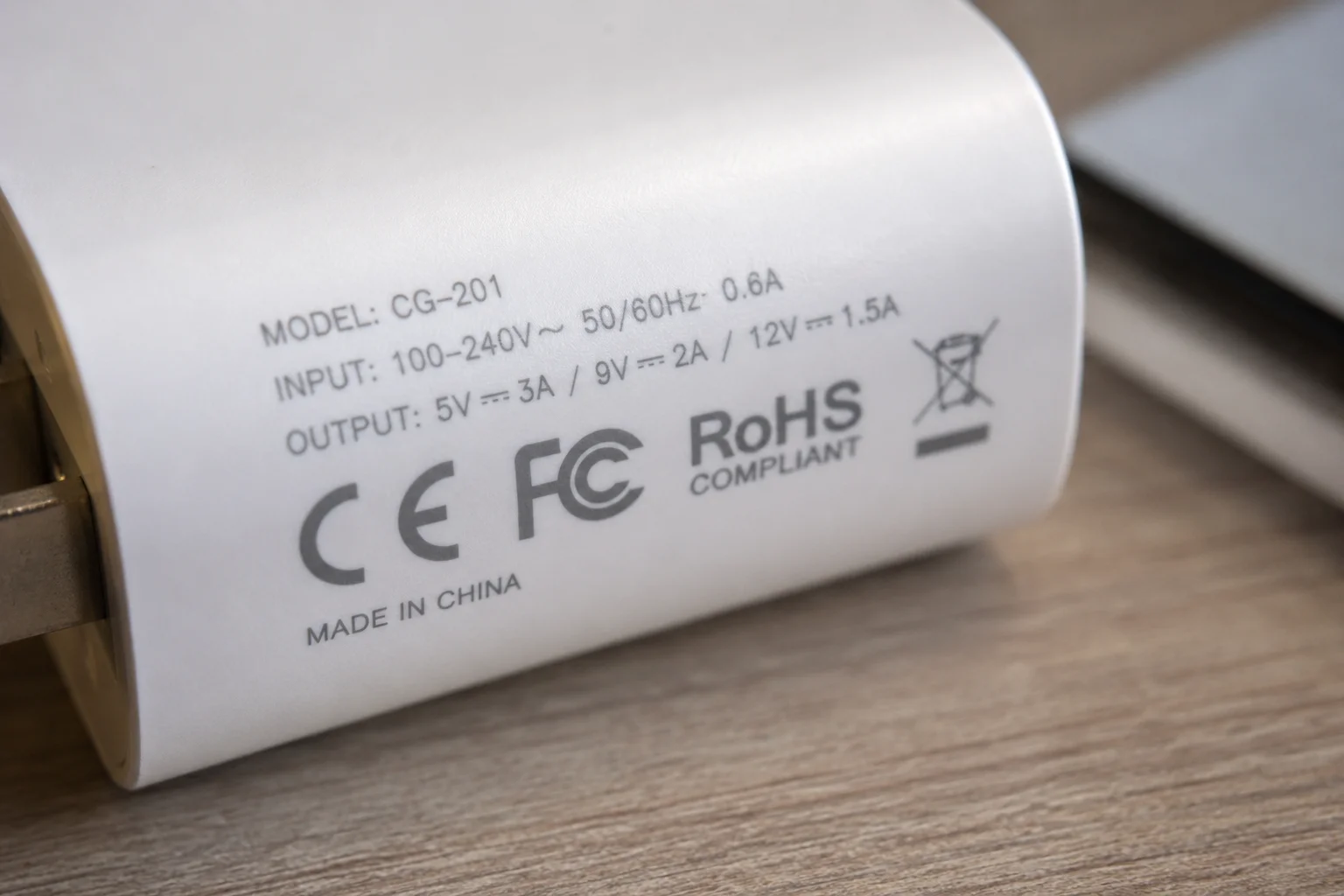
The number one rule I stress to all my clients who import electronics is: do not cheap out on safety certifications. It's the most expensive mistake you can make. A shipment of uncertified chargers can be stopped at customs, and selling unsafe products can lead to massive liability. The charger you use must have the correct certifications for your region.
Essential Safety Features and Certifications
| Certification/Feature | What it Means | Why it Matters |
|---|---|---|
| USB-PD | Power Delivery | A "smart" charging protocol that lets the charger and device communicate to determine the right voltage and current. Prevents overcharging. |
| CE Mark10 | Conformité Européenne | The product meets EU standards for health, safety, and environmental protection. Mandatory for products sold in Europe. |
| FCC Mark11 | Federal Communications Commission | The product's electromagnetic interference is under limits approved by the FCC. Mandatory for electronics sold in the US. |
| Over-current Protection | Internal Safety Feature | The charger will shut down if the device tries to draw too much current, preventing damage and overheating. |
| Over-heating Protection | Internal Safety Feature | A sensor monitors the temperature and reduces power or shuts down if the charger gets too hot. |
When a customer asks for the lowest possible price, I always ask them back, "Does it need to be certified?" The answer should always be yes. A quality charger with these features is an investment in protecting your thousand-dollar devices.
What are some tips for choosing a single charger for multiple Apple devices?
Ready to buy a single charger but feeling overwhelmed by the options? Choosing the right one is easy if you know what to look for. Let’s create a simple checklist to guide you.
To choose one charger, first, find the wattage of your most powerful device (like a MacBook). Buy a GaN charger with at least that wattage, multiple USB-C ports, and USB-PD technology. Finally, always check for safety certifications like CE or FCC on the product.
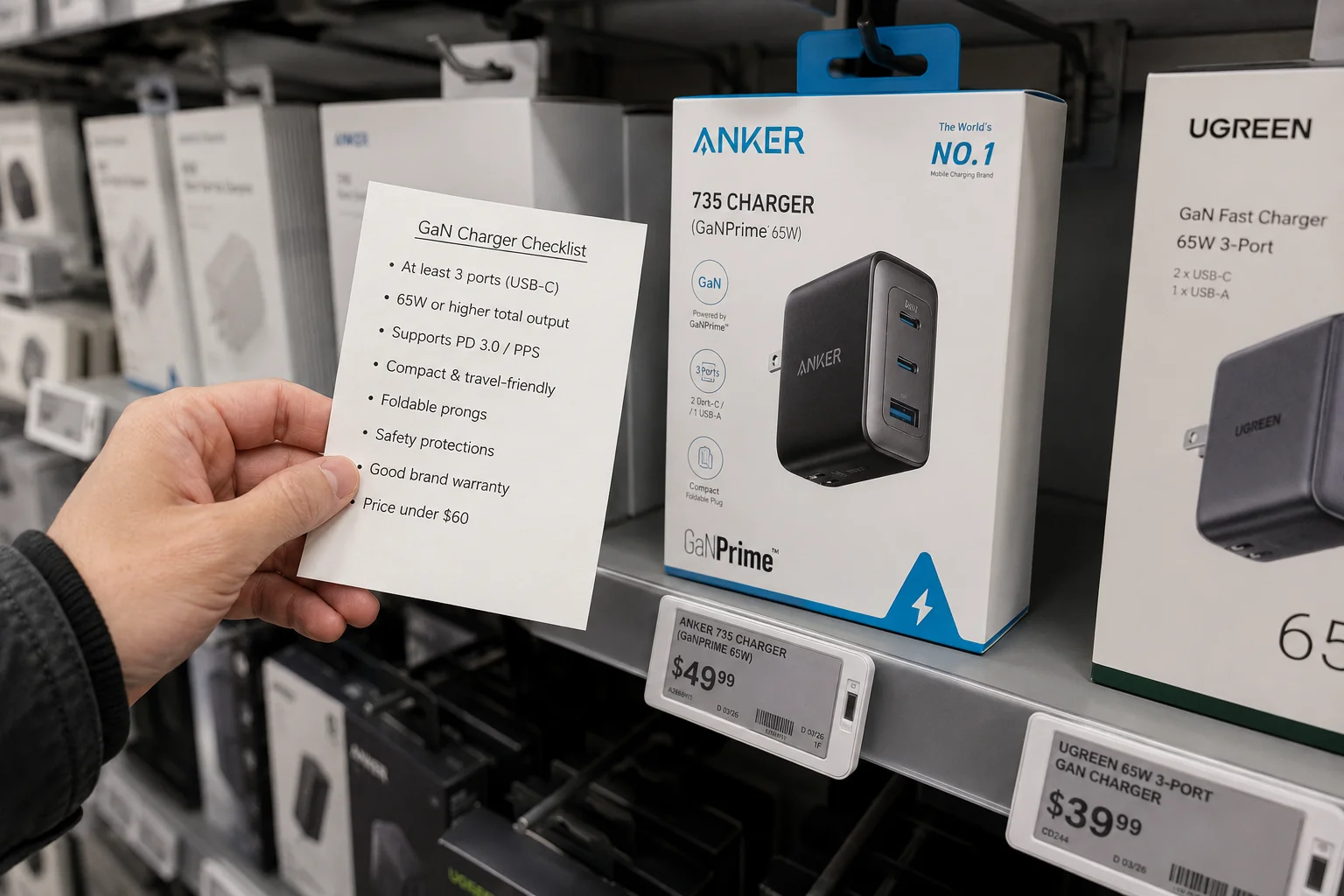
I walk my wholesale customers through this process all the time. They need to choose products that will satisfy the largest number of their own customers. The best strategy is to focus on a "hero" product, like a 65W or 100W GaN charger, that covers 95% of use cases. It's about providing a clear, simple solution. Here's a step-by-step guide you can use for your own purchase, or that my clients can use to educate their sales staff.
Your 4-Step Buying Checklist
-
Determine Your Power Needs:
- Find the wattage of your most demanding device. This is usually your laptop. Let's say it's a 67W MacBook Pro.
- Your minimum target is 67W.
-
Select the Right Technology:
- Look for GaN for a smaller, more efficient charger.
- Ensure it has USB Power Delivery (USB-PD). This is essential for safety and speed.
- Count your devices. If you charge your phone, laptop, and watch at night, get a charger with at least 3 ports. A mix of USB-C and USB-A can be useful for older cables.
-
Verify Safety Certifications:
- Look for the CE mark (for Europe), FCC mark (for the US), and other marks like RoHS (restricts hazardous substances).
- Buying from reputable brands or suppliers is the easiest way to ensure this.
-
Don't Forget the Cables:
- A powerful charger is useless without good cables. Make sure your cables are rated for the speed and power you need. For a 100W charger, you need a 100W-rated USB-C cable12.
By following these four steps, you can confidently select a charger that is safe, fast, and convenient.
What should wholesalers and importers consider for multi-device chargers?
Are you a retailer or importer looking to source chargers? The market is huge, but so is the competition. Your success depends on choosing the right product and the right supplier.
Wholesalers should focus on sourcing certified GaN chargers with multiple ports (65W-100W is the sweet spot). Key considerations are MOQ, safety certifications (CE/FCC), customization options for branding, and finding a supplier with a proven track record who understands your market's needs.

This is my world. Every day, I talk to B2B buyers from all over the globe. They aren't just buying a product; they are making a business decision that involves risk, capital, and brand reputation. Based on 15 years of experience, here's what I tell them to focus on. It goes beyond the technical specs of the charger itself. It's about the business of selling chargers.
Key Considerations for B2B Buyers
- Target the Sweet Spot: Don't try to stock every wattage. 65W and 100W GaN chargers are the best sellers. They cover the vast majority of devices, from phones to powerful laptops. This simplifies your inventory.
- Certification is Not Optional: I cannot stress this enough. Work only with suppliers who provide full, valid certification documents for your target market. Ask for the test reports. A low price on an uncertified product is a trap.
- Customization (Private Label): The charger market is crowded. To stand out, you need to build a brand. We work with many clients to print their logo on the chargers and design custom retail packaging. This adds huge value and allows you to command a better price. Ask your supplier about their MOQ (Minimum Order Quantity) for branding.
- Supplier Reliability: Look for a partner, not just a factory. Do they understand your market? Can they advise you on trends? Do they have a clear process for quality control and handling after-sales issues? A supplier with experience in exporting to the US or EU will know the rules and save you major headaches.
Choosing the right charger to sell is about finding that perfect balance of market demand, safety, and brand opportunity.
Conclusion
In short, you can use one quality GaN charger for almost all your Apple devices. Just pick one with enough power for your laptop, and let smart technology handle the rest.
"Can I charge iPhone 15 base using 67watt macbook pro charger?", https://discussions.apple.com/thread/255150191. An official support document from Apple confirms that users can use a single USB-C power adapter to charge multiple devices, such as a Mac, iPhone, or iPad, provided the adapter has enough wattage for the most demanding device. Evidence role: general_support; source type: education. Supports: The claim that a single, sufficiently powerful USB-C power adapter can be used to charge various Apple devices, including MacBooks, iPads, and iPhones.. ↩
"Power adapters for iPhone - Apple Support", https://support.apple.com/guide/iphone/power-adapters-iph8c1e31583/ios. Apple's official support documentation states that to fast charge an iPhone 8 or later, a power adapter of 20W or higher is required, which can charge the battery to approximately 50 percent in around 30 minutes. Evidence role: statistic; source type: government. Supports: The claim that a 20W power adapter is required to fast charge modern iPhones.. Scope note: The exact time and performance can vary depending on the specific iPhone model and settings. ↩
"Use a power adapter with your Mac - Apple Support", https://support.apple.com/en-us/109509. Apple's support pages provide a guide to identifying the correct power adapter and cable for various Mac notebook models, confirming that different MacBook Pro versions ship with adapters rated at 67W, 70W, 96W, and 140W, depending on the specific model and configuration. Evidence role: case_reference; source type: education. Supports: The claim that different MacBook Pro models require specific high-wattage chargers, such as 67W, 96W, or 140W.. ↩
"Radio Equipment Directive (2022) - Wikipedia", https://en.wikipedia.org/wiki/Radio_Equipment_Directive_(2022). The European Parliament and Council passed Directive (EU) 2022/2380, which mandates that a wide range of electronic devices, including mobile phones and tablets, sold in the EU must be equipped with a USB Type-C port for wired charging by late 2024. Evidence role: historical_context; source type: government. Supports: The claim that the EU has passed legislation to standardize charging ports on electronic devices.. ↩
"USB Charger (USB Power Delivery) - USB-IF", https://www.usb.org/usb-charger-pd. The USB Implementers Forum (USB-IF) announced the USB Power Delivery (USB-PD) 3.1 specification, which introduced an Extended Power Range (EPR) feature, enabling a new power delivery capability of up to 240 watts through compliant USB-C cables and connectors. Evidence role: definition; source type: institution. Supports: The claim that the USB-C standard supports power delivery up to 240W.. ↩
"USB Charger (USB Power Delivery) - USB-IF", https://www.usb.org/usb-charger-pd. The USB Power Delivery (USB-PD) specification defines a protocol where the power source (charger) and sink (device) communicate over the USB cable to negotiate a power contract, selecting from a series of available voltage and current profiles to ensure safe and efficient charging. Evidence role: mechanism; source type: encyclopedia. Supports: The claim that USB-PD involves a communication process to determine the correct power level.. ↩
"Inductive charging - Wikipedia", https://en.wikipedia.org/wiki/Inductive_charging. The Apple Watch charger utilizes inductive charging, where an electric current passed through a coil in the charging puck creates a magnetic field, which in turn induces a current in a coil inside the watch to charge its battery without a physical connection. Evidence role: mechanism; source type: encyclopedia. Supports: The claim that the Apple Watch uses a magnetic inductive charging method.. Scope note: While based on the same principles as the Qi standard, Apple's implementation for the watch is proprietary. ↩
"Wide-bandgap semiconductors benefit from development of single ...", https://www.sandia.gov/research/news/wide-bandgap-semiconductors-benefit-from-development-of-single-photo-sources-in-gallium-nitride/. Scientific and engineering sources explain that Gallium Nitride (GaN) has a wider bandgap than silicon, allowing it to withstand higher voltages and temperatures. This property leads to greater power efficiency, as less energy is lost as heat, enabling the creation of smaller and more powerful electronic components like chargers. Evidence role: mechanism; source type: research. Supports: The claim that Gallium Nitride (GaN) is more efficient than silicon for power applications.. ↩
"How do chargers with multiple output ports work : r/techsupport", https://www.reddit.com/r/techsupport/comments/1d4t04b/how_do_chargers_with_multiple_output_ports_work/. Technical reviews of modern multi-port chargers explain that they contain a power management integrated circuit (IC) that dynamically allocates the total power budget. This controller detects the power requirements of each connected device and distributes wattage accordingly, often re-allocating power when devices are added or removed. Evidence role: mechanism; source type: other. Supports: The claim that multi-port chargers can dynamically allocate power.. Scope note: The specific logic for power distribution varies by manufacturer and charger model. ↩
"EU Standards", https://www.trade.gov/eu-standards. According to the European Commission, the CE marking signifies that a product has been assessed by the manufacturer and is deemed to meet EU safety, health, and environmental protection requirements. It is mandatory for products in many categories before they can be sold in the European Economic Area. Evidence role: definition; source type: government. Supports: The definition and significance of the CE marking for products sold in the EU.. ↩
"Equipment Authorization | Federal Communications Commission", https://www.fcc.gov/engineering-technology/laboratory-division/general/equipment-authorization. The U.S. Federal Communications Commission (FCC) requires that electronic devices that can create electromagnetic interference be tested and marked to certify that they comply with FCC standards. This mark indicates that the device's emissions are within acceptable limits, and it is a legal prerequisite for selling such products in the United States. Evidence role: definition; source type: government. Supports: The definition and purpose of the FCC mark on electronic devices in the US.. ↩
"USB-C - Wikipedia", https://en.wikipedia.org/wiki/USB-C. The USB Implementers Forum (USB-IF) specifies that for power delivery exceeding 60W (3A at 20V), USB-C cables must contain an electronic marker (e-marker) chip. This chip communicates the cable's capabilities, including its power handling capacity (e.g., up to 100W or 240W), to the charger and device, ensuring safe operation at higher power levels. Evidence role: mechanism; source type: institution. Supports: The claim that high-power charging requires a specifically rated USB-C cable.. ↩