A wrong charger SKU looks small on paper. It creates slow charging, bad reviews, returns, and long after-sales messages later.
I choose a USB-C wall charger by matching wattage, port layout, and fast-charging protocol to the devices my customers use. I do not choose only by the highest wattage number. I also check shared power, cable support, plug type, safety protection, certification, packaging, and warranty.
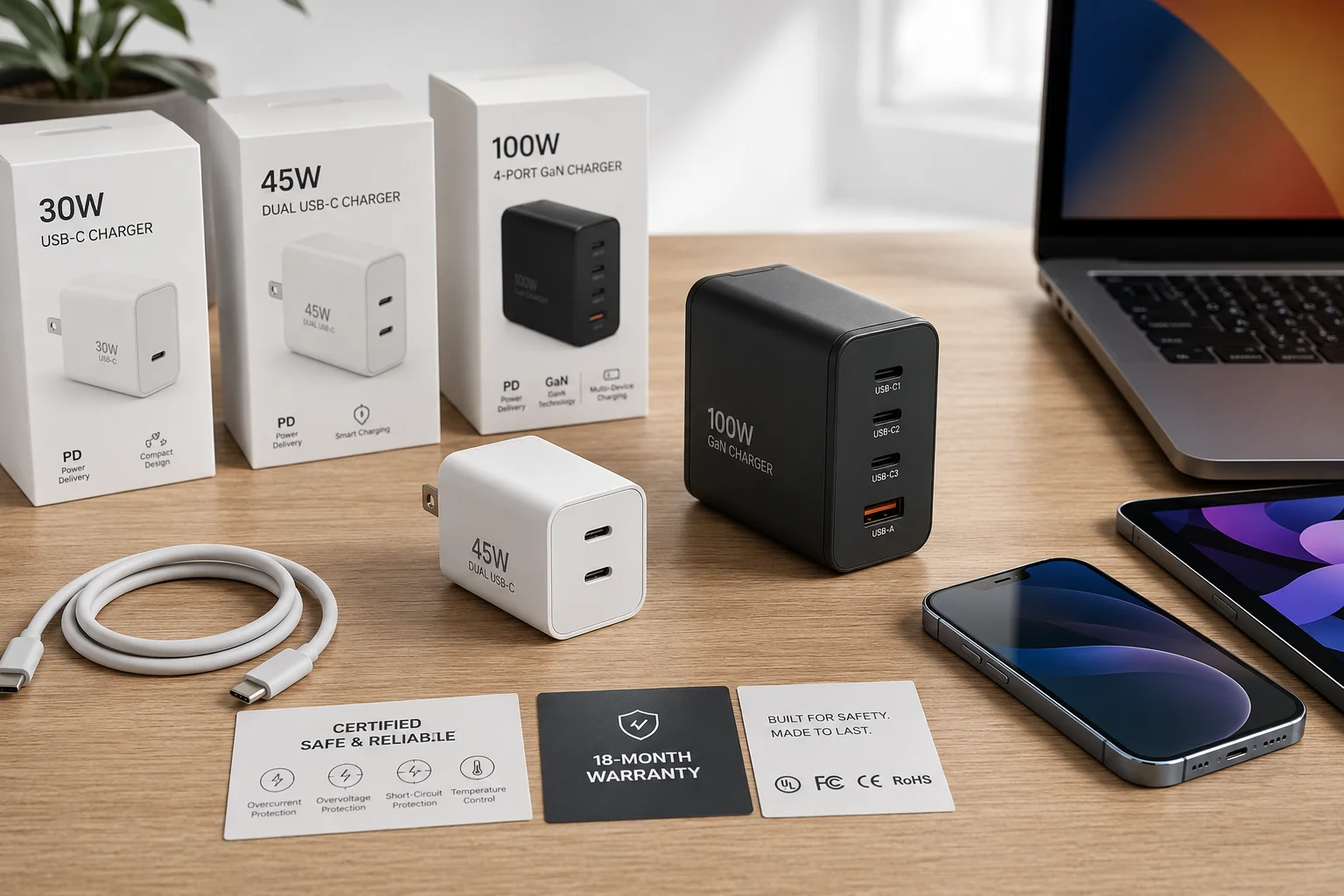
I have handled many overseas charger inquiries from retailers, wholesalers, and e-commerce sellers. Many buyers first ask for “the fastest USB-C charger.” I usually slow the discussion down. I ask what devices their customers charge, what price band they sell in, and how many returns they can accept. That simple step often changes the right answer.
1. What Is a USB-C Wall Charger?
USB-C sounds simple. The problem starts when buyers think the small oval port itself guarantees fast charging.
A USB-C wall charger is a power adapter with at least one USB-C output port. It can support higher charging power than many older USB-A chargers1, but fast charging only works when the charger, cable, and device support compatible power and protocol.2
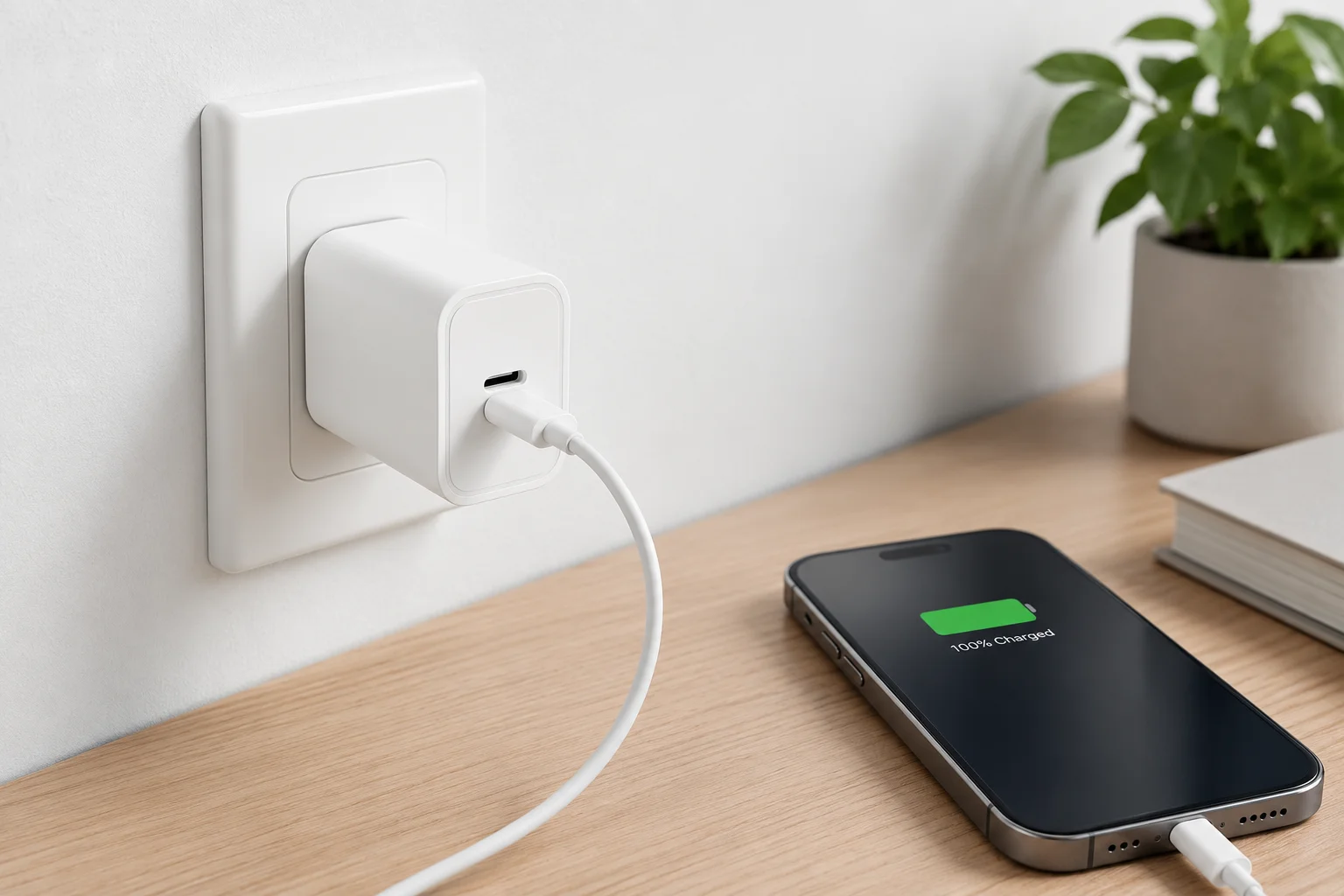
USB-C vs older USB-A chargers
A USB-C wall charger uses a reversible USB-C connector. I like this feature because customers can plug the cable in either way. It feels modern, and it reduces small daily friction. Older USB-A chargers still work for many accessories, but they often support lower power and older charging methods. USB-C chargers can support phones, tablets, earbuds, power banks, and some laptops. They can come as single-port models or multi-port models. For B2B sourcing, I treat USB-C as a platform, not as a promise. A USB-C port can be basic, or it can support USB-C Power Delivery. It may also support PPS or other fast-charging protocols. This matters because a buyer can order a charger that looks right, but it may not trigger the charging speed that the product listing promises.
| Feature | USB-C wall charger | Traditional USB-A charger |
|---|---|---|
| Connector | Reversible USB-C | One-way USB-A |
| Common use | Phones, tablets, laptops, power banks | Phones, accessories, older cables |
| Power range | Low to high power | Often lower power |
| Fast charging | Depends on PD, PPS, QC, device, cable | Depends on older protocols |
| B2B risk | Wrong protocol can cause complaints | Older look can reduce appeal |
For retail and e-commerce SKU planning, I usually separate “USB-C port” from “fast charge result.” The port is only the physical connection. The real charging result comes from the charger output, protocol, cable rating, and device demand.
2. What Wattage USB-C Wall Charger Do You Need?
Wattage is where many buying mistakes begin. A high number looks strong, but it can be the wrong SKU.
I choose wattage from the highest-power device in the real use case. 20W–30W fits phones and small devices. 30W–45W fits phones and tablets. 65W fits tablets and light laptops. 100W and above fits laptops or several devices.3
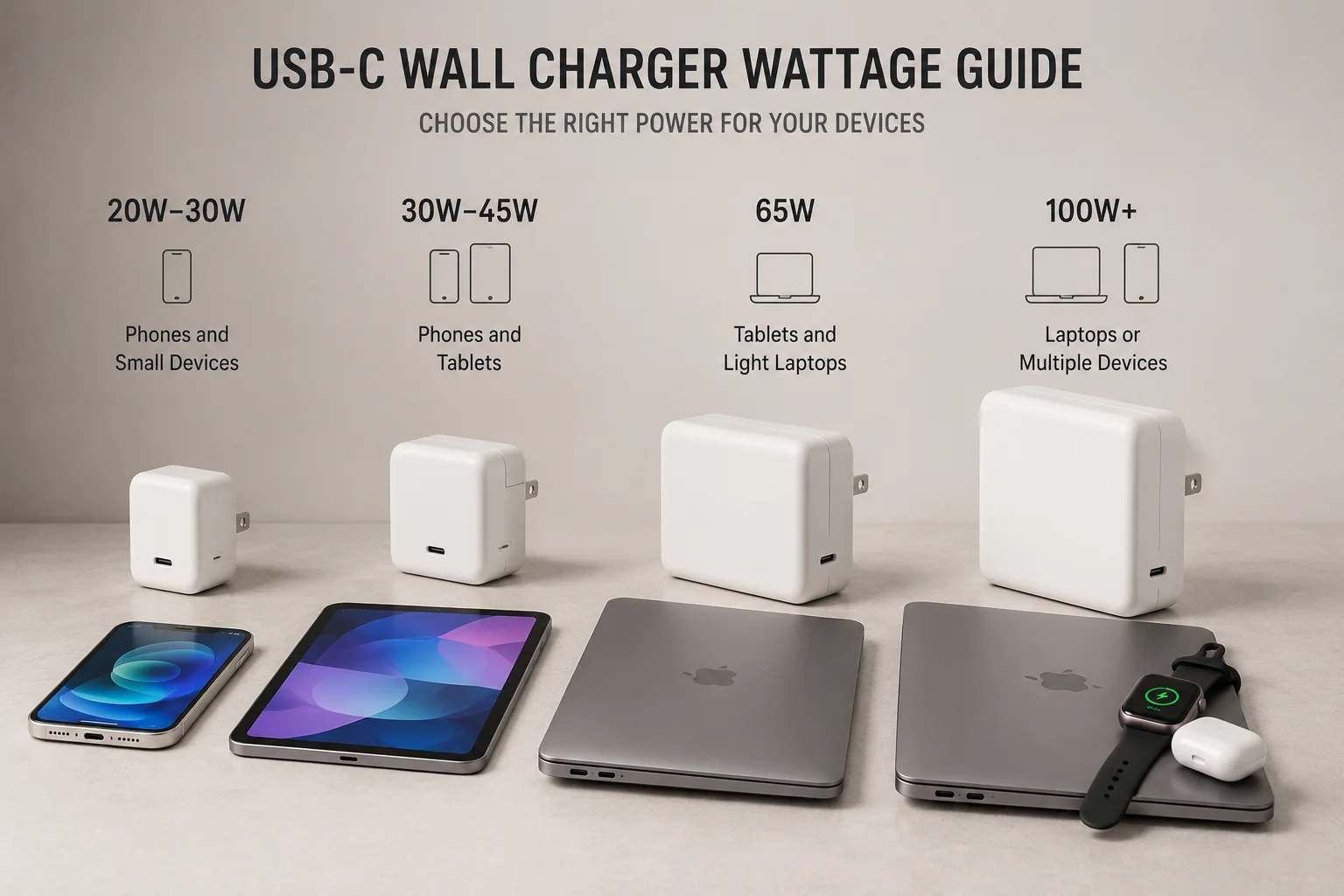
Match wattage to the customer scene
I do not start with “What is the biggest wattage?” I start with “What will the end customer charge?” A phone-focused basic SKU often works well at 20W to 30W. This range is common for smartphones, wireless earbuds, and small mobile devices. A 30W to 45W charger fits a mixed basket. I see this used for flagship phones, tablets, and some slim devices. A 65W GaN charger becomes more useful when the customer may charge a MacBook Air, a USB-C Windows laptop, or a tablet and phone in the same bag. A 100W charger fits laptop users and buyers who want one stronger desk charger. A 140W or higher model fits high-performance laptops and professional devices, but it is not the natural answer for every channel.
| Wattage range | Best fit | Common B2B SKU idea |
|---|---|---|
| 20W–30W | Phones, earbuds, small devices | Entry phone charger SKU |
| 30W–45W | Flagship phones, tablets | Mid-range mixed-use SKU |
| 65W | Phones, tablets, light laptops | Travel and office GaN SKU |
| 100W | Laptops and several devices | Premium desk or travel SKU |
| 140W+ | High-power laptops, pro devices | Niche premium SKU |
I also remind buyers that a charger does not force all power into a device. The device asks for power, and the charger responds within its supported range.4 This is good for safety and compatibility. It also means the biggest number is not always the best commercial choice. A 100W model may be too expensive for a phone-only shelf. A 20W model may disappoint a laptop user. The right wattage protects both margin and customer experience.
3. USB-C PD, PPS, and Fast-Charging Protocols Explained?
Fast charging can fail even when the charger has USB-C. This causes returns because customers only see “not fast.”
Fast charging depends on compatible protocols. USB-C Power Delivery, PD PPS, Qualcomm Quick Charge, Apple fast charging, Samsung Super Fast Charging, and brand-specific protocols must match the device, charger, and cable before the expected speed appears.5
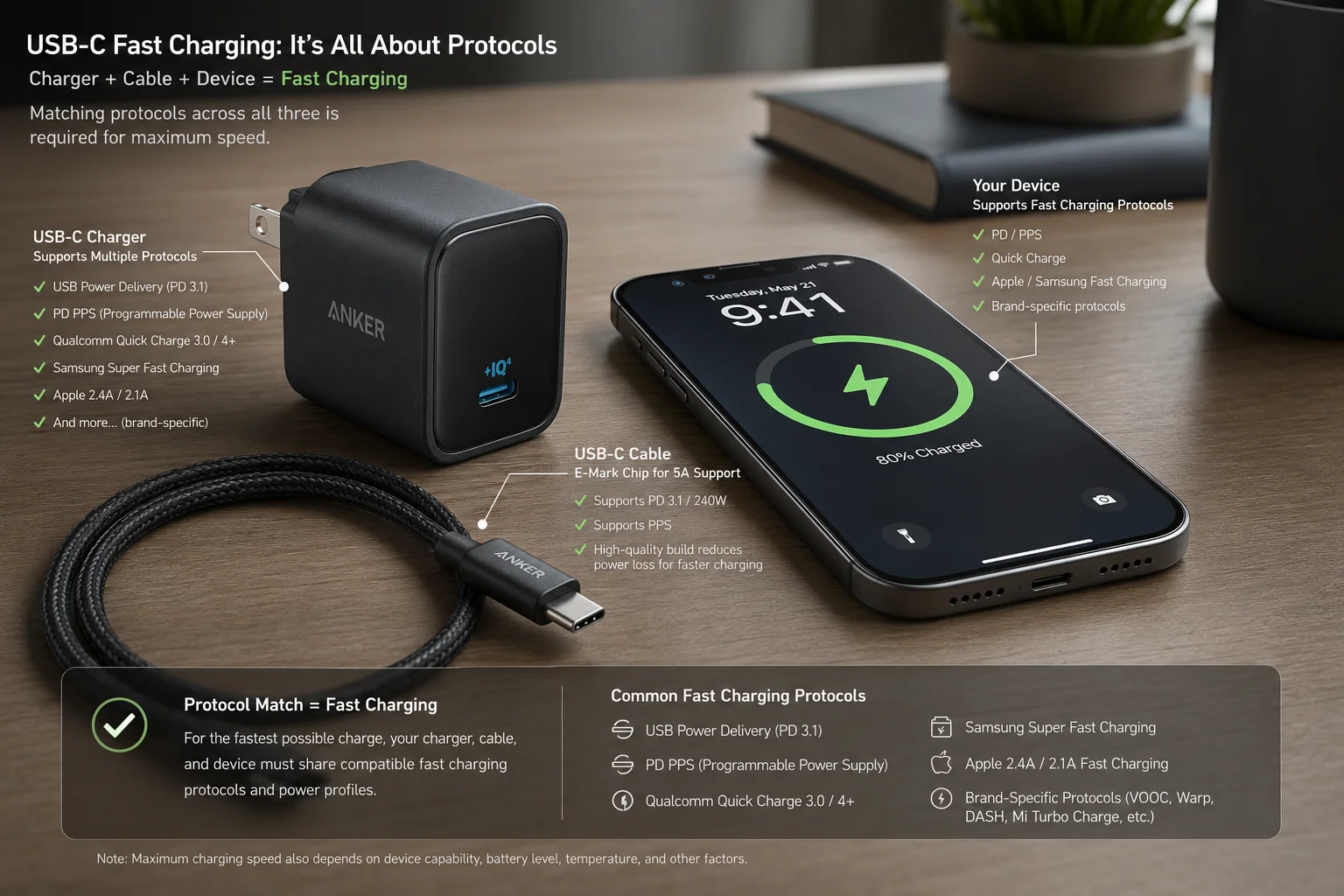
Why protocol support is a business issue
I do not treat PD, PPS, and QC as only technical words. I treat them as after-sales risk. A product page may say “fast charger,” but the customer may use a phone that expects PPS for the best speed6. Another customer may use a cable that cannot carry the required power. Another may use an older device that negotiates a lower output. In each case, the charger may not be defective. The customer still feels disappointed. That is why I ask buyers to define which device groups they want to support.
| Protocol or feature | Why it matters in sales | Common issue if ignored |
|---|---|---|
| USB-C Power Delivery | Common fast-charging base for many phones, tablets, laptops | Charger may act like a normal charger |
| USB PD PPS | Important for some newer phones, including Samsung fast-charge scenarios | “Super fast” may not trigger |
| Qualcomm Quick Charge | Useful for some Android devices and older markets | Speed may be lower than expected |
| Apple fast charging | Important for iPhone and iPad buyers | Customer may not see advertised time claims |
| Manufacturer-specific protocols | Some brands use their own charging logic | Listing may overpromise real speed |
| Cable rating | Cable must support needed current and power7 | High-watt charger may still charge slowly |
For B2B buyers, I usually suggest clear listing language. I prefer “supports USB-C PD” or “supports PD PPS” when it is true. I avoid vague claims like “works with all fast charging” unless the product was selected for that claim and the compliance side is checked. This lowers disputes. It also helps sales teams explain the product without turning every customer question into a technical case.
4. Single-Port vs Multi-Port USB-C Wall Chargers?
Multi-port chargers look more valuable. Problems happen when customers expect every port to give full power at the same time.
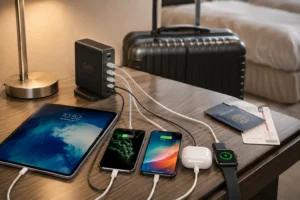
Single-port USB-C chargers are simple for one device. Multi-port chargers are better for travel, family, office, and desk use. The key point is shared output. When several devices connect, total power is divided across ports.8
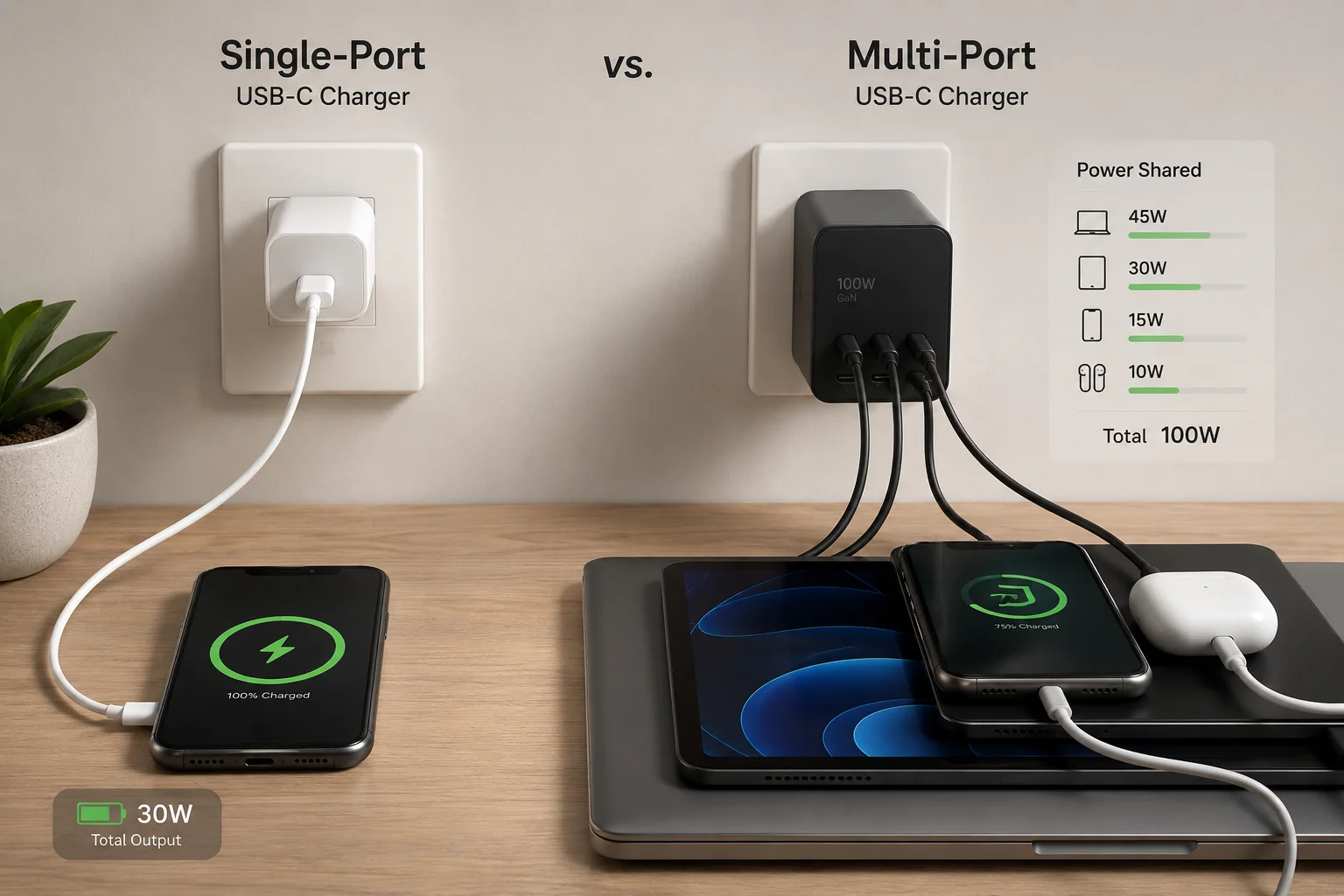
Understand shared power before choosing ports
I often see buyers compare chargers by total wattage and port count only. That is not enough. A dual USB-C 65W charger may give 65W from one USB-C port when used alone. When two devices connect, it may split into 45W plus 20W, or 30W plus 30W, or another layout. The exact design must be checked in the output specification. This is where complaints start. A customer plugs in a laptop and a phone, then the laptop charges slower. The charger may be working correctly. The customer just did not understand the shared-output rule.
| Port design | Good use case | What I check before ordering |
|---|---|---|
| Single USB-C | One phone or one device | Max output and protocol |
| Dual USB-C | Phone plus tablet, or two phones | Split power when both ports are used |
| USB-C + USB-A | New phone plus older accessory | USB-A protocol and total output |
| Three-port charger | Travel and mixed devices | Priority rules and shared wattage |
| Four-port charger | Family, office, counter display | Heat control, size, and port labels |
For retail SKUs, I also think about the story on the package. A one-port 20W or 30W charger is easy to sell as a phone charger. A 65W two-port GaN charger is easy to sell as a travel charger. A four-port model may sell better for office, family, and desktop use. The port layout should match the customer scene. It should not only look impressive in a photo.
5. Are GaN USB-C Wall Chargers Better?
GaN is popular, and it sells well. The risk is treating GaN as a magic word.
GaN USB-C wall chargers can be smaller, lighter, and more power-dense than many traditional silicon chargers.9 They are useful for travel and high-power compact designs, but GaN does not replace protocol support, safety design, testing, or certification.
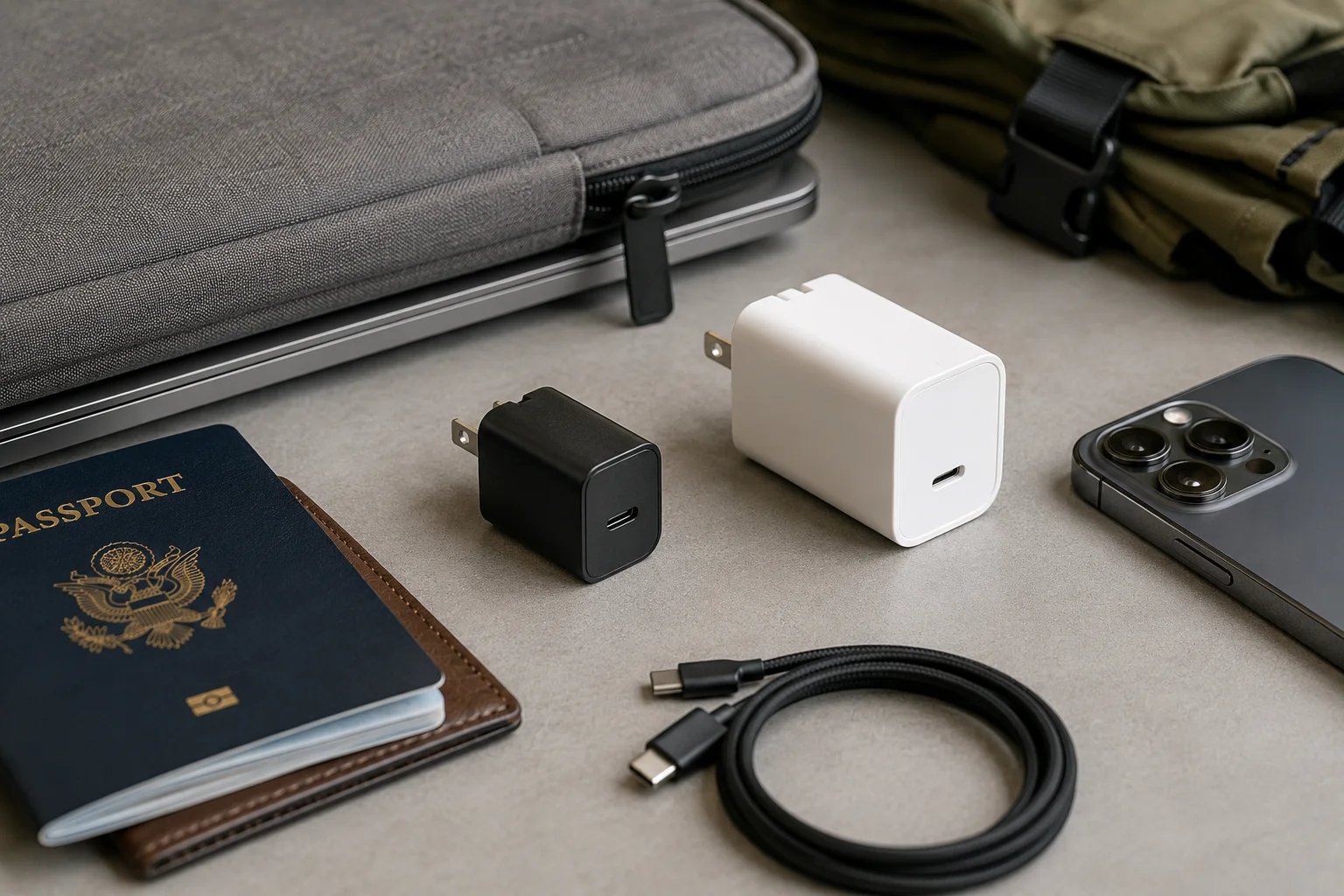
What GaN improves and what it does not solve
I like GaN chargers for many EU and US B2B projects because customers notice the size quickly. A compact 65W or 100W charger is easier to package, easier to carry, and easier to explain as a premium SKU. GaN technology can support higher power density and better portability. It can also help brands build more high-power ports into a smaller body. This is why many travel charger and laptop charger requests now ask for GaN first.
| GaN advantage | B2B value | Limit to remember |
|---|---|---|
| Smaller body | Better shelf look and travel appeal | Size alone does not prove quality |
| Higher power density | Stronger SKU in compact format | Heat design still matters |
| More high-power port options | Better for premium models | Shared output must be clear |
| Better portability | Good for travelers and remote workers | Plug type still matters |
| Modern product image | Easier marketing story | Certification still needs checking |
I also tell buyers that GaN is one part of the product. It does not automatically mean the charger supports PD PPS. It does not mean the cable can carry 100W. It does not mean the safety certification fits the target market. For Europe and the United States, plug type, input voltage, packaging claims, and required certification must be reviewed before order confirmation. I do not present GaN as a shortcut. I present it as a good choice when compact size and higher power are both needed.
6. Which Devices Work With USB-C Wall Chargers?
Many devices now use USB-C. The real charging speed still depends on negotiation between the device, charger, and cable.
USB-C wall chargers can work with iPhone, Samsung Galaxy, Google Pixel, iPad, Android tablets, MacBook, USB-C Windows laptops, earbuds, power banks, cameras, and handheld gaming devices. The device decides how much power it accepts.
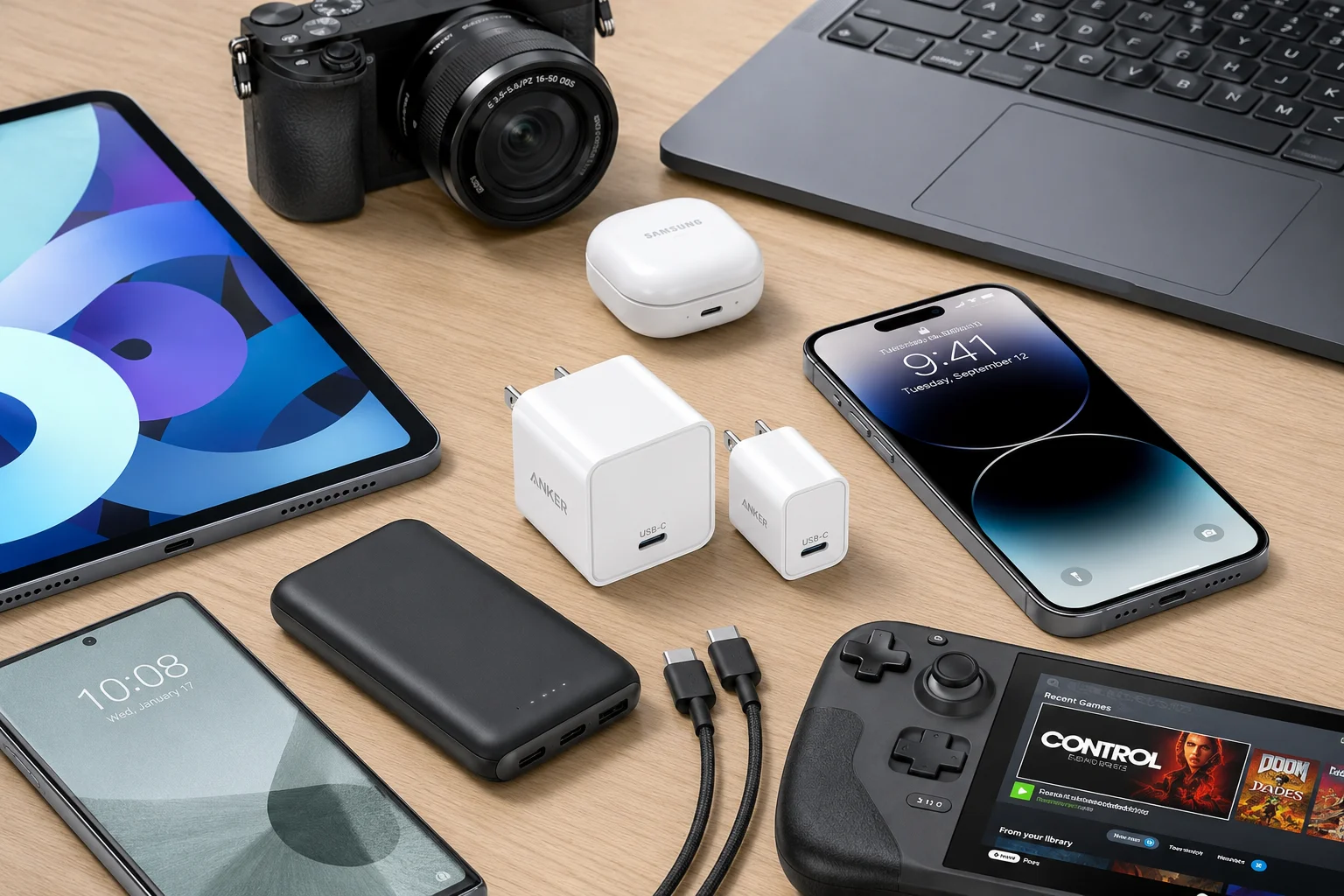
Compatibility is broad, but output is not fixed
I see USB-C wall chargers used across many product categories. Newer iPhone models use USB-C directly10, and some older iPhones can fast charge through USB-C to Lightning cables.11 Samsung Galaxy and Google Pixel phones often need the right PD or PPS support for the best speed. iPads and Android tablets may need more power than basic phone chargers. MacBook Air, MacBook Pro, and USB-C Windows laptops often move buyers into 65W, 100W, or higher ranges.12 Smaller devices, like wireless earbuds and power banks, can charge from many USB-C chargers, but they only draw what they need.
| Device type | Typical charger direction | Practical sourcing note |
|---|---|---|
| iPhone | 20W–30W and above | Cable type matters |
| Samsung Galaxy | 25W–45W with PPS for some models | PPS support reduces complaints |
| Google Pixel | PD-based charging | Avoid vague fast-charge claims |
| iPad and Android tablets | 30W–45W or higher | Better as mid-range SKU |
| MacBook Air | Around 65W class | Good match for GaN travel charger |
| MacBook Pro | 67W, 96W, 140W class depending on model | Check device demand |
| USB-C Windows laptops | 45W–100W often | Not all laptops charge over USB-C |
| Earbuds and cameras | Low power | High-watt charger will not force full power |
| Handheld gaming devices | Medium to high power | Check device power requirement |
The important point is safety and expectation. A high-power charger does not push 100W into earbuds. The charger and device negotiate. Still, the product listing must be clear. If a buyer sells a 65W charger as suitable for laptops, the cable and port output must support that story. If the SKU targets phone users, a lower wattage model may be a better value and a lower return risk.
7. How Do I Choose a Safe USB-C Wall Charger?
A low price looks attractive during sourcing. A weak safety design can cost more after the goods reach the market.
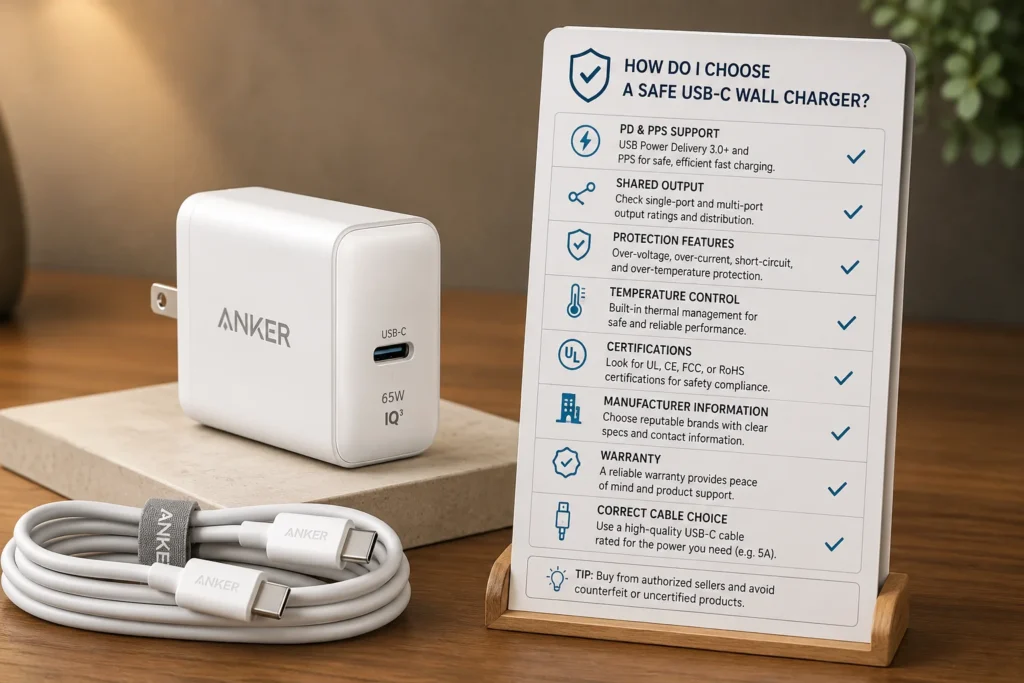
I choose a safe USB-C wall charger by checking output wattage, PD and PPS support, shared-output details, protection features, temperature control, recognized certification, manufacturer information, warranty terms, return policy, and the correct USB-C cable.
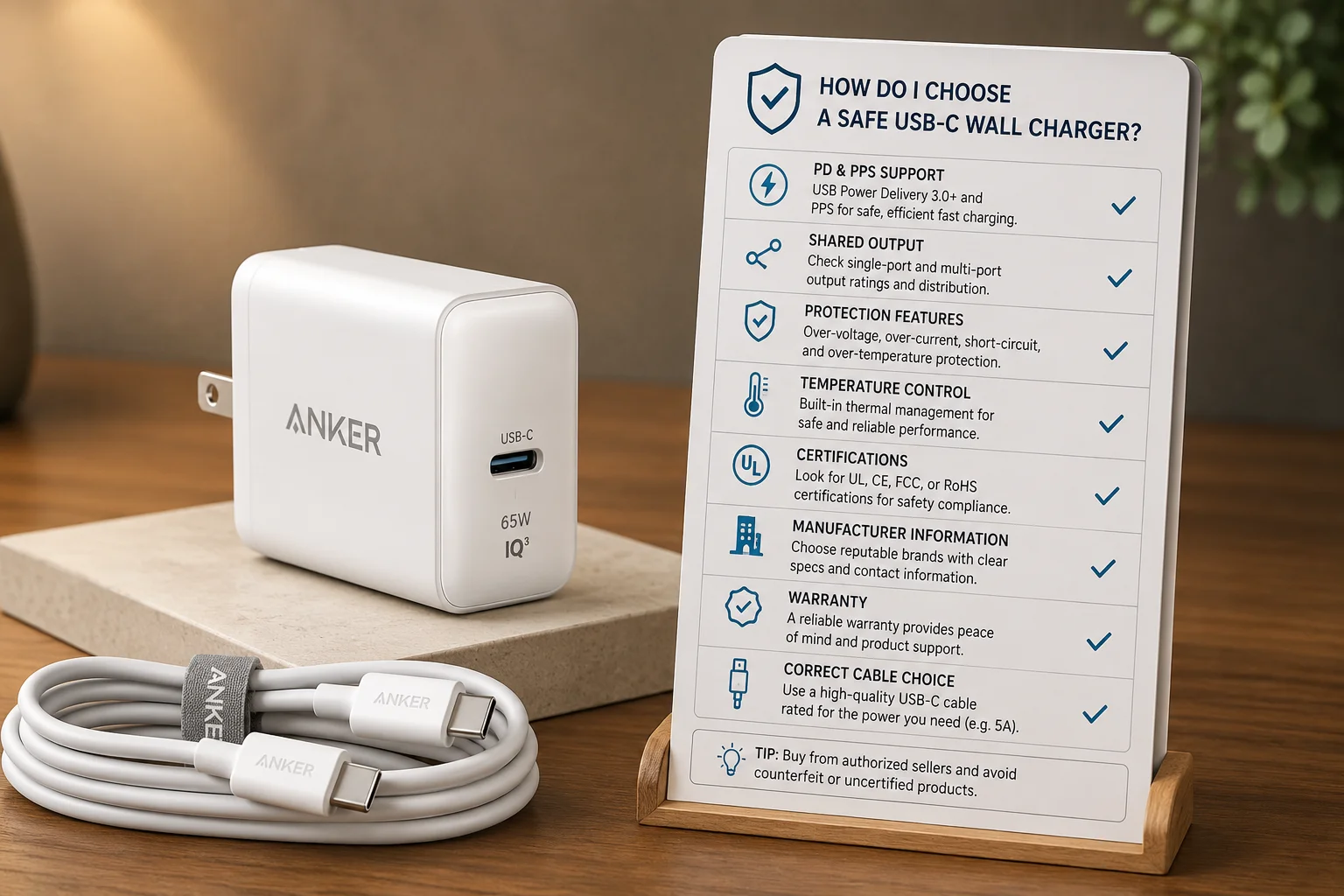
Safety checks I use before confirming a charger SKU
I do not judge charger quality only by size, price, or the largest wattage printed on the box. I ask for the real output table. I check single-port maximum output and shared-output behavior. I check whether PD and PPS are supported when the target customers need those features. I also look for overvoltage protection, overcurrent protection, short-circuit protection, and temperature management. These items may not look exciting on a product page, but they matter when a charger is used every day.
| Check point | Why I check it | B2B risk if missed |
|---|---|---|
| Correct output wattage | Matches target devices | Slow charging complaints |
| PD and PPS support | Enables expected fast charging | Fast-charge claims fail |
| Shared-output specs | Shows real multi-port power | Multi-device complaints |
| Overvoltage protection | Helps protect devices | Safety concern |
| Overcurrent protection | Controls abnormal current | Safety concern |
| Short-circuit protection | Reduces fault risk | Product return or claim |
| Temperature management | Helps stable daily use | Heat complaints |
| Recognized certification | Supports market compliance | Import and sales risk |
| Manufacturer information | Builds trust | Weak after-sales support |
| Warranty and return policy | Protects buyer and reseller | Costly disputes |
| Suitable USB-C cable | Completes the charging system | Speed mismatch |
For EU and US buyers, I also remind them to verify the required certification and compliance documents for the exact market before publishing or importing. The charger may need different plug versions, labels, manuals, or packaging claims. These details should match the sales channel. A marketplace seller, a wholesale importer, and a chain store may ask for different document levels. I see strong sourcing work as a mix of product function, compliance review, and after-sales planning.
8. What Should Be on a USB-C Wall Charger Buying Checklist?
A charger order can look finished too early. Missing one small item can delay shipment or create wrong customer expectations.
My USB-C wall charger buying checklist includes device power, required protocol, port count, single-port output, shared-output rules, cable rating, plug type, input voltage, size, weight, certification, supplier reliability, warranty, and use scene.
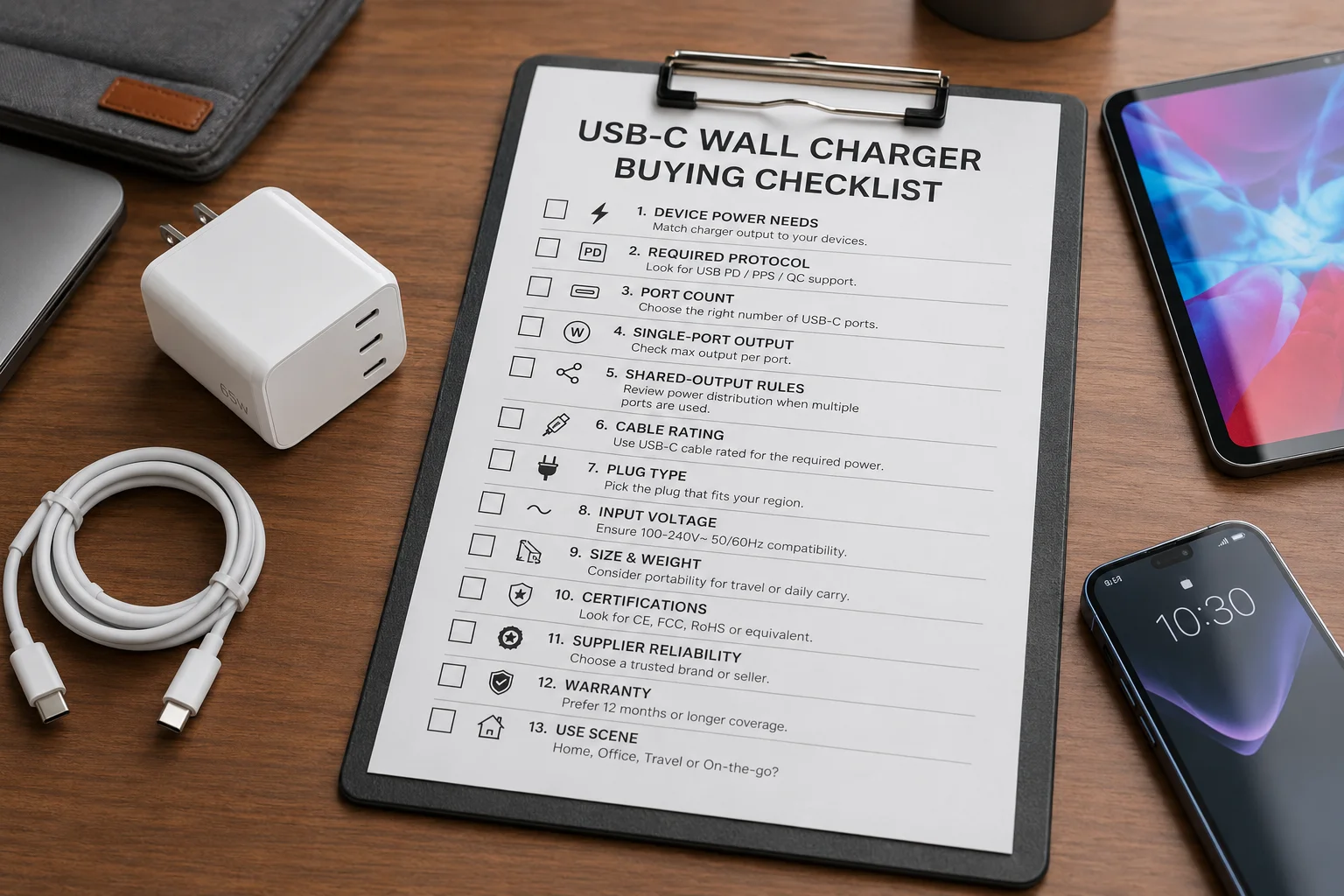
Checklist for retail, wholesale, and e-commerce sourcing
Before I suggest a USB-C wall charger SKU, I build a simple checklist. I first confirm the customer device group. If the SKU is for phone users, I look at 20W to 30W models. If the SKU is for phone, tablet, and travel use, I look at 30W to 65W models. If the SKU needs to support laptops, I move to 65W, 100W, or higher. Then I check protocol support, because wattage alone does not create fast charging. I also check the port layout and shared-output table, because multi-port chargers often create the largest gap between buyer expectation and user experience.
| Checklist item | Question I ask | Why it matters |
|---|---|---|
| Device maximum charging power | What will users charge most? | Sets the wattage range |
| Required charging protocol | Do users need PD, PPS, QC, or brand support? | Enables expected speed |
| Number of USB-C ports | How many modern devices connect? | Shapes the SKU story |
| Single-port maximum output | What happens when one device connects? | Supports main claim |
| Multi-port power distribution | What happens when all ports connect? | Reduces returns |
| Included cable specifications | Can the cable carry the power? | Prevents slow charging |
| Plug type and input voltage | Is it for EU, US, UK, or other market? | Supports local use |
| Charger size and weight | Is it for travel or desk use? | Affects customer choice |
| Safety certification | What documents does the market require? | Reduces compliance risk |
| Manufacturer reliability | Can the supplier support repeat orders? | Protects supply chain |
| Warranty coverage | Who handles defects and returns? | Controls after-sales cost |
| Home, office, or travel use | What story sells the SKU? | Improves product fit |
I also look at packaging and channel fit. A premium GaN charger needs packaging that supports a higher price. A basic 20W phone charger should stay clean, clear, and cost-controlled. A wholesale carton plan may not need the same retail packaging as an e-commerce SKU. For our export projects, I usually align the charger, cable, manual, labels, and plug version before final pricing. This reduces later changes and keeps the order easier to manage.
Conclusion
I choose USB-C wall chargers by matching wattage, ports, protocols, cable, safety, and market fit to real customer use, not by chasing the biggest number.
"USB-C - Wikipedia", https://en.wikipedia.org/wiki/USB-C. USB-IF materials on USB Type-C and USB Power Delivery specify power levels that exceed those associated with many legacy USB-A charging arrangements. Evidence role: definition; source type: institution. Supports: USB Type-C with USB Power Delivery supports substantially higher power levels than legacy USB charging implementations.. Scope note: This supports the standards capability of USB-C and USB Power Delivery, not the output of every charger with a USB-C port. ↩
"USB hardware", https://en.wikipedia.org/wiki/USB_hardware. USB-IF documentation on USB Power Delivery describes charging as a negotiated exchange between a power source and a sink, with available power constrained by supported profiles and cable capabilities. Evidence role: mechanism; source type: institution. Supports: USB Power Delivery uses negotiation between source and sink devices, and cable capabilities can affect available charging power.. ↩
"USB hardware - Wikipedia", https://en.wikipedia.org/wiki/USB_hardware. USB Power Delivery specifications and major device charging specifications show that USB-C charging spans low-power mobile devices through higher-power tablets and laptops, making wattage selection dependent on the target device class. Evidence role: general_support; source type: institution. Supports: Common USB-C Power Delivery power levels span phone-class, tablet-class, and laptop-class charging needs.. Scope note: The cited sources can contextualize typical wattage classes, but exact wattage needs vary by model, battery state, firmware, and charging profile. ↩
"USB Power Delivery", https://www.usb.org/sites/default/files/D2T2-1%20-%20USB%20Power%20Delivery.pdf. The USB Power Delivery specification describes a negotiation process in which a source advertises power capabilities and a sink requests an acceptable power contract. Evidence role: mechanism; source type: institution. Supports: USB Power Delivery operates through advertised source capabilities and sink requests before power is supplied.. ↩
"Quick Charge - Wikipedia", https://en.wikipedia.org/wiki/Quick_Charge. Standards and technical documentation for USB Power Delivery, PPS, and proprietary fast-charging systems describe fast charging as dependent on compatible protocol signaling and supported electrical limits across the charger, cable, and device. Evidence role: mechanism; source type: institution. Supports: Fast-charging performance depends on compatible signaling protocols and the electrical limits of the charger, cable, and device.. Scope note: A single source may not cover every listed proprietary protocol, so multiple official or standards-based sources may be needed for full coverage. ↩
"Trying understand super fast charging : r/UsbCHardware - Reddit", https://www.reddit.com/r/UsbCHardware/comments/1dqzlso/trying_understand_super_fast_charging/. Samsung support materials and USB Power Delivery PPS documentation indicate that some Samsung Super Fast Charging modes require chargers that support USB PD PPS. Evidence role: case_reference; source type: institution. Supports: Certain Samsung fast-charging modes rely on USB Power Delivery with Programmable Power Supply support.. Scope note: This directly supports Samsung examples but does not prove PPS requirements for every phone brand or model. ↩
"USB hardware - Wikipedia", https://en.wikipedia.org/wiki/USB_hardware. USB-IF documentation specifies current limits and identification requirements for USB Type-C cables, including conditions under which higher-power USB Power Delivery operation requires suitably rated cables. Evidence role: mechanism; source type: institution. Supports: USB-C cables have current and power ratings, and higher-power USB Power Delivery operation can require appropriately rated or electronically marked cables.. ↩
"500W USB C Fast Charger Block, Multi-port USB Charging Station ...", https://www.amazon.com/Charger-Charging-Station-Multiple-Compatible/dp/B0DLK2XXMF. Technical descriptions of multi-port USB-C charger design explain that the adapter has a finite total power budget and allocates output among active ports according to its power-management policy. Evidence role: mechanism; source type: other. Supports: Multi-port chargers generally have a total power budget that is allocated among active ports according to the charger design.. Scope note: The exact split is product-specific, so the source should be used to support the general mechanism rather than any particular 45W/20W or 30W/30W distribution. ↩
"[PDF] Comparison of Si, SiC, and GaN based Isolation Converters ... - OSTI", https://www.osti.gov/servlets/purl/1474590. Power-electronics literature reports that GaN devices can operate at high switching frequencies and support high power density, which can enable smaller charger form factors compared with many silicon-based implementations. Evidence role: expert_consensus; source type: paper. Supports: GaN power semiconductors can support higher switching frequencies and power density, enabling more compact power-conversion designs.. Scope note: This supports the technology-level advantage of GaN; final charger size and weight still depend on thermal design, topology, safety spacing, and enclosure choices. ↩
"iPhone 15 Pro", https://en.wikipedia.org/wiki/IPhone_15_Pro. Apple technical specifications for recent iPhone models identify USB-C as the device connector, supporting the statement that newer iPhones charge directly through USB-C. Evidence role: case_reference; source type: institution. Supports: Recent iPhone models include USB-C connectors for charging and data transfer.. Scope note: This applies to recent USB-C iPhone generations and does not describe older Lightning-equipped models. ↩
"Fast charge your iPhone - Apple Support", https://support.apple.com/en-us/102574. Apple support documentation states that compatible iPhone models can fast charge when used with an appropriate USB-C power adapter and a USB-C to Lightning cable. Evidence role: case_reference; source type: institution. Supports: Supported Lightning-port iPhones can use fast charging with a USB-C power adapter and USB-C to Lightning cable.. Scope note: This supports compatible iPhone models only; charging speed depends on the specific model and adapter output. ↩
"Use a power adapter with your Mac - Apple Support", https://support.apple.com/en-us/109509. Laptop manufacturer specifications and USB Power Delivery documentation show that USB-C laptop charging commonly uses adapter classes such as 65W, 100W, and higher, depending on device power demand. Evidence role: general_support; source type: institution. Supports: Many USB-C laptops ship with or support adapters in the 65W-and-above range, with higher-power models requiring larger adapters.. Scope note: This is contextual support for common laptop classes; individual laptop requirements must be checked model by model. ↩