Quick Answer
A USB cable can transfer data only when its internal wiring and product specifications support that function. Many cables look identical, so I understand why buyers assume that every cable can connect devices and move files. That assumption can cause wasted time, failed connections, or unnecessary returns.
A simple specification check can reduce the risk.
A USB cable can transfer data when the manufacturer identifies it as a sync, data, or data-and-charging cable and states a compatible USB standard or transfer speed. The connector shape alone does not prove data capability.[1] Buyers should match the cable with the connected devices, check the product description, and use a suitable real-world test when possible.
I have worked with USB cable specifications and 3C product selection in the Shenzhen supply chain for many years. In that work, I have seen how easily buyers confuse connector type, charging capability, and data capability. The sections below explain what I check before selecting a cable for a device, office, retail package, or export order.
How can you tell if a USB cable can transfer data?
Many buyers start by looking at the connector. That step confirms whether the plug may fit, but it does not confirm what the cable can do. I treat physical compatibility and functional compatibility as two separate purchasing questions.
A USB cable can transfer data if its product documentation clearly states data transfer, sync, or a USB transfer speed. A cable described only as a charging cable should not be assumed to support file transfer.[2] I also check the device ports, required USB standard, length, and intended use before making a final selection.
Why does the connector shape not provide enough information?
A connector describes the shape and interface of a plug.[3] It does not fully describe the conductors inside the cable, the wiring arrangement, or the performance supported by the complete cable assembly.
For example, two cables may both use USB-C connectors. One may be designed mainly for charging, while another may support charging and data synchronization. Two USB-A to Micro-USB cables can also look very similar while having different internal construction or stated capabilities.
The same issue applies to cable length and appearance. A thicker cable may suggest a stronger construction, but thickness alone does not prove data support. A braided outer jacket may improve appearance or resistance to wear, but it does not automatically indicate a particular USB speed.
I therefore avoid visual shortcuts such as:
- “It has USB-C, so it must transfer data.”
- “It charges my phone, so it must transfer files.”
- “The cable is thick, so it must be a high-speed cable.”
- “The connector fits, so the cable is suitable.”
- “The packaging says fast charging, so data transfer is included.”
These statements may sometimes happen to be correct, but they are not reliable purchasing rules.
What words should I look for in a product description?
I first look for direct language about the cable’s function. Useful terms include:
- Data transfer cable
- Sync cable
- Charging and data cable
- File transfer
- USB data cable
- Data and charging
- A stated transfer speed or USB version
I then check whether the statement appears in the technical specification rather than only in a general marketing sentence. A product page might say “fast cable” or “professional cable,” but those descriptions are too vague for a compatibility decision.
The following table shows how I interpret common wording during product selection:
| Product wording | What it tells me | What I still verify |
|---|---|---|
| Charging cable | The main stated purpose is power delivery | Whether data transfer is supported |
| Sync cable | The cable is intended for data synchronization | Supported devices and transfer performance |
| Charging and data cable | Both functions are claimed | USB version, speed, and device compatibility |
| USB 2.0 cable | A USB 2.0 data standard is claimed | Connector combination and exact product model |
| High-speed USB cable | The description suggests higher performance | The actual stated speed and standard |
| Fast-charging cable | Charging performance is emphasized | Whether data lines are included |
| USB-C cable | The connector or interface type is identified | Data, charging, video, and power capabilities |
I consider the last row especially important. “USB-C” identifies a connector family, not one universal level of performance. The product description must provide the information needed for the intended application.
Can a charging cable still transfer data?
Yes, some charging cables also transfer data, but I would not infer that capability from charging behavior alone. A device can receive power even when a cable is not suitable for file synchronization.
In a basic connection, the power function and data function depend on different parts of the cable design.[4] When a phone charges from a wall charger, the connection does not prove that the data path is available. The same cable may work differently when connected to a computer, power bank, tablet, or another peripheral.
I use this practical distinction:
Charging confirms a power connection. It does not, by itself, confirm a data connection.[5]
This distinction matters for consumers, office users, and B2B buyers. A retailer may receive a product described as a “charging cable” and expect customers to connect phones to laptops. If the cable was not specified for synchronization, the retailer may face complaints even though the cable charges correctly.
What is the difference between connector type and data capability?
Connector type answers a physical question: Will this plug fit the port?
Data capability answers a functional question: Can the cable carry information between the connected devices, and at what performance level?
I normally separate cable evaluation into four checkpoints:
-
Connector compatibility
I check both ends of the cable. USB-A, USB-C, Micro-USB, and other connector combinations are not interchangeable in every situation. -
Basic function
I identify whether the cable is intended for charging, data, or both. -
Performance requirement
I check the stated USB standard or transfer speed if the user needs more than basic synchronization. -
Application fit
I consider the device type, operating environment, cable length, purchasing quantity, packaging, and after-sales expectations.
This approach prevents a common mistake. A buyer may choose a cable that fits a phone and computer but overlook the fact that the cable was listed only as a power accessory. Another buyer may purchase a data cable but expect a performance level that the specification does not promise.
How can I check an existing cable?
I start with the cable, package, label, and original product listing. I look for clear statements about data or sync capability. If the cable came with a device, I check the device manufacturer’s documentation when it is available.
A real-world test can provide useful evidence, but I treat it as a practical check rather than a laboratory report.[6] For example, I may connect a compatible device to a computer and see whether the computer recognizes the device or allows file access. I also try a small, non-critical file transfer rather than beginning with important business data.
A useful checking sequence is:
- Connect the device directly to a known working computer or compatible host.
- Unlock the connected device if required.
- Select a data, file-transfer, or synchronization mode on the device.
- Check whether the computer recognizes the device.
- Try moving a small test file.
- Repeat with a known data-capable cable if the first result is unclear.
A failed test does not always prove that the cable lacks data capability.[7] The problem could involve the device settings, the computer port, drivers, an adapter, physical damage, or a defective connector. I avoid drawing a final conclusion from one failed connection without checking the other possible causes.
Does a USB-C cable always transfer data?
No. USB-C is a connector format.[8] It does not automatically identify the cable’s data performance or all of its supported functions.
When I review USB-C cable products, I look for specific information such as:
- Whether the cable supports data transfer
- The stated USB version
- The stated transfer speed
- Whether the cable is designed for charging only
- Whether the connected devices require additional functions
- Whether the cable is intended for a particular accessory or device family
I also avoid assuming that every USB-C device supports the same features. The device port, host equipment, cable, and operating system can all affect the final result. A buyer who needs only basic file synchronization may not need the same cable specification as a buyer who has a more demanding data application.
For ordinary phone-to-computer use, a clearly labeled charging-and-data cable may be suitable. For a procurement project, I still request the exact model specification and sample confirmation before approving a larger order.
Does Micro-USB or USB-A provide better evidence?
No connector name provides complete evidence by itself. Micro-USB and USB-A products can be made for charging, data transfer, or both. The connector helps identify the physical connection, but the product information must establish the function.
In my experience, older cable categories often create a different kind of confusion. Buyers may have used one data-capable cable for years and assume every cable with the same connector works identically. That assumption becomes risky when suppliers offer low-cost charging-only versions that have similar external designs.
For B2B purchasing, I recommend recording the complete cable description instead of saving only the connector name. A useful internal product title might include:
- Connector combination
- Cable function
- Stated USB standard
- Stated transfer speed, if relevant
- Rated charging information, if relevant
- Length and jacket material
- Packaging requirements
- Model number or supplier reference
For example, “USB-C cable” is incomplete as a purchasing description. “USB-A to USB-C charging and data cable, stated USB 2.0 performance, 1 meter, retail packaging” gives a supplier and buyer much more information to verify.
What should retailers and importers ask a USB cable supplier?
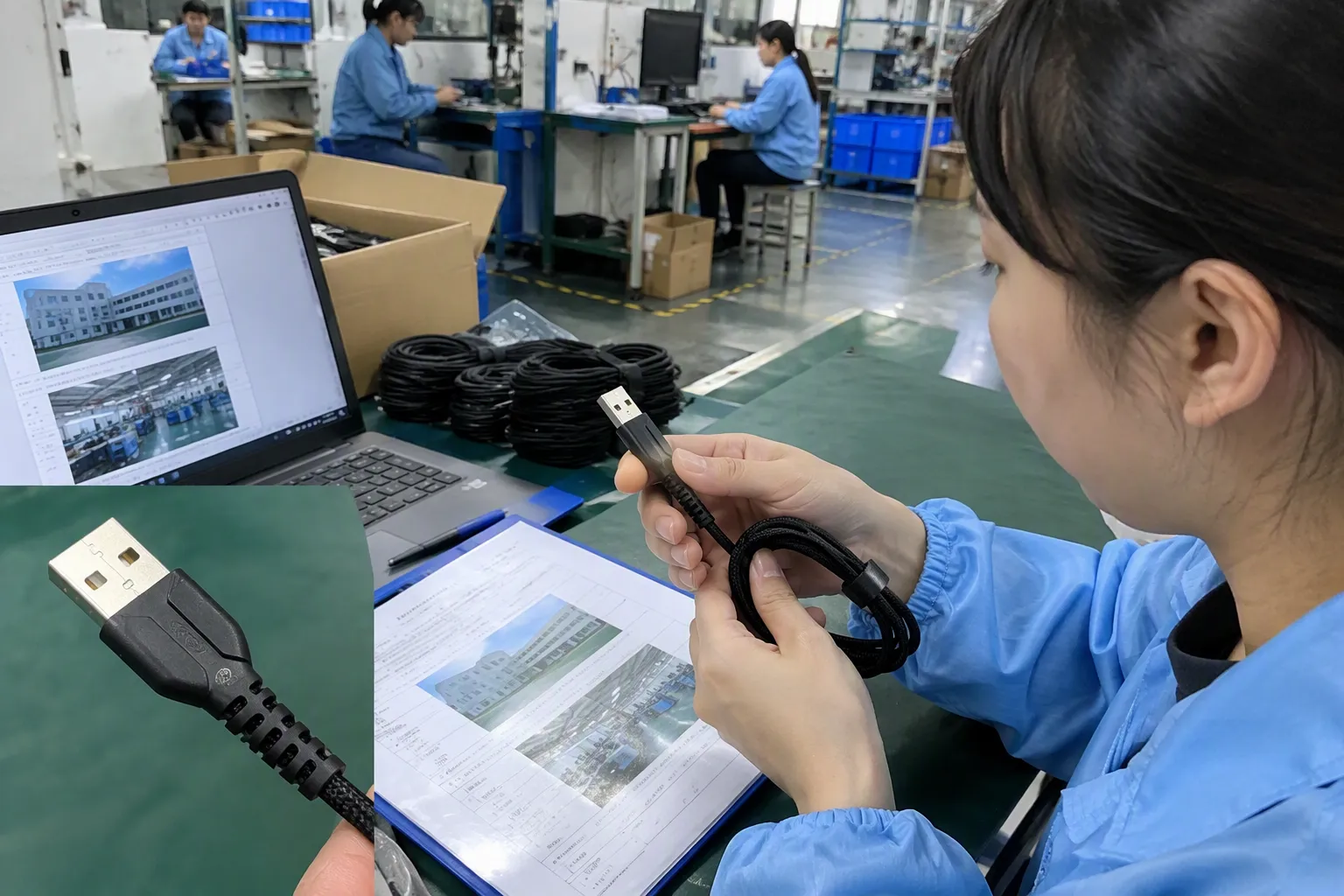
I recommend asking for clear, model-specific information. A general company brochure or a photo of a connector is not enough for a product decision.
A supplier inquiry can include these questions:
- Does this exact model support data transfer?
- Is it charging only or charging and data?
- What USB standard or transfer speed is stated?
- Which connector combination does the model use?
- What device applications has the model been designed for?
- Does the specification apply to every length and color?
- Is the information printed on the package or only listed internally?
- Can the supplier provide a sample for compatibility review?
- What are the MOQ, lead time, and packaging options?
- Which quality documents or certifications apply to this exact product?
The last question needs careful handling. Certifications and compliance documents should be matched to the product model, market, and applicable requirements. I do not treat a supplier’s general statement that it has “complete certifications” as proof that every cable, package, or shipment has the same documentation.
When I support an export buyer, I also discuss the commercial details that affect product suitability:
| Procurement factor | Why it matters |
|---|---|
| MOQ | A low MOQ can help a retailer test demand before a larger commitment |
| Lead time | A clear production schedule supports seasonal and promotional planning |
| Packaging | The package should communicate charging and data functions accurately |
| Sample approval | A sample helps the buyer review fit, labeling, and practical use |
| Quality consistency | Repeated orders should follow the approved model and specification |
| Warranty or after-sales process | Clear handling reduces disputes over defective or unsuitable items |
| Customization | Private labels and packaging should preserve accurate technical claims |
A cable that performs correctly but has unclear packaging can still create a retail problem. Customers often make decisions from the front of the package. If the package suggests data transfer when the product is charging-only, the supplier and buyer may both face avoidable complaints.
How does transfer speed affect cable selection?
A cable may support data transfer without supporting every speed a buyer expects. “Data cable” is a useful starting description, but it may not be sufficient for a demanding application.
I ask the buyer what the cable will connect and what the user will do. Basic synchronization, routine file copying, external storage, and specialized equipment may have different requirements. The buyer should compare the required performance with the exact specification offered by the supplier.
I prefer a table like the following when reviewing options:
| Buyer need | Information to confirm |
|---|---|
| Occasional phone synchronization | Data support and compatible connector ends |
| Office file transfer | Data support, device compatibility, and practical reliability |
| Large file movement | Stated transfer performance and host-device compatibility |
| External storage use | Required standard, speed, and cable length |
| Retail replacement cable | Clear package labeling and broad intended compatibility |
| Private-label product | Approved specification, artwork accuracy, and sample review |
I do not recommend promising a specific result based only on a connector photograph or a generic phrase such as “super speed.” The supplier should provide the specification for the exact model, and the buyer should confirm whether the connected devices can use that capability.
Can cable length or construction affect data use?
Cable length, construction, and physical condition can influence practical use, but I avoid making universal claims without model-specific evidence. A longer cable may be more convenient, but the buyer should check whether the supplier states the required performance at that length.
Construction details can still matter during procurement. I review the jacket, strain relief, connector housing, and packaging because these features affect durability and customer perception. However, I keep those observations separate from data capability.
For example:
- A braided jacket does not automatically mean that data transfer is supported.
- A flexible cable does not automatically mean that it has a lower data capability.
- A metal connector housing does not prove a particular USB speed.
- A short cable is not automatically a high-performance cable.
- A thick cable is not automatically better for file transfer.
I also ask whether the product has been selected for the intended environment. A cable for home use may face different handling from a cable used at a retail counter, office workstation, charging kiosk, or travel accessory display.
What are the most common buying mistakes?
I see several recurring mistakes in cable selection. They usually happen because buyers treat a simple product as self-explanatory.
Mistake 1: Choosing only by connector
The buyer sees USB-C, Micro-USB, or USB-A and assumes the function is obvious. I correct this by requiring a separate data-support statement.
Mistake 2: Treating charging as proof of synchronization
A phone charging from a wall adapter tells the buyer that power is reaching the device. It does not confirm that a computer can communicate with the device through the same cable.
Mistake 3: Relying on color or appearance
Some buyers expect a particular color, jacket, or connector detail to identify data capability. Those visual rules are not dependable across brands and product ranges.
Mistake 4: Accepting vague marketing language
Words such as “fast,” “premium,” and “professional” need a supporting specification. I request the actual function and performance information.
Mistake 5: Ignoring the exact model
A supplier may offer several similar cables with different internal designs. I ask the supplier to identify the model number, length, and connector combination on the quotation and sample.
Mistake 6: Testing only one part of the connection
A failed file transfer may come from a damaged port, incorrect device setting, adapter, driver, or faulty cable. I check the complete connection before rejecting a product.
Mistake 7: Approving a sample but changing the production specification
A sample approval should identify the model, packaging, labeling, and stated function. The buyer should require future orders to follow the approved version.
How should I document the decision?
I find that a short product checklist helps prevent later confusion. For each cable, I record the following:
- Supplier and model number
- Connector at each end
- Charging-only or charging-and-data function
- Stated USB version or transfer speed
- Cable length
- Intended device application
- Sample result
- Packaging wording
- Required documents
- MOQ and lead time
- Warranty or replacement terms
I also save the supplier’s written specification. A message that says “yes, it can transfer data” is useful, but a model-specific product sheet or approved specification is easier to review later.
For an international order, I ask whether the retail packaging uses accurate language for the destination market. If the product will be sold in Europe or North America, the importer should confirm the labeling and documentation requirements that apply to the finished product. I can help coordinate product information, but buyers should use qualified professionals for application-specific compliance decisions.
The goal is not to make a simple cable purchase unnecessarily complicated. The goal is to remove uncertainty before the product reaches customers. A few minutes of specification review can be more valuable than relying on a visual assumption.
Frequently Asked Questions
Can every USB cable transfer data?
No. Some USB cables are designed mainly or exclusively for charging. A cable should be described as a data cable, sync cable, or charging-and-data cable before I treat it as suitable for file transfer. The connector shape alone does not establish the cable’s internal data capability.
How can I tell if a USB-C cable supports data transfer?
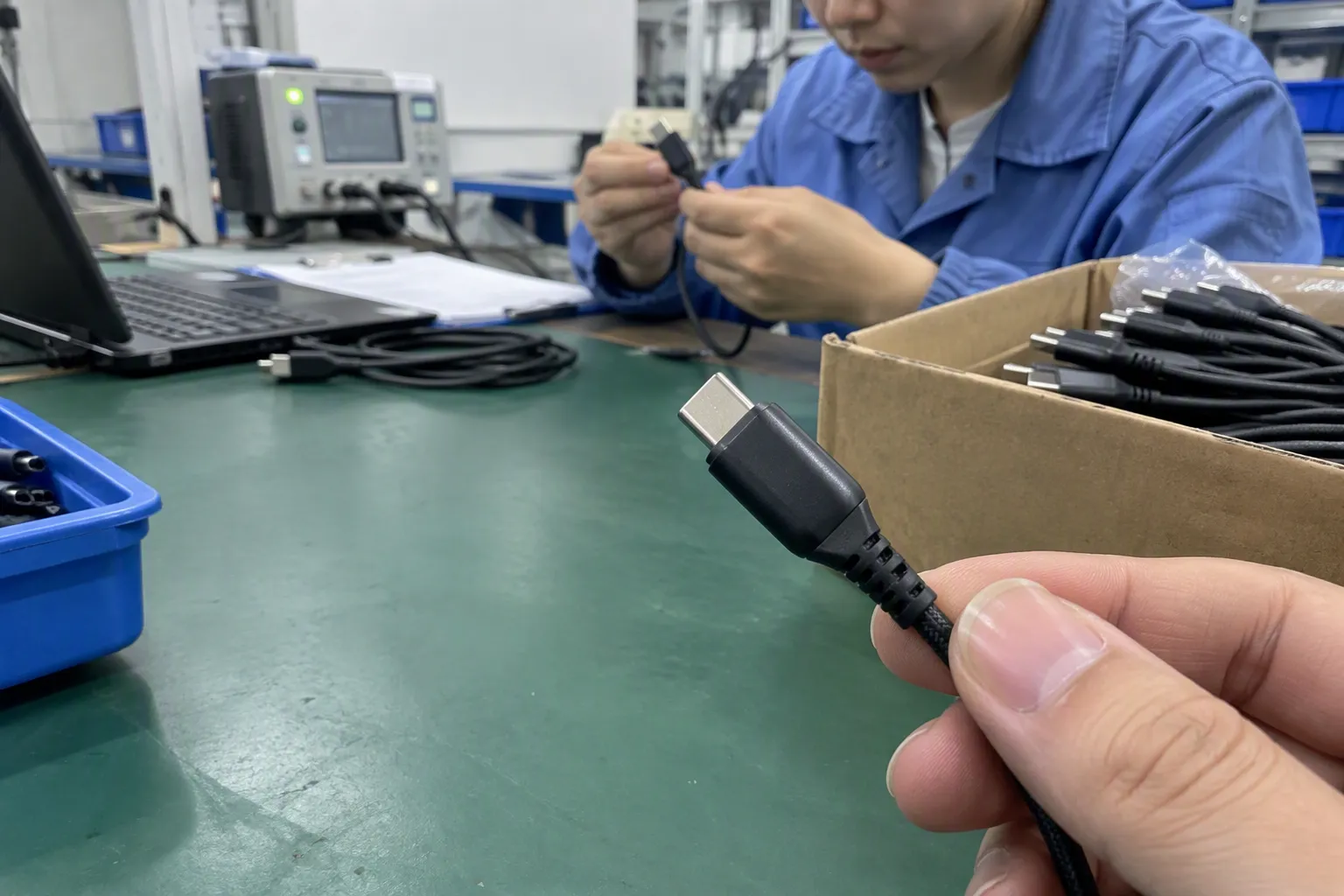
I check the packaging or product specification for terms such as “data transfer,” “sync,” a USB version, or a stated transfer speed. USB-C identifies the connector type, but it does not prove that the cable supports data. I confirm the exact model before purchasing for a specific application.
If my phone charges, can the cable transfer files?
Not necessarily. Charging proves that the cable can deliver power in that connection. It does not prove that the cable has a usable data path. I check the product description and, when practical, connect the phone to a compatible computer to perform a small test transfer.
Does a thicker or braided cable transfer data better?
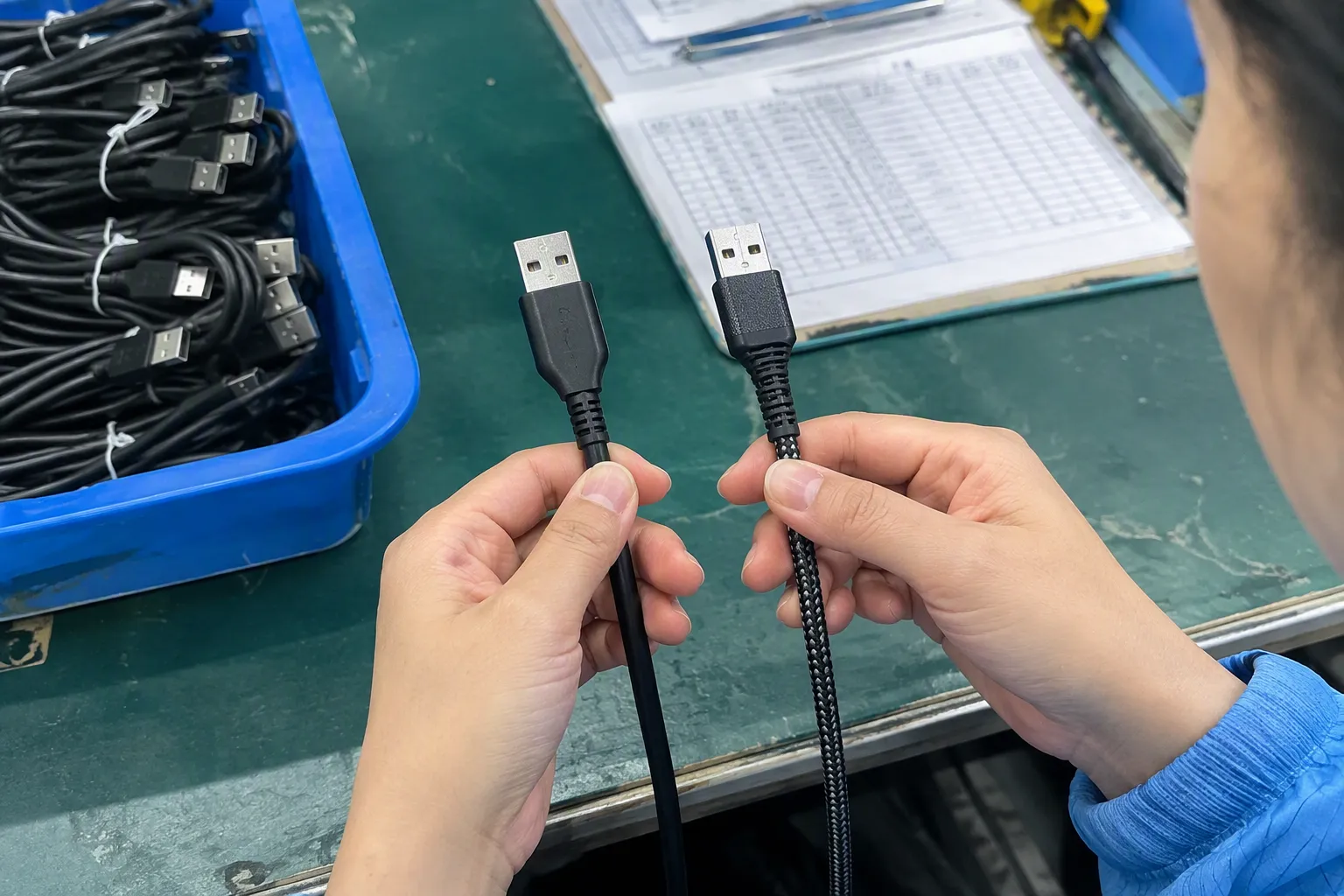
Not automatically. Thickness and braiding relate to construction, appearance, flexibility, or durability, but they do not independently prove data capability or speed. I look for a specific data-support statement and verify the required performance for the connected devices.
What should a retailer request from a USB cable supplier?
I recommend requesting the exact model number, connector combination, data or charging function, stated USB standard or speed, cable length, packaging details, MOQ, lead time, and relevant product documents. I also recommend approving a sample before placing a larger order.
Conclusion
A USB cable can transfer data only when its design and specification support that function. I do not use connector appearance as proof, because similar-looking cables can have different internal wiring and intended uses. I check for clear data or sync wording, identify the required performance, match the cable with the devices, and use a practical test when appropriate. For retailers, importers, and e-commerce sellers, I also verify the exact model, packaging claims, MOQ, lead time, and documentation. If you are sourcing USB cables for the European or North American market, contact me to discuss suitable models, samples, customization, and export purchasing requirements.
Sources
- [PDF] Universal Serial Bus Type-C Cable and Connector Specification", USB Implementers Forum documentation distinguishes the USB Type-C connector from the electrical and performance capabilities specified for individual USB products and cables
- How can I tell charge-only USB cables from USB data ...", USB technical specifications distinguish power conductors from the signal conductors used for USB communication, allowing cable assemblies to be designed with power capability without equivalent data capability
- [PDF] Universal Serial Bus Type-C Cable and Connector Specification", USB references describe connector types as physical interface forms while treating USB revisions and signaling modes as separate specifications governing communication performance
- [PDF] Universal Serial Bus Type-C Cable and Connector Specification", USB electrical specifications assign separate contacts or differential signal pairs for bus power and data communication, which explains why power may be present without a functioning data path
- Identifying data transfer micro USB cables vs charge only ...", USB system documentation treats bus power and device enumeration as distinct aspects of a connection; consequently, a device receiving power is not by itself evidence that data communication has been established
- USB-IF Compliance Program", USB interoperability and compliance procedures evaluate defined electrical and protocol requirements beyond a single successful file transfer, so an ad hoc connection test provides functional evidence but not a complete conformity assessment
- Fix USB-C problems in Windows", Operating-system troubleshooting guidance identifies cables, ports, drivers, device configuration, and hardware faults as possible causes of USB recognition or transfer failures, so one failed test does not isolate the cable as the cause
- [PDF] USB Type-C® and USB 2.0 Type-C™ Cable and Connector ...", USB Implementers Forum specifications define USB Type-C as a connector and cable interface, while USB data performance is determined by the applicable USB signaling and product specifications