Quick Answer
USB types can look simple at first, but physical connector shape alone does not tell us what a cable or device can actually do[1]. When we source, stock, or list USB accessories without checking their supported functions, we risk wrong purchases, unclear product pages, and avoidable after-sales questions. We use a practical three-layer check to reduce that risk. **To identify different USB types, we first recognize the connector shape at both ends of the cable and compare it with the device port.
Then we verify the complete product specification for charging, data transfer, display output, and other supported functions. A USB-C connector, for example, does not automatically confirm fast charging, high-speed data, or video capability.[2]**
We have worked with USB cables, chargers, and related 3C accessories for overseas buyers for many years. In recurring pre-sales conversations, buyers often ask which USB type they need. The useful answer usually starts with the connector, but it should never end there.
Should Identifying USB Types Start With Recognizing the Connector, but Correct Purchasing and Listing Require More?
When buyers identify USB types only by appearance, they can select a cable that fits physically but does not meet the intended use. That gap can create confusing listings, disappointed end users, and more support work for retailers. We recommend using connector recognition as the first step, followed by specification verification.
We identify USB types by checking the shape and gender of each connector, the port on the target device, and the documented capability of the full setup. A cable’s connector ends show physical compatibility, while its product specification confirms whether it supports the required charging, data, display, or accessory function.
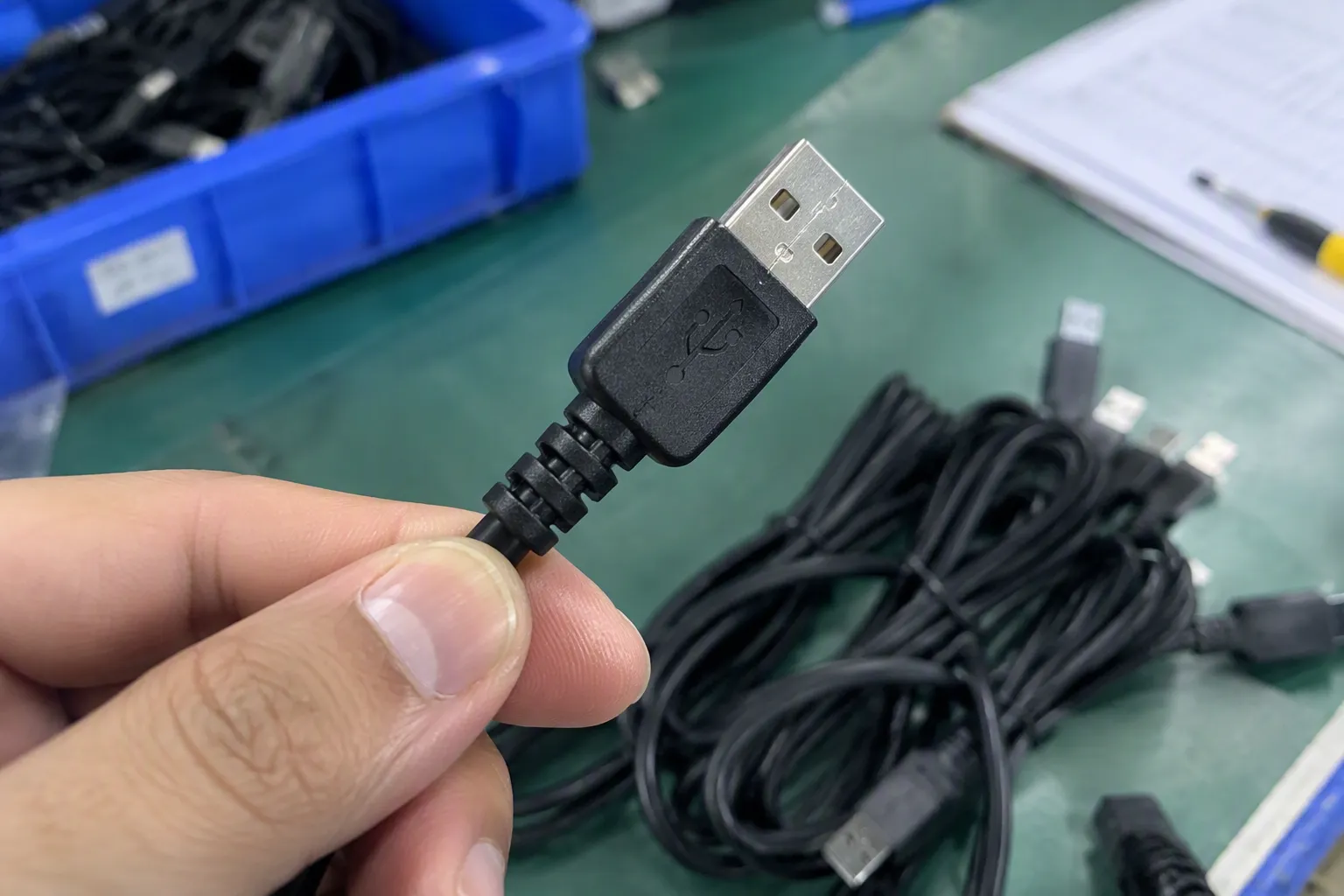
We Start by Separating Connector Type From Product Capability
The most important point in identifying USB types is simple: connector shape is not the same as performance capability[3].
A USB connector tells us what may physically connect. It does not, by itself, prove the charging level, data-transfer function, signal support, internal cable construction, or compatibility with every device. This distinction matters especially for B2B buyers who purchase in bulk and need product descriptions that are clear enough for retail shelves, wholesale catalogs, and e-commerce listings.
For example, a product described only as a “Type-C cable” leaves several important questions unanswered:
- Does the cable support charging only, or charging and data?
- Does the cable support the buyer’s intended charging requirement?
- Does the cable support display or video functions where relevant?
- Is the cable designed for a phone, tablet, laptop, power bank, charger, monitor, or another device?
- Are both ends USB-C, or is one end USB-A?
- Does the connected charger or device support the same function?
- Does the supplier provide a specification sheet that supports the listing claim?
We do not treat a USB-C plug as proof that every function is available. A USB-C to USB-C cable may fit two USB-C ports, but the actual experience depends on the cable design, charger output, device input, and supported protocols[4]. The same principle applies to USB-A, Micro-USB, USB-B, Lightning-compatible products, and other connector formats.
In our day-to-day product discussions, we find that buyers usually understand connector shapes quickly. The harder part is deciding what wording belongs on packaging, instruction cards, online listings, and sales quotations. That is where the capability check becomes important.
We recommend that buyers treat “USB type” as a physical identification term first, then treat charging, data, and display support as separate specification items that must be confirmed.
We Recognize the Most Common USB Connector Shapes
For procurement and listing work, we normally begin with a visual inspection of the plug and the target port. This first check helps us prevent obvious connector mismatches before discussing more detailed specifications.
| Connector type | Common visual characteristic | Typical sourcing question we ask | Listing risk if details are missing |
|---|---|---|---|
| USB-A | Flat, rectangular plug | Is the USB-A end intended for a charger, computer, power bank, or hub? | Buyers may assume a cable supports all USB-A charger functions |
| [USB-C | Small, rounded rectangular and reversible plug](https://www.usb.org/usb-type-cr-cable-and-connector-specification)[5] | Is the cable intended for charging, data, video, or a combination? | “Type-C” may be mistaken for a complete performance claim |
| Micro-USB | Small, asymmetrical connector | Is the cable for legacy Android devices, speakers, power banks, or accessories? | Buyers may confuse it with USB-C from a small product image |
| Mini-USB | Larger than Micro-USB, older small-device format | Does the customer’s equipment use Mini-USB rather than Micro-USB? | Product returns can occur if the connector is described too broadly |
| USB-B | Squarer connector often used with printers or equipment | Is the device using a standard USB-B port or another B-family variation? | A generic “printer cable” description may be too vague |
| USB-A to USB-C | Different connector at each end | Which end connects to the charger and which end connects to the device? | Customers may expect the same functions as USB-C to USB-C products |
| USB-C to USB-C | USB-C connectors at both ends | What documented functions does this specific cable support? | Buyers may assume universal laptop, monitor, or fast-charge support |
We use visual terms carefully because product images can be misleading. A close-up image may not show the full plug profile, and some connectors appear similar when photographed at an angle. We encourage buyers to request clear images of both cable ends, the connector housing, cable length marking where applicable, and packaging information.
USB-A: The Familiar Rectangular Connector
USB-A remains common in chargers, computers, power banks, hubs, car chargers, and many legacy accessories.[6] We usually describe it as the larger flat rectangular connector that appears on one end of many traditional charging and data cables.
However, USB-A does not tell us everything about a product. A USB-A port can be part of different devices with different output or data functions. A USB-A cable can also have different internal constructions depending on its intended use. Therefore, we avoid broad claims based only on the presence of USB-A.
For listings, we prefer language such as:
- “USB-A to USB-C charging cable”
- “USB-A to Micro-USB cable for compatible devices”
- “USB-A connector for connection to compatible USB-A charger or port”
- “Please verify your device connector and required function before purchase”
This wording is more useful than simply calling the product a “USB cable.”
USB-C: The Connector That Requires the Most Careful Explanation
USB-C is now central to many accessory categories, including cables, wall chargers, car chargers, hubs, docking products, power banks, earphones, laptops, tablets, and smartphones. Its reversible design is convenient, but its flexibility also creates confusion.
When we discuss USB-C products with buyers, we stress that USB-C identifies the connector format, not a guaranteed feature set[7]. A USB-C cable may support one set of functions while another cable with the same-looking connector may support a different set.
For responsible sourcing, we ask suppliers and product teams to clarify:
- The connector combination, such as USB-C to USB-C or USB-A to USB-C.
- The intended use, such as charging, data synchronization, or connection to compatible accessories.
- The documented charging specification, if a power claim will appear in the listing.
- The documented data specification, if data performance will be advertised.
- The documented display or video function, if relevant to the product.
- The compatibility notes and limitations supplied for the complete product.
- The test records, compliance documents, or certification documents that buyers may need to review.
We do not present certification documents as a substitute for application-specific evaluation. Buyers should verify the current documents, scope, product model, target market, and any customer-specific requirements. A cable or charger that fits one sourcing program may not automatically fit another retailer’s compliance, labeling, packaging, or technical expectations.
Micro-USB and Older Connector Formats Still Matter
Some buyers assume that USB-C has fully replaced Micro-USB and Mini-USB. In practice, older connector formats can still appear in value accessories, entry-level electronics, speakers, lighting products, small power banks, older tablets, cameras, and other established product categories.[8]
For wholesalers and importers, this means legacy USB types may still have a role in a product range. The decision should be based on the actual installed base of devices in the target market, expected sell-through, price positioning, and return risk.
We recommend that retailers avoid using “Android cable” as the main technical description. That phrase can be too broad because different Android devices may use different connectors. A clearer listing should state the actual connector type and show it in product images.
For example:
| Weak listing wording | Clearer listing wording |
|---|---|
| Android charging cable | Micro-USB charging cable for compatible Micro-USB devices |
| Fast Type-C cable | USB-C cable; verify supported charging and data functions in specifications |
| Universal phone cable | Multi-connector cable with specified connector ends; check device compatibility |
| Printer USB cable | USB-A to USB-B cable for compatible devices with matching ports |
We Use a Three-Layer Check Before We Source or List USB Products

A reliable identification process does not need to be complicated. We use a three-layer check that can be applied by purchasing teams, product managers, sales staff, and e-commerce listing teams.
Layer One: We Identify Both Ends of the Cable
First, we look at the cable itself.
A cable can have the same connector at both ends or different connectors at each end. The connector pair affects where the cable can physically connect. For example, USB-A to USB-C and USB-C to USB-C cables serve different connection situations, even though both include a USB-C end.
We recommend recording the connector pair in a consistent format:
- USB-A to USB-C
- USB-A to Micro-USB
- USB-C to USB-C
- USB-C to Micro-USB
- USB-A to USB-B
- USB-C to USB-B, where applicable
- Multi-connector cable with each connector clearly named
This information should appear in purchase orders, cartons, packaging, product titles, and product descriptions. Consistency reduces internal mistakes between sourcing, warehousing, listing, and customer support teams.
We also recommend checking whether the cable has special features that may affect its description, such as:
- Braided or standard outer jacket
- Straight or angled connector
- Short, standard, or extended length
- Magnetic connection design
- Retractable construction
- Multi-head configuration
- Display-equipped connector housing
- Reinforced strain relief
- Included data capability, where documented
These characteristics do not replace the connector description, but they help buyers distinguish similar SKUs.
Layer Two: We Identify the Target Device Port
Second, we check the device port that the customer wants to connect.
This sounds obvious, but it is where many incorrect assumptions start. A customer may say that they need a “USB cable” when they actually need a cable for a specific phone, tablet, charger, computer, monitor, printer, speaker, or power bank. The product category alone is not enough.
We encourage our buyers to collect these details before placing an order:
- Device brand and model
- Device port type
- Existing charger port type
- Intended use
- Required cable length
- Required quantity and packaging format
- Whether the product will be sold online, in stores, or through wholesale channels
- Any required labeling, local-language instructions, or compliance documentation
For e-commerce sellers, a simple compatibility field can prevent many pre-sale questions. We suggest adding a short instruction such as:
“Please check that your device port matches the connector shown in the images. Physical fit does not confirm all charging, data, or display functions.”
This is not negative wording. It is useful buying guidance. It also helps a seller set realistic expectations before checkout.
Layer Three: We Verify the Complete Supported Function
Third, we verify the documented capability of the complete setup. This is the step that separates basic USB type identification from responsible product selection.
A cable works as part of a system. That system may include:
- The cable
- The charger, computer, hub, or power source
- The phone, tablet, laptop, or other receiving device
- Any adapter, dock, monitor, or peripheral
- The relevant software or device settings in some applications
A USB-C connector may physically fit the correct port while the system still does not provide the function the end user expects. For this reason, we recommend that buyers request the manufacturer’s current specification sheet for the exact model before making performance claims.
For example, if a retailer wants to promote a cable for charging, we would suggest verifying the stated charging support. If the retailer wants to promote data synchronization, we would suggest verifying the data function. If the retailer wants to promote display connection, we would suggest confirming that the cable and the connected devices support that use case.
We do not assume that one documented function includes another. A cable designed for charging may not be suitable for every data or display application. Likewise, a compatible device port does not automatically make every connected accessory fully functional.
We Build Better USB Product Listings With Specific, Verifiable Language
Clear listings are a commercial advantage. They help shoppers choose faster, help wholesale customers order with more confidence, and help support teams answer fewer basic compatibility questions.
In our experience, product pages become more useful when they answer the buyer’s practical questions without making broad claims.
We recommend including these fields in every USB cable listing:
| Listing field | What we recommend stating |
|---|---|
| Connector end 1 | Exact connector type |
| Connector end 2 | Exact connector type |
| Intended use | Charging, data, accessory connection, or another documented use |
| Compatible port | The port type required on the device |
| Supported functions | Only functions confirmed for the specific model |
| Length | Product length and tolerance if supplied |
| Material and construction | Such as braided jacket, TPE, PVC, aluminum shell, or other verified materials |
| Packaging | Retail box, polybag, custom packaging, or bulk packing |
| Customization | Logo, cable color, length, packaging, barcode, or insert options where available |
| Important note | A reminder to verify device and function compatibility |
A good title might be:
USB-A to USB-C Cable for Compatible Charging and Data Use — Check Product Specifications
A weak title might be:
Universal Fast Type-C Cable for All Devices
The second example creates expectations that may be difficult to support. “Universal,” “fast,” and “all devices” are broad terms. We would only use such wording when a buyer has verified that it is accurate, supportable, and appropriate for the target sales channel.
We Ask Suppliers Questions That Protect Procurement Decisions
For importers, wholesalers, and retail buyers, the product sample is important, but the supporting information is also important. We recommend asking suppliers clear questions before confirming a USB accessory program.
Our basic sourcing checklist includes:
- What are the connector types at both ends?
- What is the intended use of this exact cable model?
- Which functions does the supplier state that the model supports?
- Which functions should not be claimed for this model?
- What specification sheet is available for the product?
- What test reports, declarations, or certification documents are available for review?
- Do the documents match the exact product model and target market?
- What is the minimum order quantity for standard and customized versions?
- What is the normal production lead time after artwork and sample confirmation?
- What packaging options can help reduce retail confusion?
- Can the supplier provide clear photos of both connectors and product markings?
- What quality-control checkpoints are used for connector appearance, cable assembly, and packing?
As a Shenzhen 3C export trading company, we work within procurement evaluation and product communication. We can help buyers organize product options, compare packaging approaches, and request available documentation from the supply chain. However, we recommend that buyers arrange qualified professional evaluation when an application involves specialized technical, safety, regulatory, or compatibility requirements.
We Treat Packaging as Part of USB Type Identification
Packaging is often underestimated. A well-designed package can help a customer identify USB types before opening the box. This is especially important for retail shelves and online fulfillment, where the buyer may not speak with a sales representative.
We suggest showing the connector pair in at least three places:
- On the front of the package
- In a connector image or icon
- In the detailed specification panel
For a USB-C product, packaging should avoid relying only on “Type-C” as the major message. We prefer a clearer format, such as:
- Connector: USB-C to USB-C
- Intended use: Charging and data, if verified
- Device requirement: USB-C port
- Important note: Supported functions depend on the connected devices and product specifications
For a multi-connector item, we recommend naming every included end. Small illustrations can also help, but illustrations should match the actual product. A misleading package image can create the same problem as a vague listing.
We also recommend that buyers review packaging samples before mass production. This step can catch connector labeling errors, incorrect icons, unsupported claims, translation mistakes, and barcode placement issues before cartons are shipped.
Frequently Asked Questions
What is the easiest way to identify USB types?
We start by checking the connector shape at both ends of the cable and comparing it with the device port. We then verify the product specification for its intended use. We do not rely on connector shape alone to confirm charging, data, or display capability.
Is USB-C the same as fast charging?
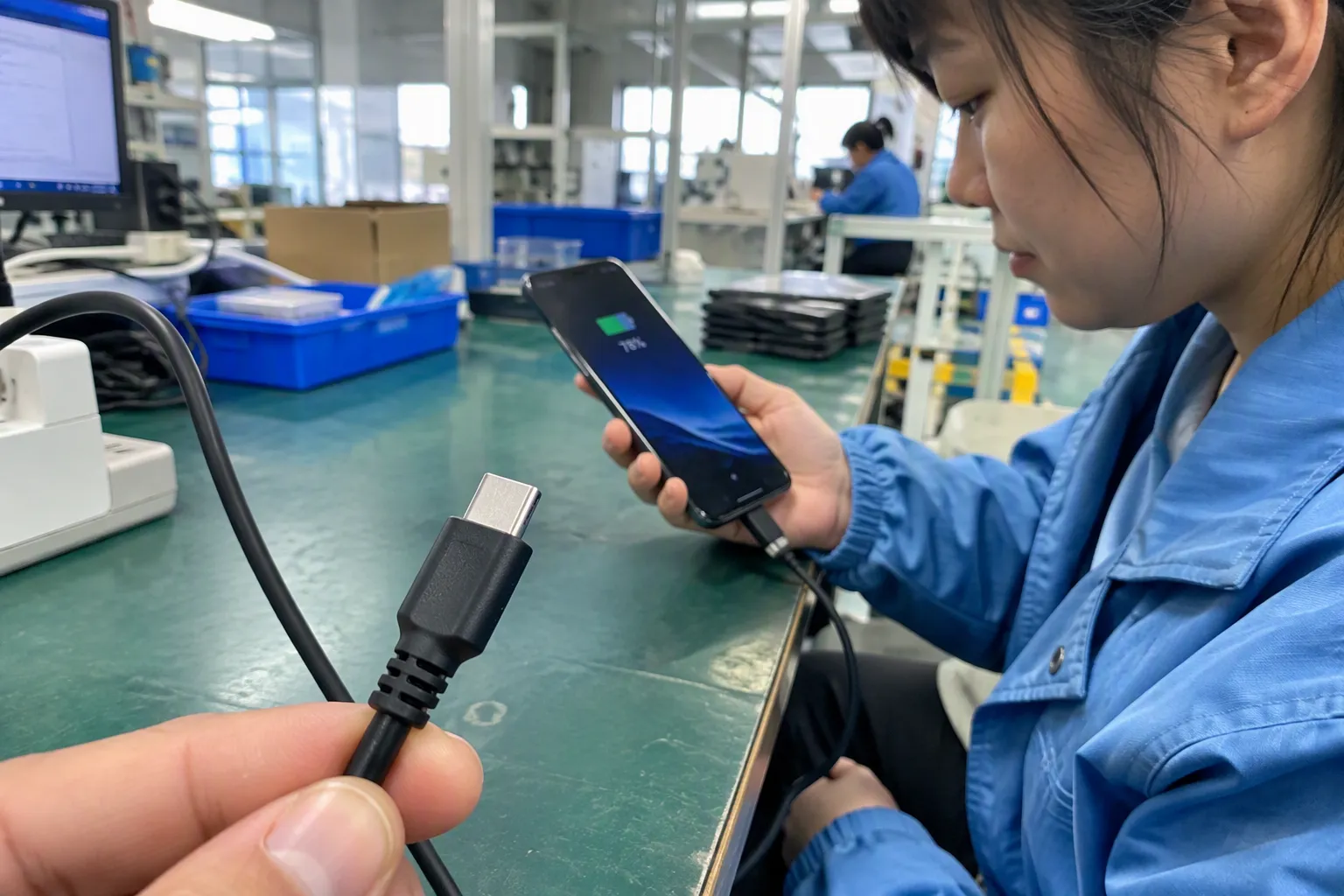
No. We treat USB-C as a connector type, not a guaranteed charging claim. A USB-C cable may physically fit a USB-C port, but buyers should verify the cable, charger, device, and supported specifications before advertising or expecting a particular charging function.
Can a USB-C cable be used for video output?
Some USB-C setups may support display-related functions, but we do not assume this from the connector alone. We recommend verifying the exact cable model, source device, display device, adapter or dock, and documented supported functions before making a video-output claim.
How should we describe USB cables on an e-commerce product page?
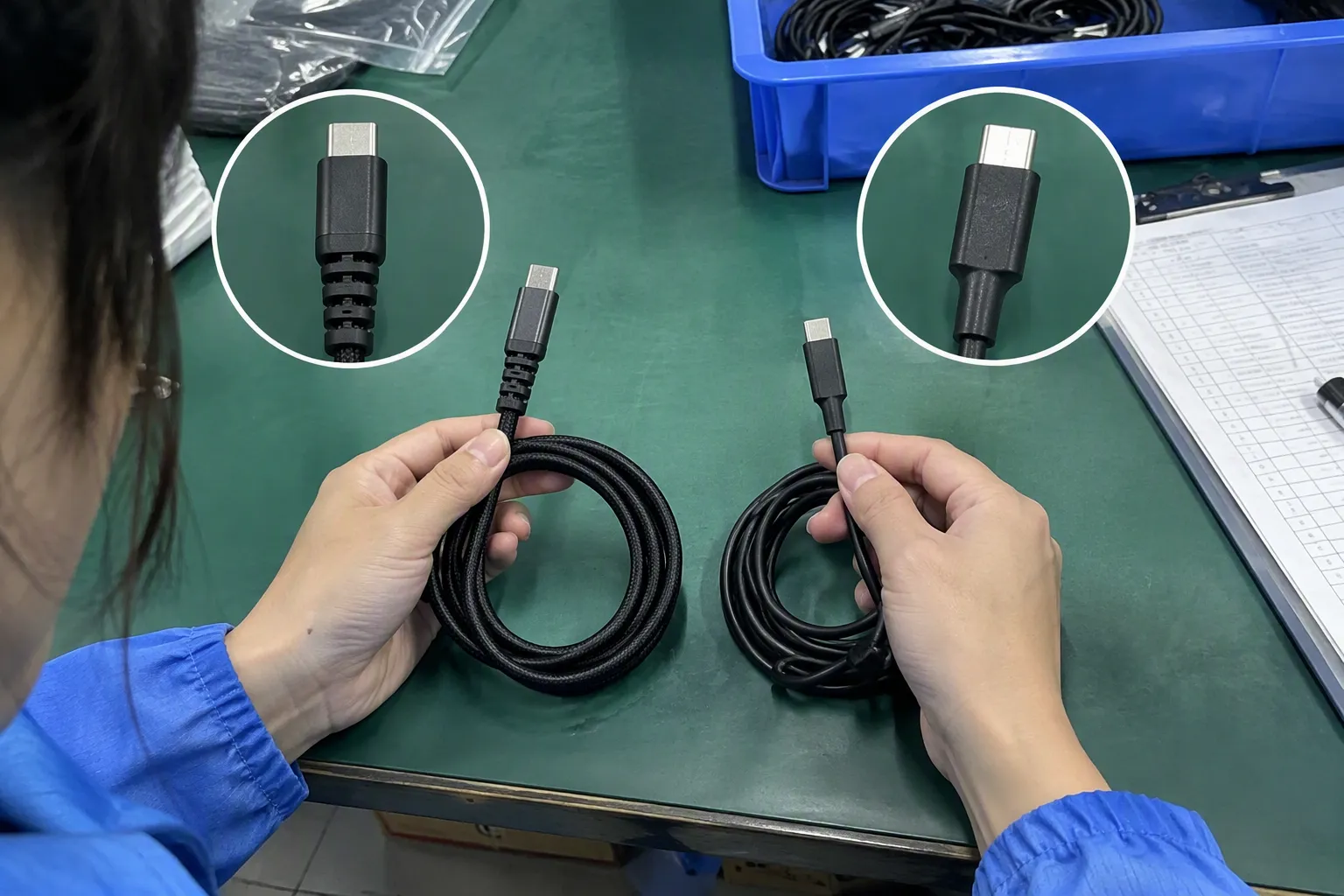
We recommend stating both connector ends, intended use, cable length, supported functions, and compatibility notes. We also suggest adding clear images of the plugs. Terms such as “universal” or “fast” should only be used when the product specification supports them.
What should wholesalers verify before ordering USB cables?
We recommend verifying connector combinations, intended applications, documented functions, available compliance documents, packaging details, MOQ, lead time, customization options, and quality-control requirements. Buyers should also confirm that the product claims match the target market and sales channel.
Conclusion
Identifying USB types begins with recognizing connector shapes such as USB-A, USB-C, Micro-USB, and USB-B. However, better purchasing decisions require more than a visual check. We recommend identifying both cable ends, confirming the target device port, and verifying the documented functions of the complete setup. Clear specifications and careful product listings can reduce customer confusion, returns, and post-sale disputes. If you are sourcing USB cables, chargers, or customized 3C accessories for your market, we can help you compare suitable product and packaging options.
Sources
- A Primer on USB Type-C and Power Delivery Applications ...", USB Implementers Forum documentation distinguishes the USB Type-C connector and cable interface from the USB data, USB Power Delivery, and alternate-mode specifications that determine particular functions
- What is USB-C DisplayPort (DP Alt Mode) and Why it Matters", USB-IF specifications describe USB Power Delivery, USB data generations, and alternate modes as separate capabilities; therefore, the presence of a USB Type-C connector alone does not establish charging rate, data rate, or video support
- Cables and Connectors", Reference descriptions of USB distinguish physical connector families from USB protocol versions and transfer-rate specifications, supporting the distinction between connector form factor and performance capability
- USB Charger (USB Power Delivery) | USB-IF", USB Power Delivery documentation explains that negotiated power operation is based on the capabilities communicated by connected source and sink devices, with cable capability information relevant in specified cases
- USB Type-C® Cable and Connector Specification", USB Implementers Forum materials describe USB Type-C as a reversible connector interface, meaning that plug orientation does not need to be selected before insertion
- USB Ports, Cables, Types, & Connectors", Technical reference accounts identify USB Type-A as the long-established standard USB host-side connector used across computers and a broad installed base of USB equipment
- What is USB-C DisplayPort (DP Alt Mode) and Why it Matters", USB-IF technical materials treat the USB Type-C connector, USB4 data operation, USB Power Delivery, and alternate modes as distinct specifications, so a Type-C label alone does not denote a fixed feature set
- The EU common charger", European Union common-charger policy materials describe a transition from multiple legacy charging interfaces, including Micro-USB, toward USB Type-C in covered device categories